

Every feature, by product suite.
FRINK Engine
7 cards- 1
One appliance, fully offline Foundation
A virtual appliance for VMware and Nutanix; Azure on request. A short console wizard sets network, DNS, NTP and the admin user – fully offline. No cloud dependency, no agents, no internet connection required. Upgrades are signed packages delivered via virtual CD.
- 2
Connectors for every UC component Foundation
Call records, call quality, configuration, registrations and certificates from CUCM, IM&P, Unity Connection, Meeting Server, Expressway and CUBE / IOS-XE gateways – collected with read-only accounts wherever the component allows it. Every product reads from the same data.
- 3
Storage and retention you decide Foundation
All data stays on the appliance: up to 10 years, with a retention policy per record type (call records and logs: 180 days by default). Storage usage per node and service is always in view.
- 4
Alerts Foundation
One alerting service for every product. Device goes unregistered → alert. Certificate expires in 30 days → alert. Health Check turns red → alert. Rules built in one dialog, no scripting. Delivered by e-mail.
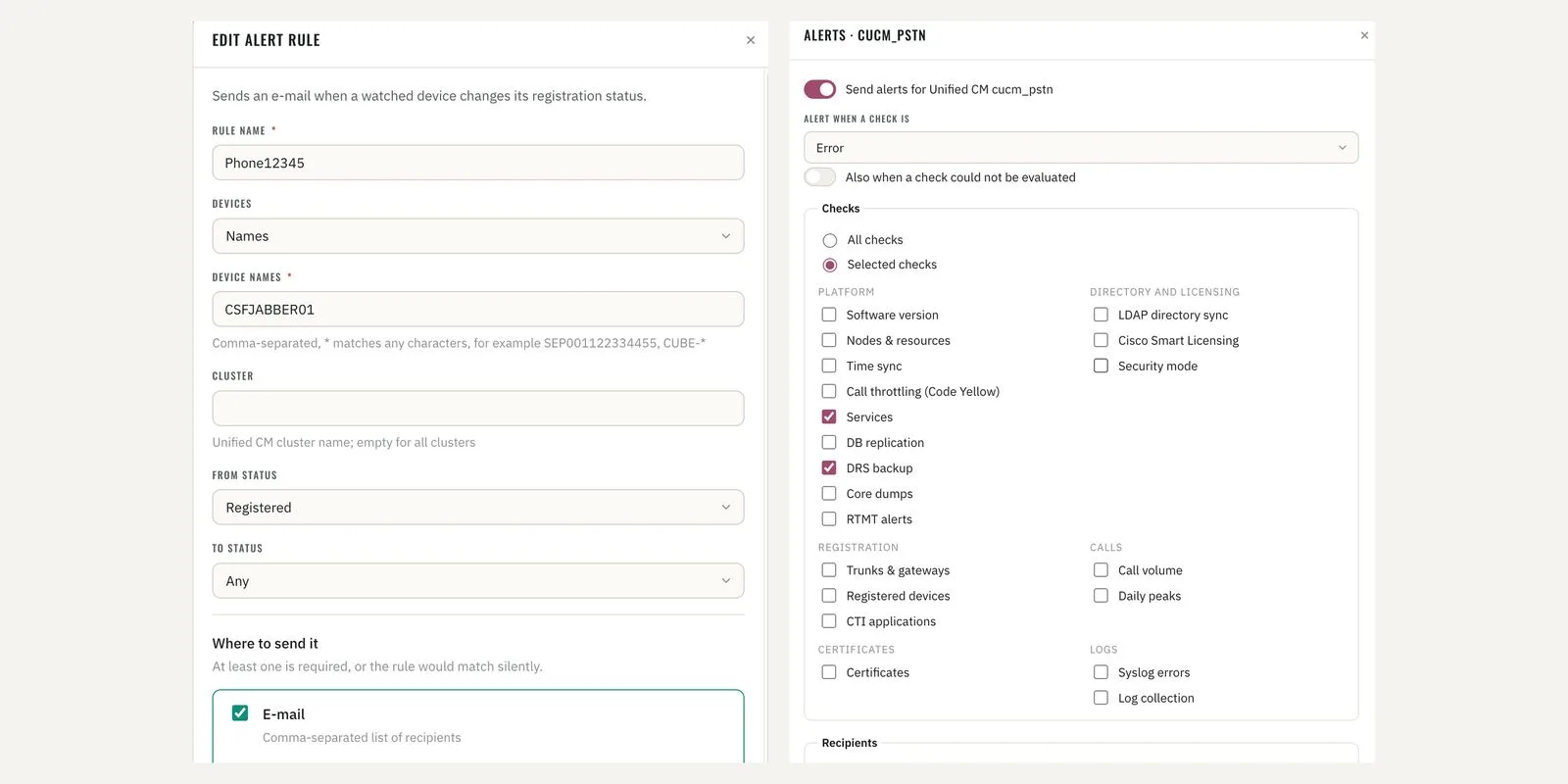
Alert rules · device registration rule and Health Check alert selection 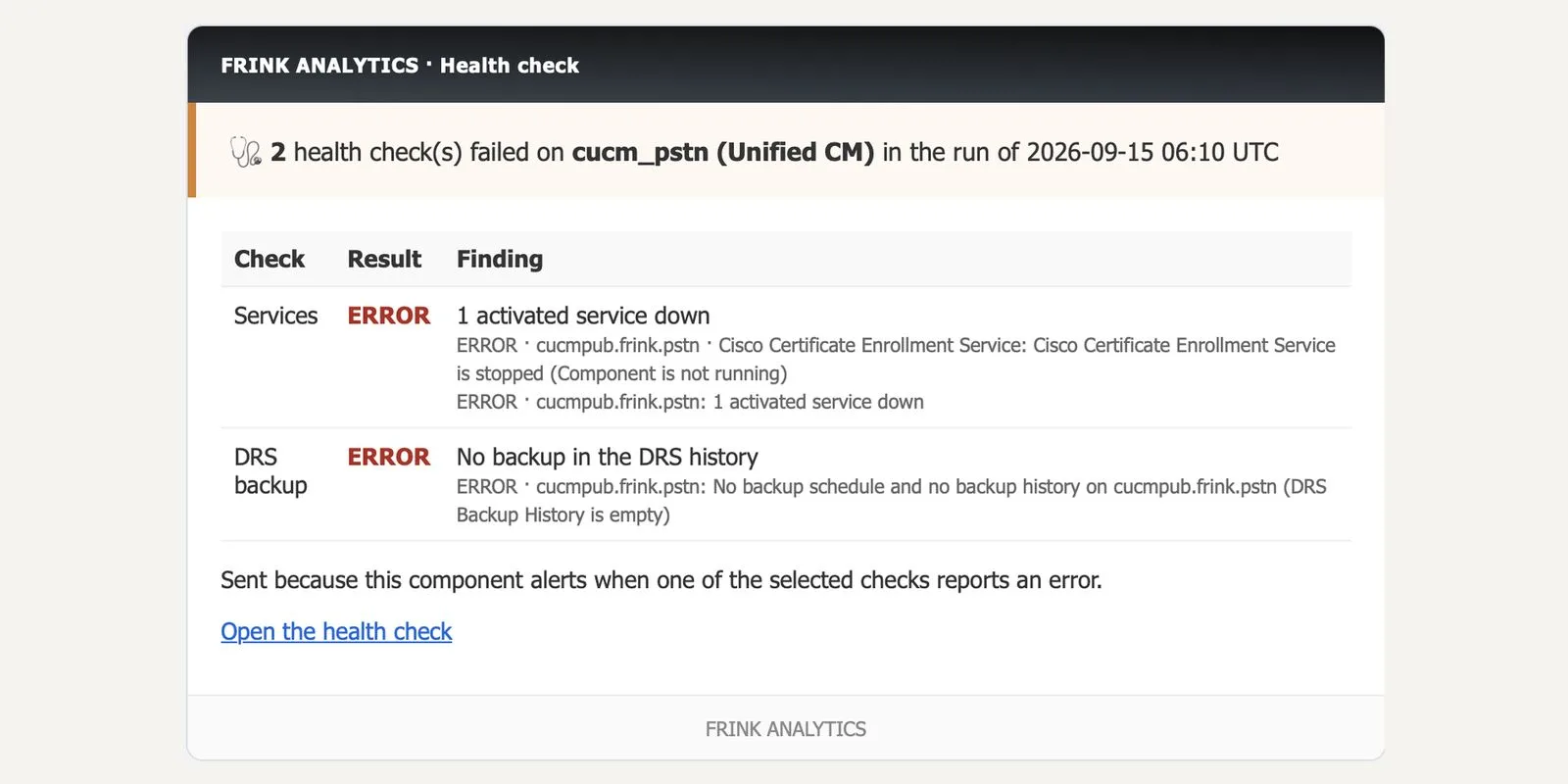
Alert e-mail · Health Check – failed checks on a cluster 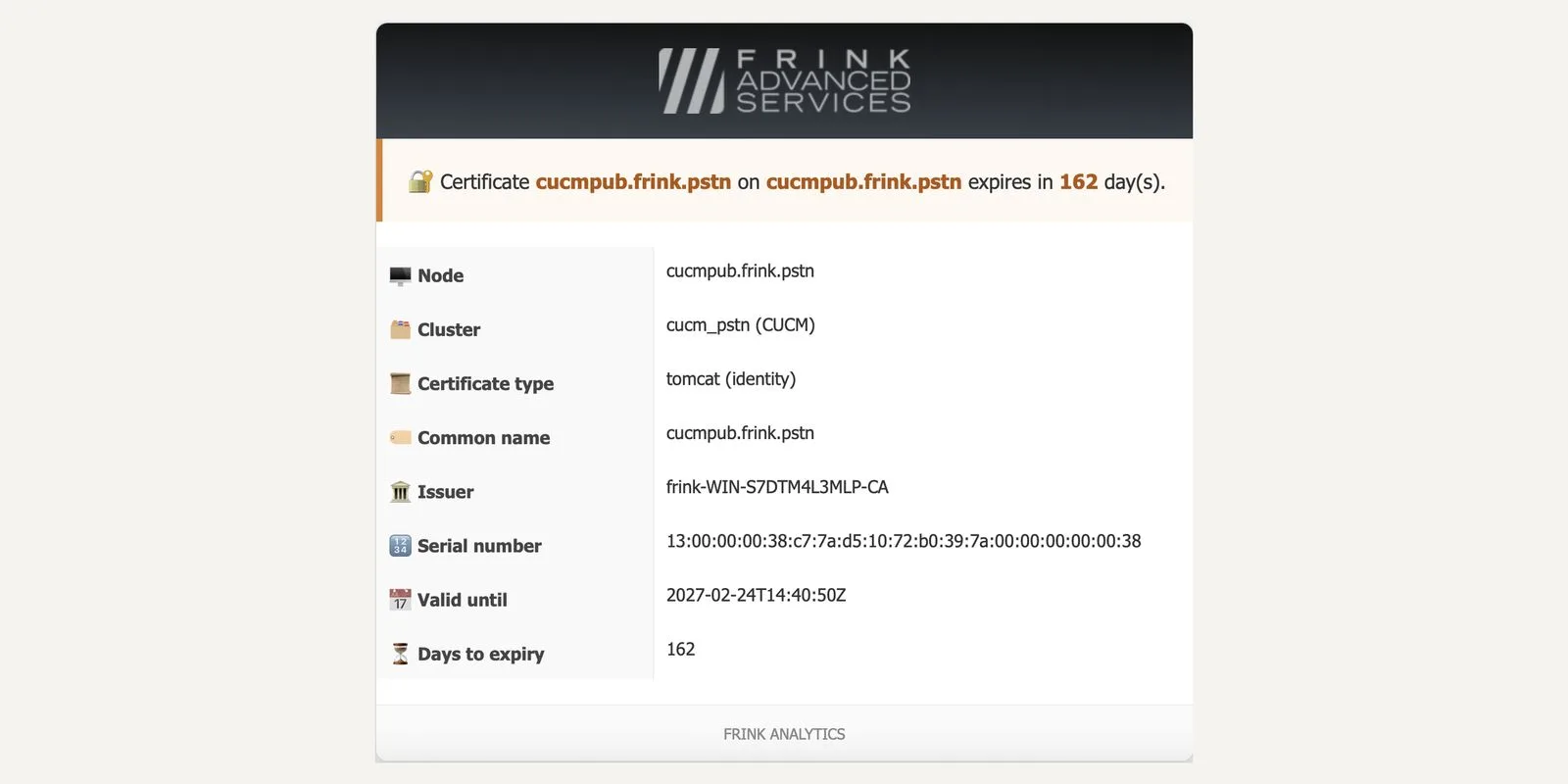
Alert e-mail · certificate expiry 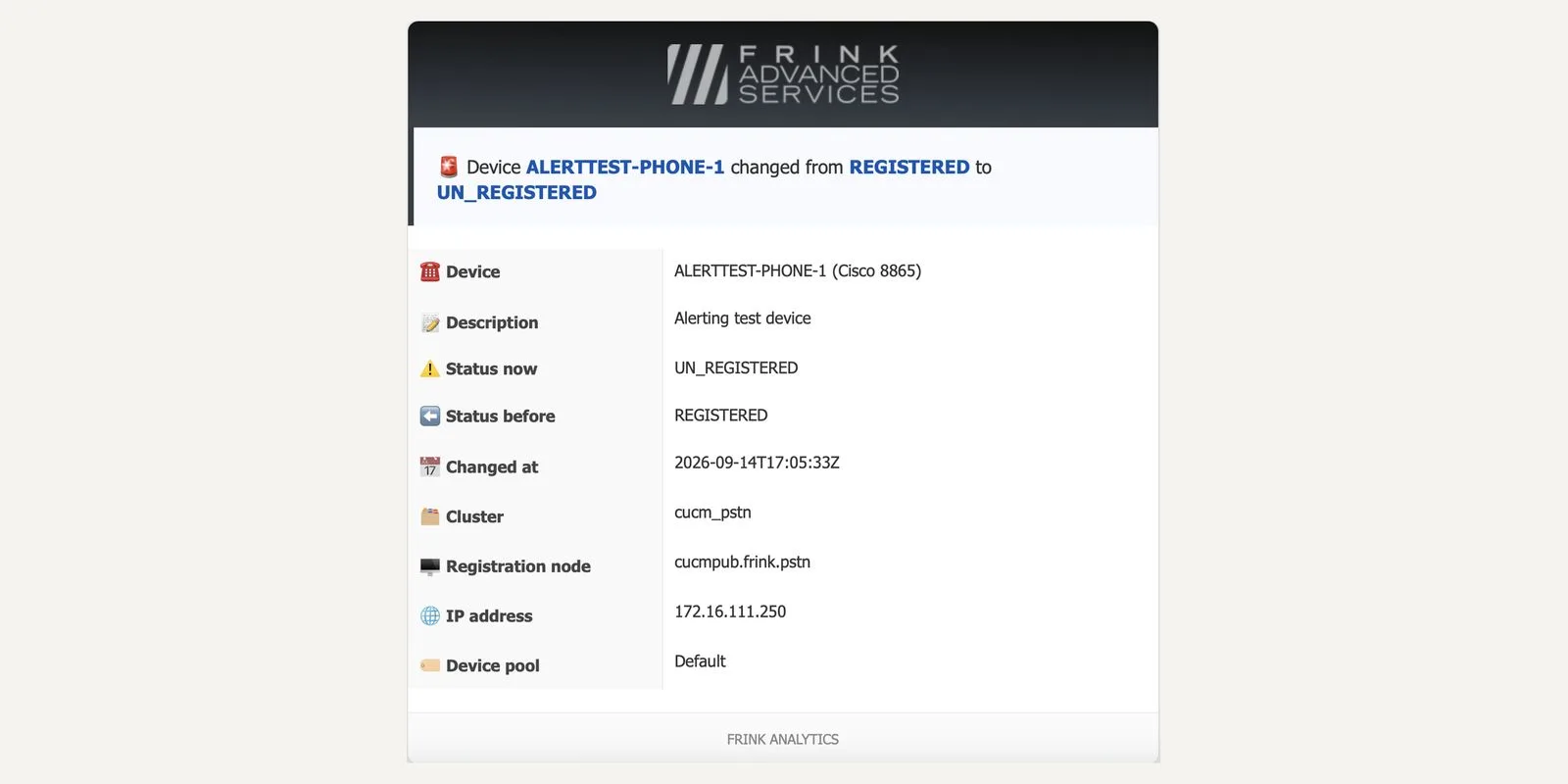
Alert e-mail · device registration change - 5
Log management Foundation
Collect CUCM, IM&P and Unity Connection service logs and keep them as long as you need; fetch them over the appliance's SFTP server. Retention policy per record type, storage usage per node and service.
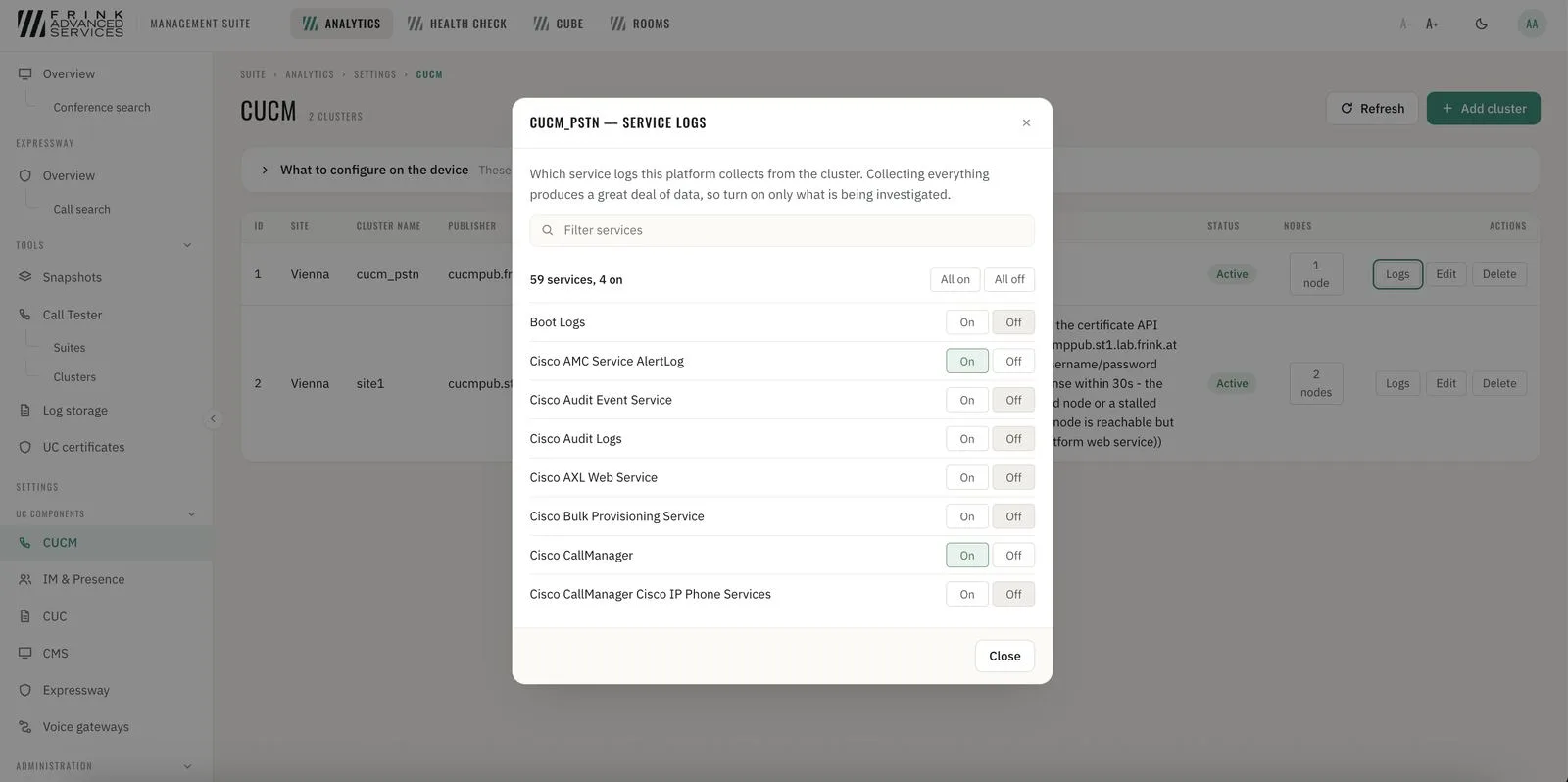
CUCM · service log selection per cluster 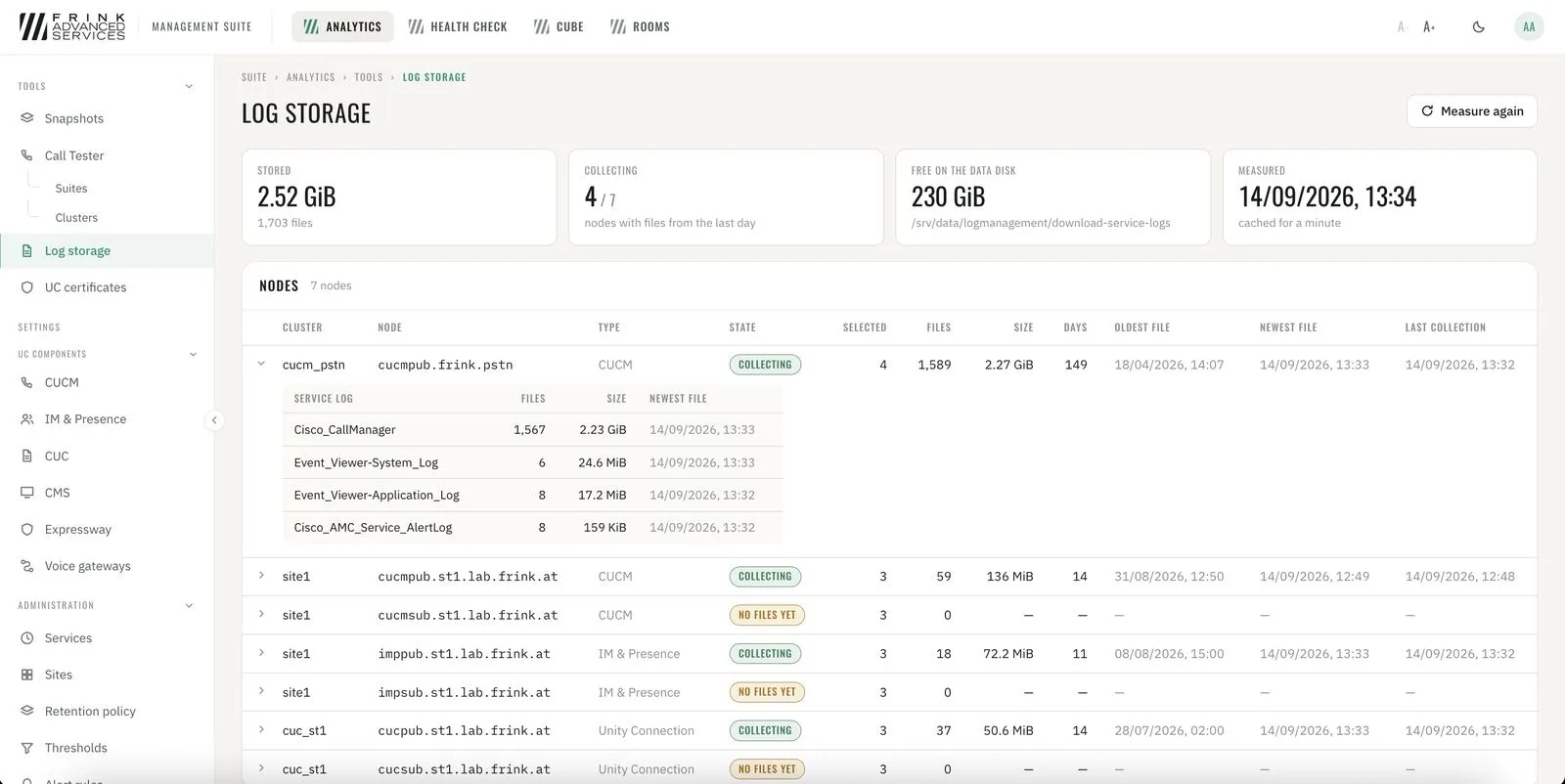
CUCM · log storage per node and service 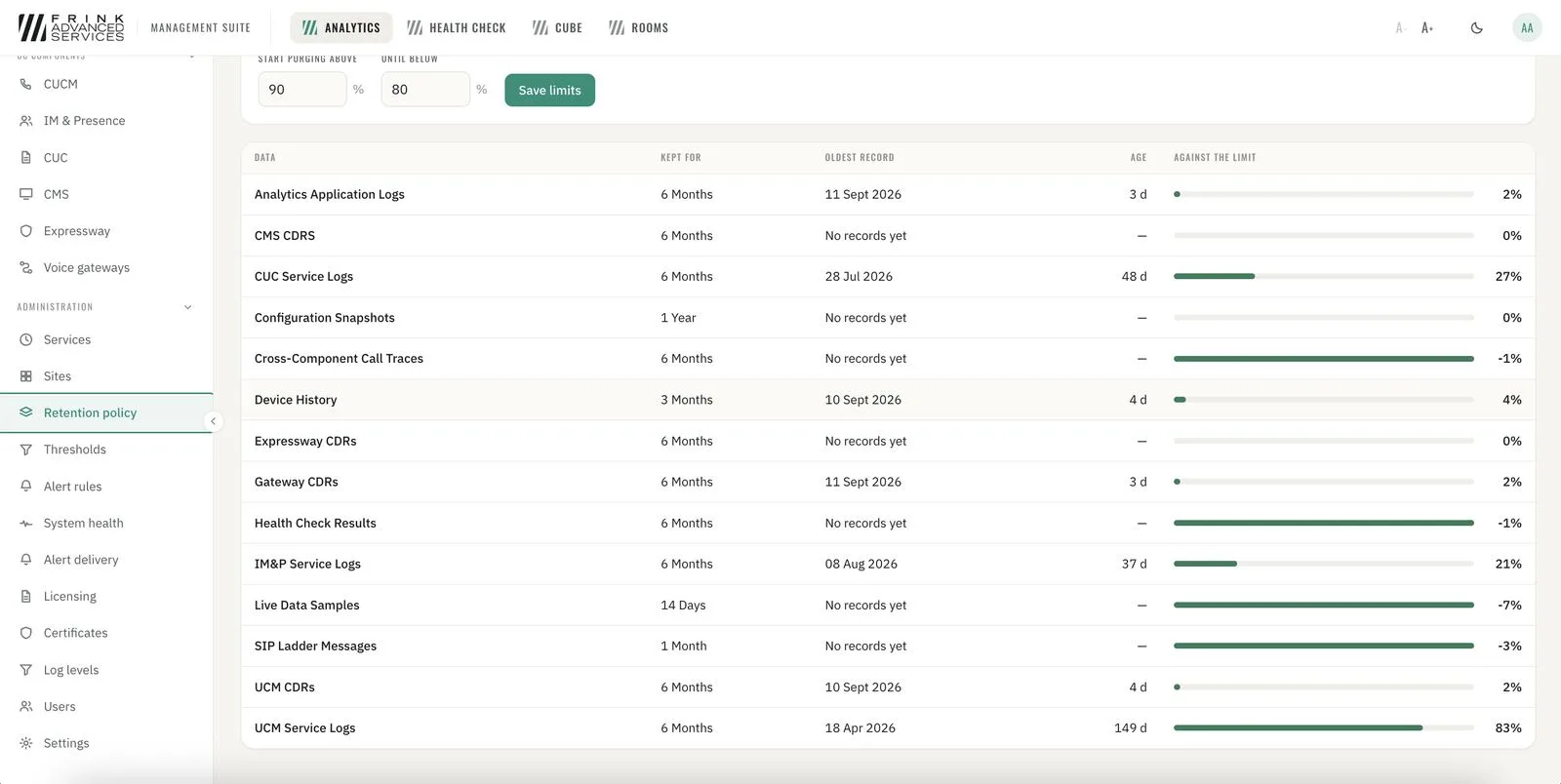
CUCM · retention policy per record type 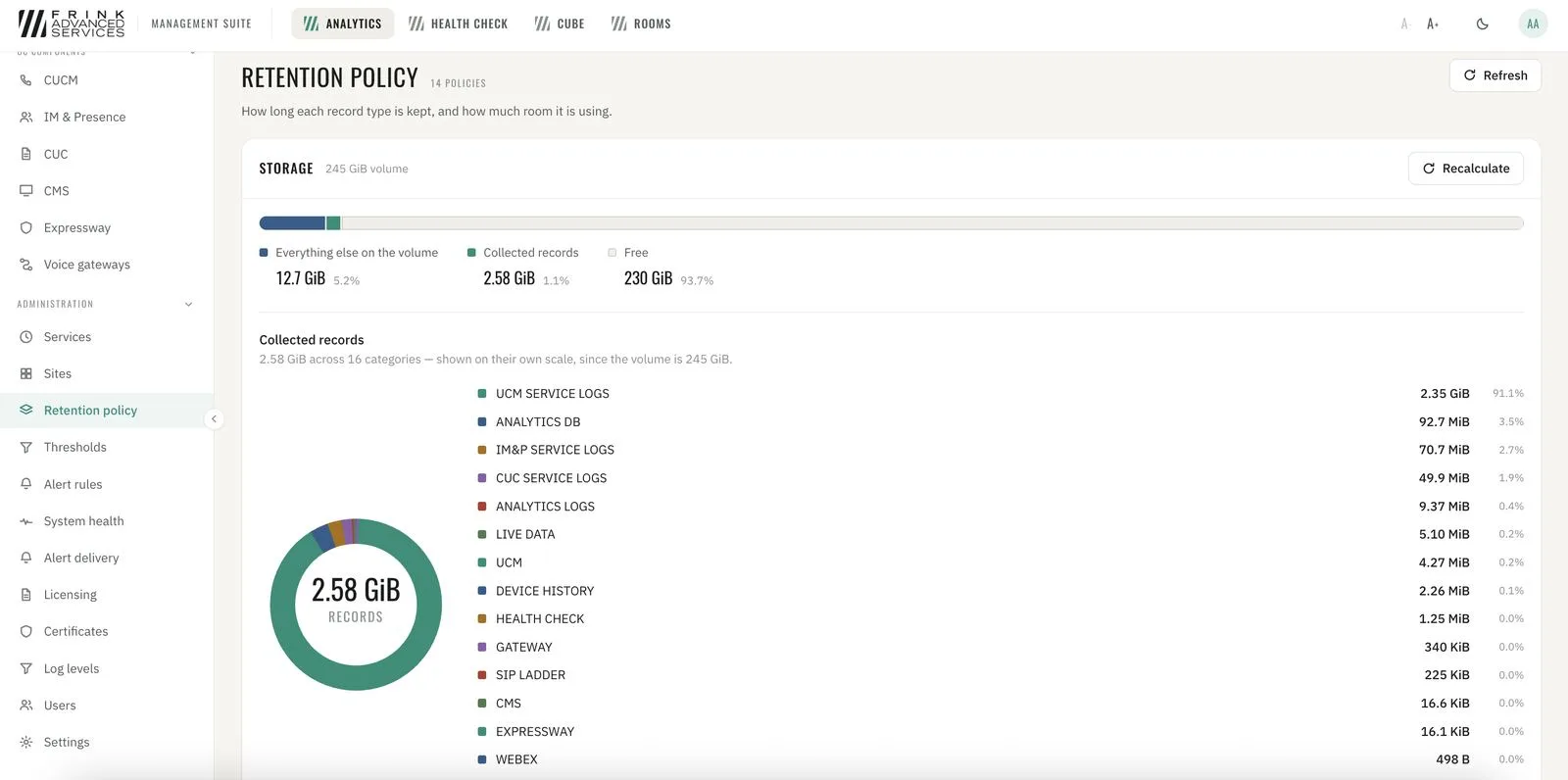
CUCM · storage usage of collected records - 6
Users, roles and audit trail Foundation
Access per user and role. Every change made in CUBE Management and Video Room Management is recorded: who changed what, and when.
- 7
One interface, one sign-in Foundation
Every product you license appears in the same interface, with one sign-in and one way of working. Add a product later and it appears next to the others.
FRINK Analytics
13 cards- 8
Call overview & statistics Calls & quality
Total, abnormally disconnected and encrypted calls (CUCM) and average duration – each with change vs. the previous period. Top disconnect reasons at a glance. The same views per CUBE / voice gateway.
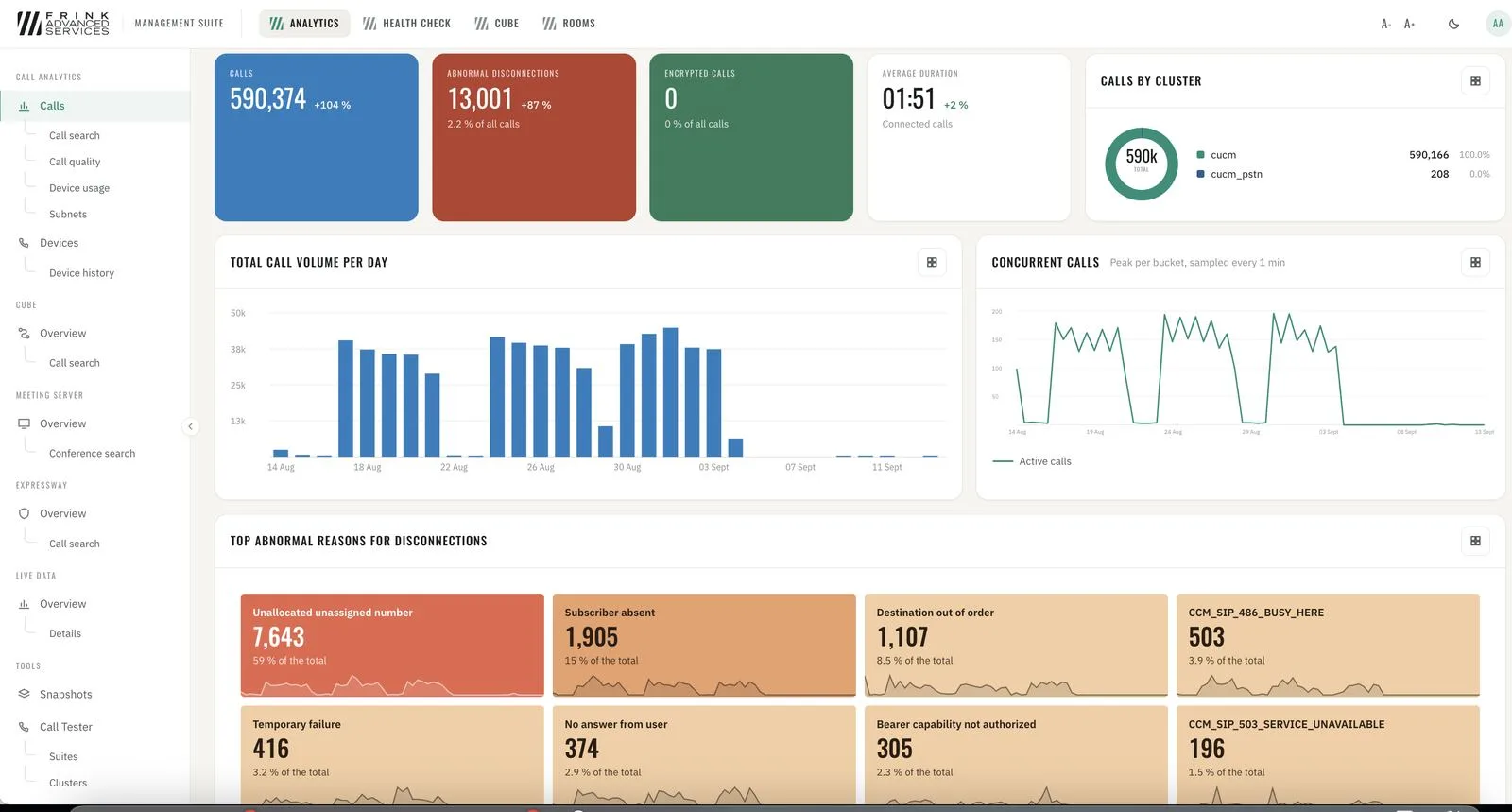
Analytics · CUCM calls overview 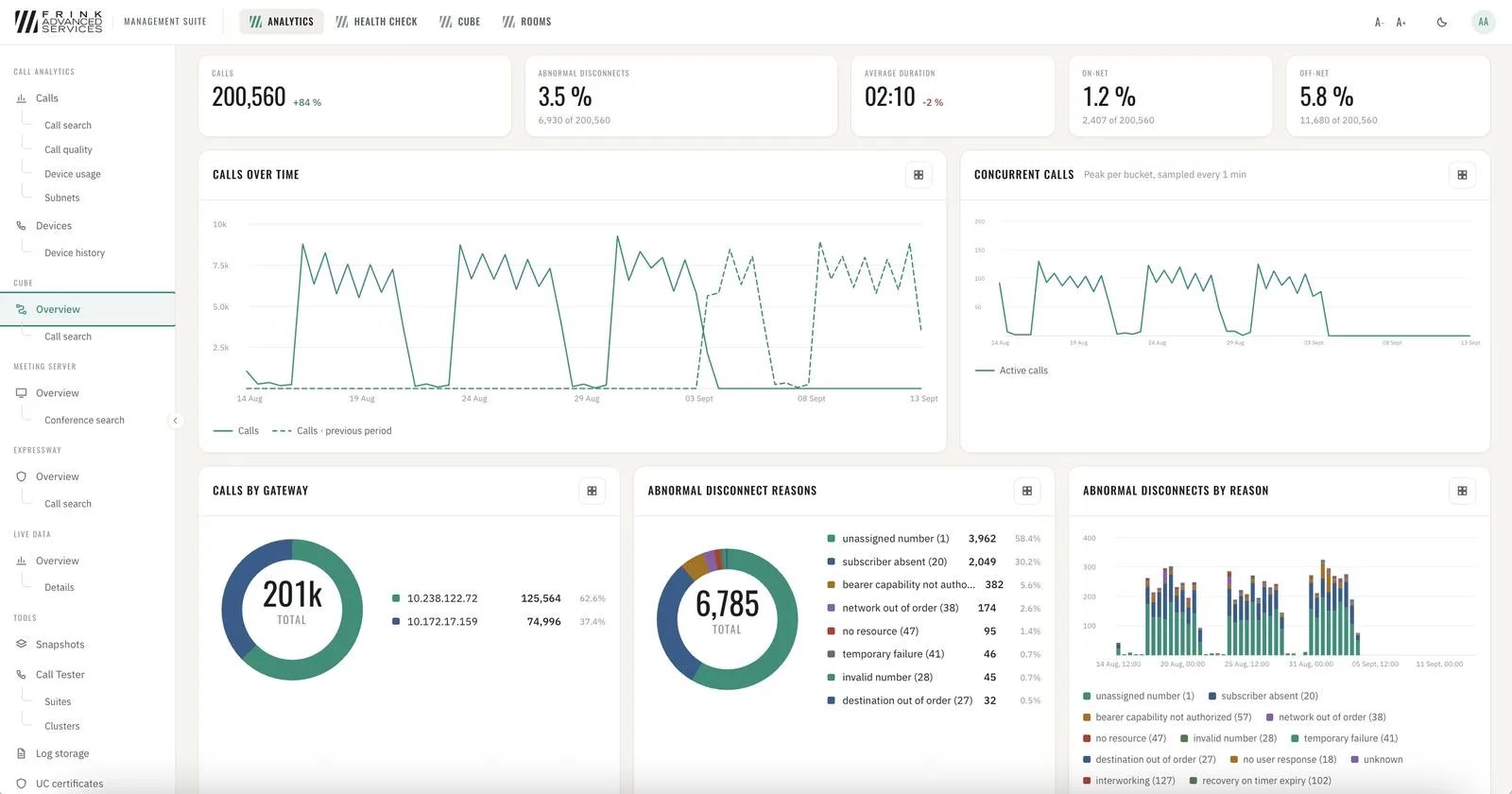
Analytics · CUBE overview - 9
Call quality Calls & quality
Every call with media metrics graded GOOD / ACCEPTABLE / POOR from Cisco's own media metrics. Trends against the previous week, quality by day and hour, by device group, worst devices.
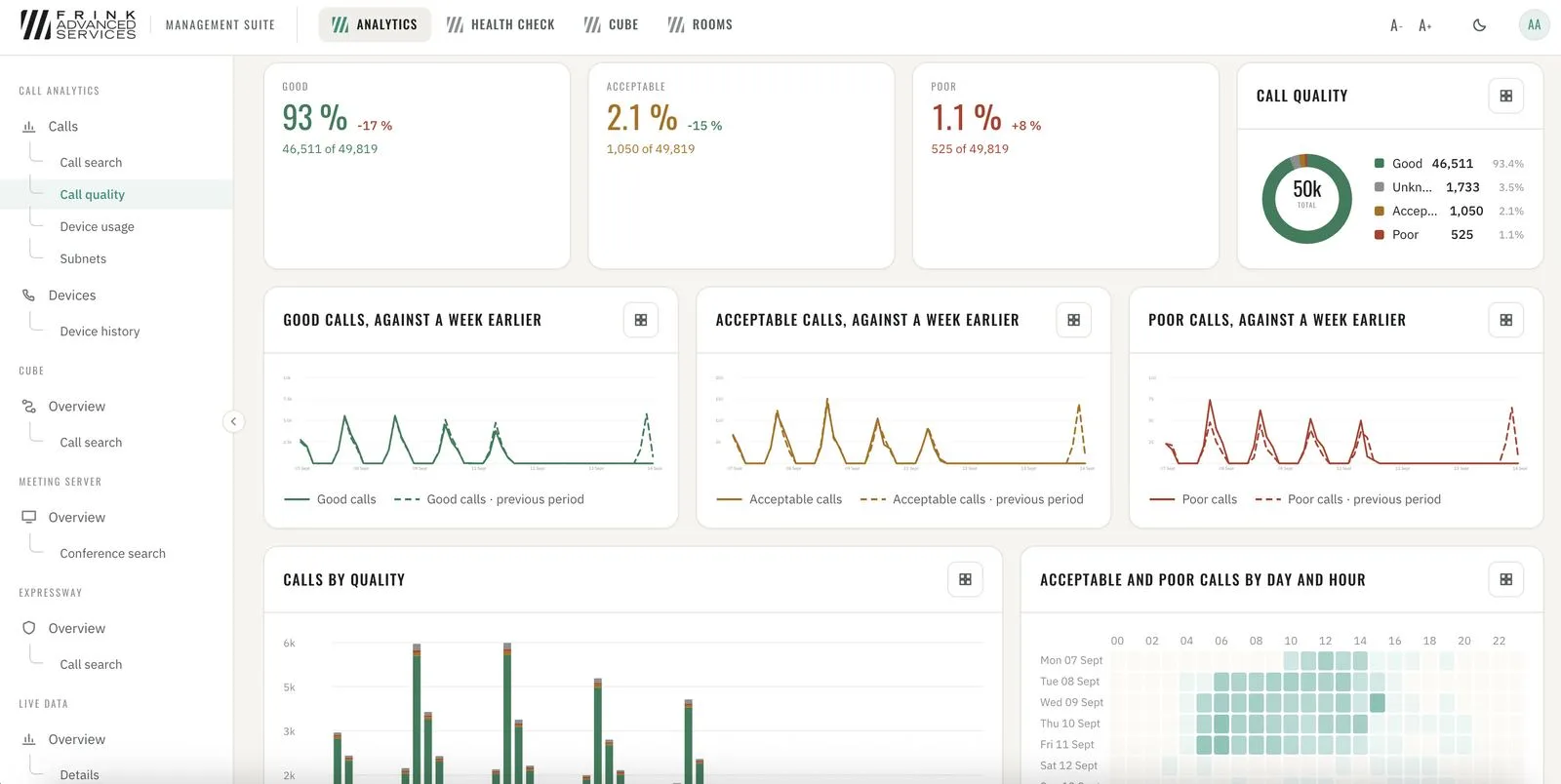
CUCM · call quality overview 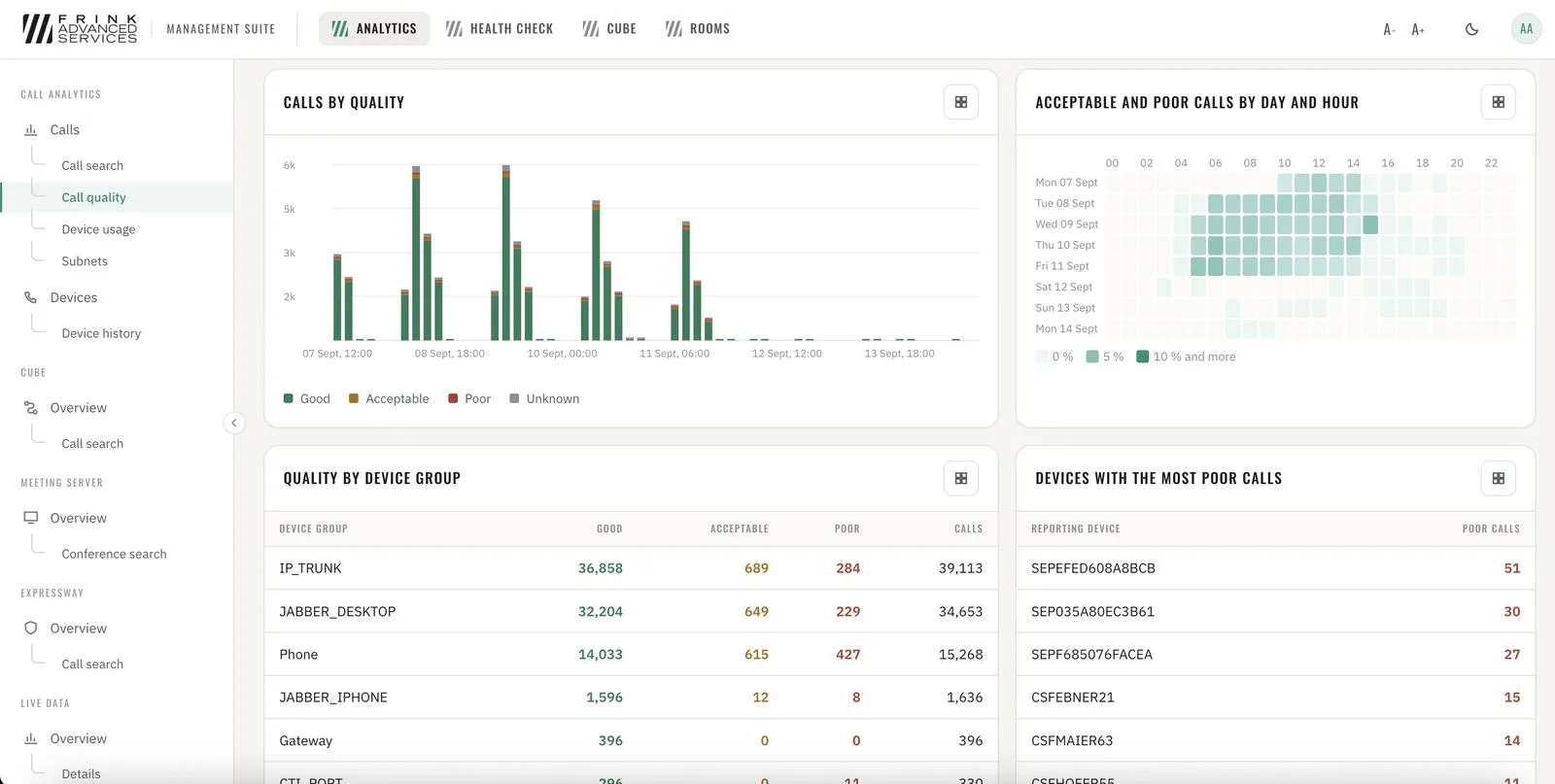
CUCM · quality by device group and worst devices - 10
From one bad call to the root cause Calls & quality
Search any call → device info → media statistics for both ends → SIP ladder with every message. Numbers, partitions, redirect reasons and cause codes for every call.
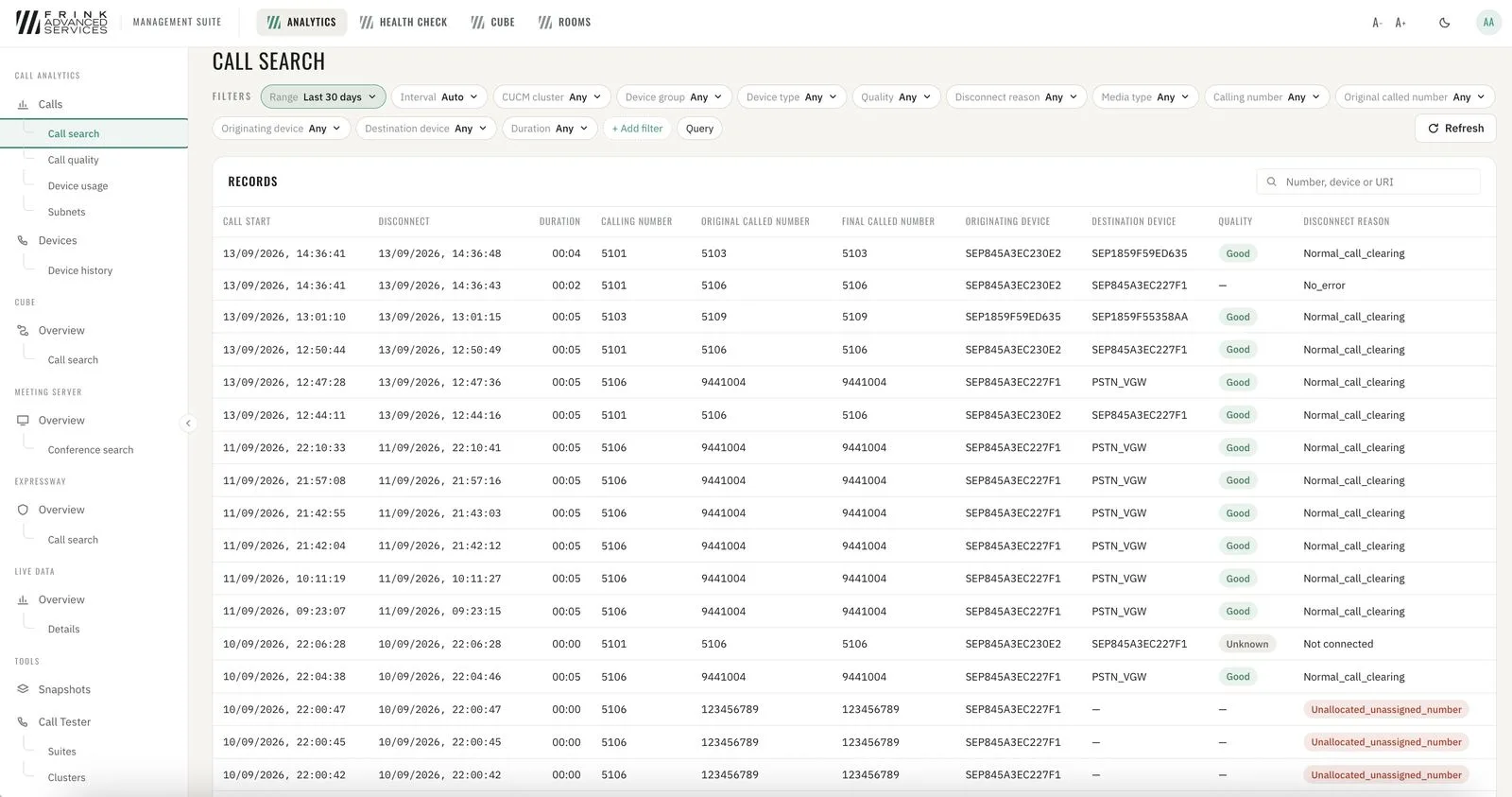
CUCM · list of calls & search 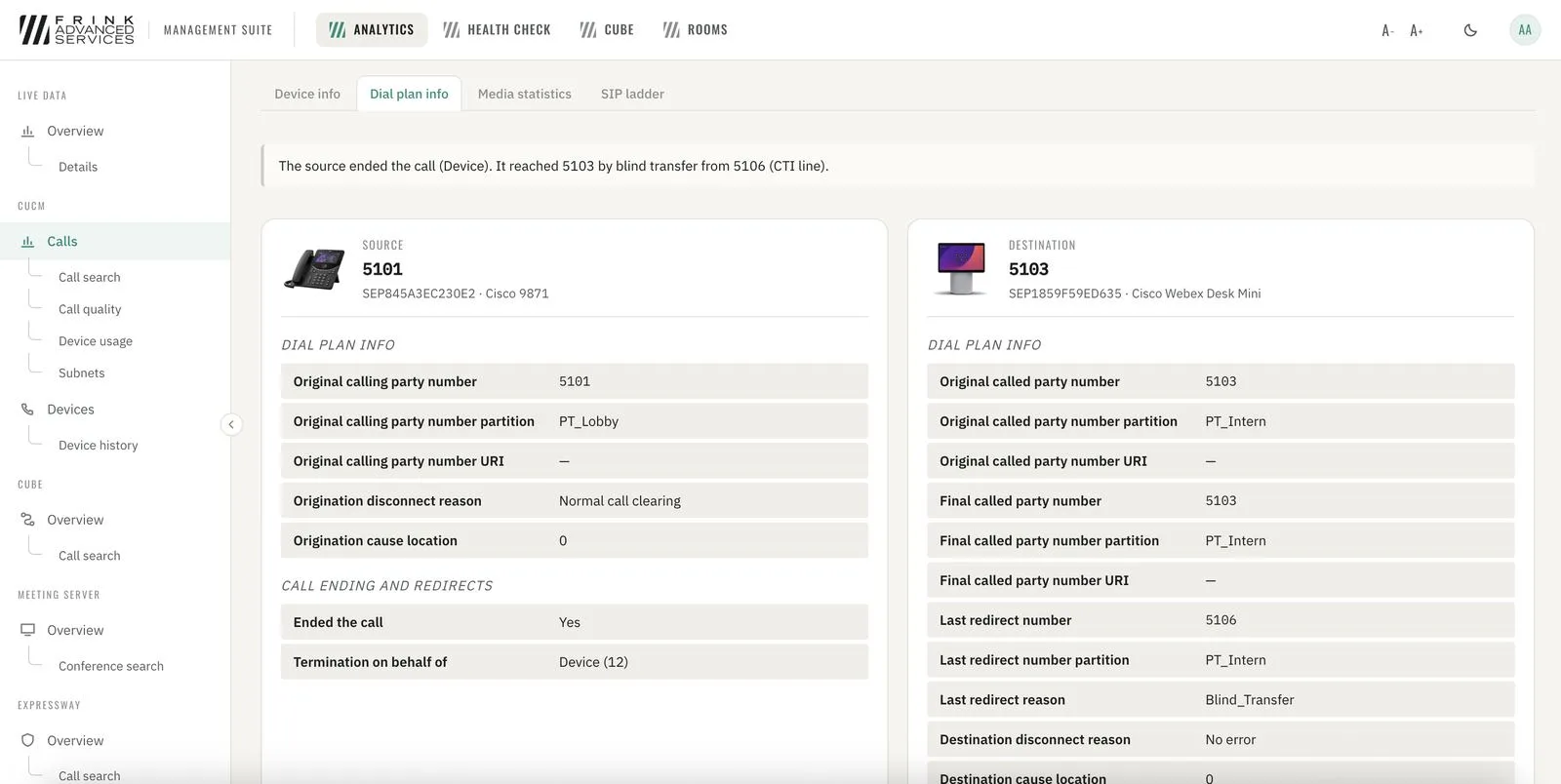
CUCM · dial plan info 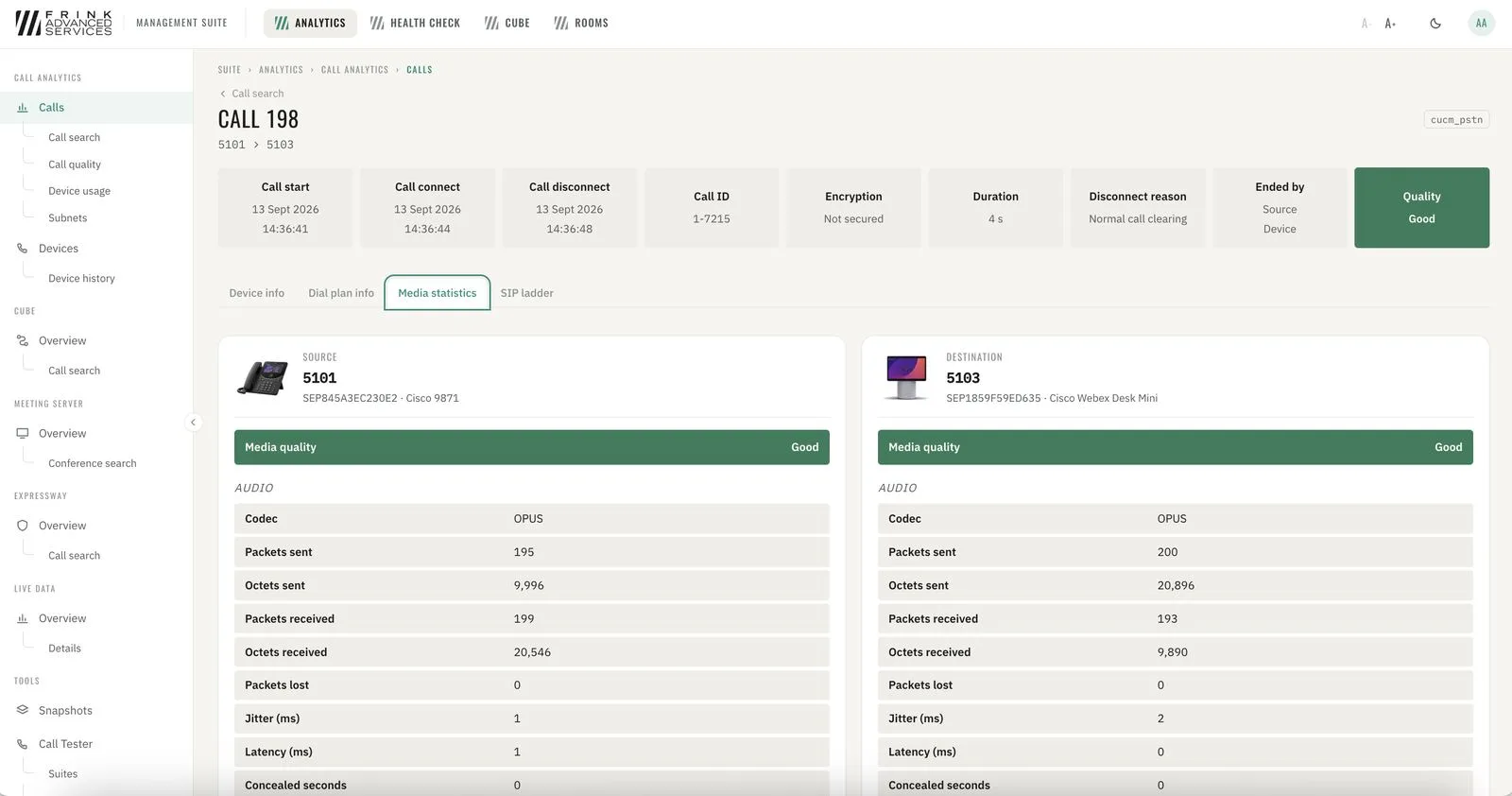
CUCM · media statistics per leg 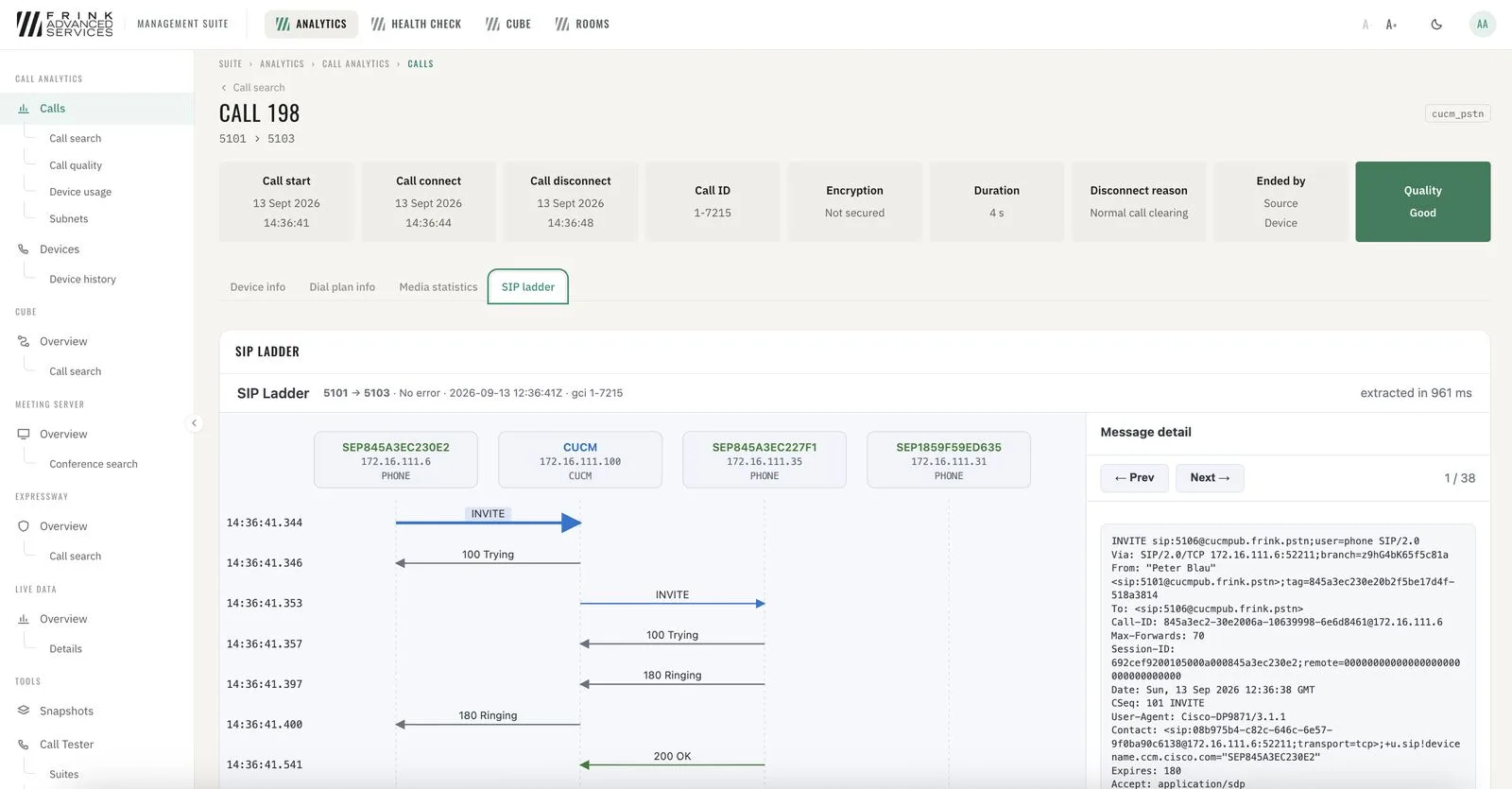
CUCM · SIP ladder with message content - 11
CUCM devices Devices
Every phone, trunk, gateway and media resource with registration status (synced regularly) and history. Per device: registration node, firmware, device pool, IP, calls per day, quality and disconnect reasons.
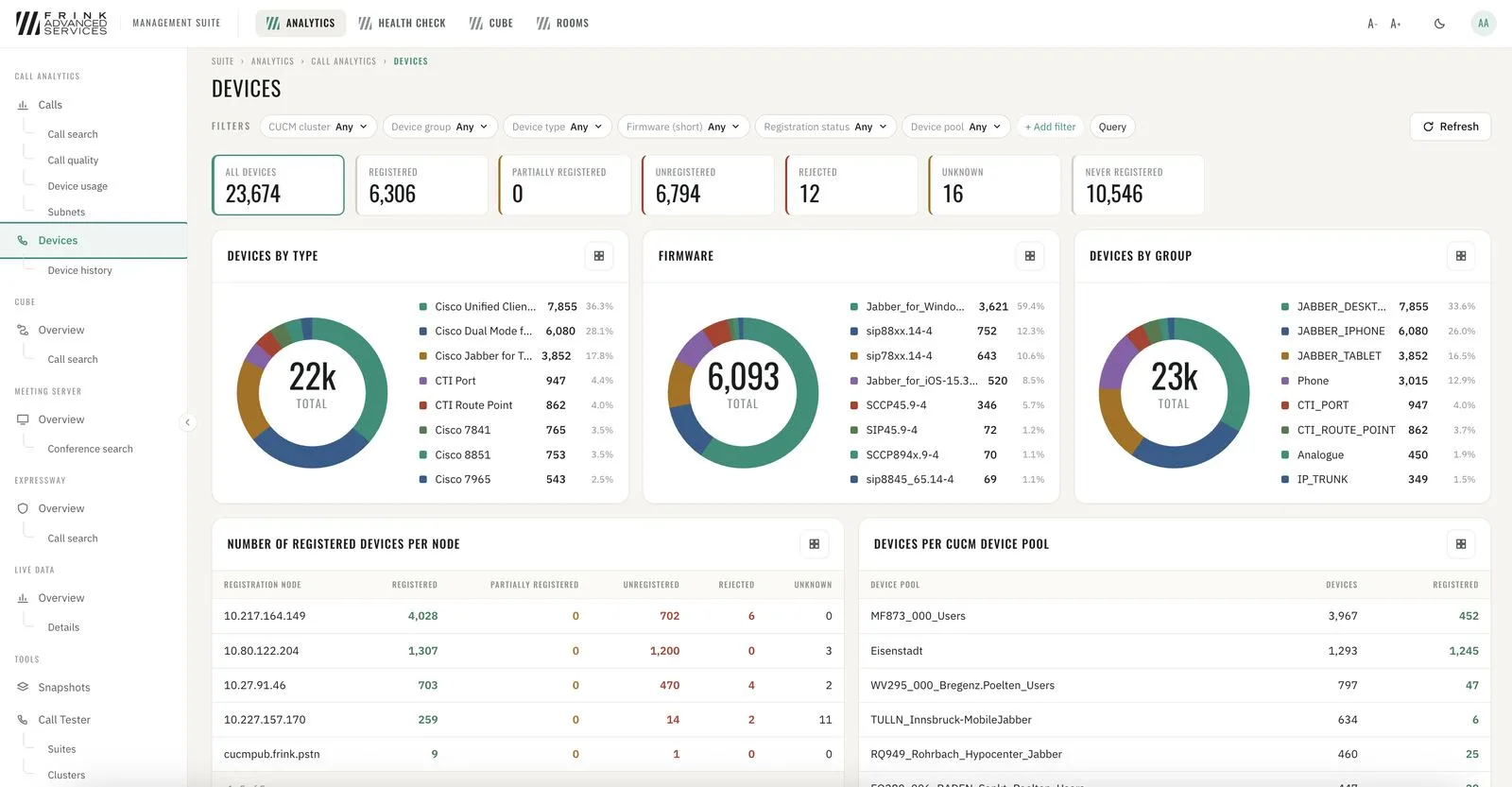
CUCM · devices with registration status 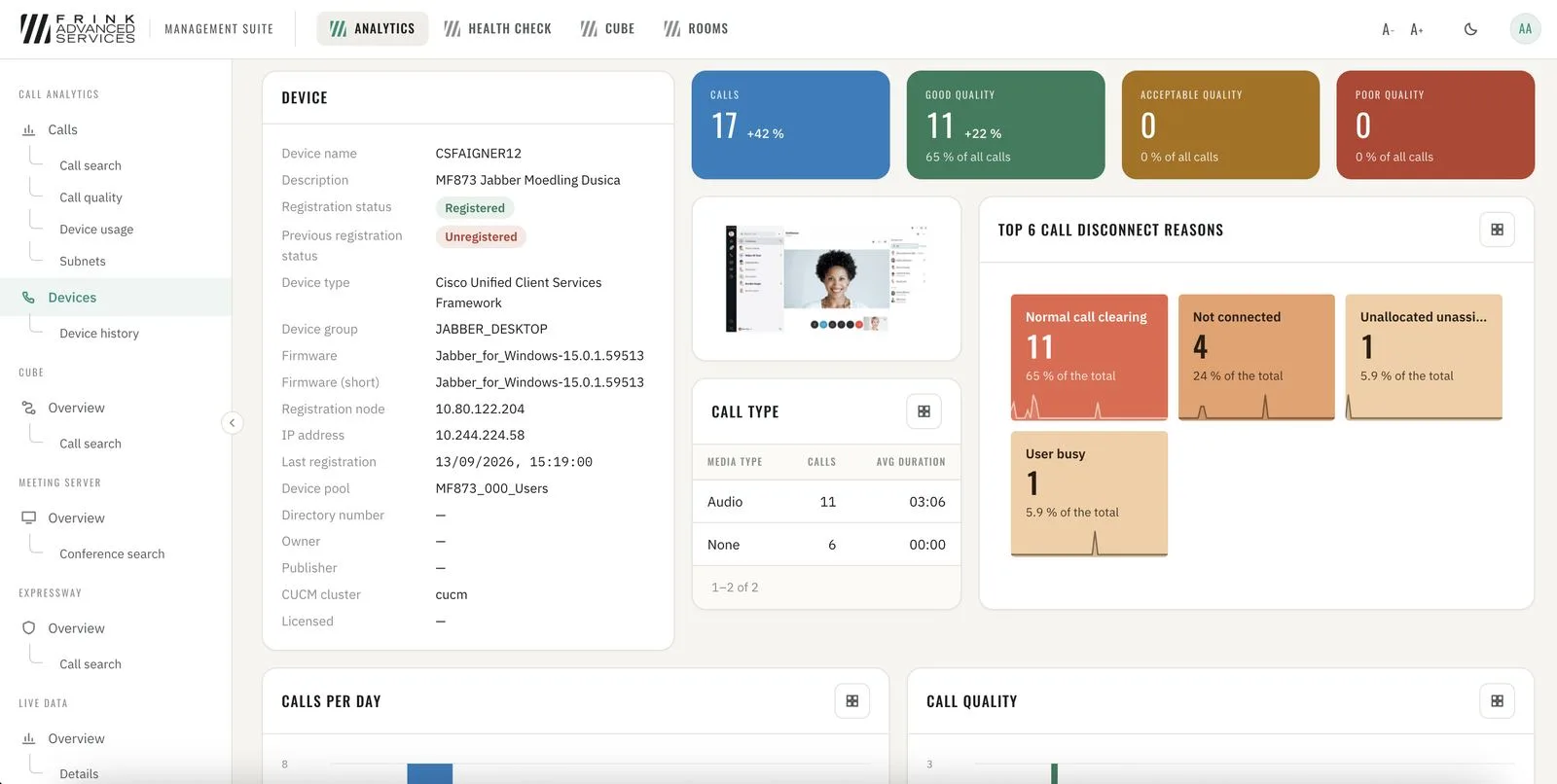
CUCM · device details - 12
Configuration snapshots & comparison Toolkit
Nightly copy of the CUCM / IM&P / CUC / Expressway / CMS configuration. Compare any two – or against what runs right now – and see exactly which field changed. Read-only: kept, compared and downloaded, never written back. No secrets inside.
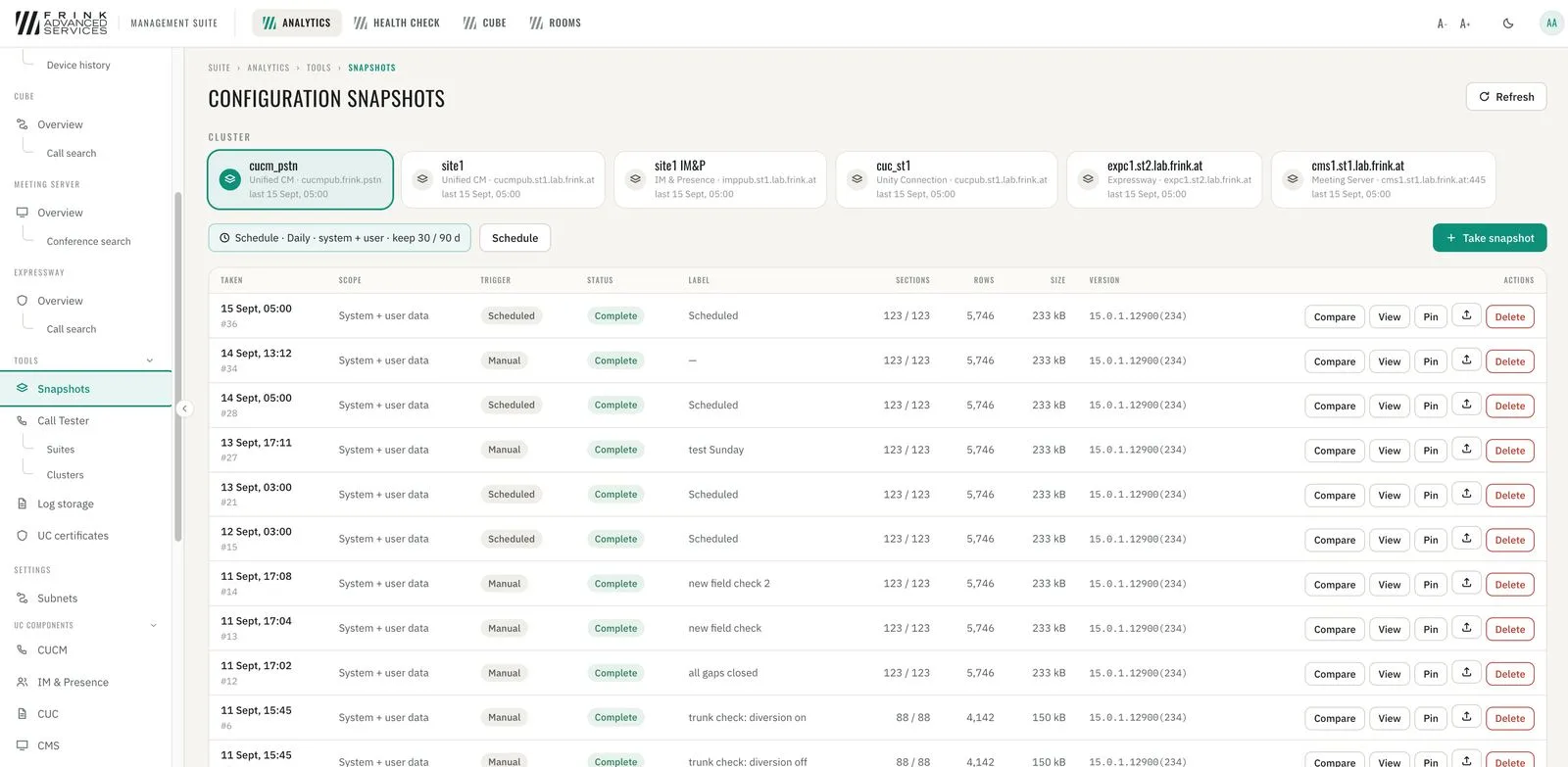
CUCM · configuration snapshots 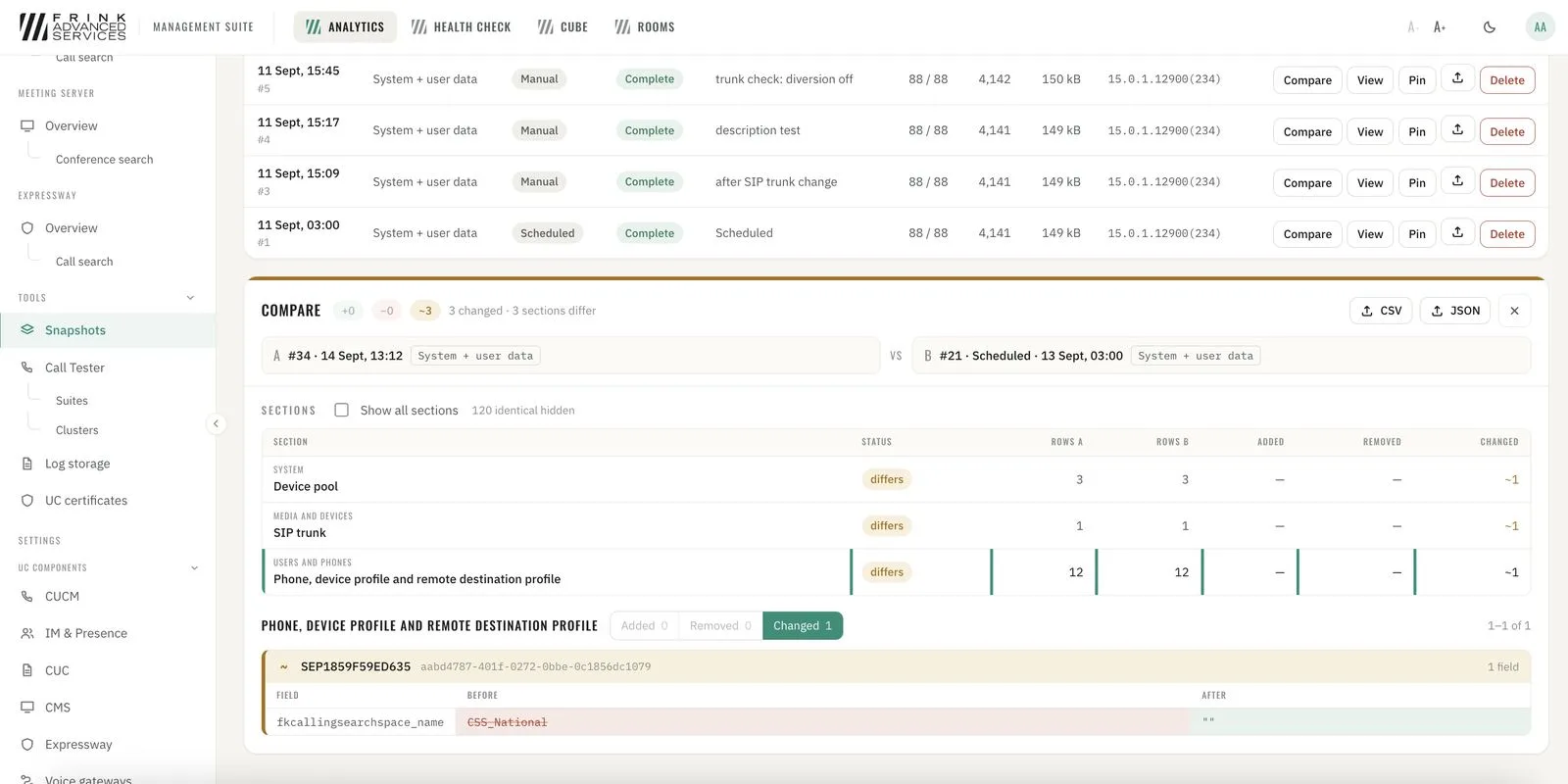
CUCM · comparison of snapshots & changes - 13
UC certificates Toolkit
All certificates of every node with days-to-expiry in red / amber / green. Identity certificates and trust stores, self-signed and expired flagged, one search across all clusters.
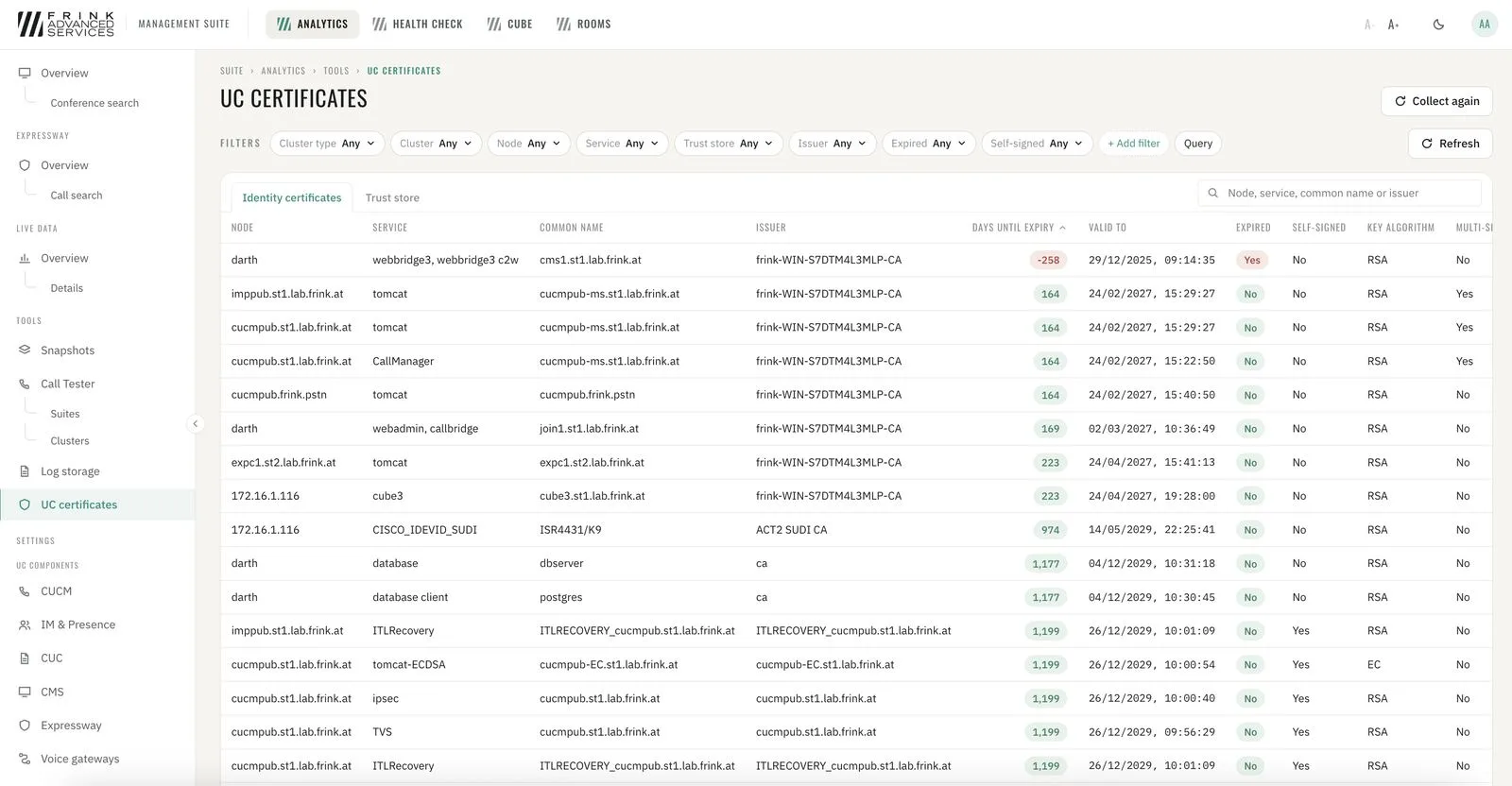
UC certificates with days to expiry 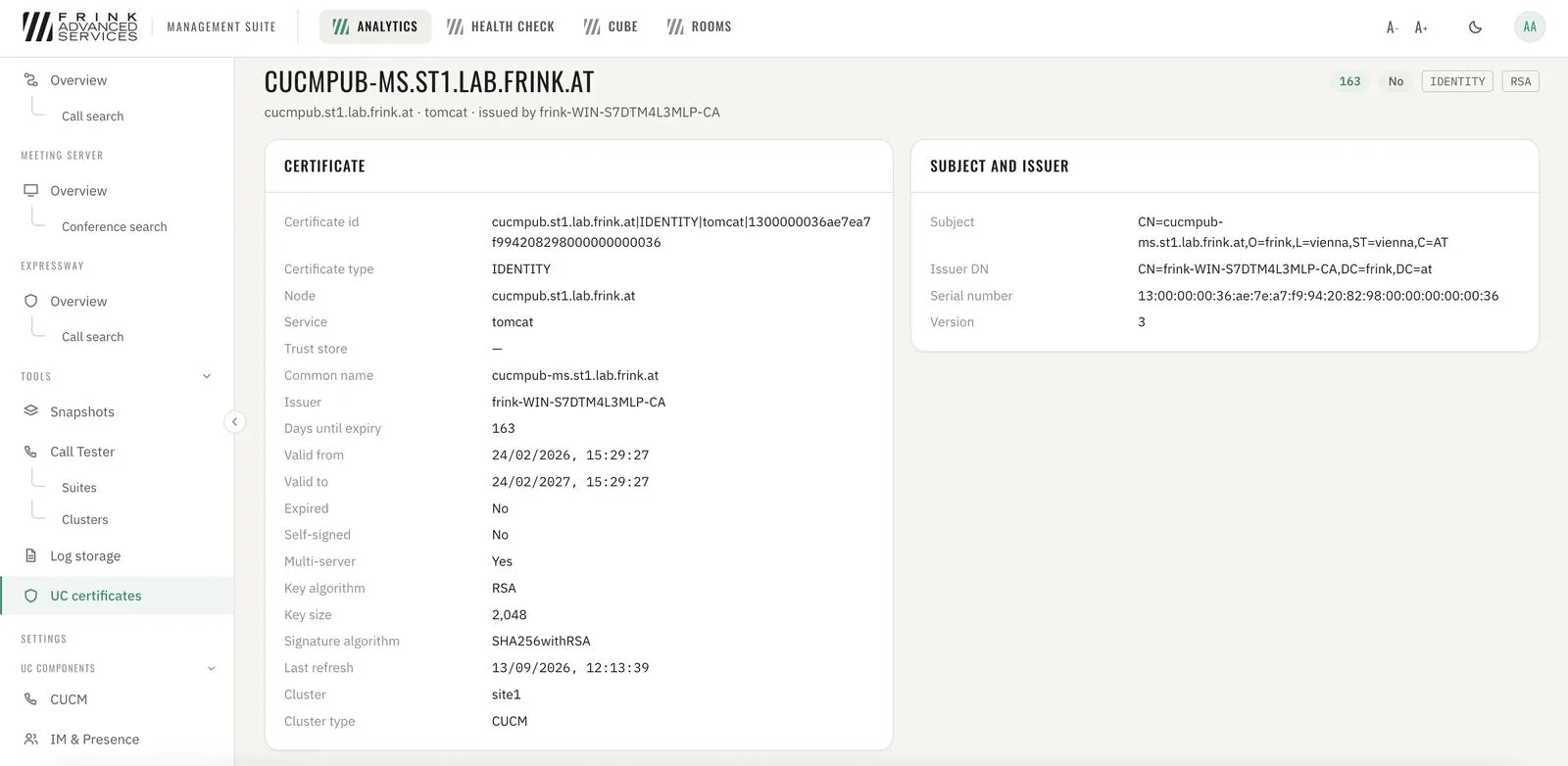
Certificate details - 14
Call Tester Toolkit
Build your own call testing environment with any scenario possible; define repetitions and gaps. Test calls are visible live and as a call flow ladder; single scenarios combine into complex test suites.
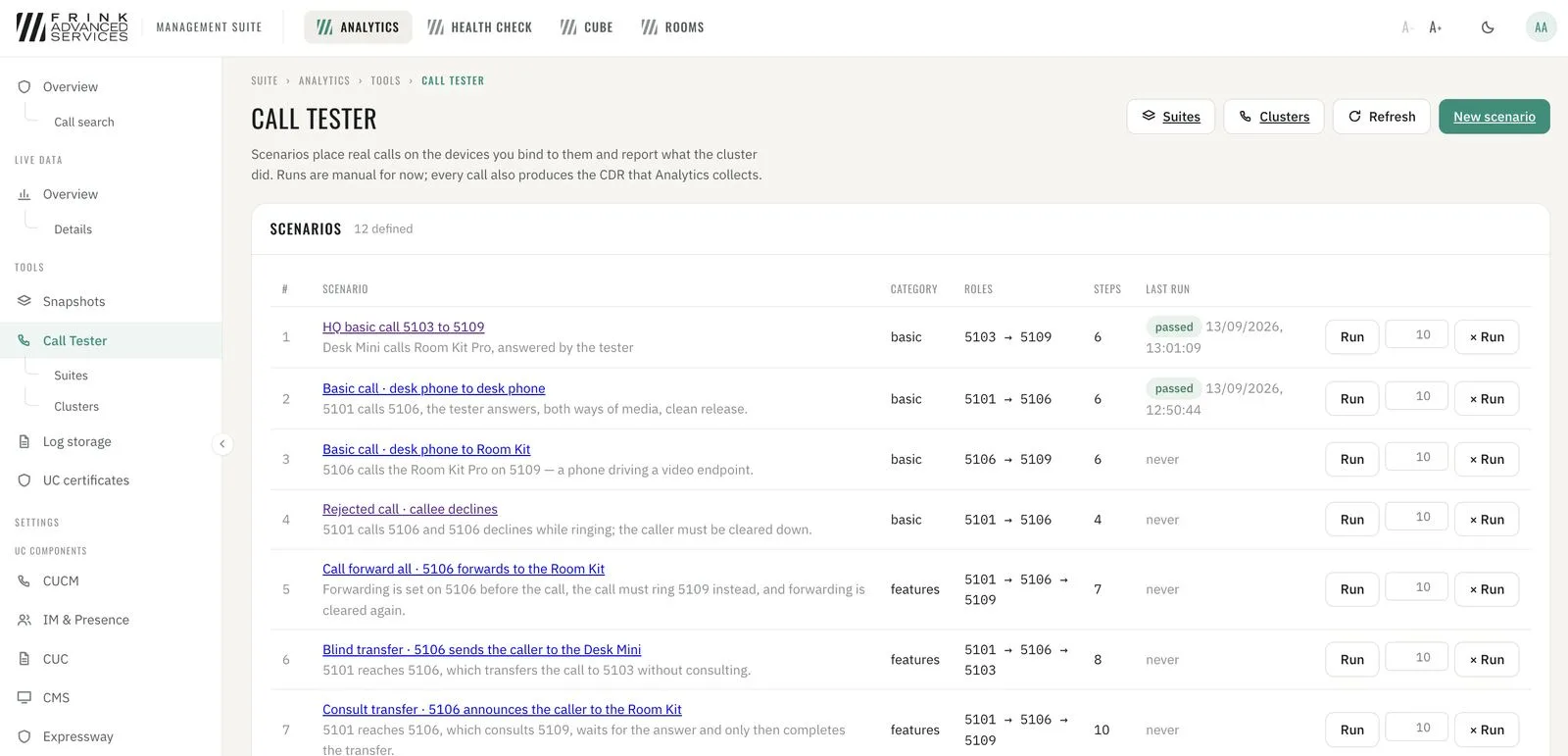
CUCM · scenario library with last run result 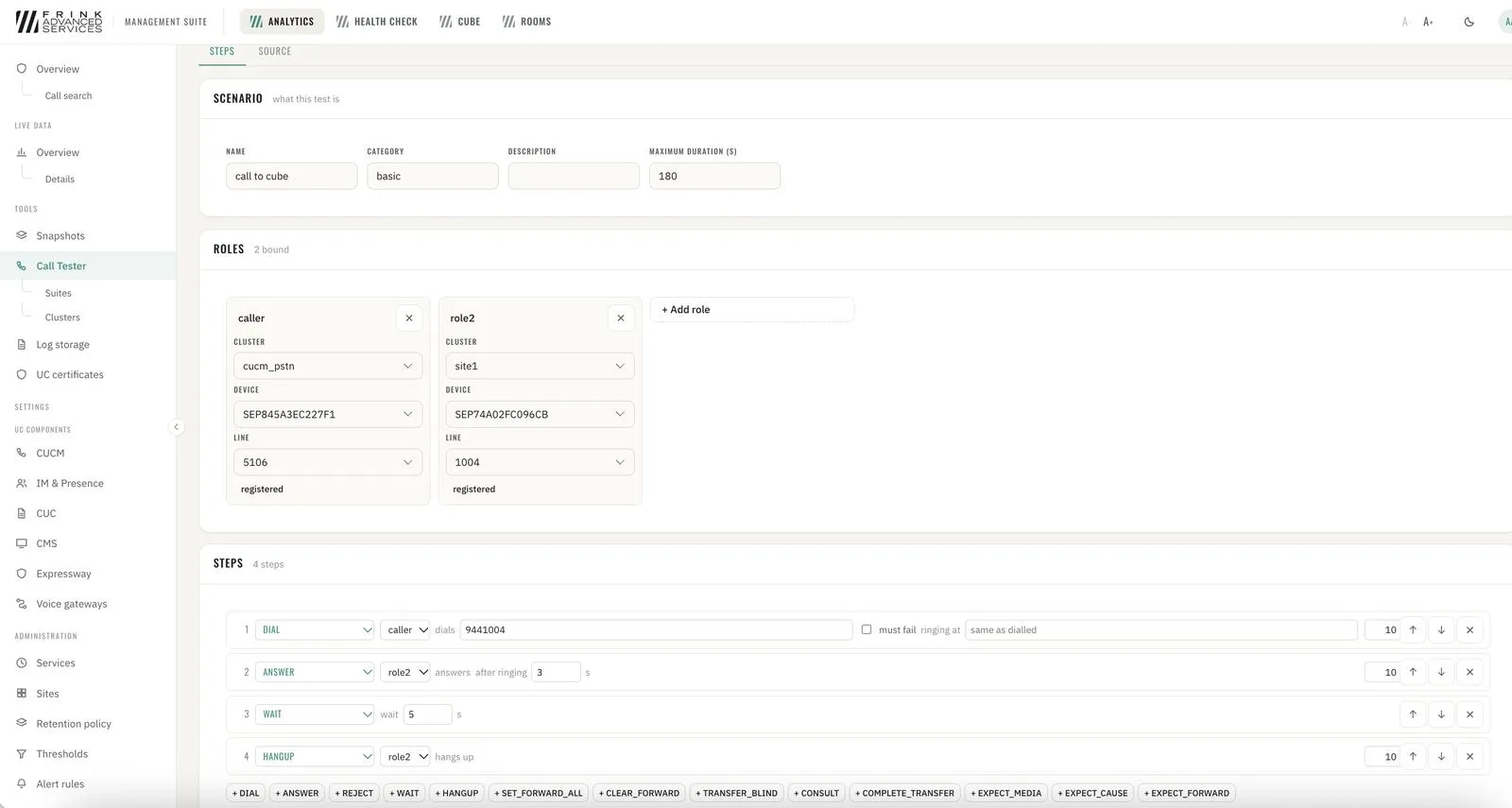
CUCM · scenario builder – roles, devices and steps 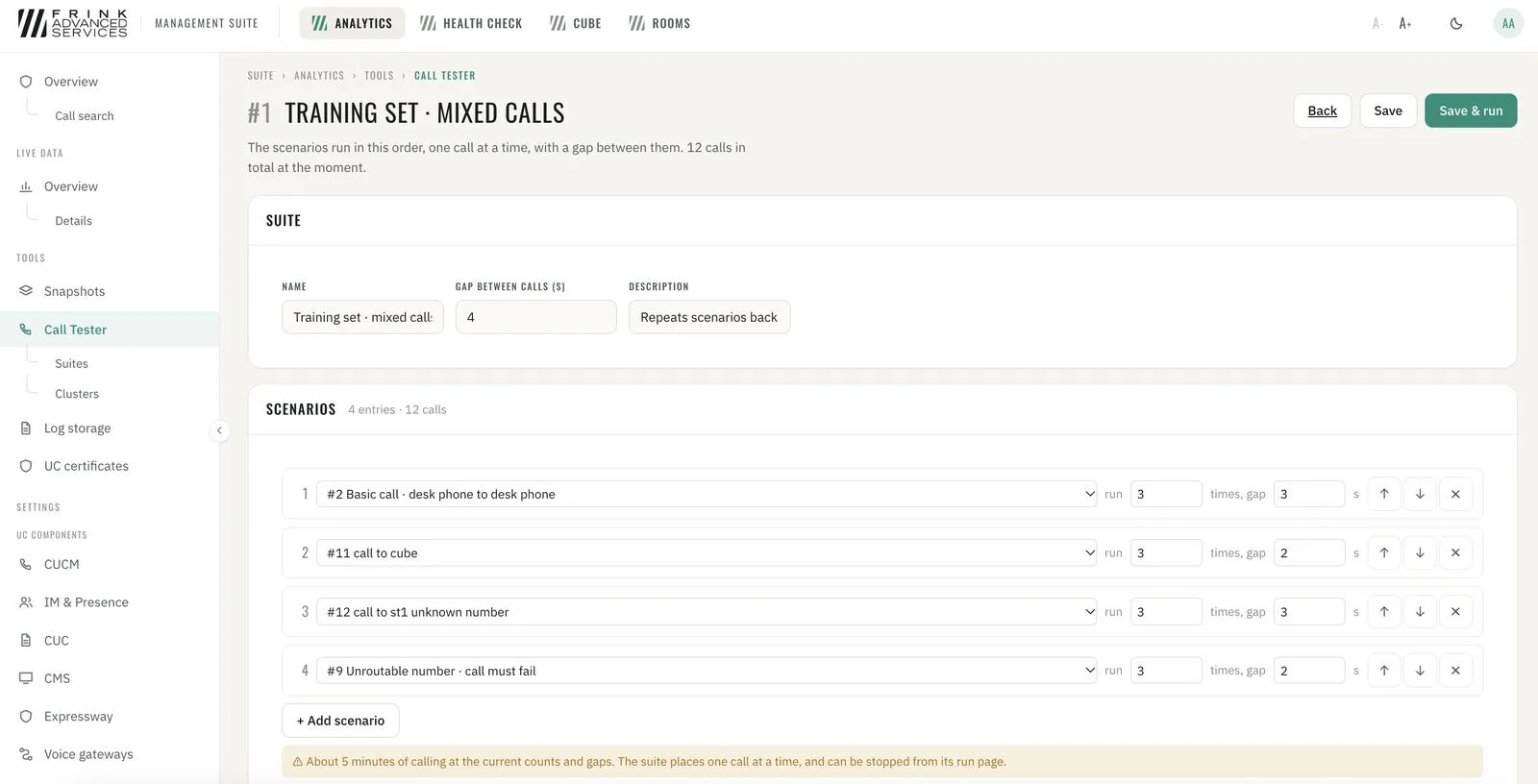
CUCM · test suite – scenarios, repetitions and gaps 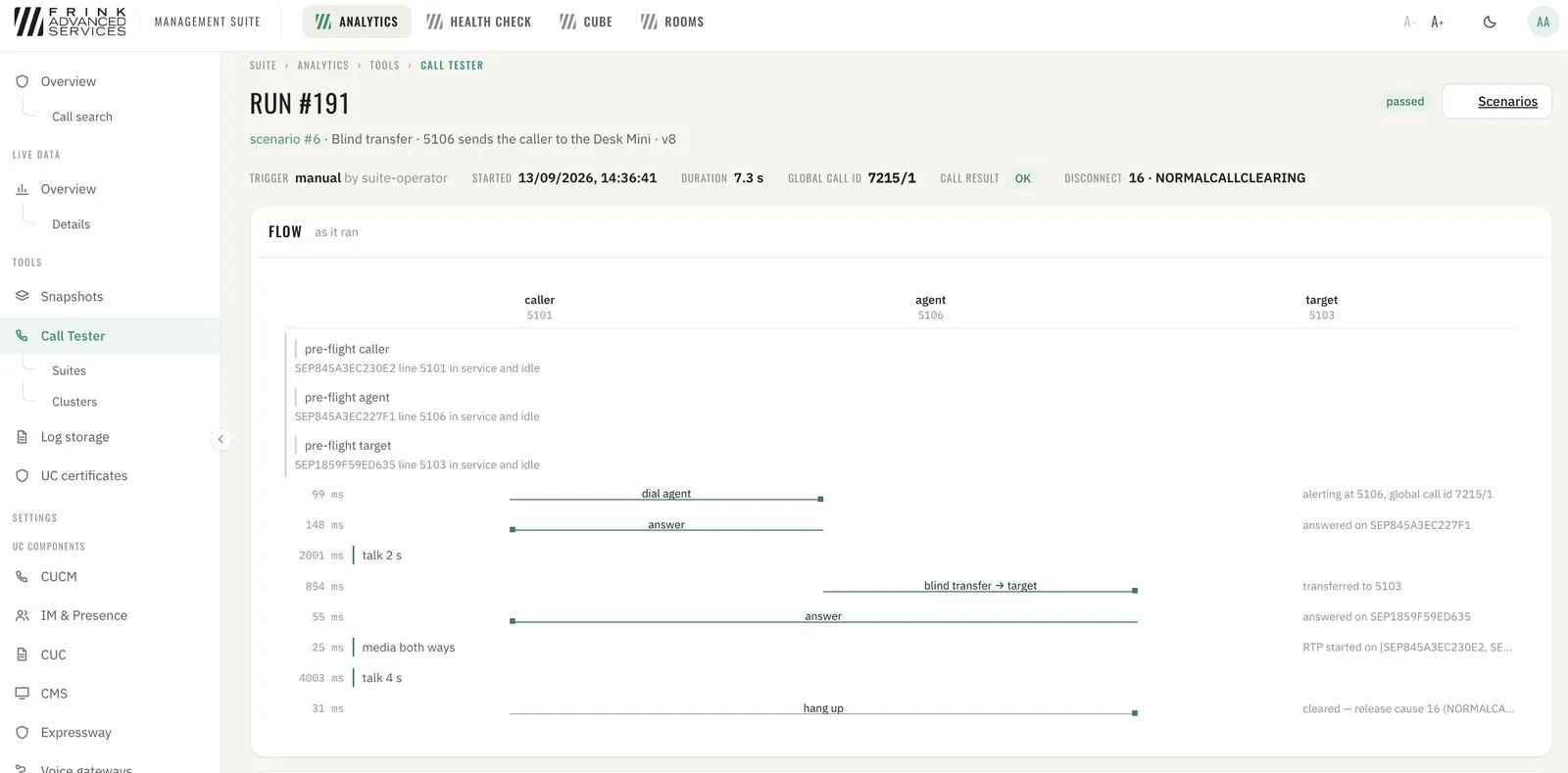
CUCM · test run – call flow ladder as it ran - 15
Operations reporting – day by day Operations reporting
Day-by-day operations view of the whole infrastructure: calls by quality, media type and duration, PSTN traffic in and out per trunk, conferences and participants (SIP vs. web app). Quality broken down by site, CUCM location, device pool, calling subnet, device type (desk phones, Jabber desktop, Jabber mobile) and VPN vs. office. Worst-first lists: devices, calling and called user IDs, locations and sites with the most poor calls – and calling IPs that belong to no site yet. Sites and network types are assigned per subnet by the administrator; every report follows that mapping.
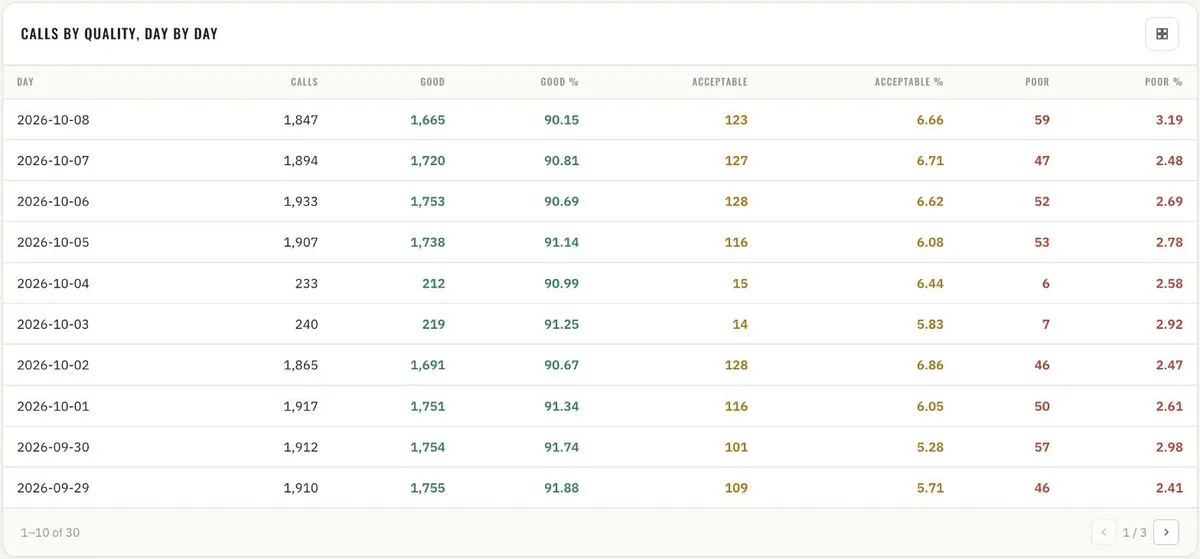
Overview · calls by quality, day by day 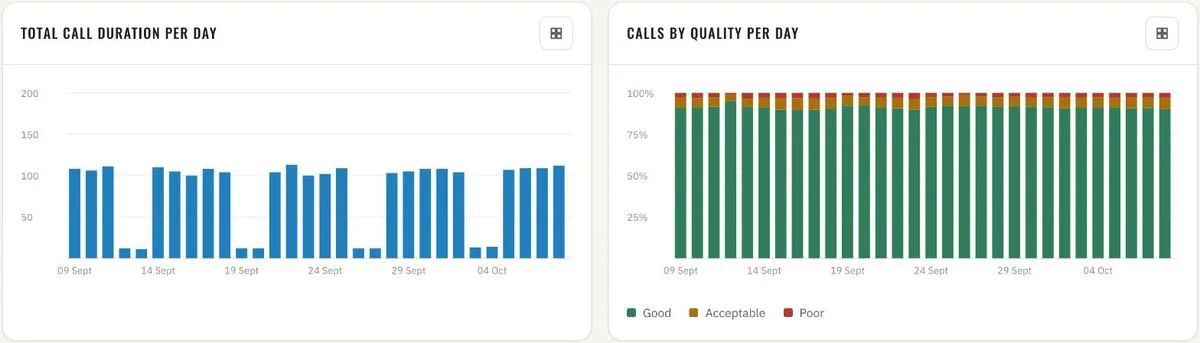
Overview · total call duration and quality per day 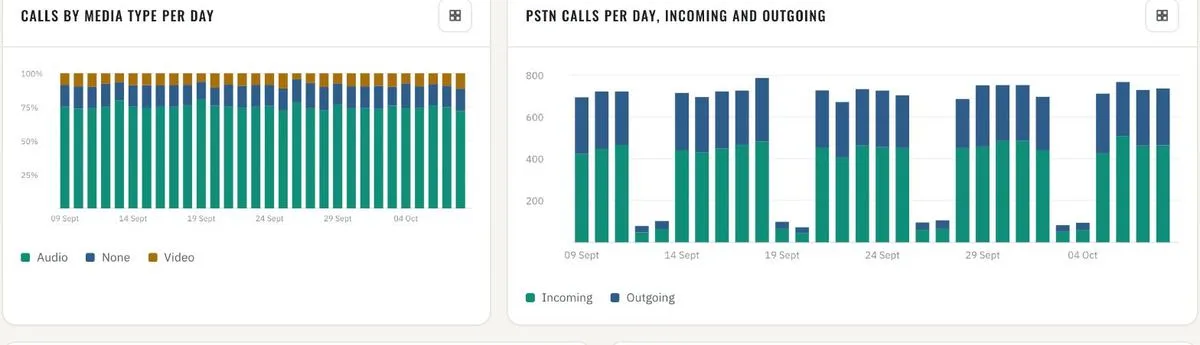
Overview · calls by media type · PSTN incoming and outgoing per day 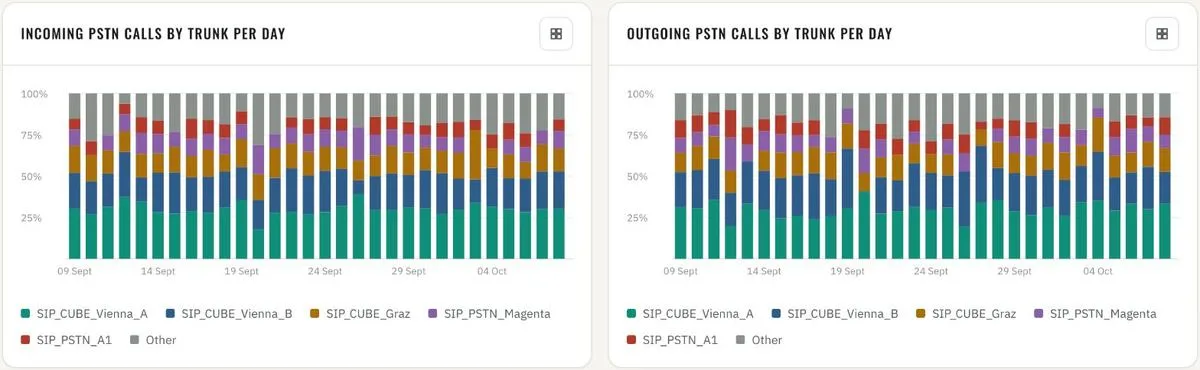
Overview · PSTN calls by trunk per day, incoming and outgoing 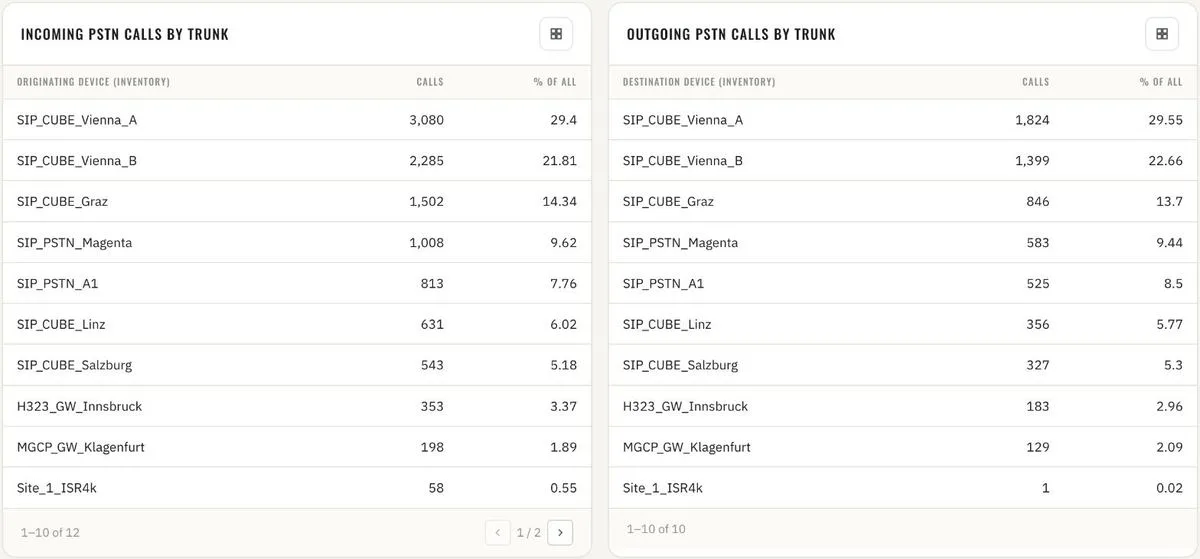
Overview · PSTN calls by trunk, totals 
Overview · VPN call share and VPN call quality 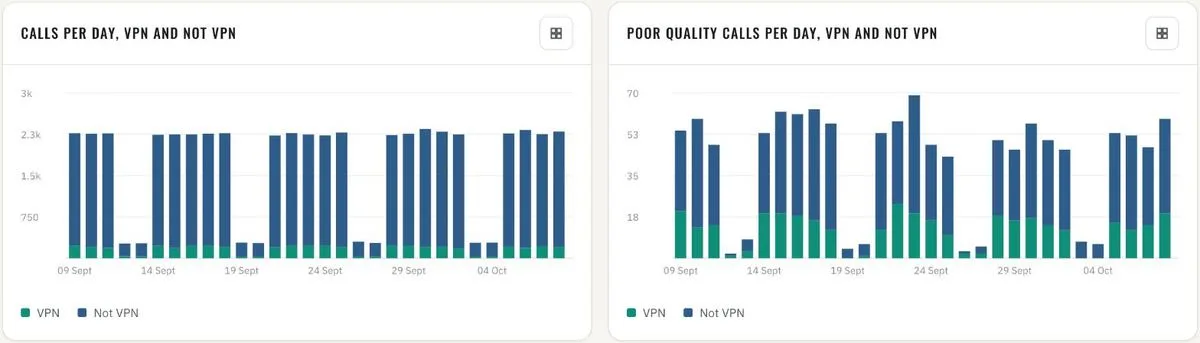
Overview · calls and poor calls per day, VPN vs. not VPN 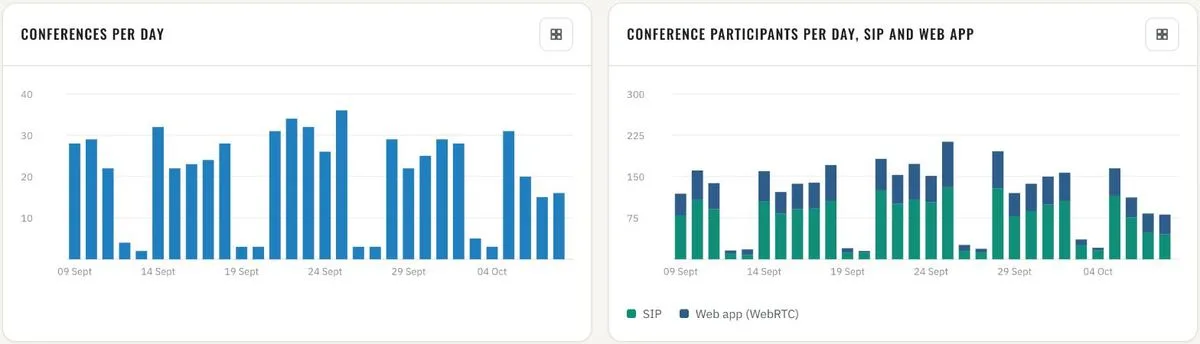
Overview · CMS conferences and participants per day, SIP vs. web app 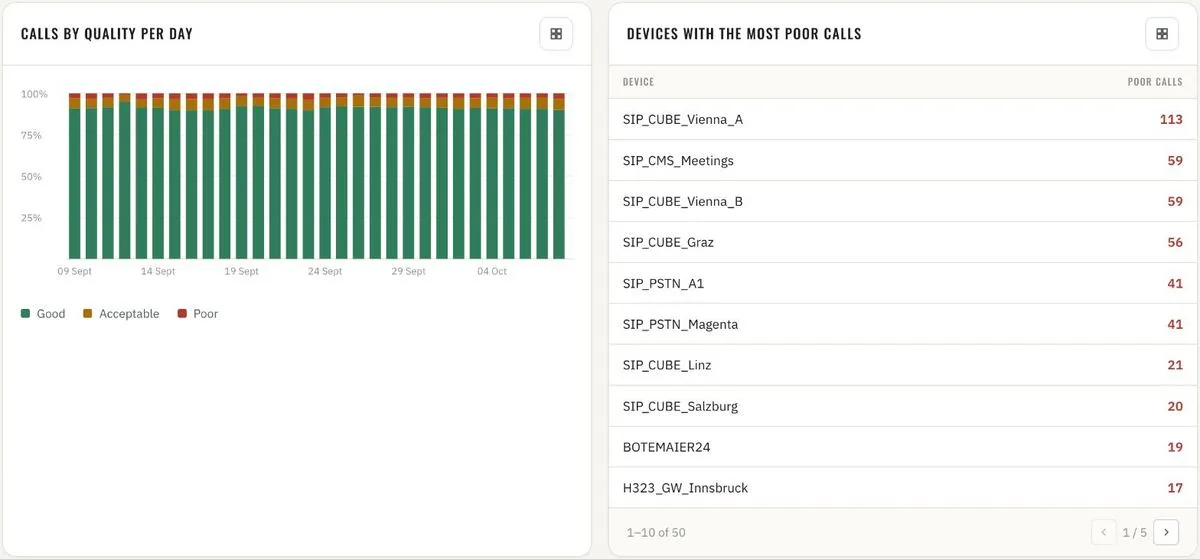
Call quality · calls by quality per day · devices with the most poor calls 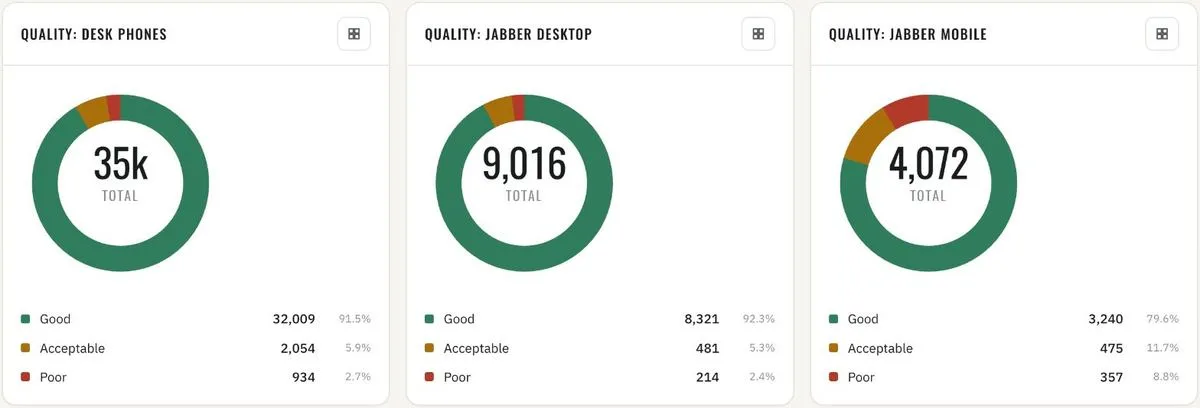
Call quality · desk phones, Jabber desktop, Jabber mobile 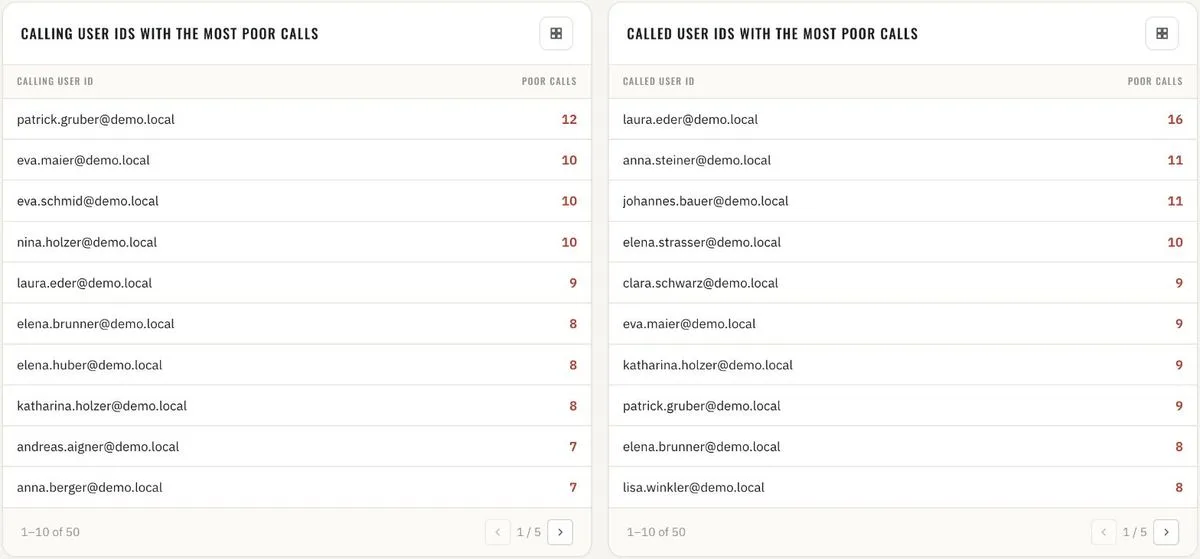
Call quality · calling and called user IDs with the most poor calls 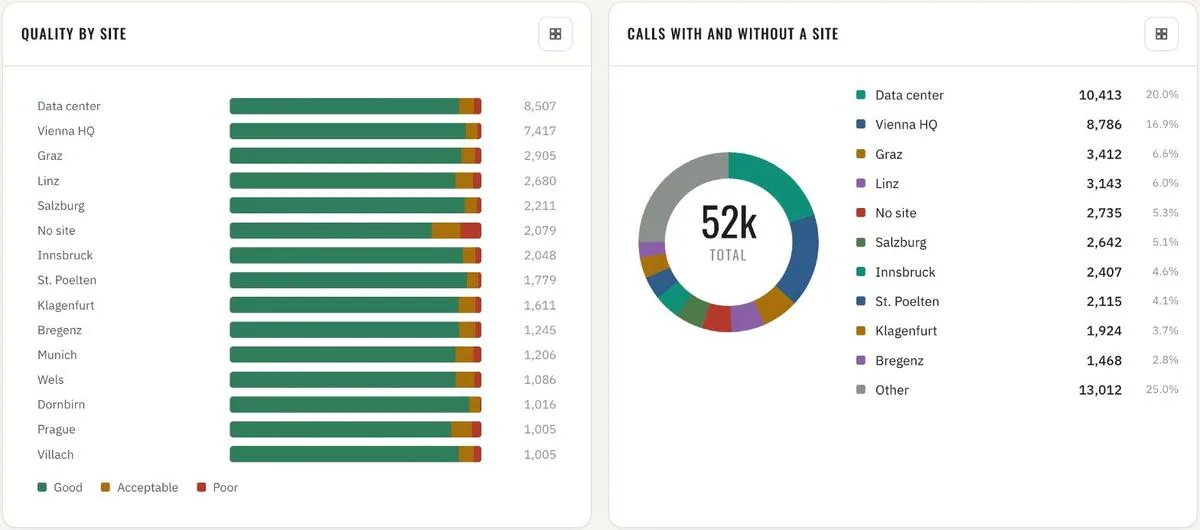
Location quality · by site · calls with and without a site 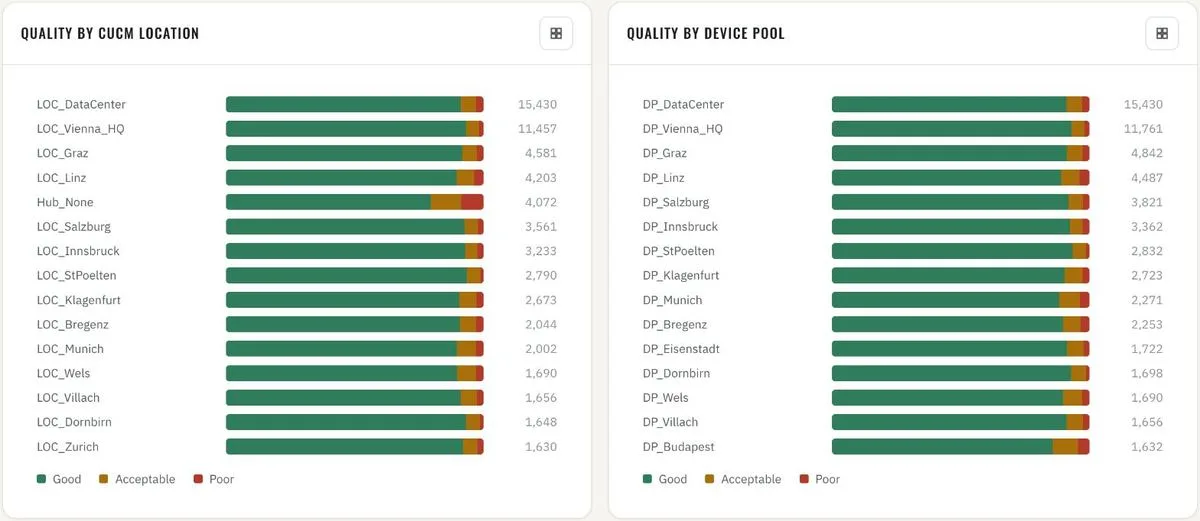
Location quality · by CUCM location and by device pool 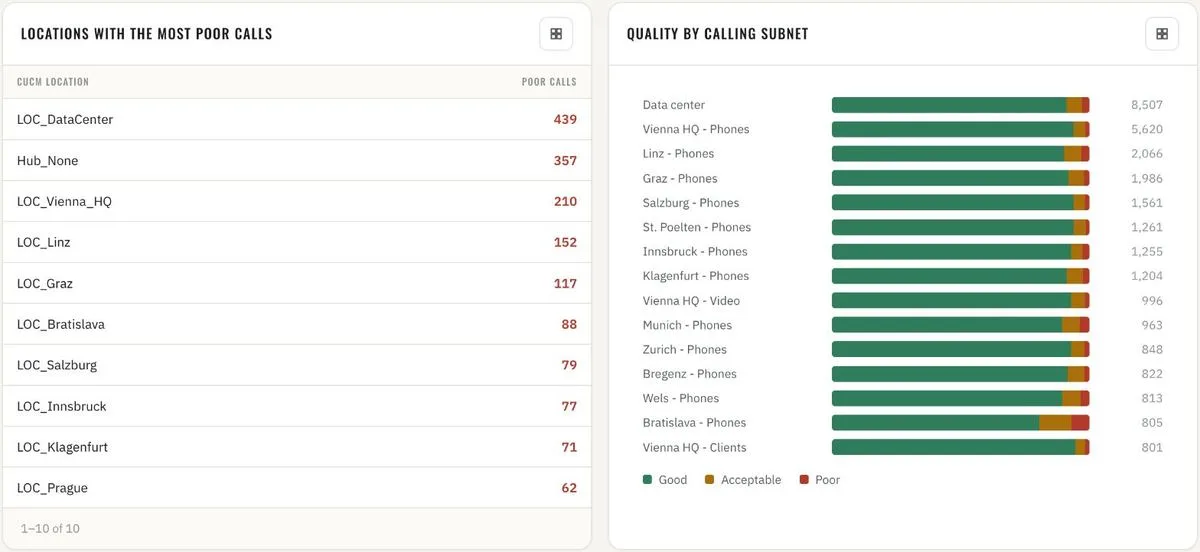
Location quality · worst locations · quality by calling subnet 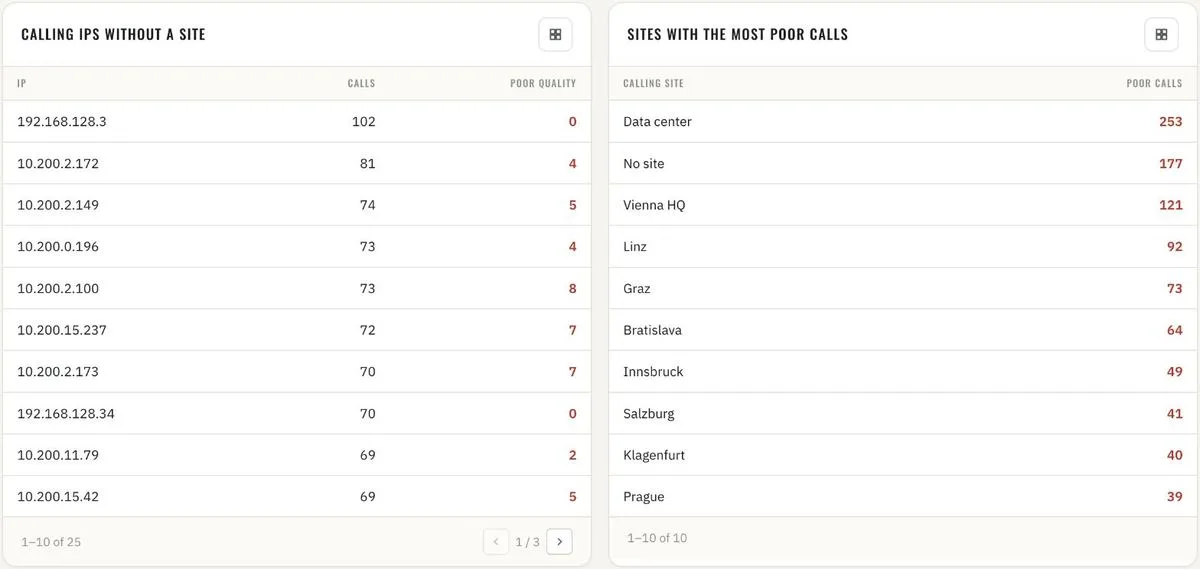
Location quality · calling IPs without a site · sites with the most poor calls 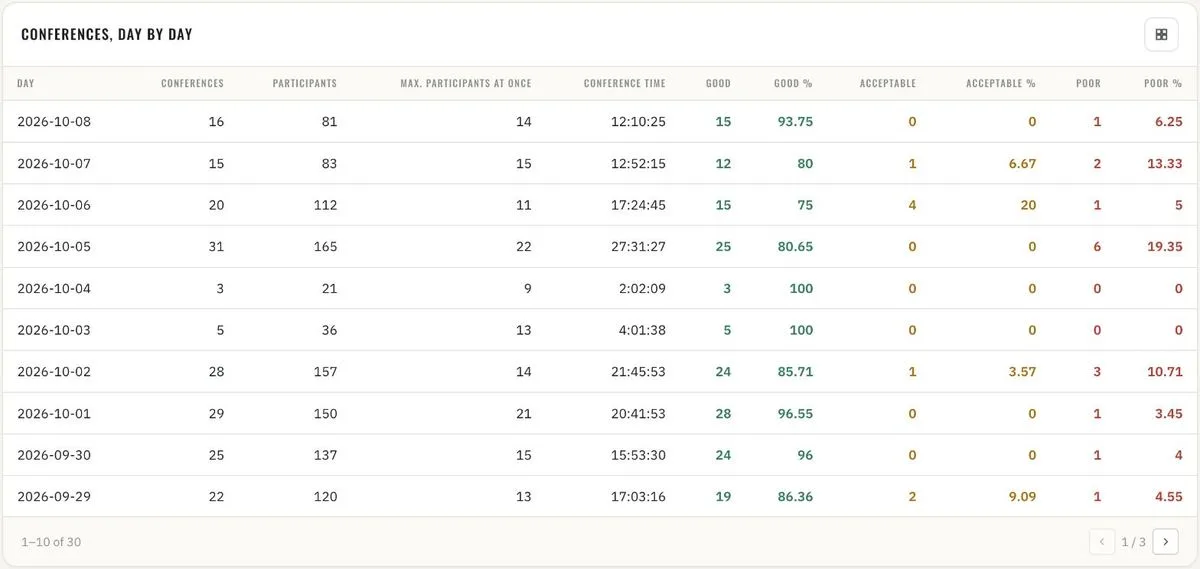
Conferences · day by day with peak participants and quality split 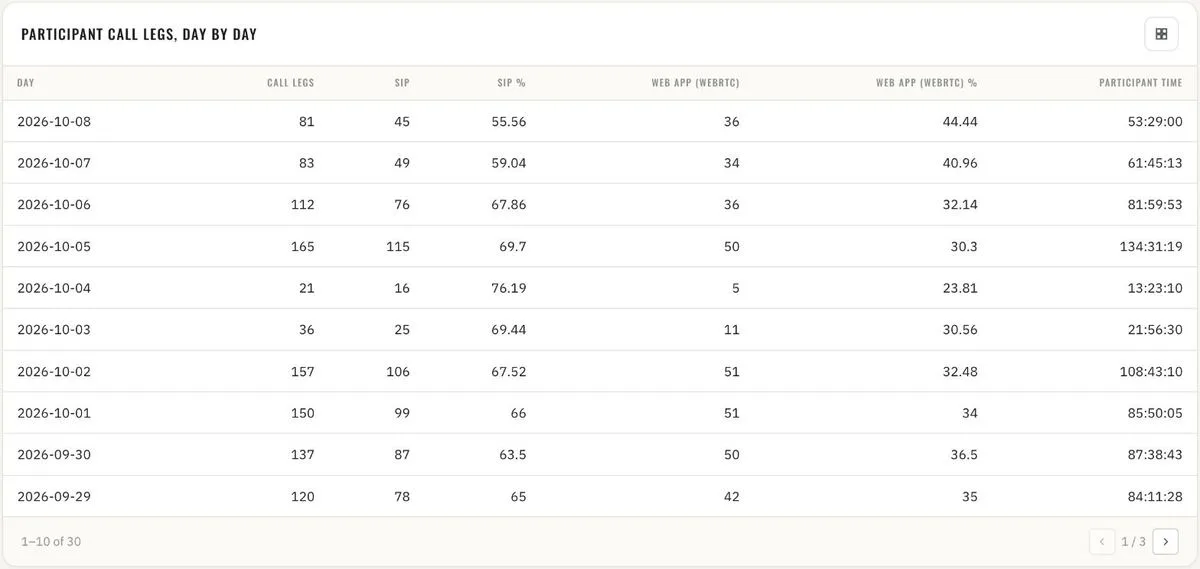
Conferences · participant call legs, SIP vs. web app, day by day 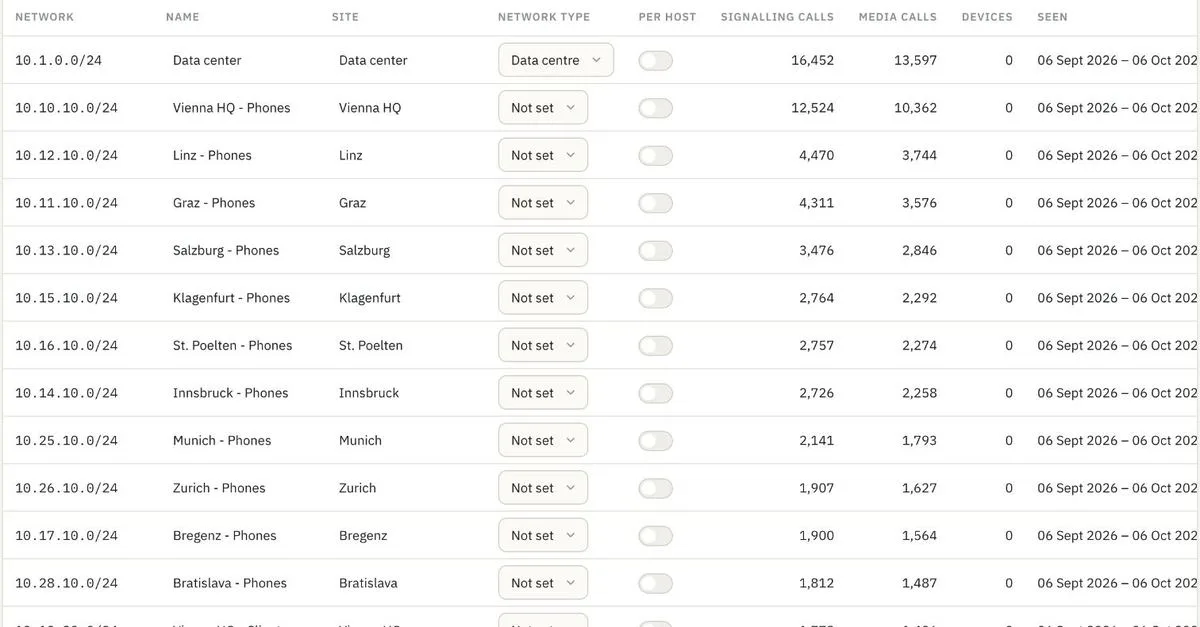
Admin · subnets with site and network type (VPN, data centre) - 16
Operations reporting – monthly and by device group Operations reporting
Monthly trend for management reports: calls, call hours, conferences, participants and participant hours – six months side by side. Device inventory by type and device group, and the same groups rated by call quality over the last hour, day, 30 and 90 days. One time axis for every question: quality in the last 60 minutes call by call, last 24 hours by hour, last 30 and 90 days by day.

Monthly · calls, call hours and conferences per month 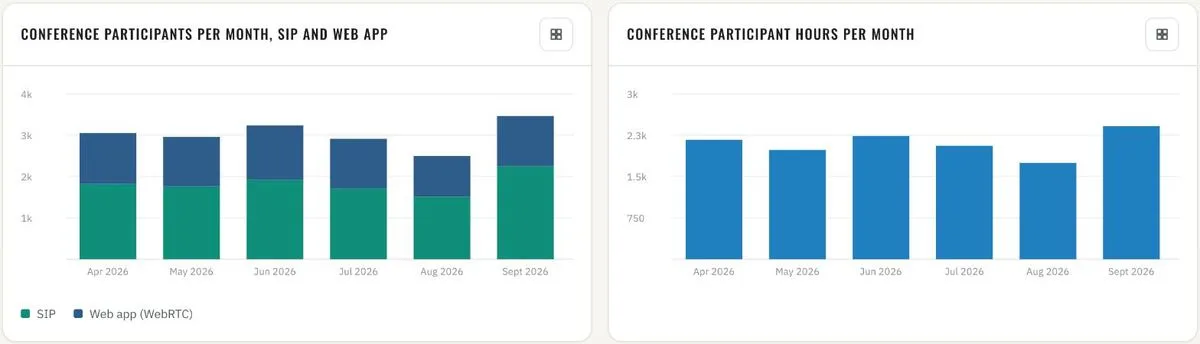
Monthly · conference participants (SIP vs. web app) and participant hours 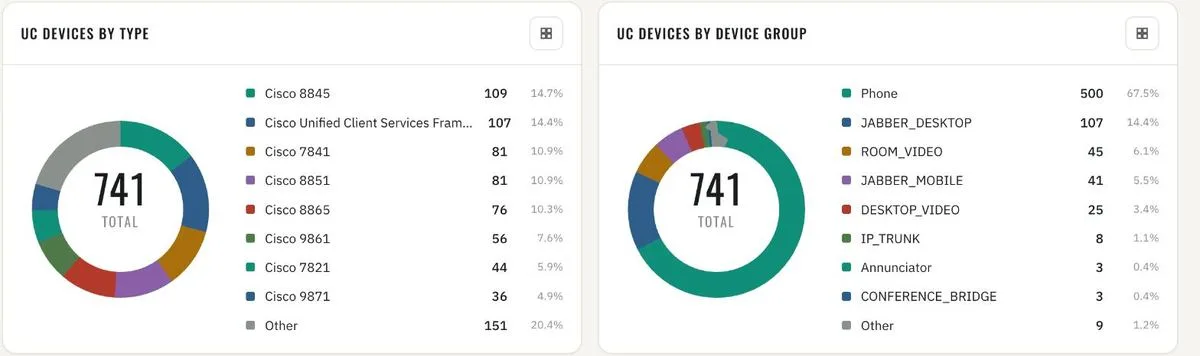
Inventory · UC devices by type and by device group 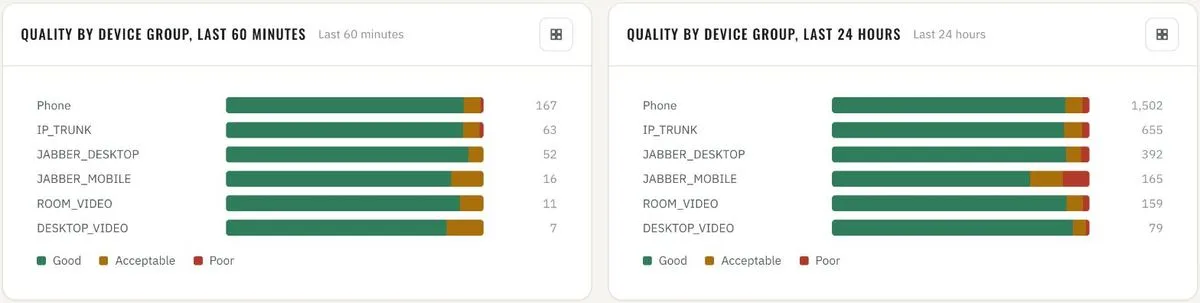
Quality by device group · last 60 minutes and last 24 hours 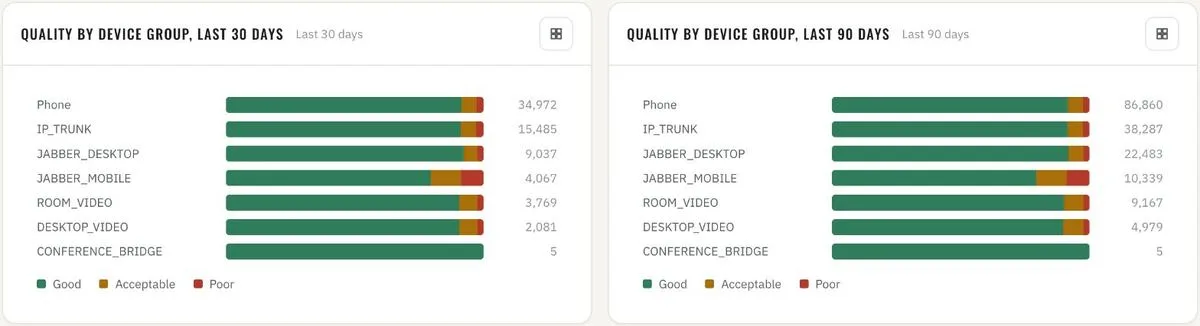
Quality by device group · last 30 and last 90 days 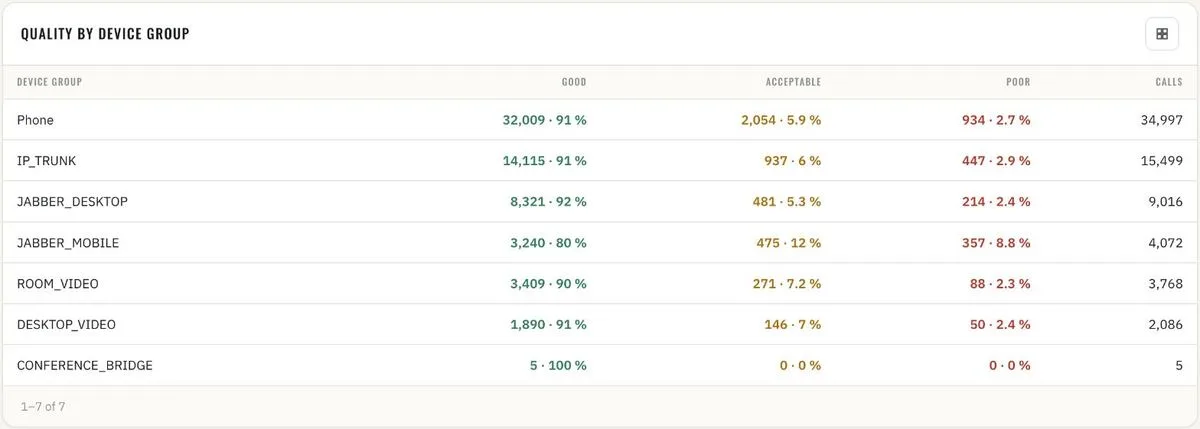
Quality by device group · table with good / acceptable / poor shares 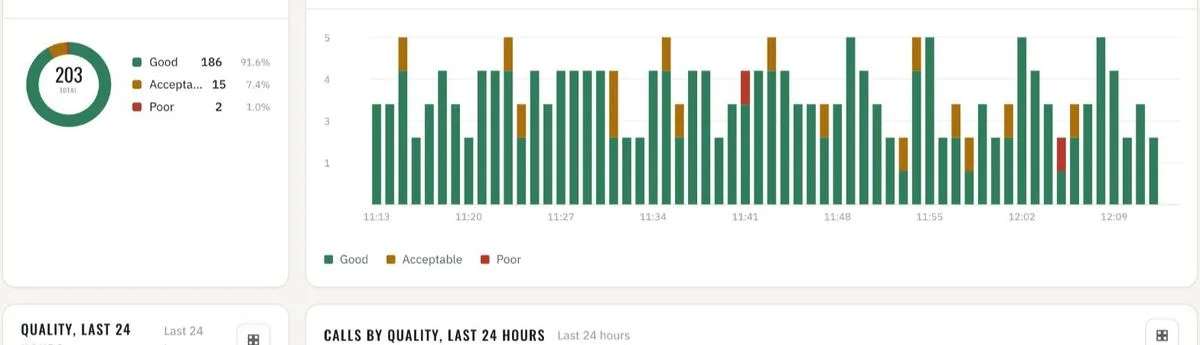
Quality · last 60 minutes, call by call 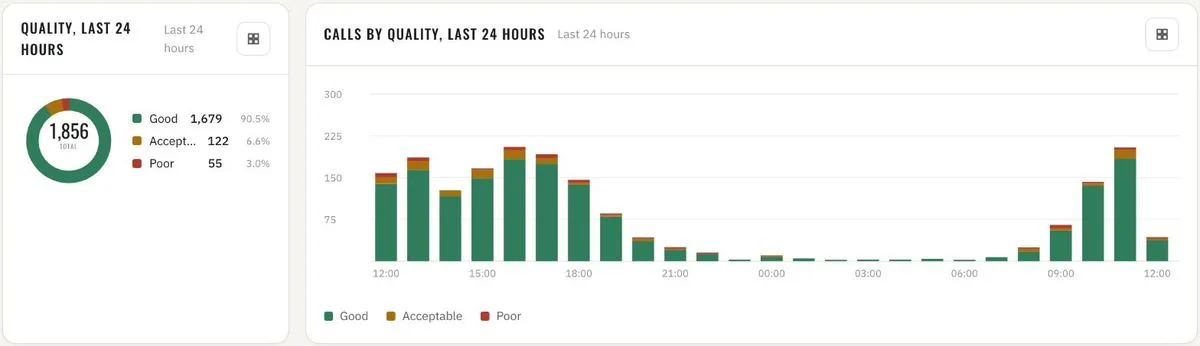
Quality · last 24 hours, by hour 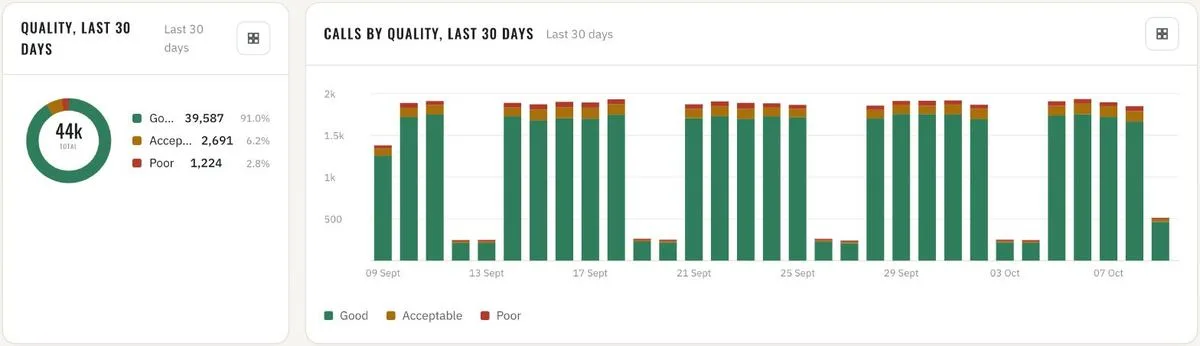
Quality · last 30 days, by day 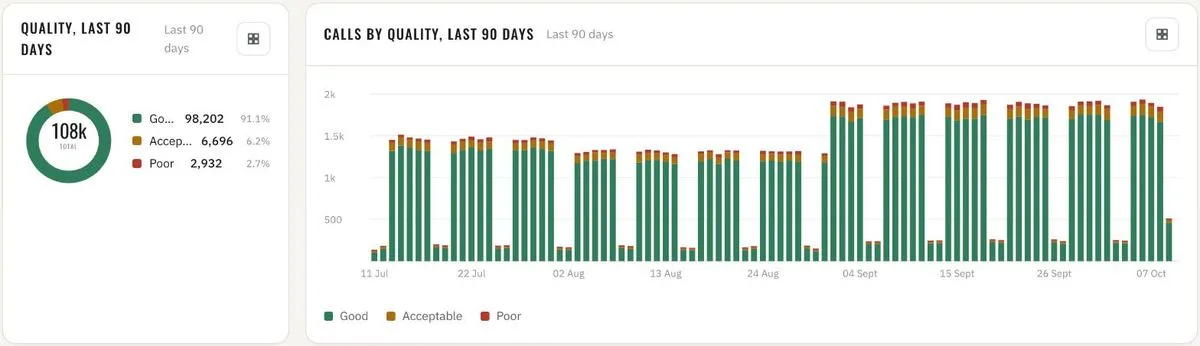
Quality · last 90 days, by day - 17
Calls by country Operations reporting
Every call that reaches the infrastructure over the internet via Expressway, mapped to the country and the network owner (ISP) it came from. Calls per country and per ISP – totals, share and call time, and the trend per day. Geolocation runs fully offline: the IP-to-country and IP-to-ISP databases ship with the platform and can be updated by file upload.
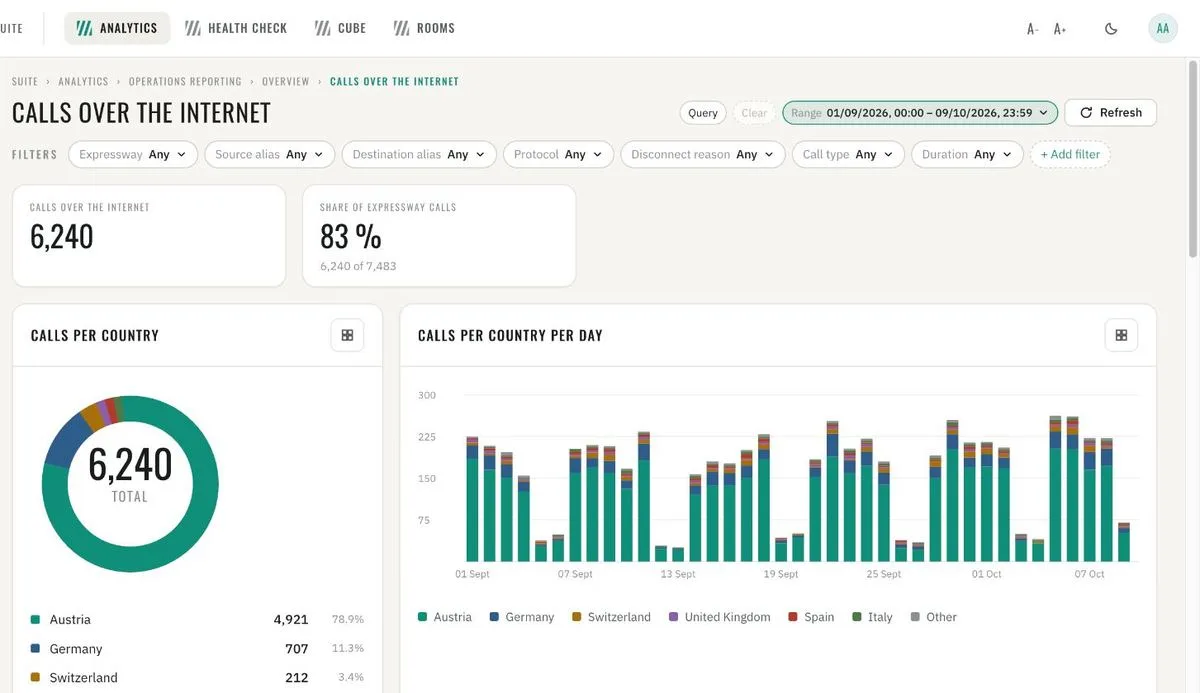
Calls over the internet · share of Expressway calls, calls per country and per day 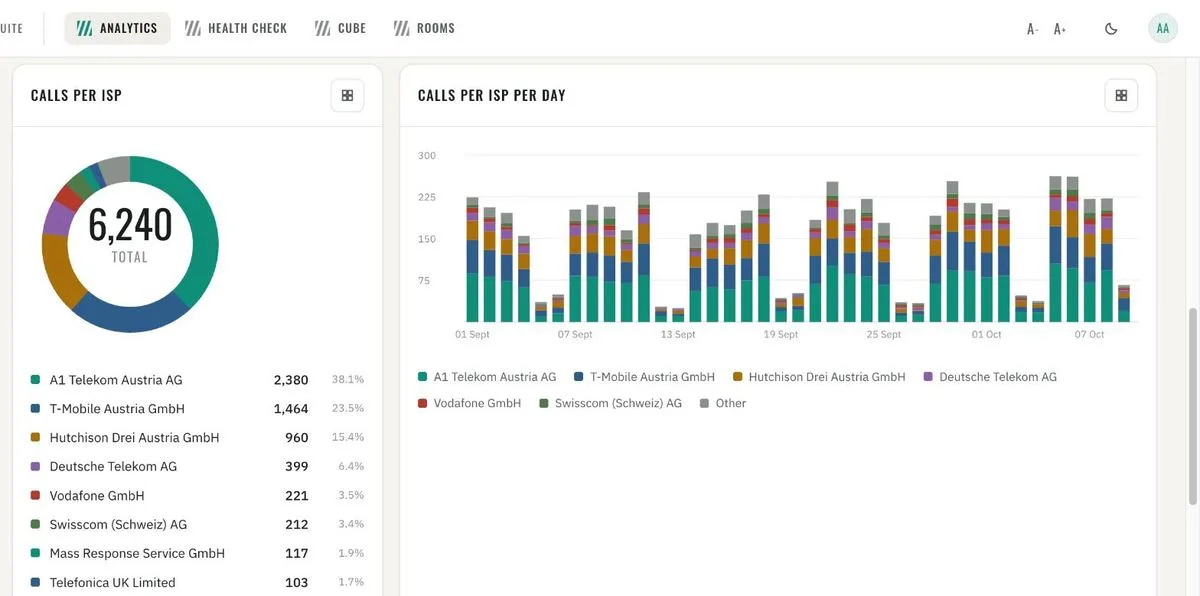
Calls per ISP and per ISP per day 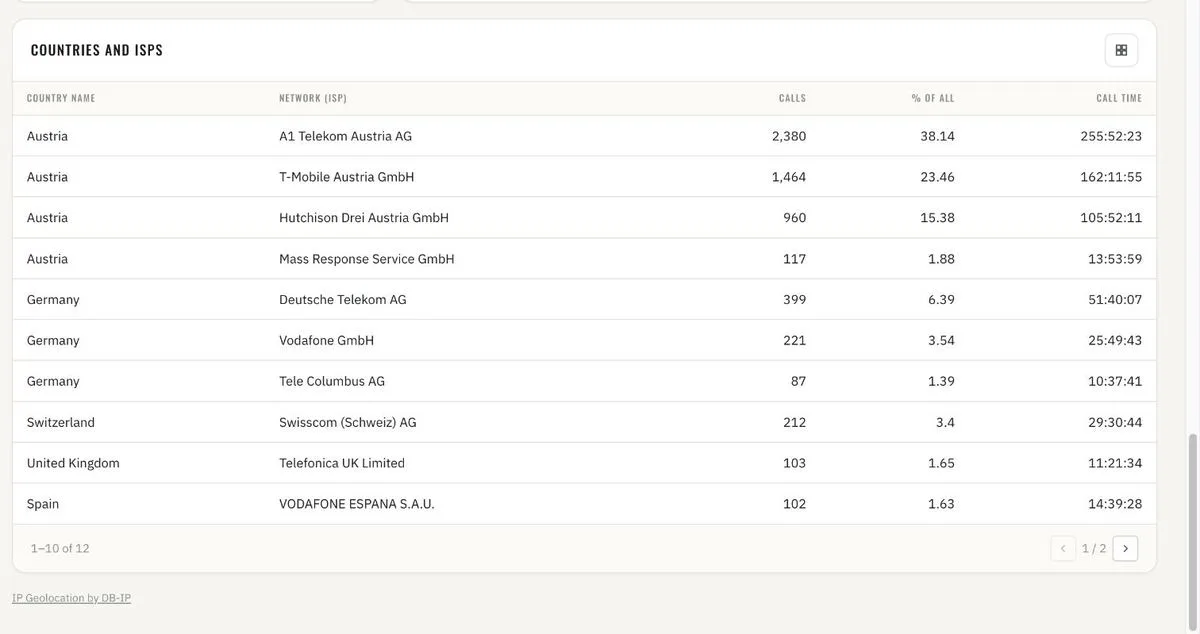
Countries and ISPs · calls, share and call time 
Admin · IP geolocation databases, shipped with the platform, updatable - 18
Call security Security dashboards
Encrypted vs. not-secured calls: share, trend and the per-day split – for the whole infrastructure or any cluster, device group or trunk. Every not-secured call listed with both devices and numbers; the connections and called devices where unsecured calls cluster. Anonymous callers on SIP trunks: count, share per day and the numbers they dial – the early sign of toll fraud or misrouted trunks.
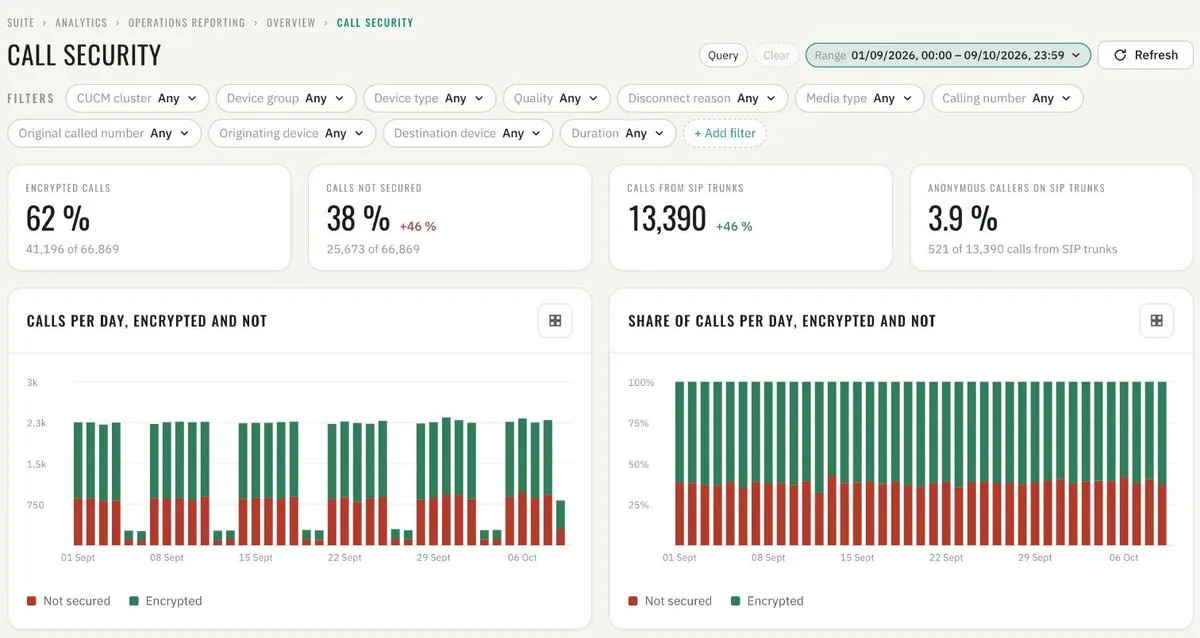
Call security · encrypted vs. not secured, per day 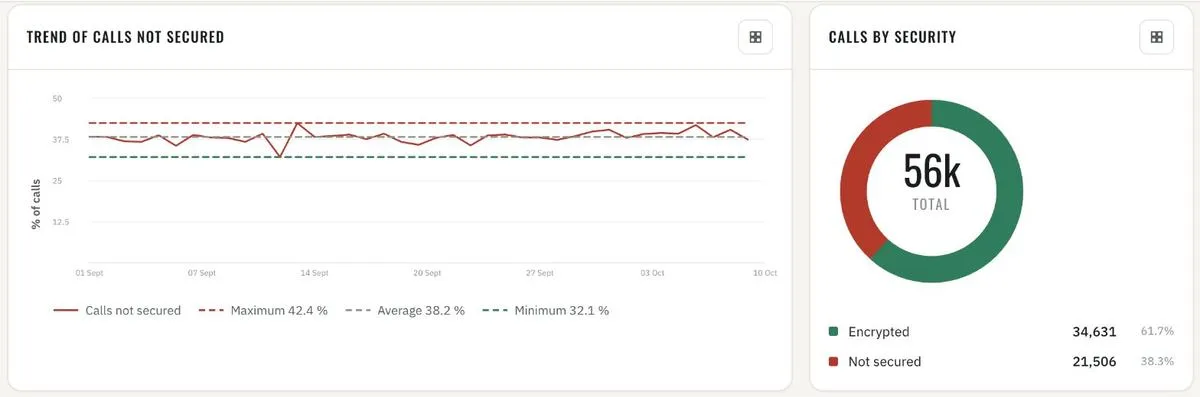
Trend of calls not secured · calls by security 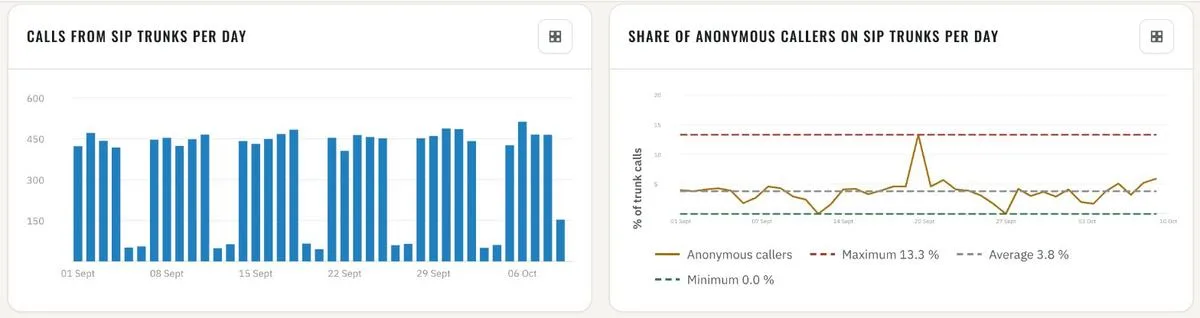
Calls from SIP trunks · share of anonymous callers per day 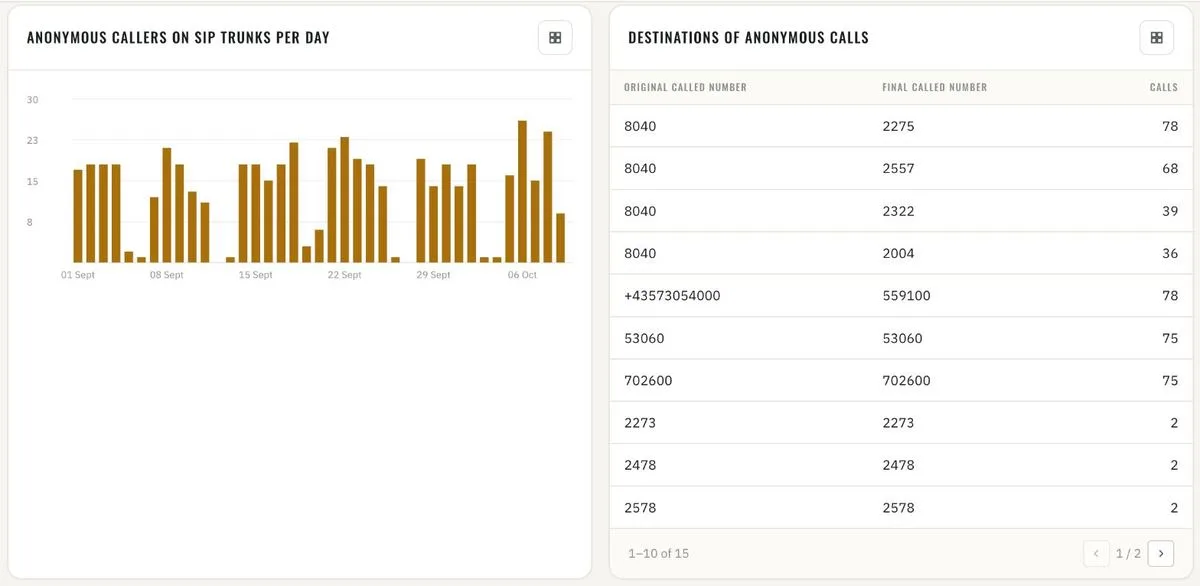
Anonymous callers on SIP trunks · destinations of anonymous calls 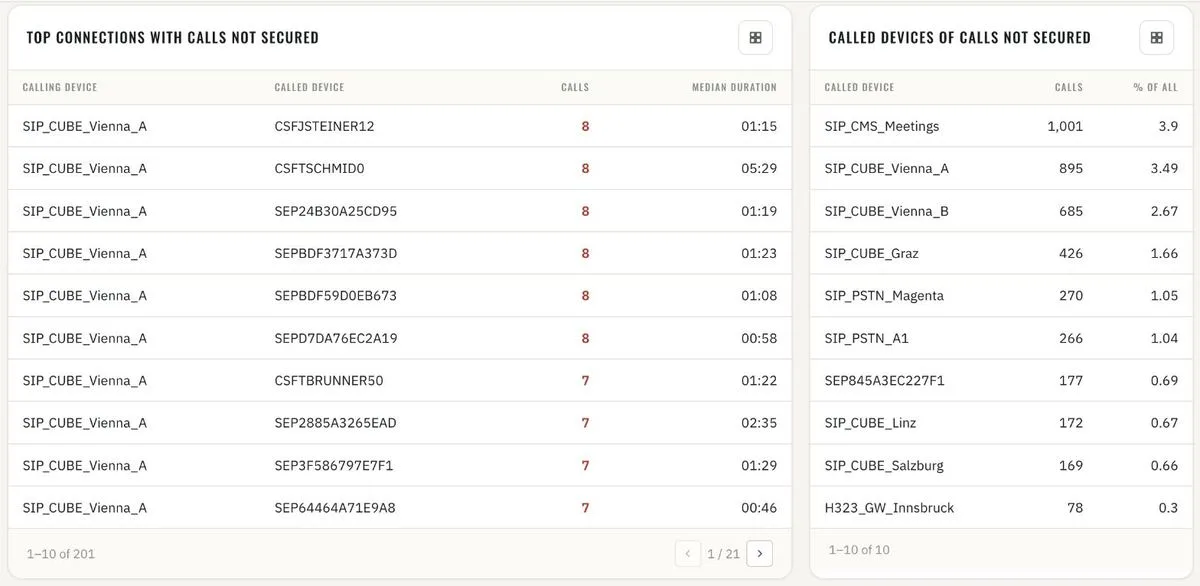
Top connections and called devices with calls not secured 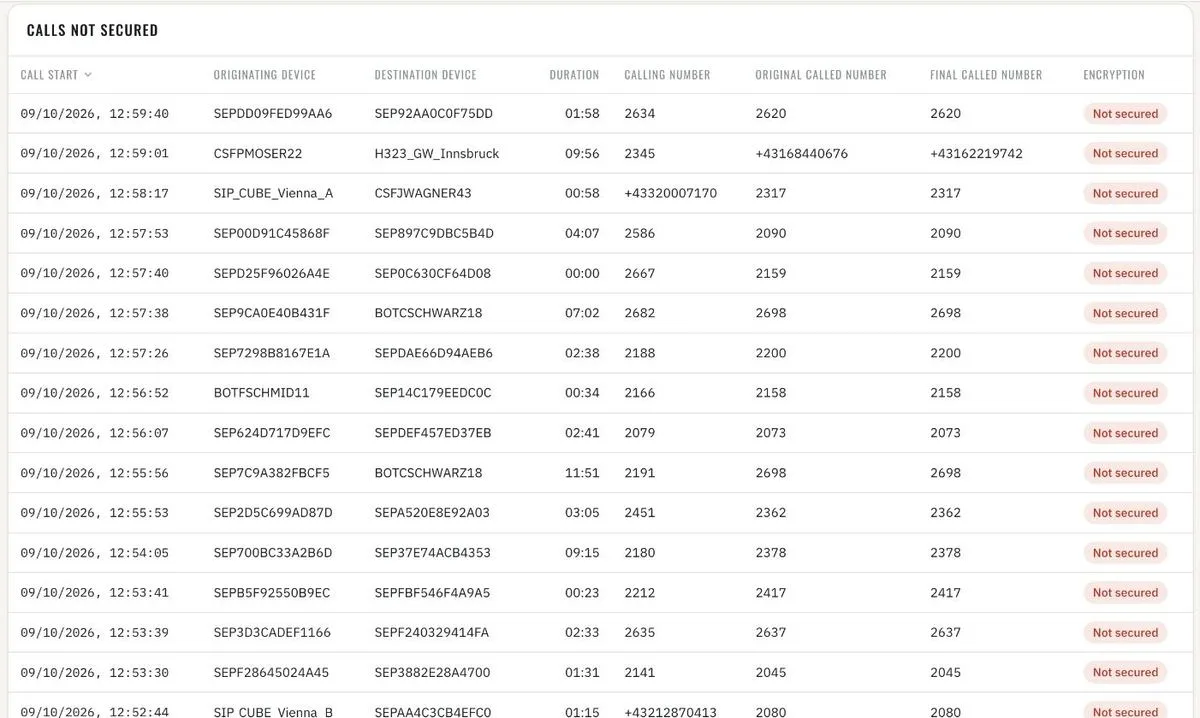
Calls not secured · call by call 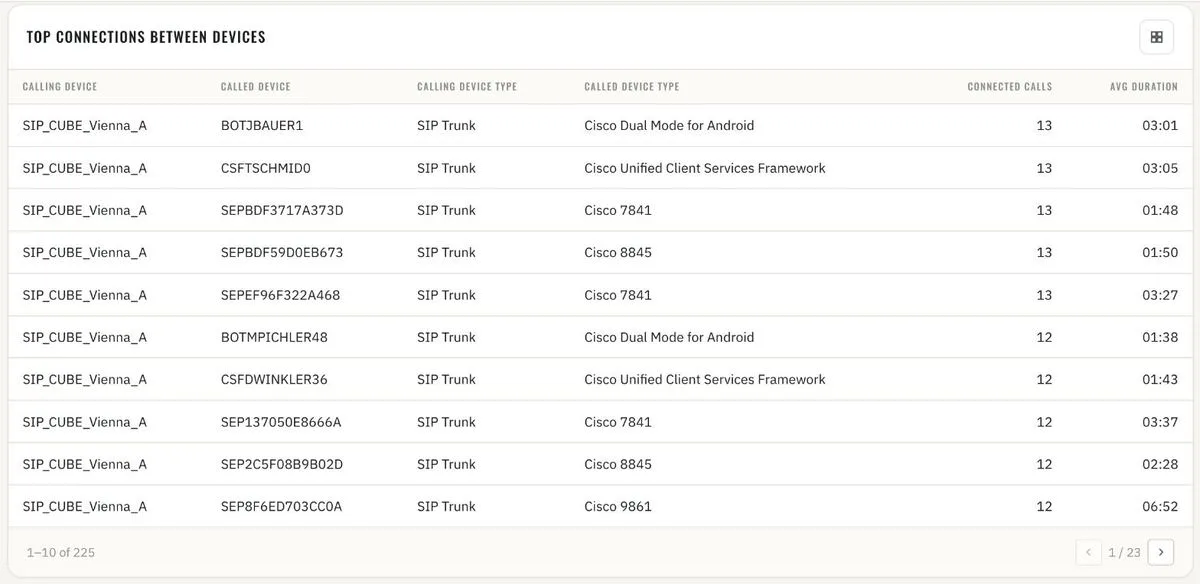
Top connections between devices - 19
CUCM security Security dashboards
Failed logins and refused accesses from the Cisco audit logs of every cluster – administration, OS administration, AXL, RTMT, serviceability, user options. Who, from where, against what: user IDs, client addresses and resources with the most failures, with the day-by-day trend. The report says when a cluster's audit logs are not collected, so a quiet chart is never mistaken for a safe one.
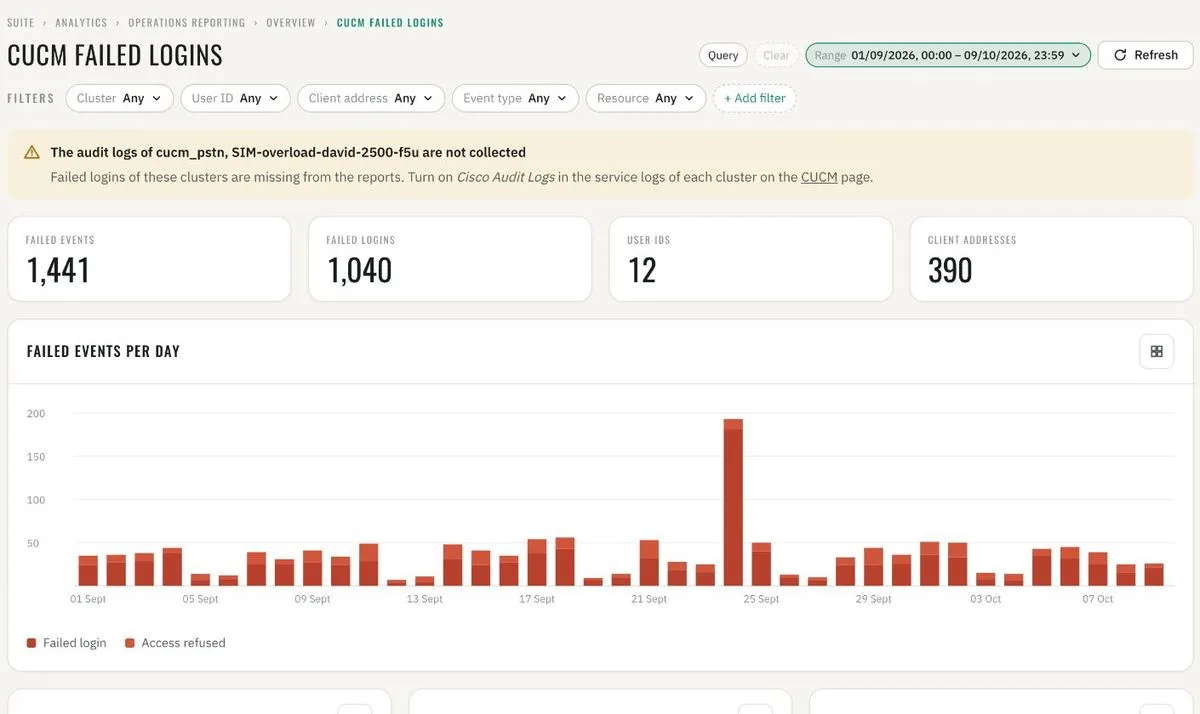
CUCM failed logins · failed events per day 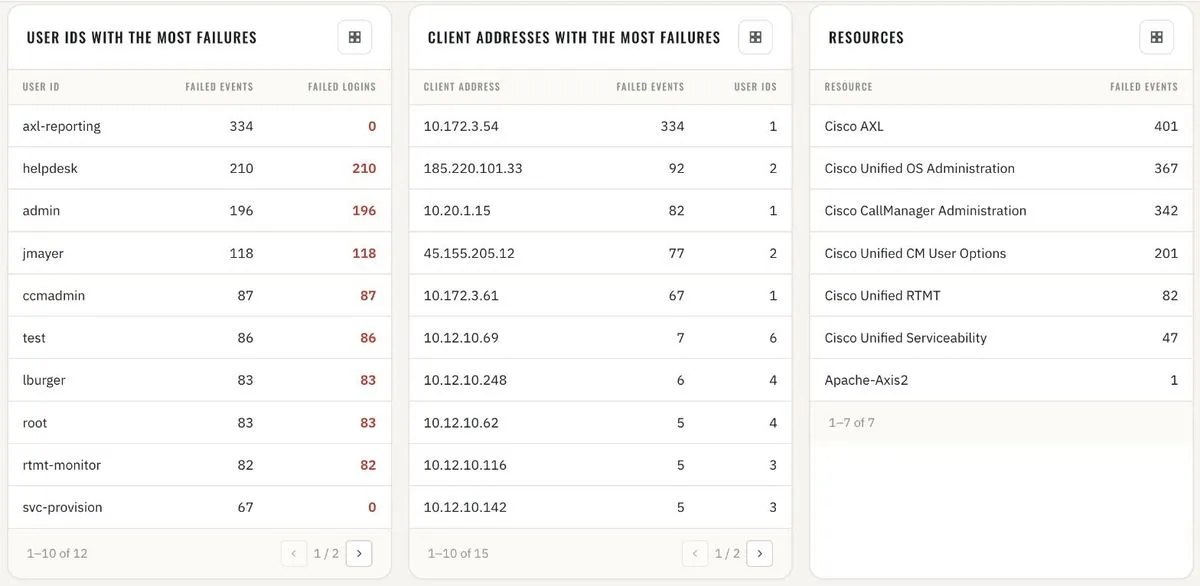
User IDs, client addresses and resources with the most failures 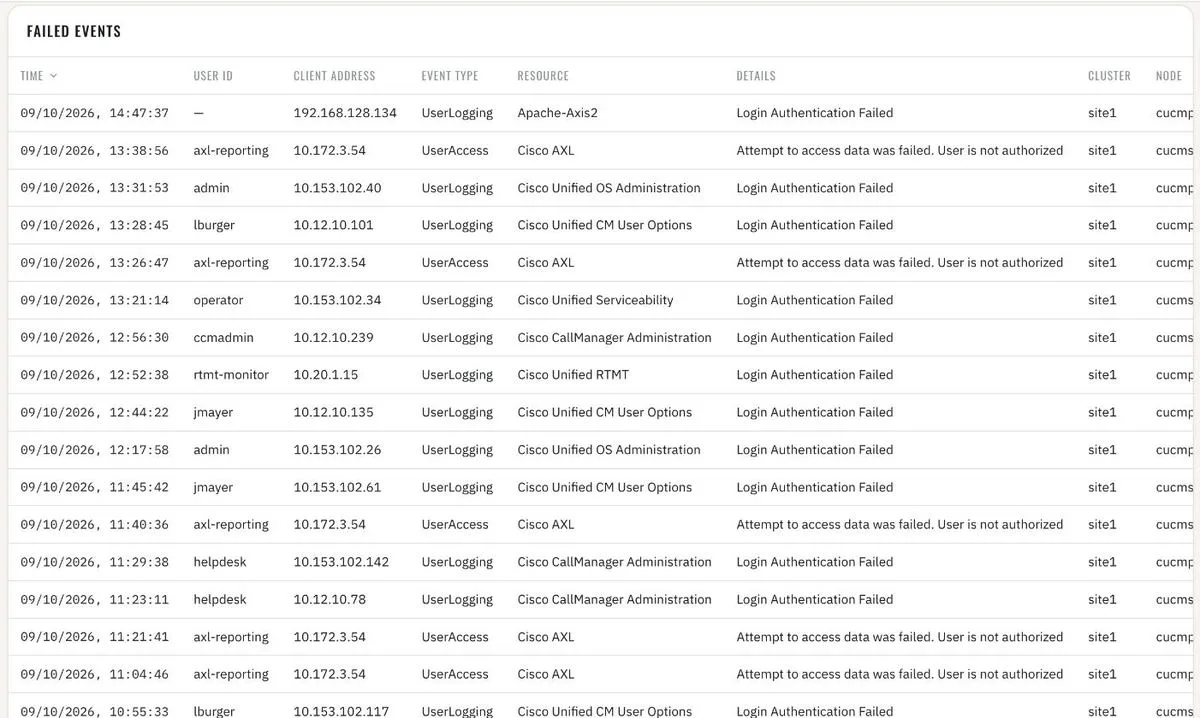
Failed events · event by event - 20
Expressway security Security dashboards
Every token message on the edge: accepted, expired and refused access and refresh tokens – 35 million of them in a month. Refused and expired tokens per day and the users behind them: expired tokens on one user usually mean a stale client, on many a certificate or clock problem. Requests refused with 403: the addresses and URLs probing the Expressway from the internet, per node and per day.
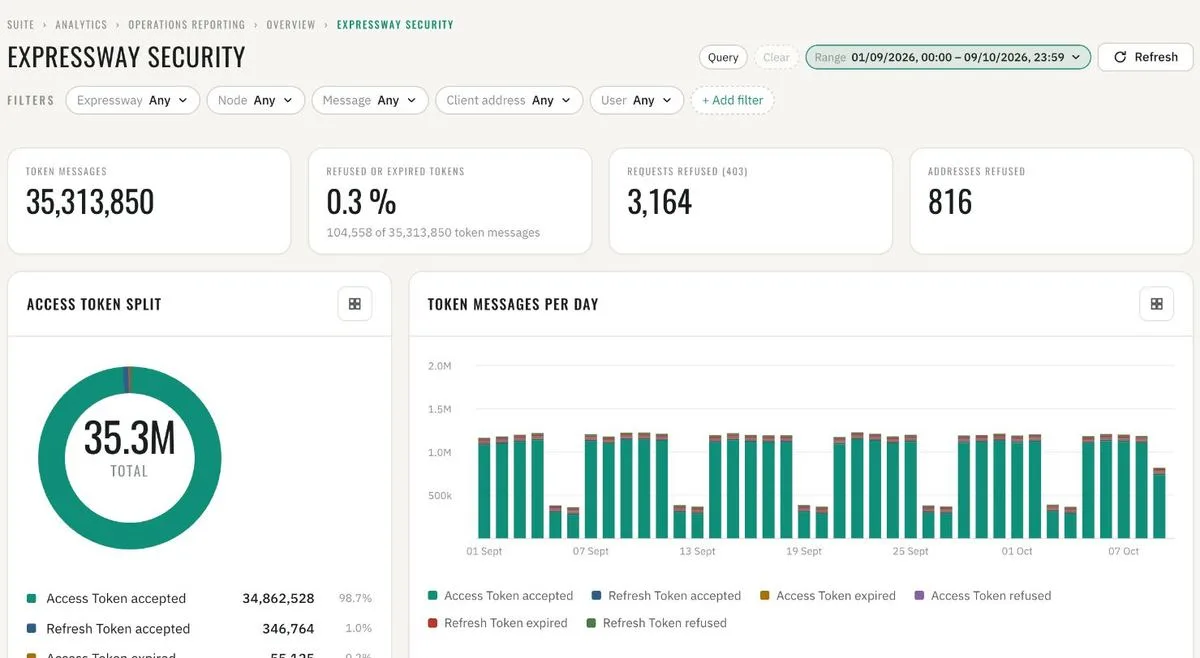
Expressway security · token messages and refused requests 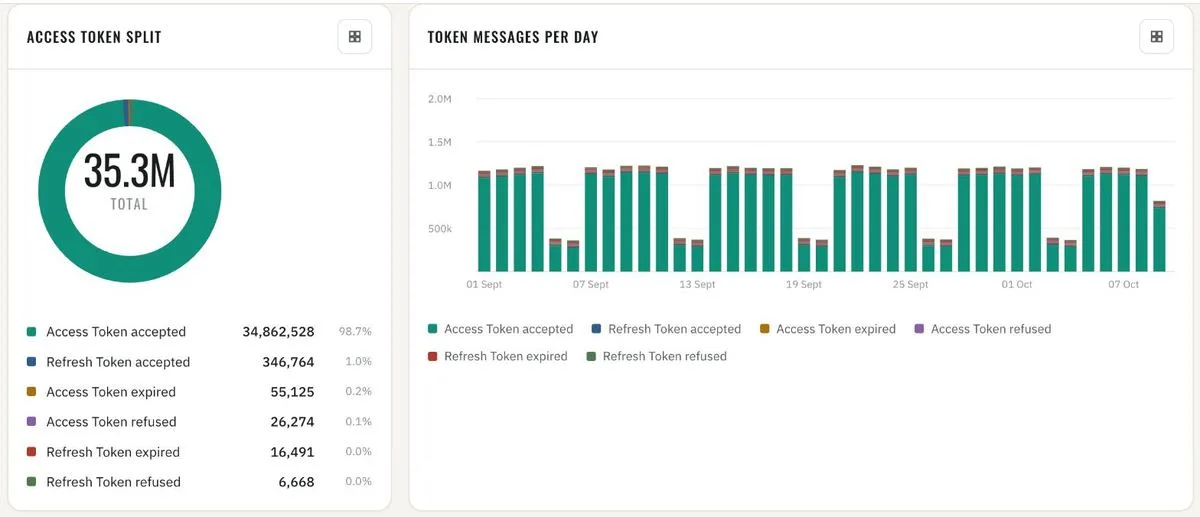
Access token split · token messages per day 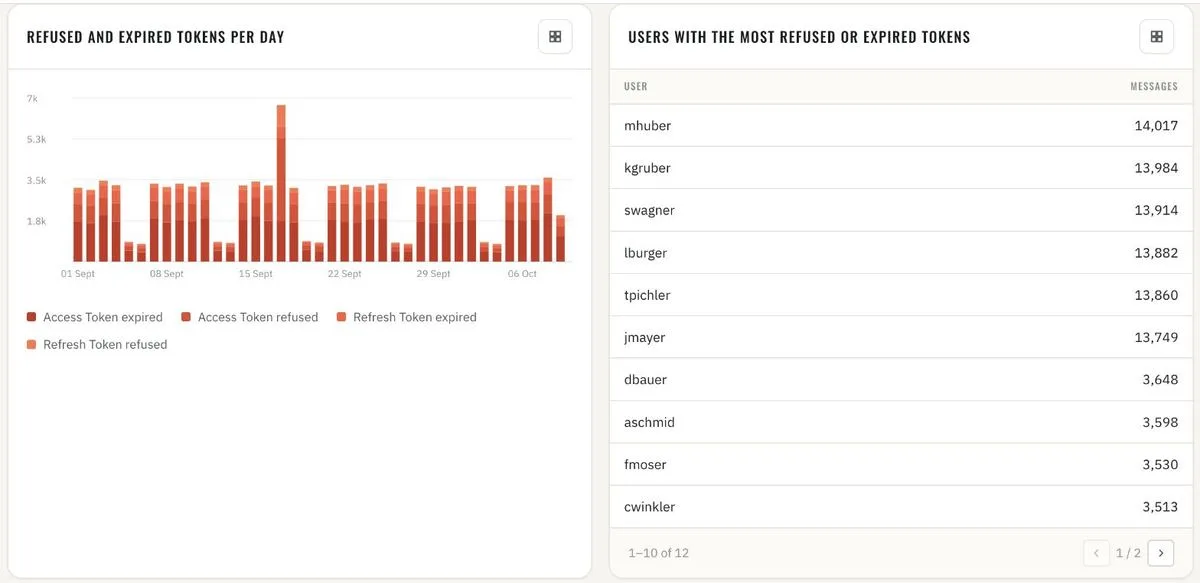
Refused and expired tokens per day · users with the most 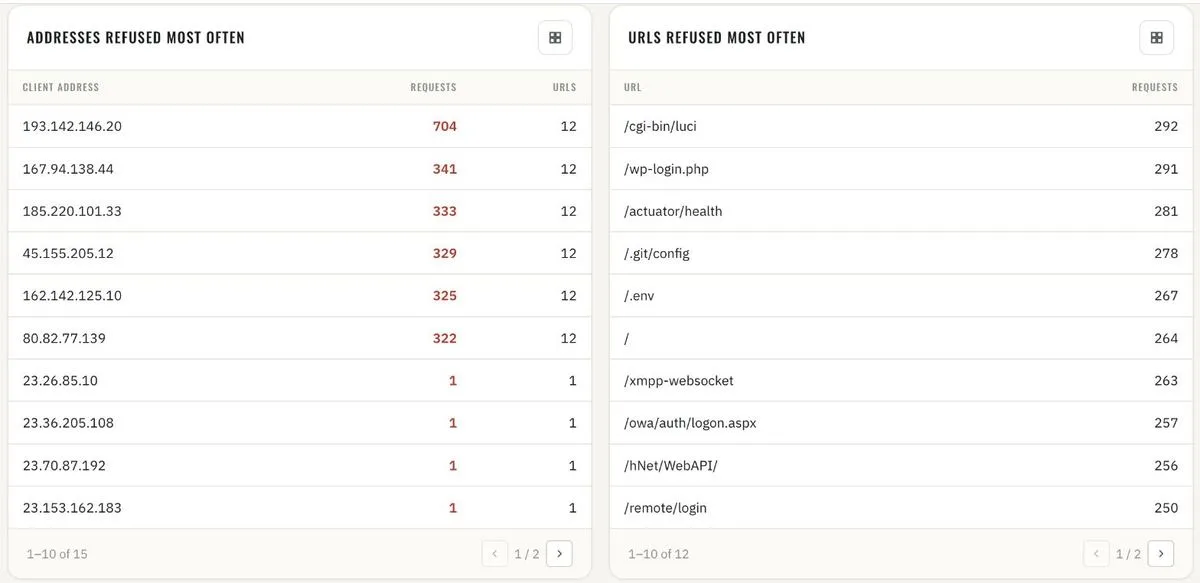
Addresses and URLs refused most often 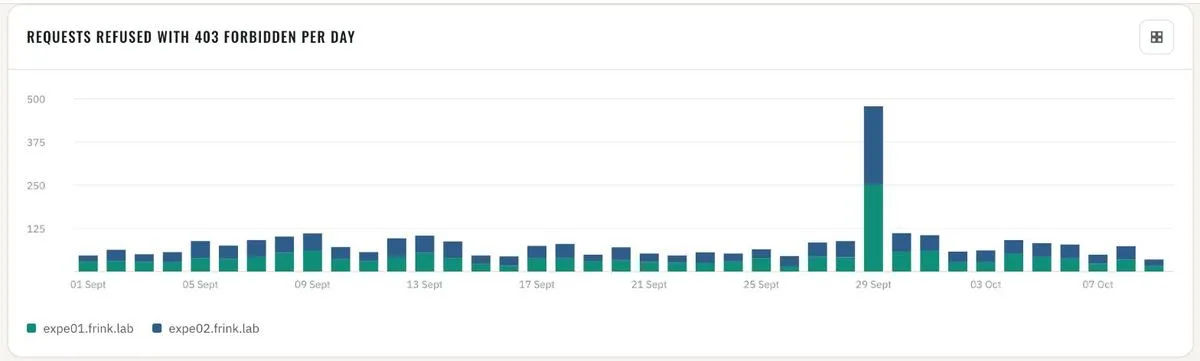
Requests refused with 403 per day, per node 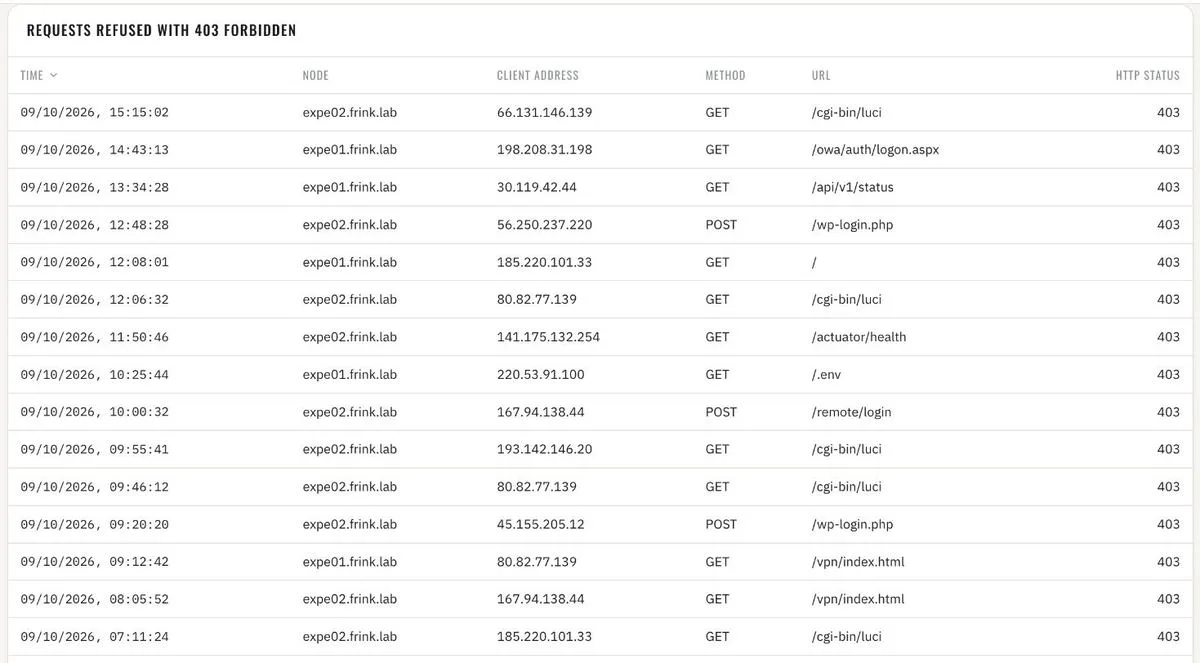
Requests refused with 403 · request by request
FRINK Health Check
2 cards- 21
Health Check for core UC components Health Check
Every night, or whenever you start it, about 60 checks run across all UC components: services, replication, backups, time sync, certificates, trunks, licensing, syslog errors, disks. Result: a red / amber / green board with history and trends.
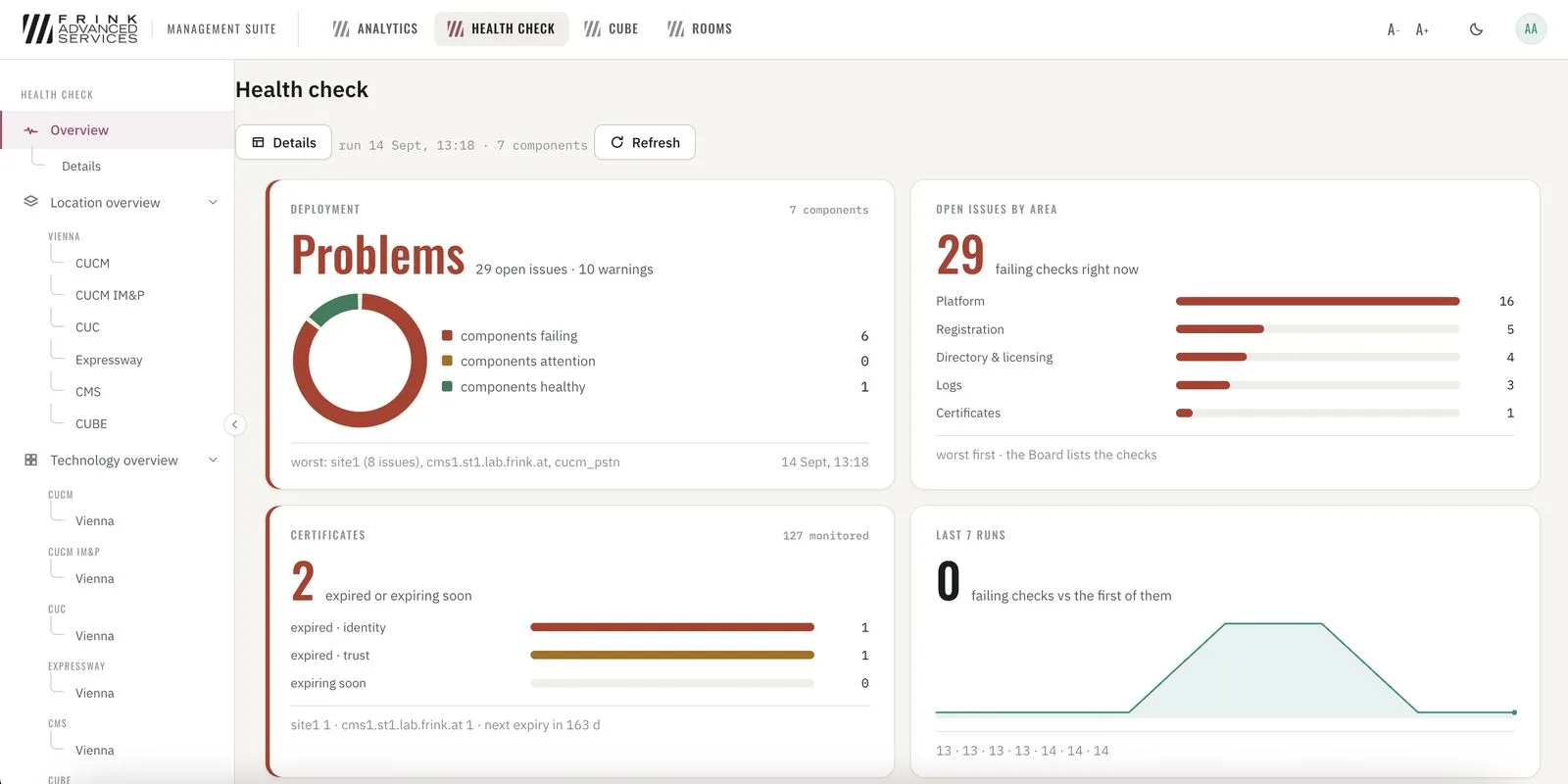
Health Check · overview of the deployment 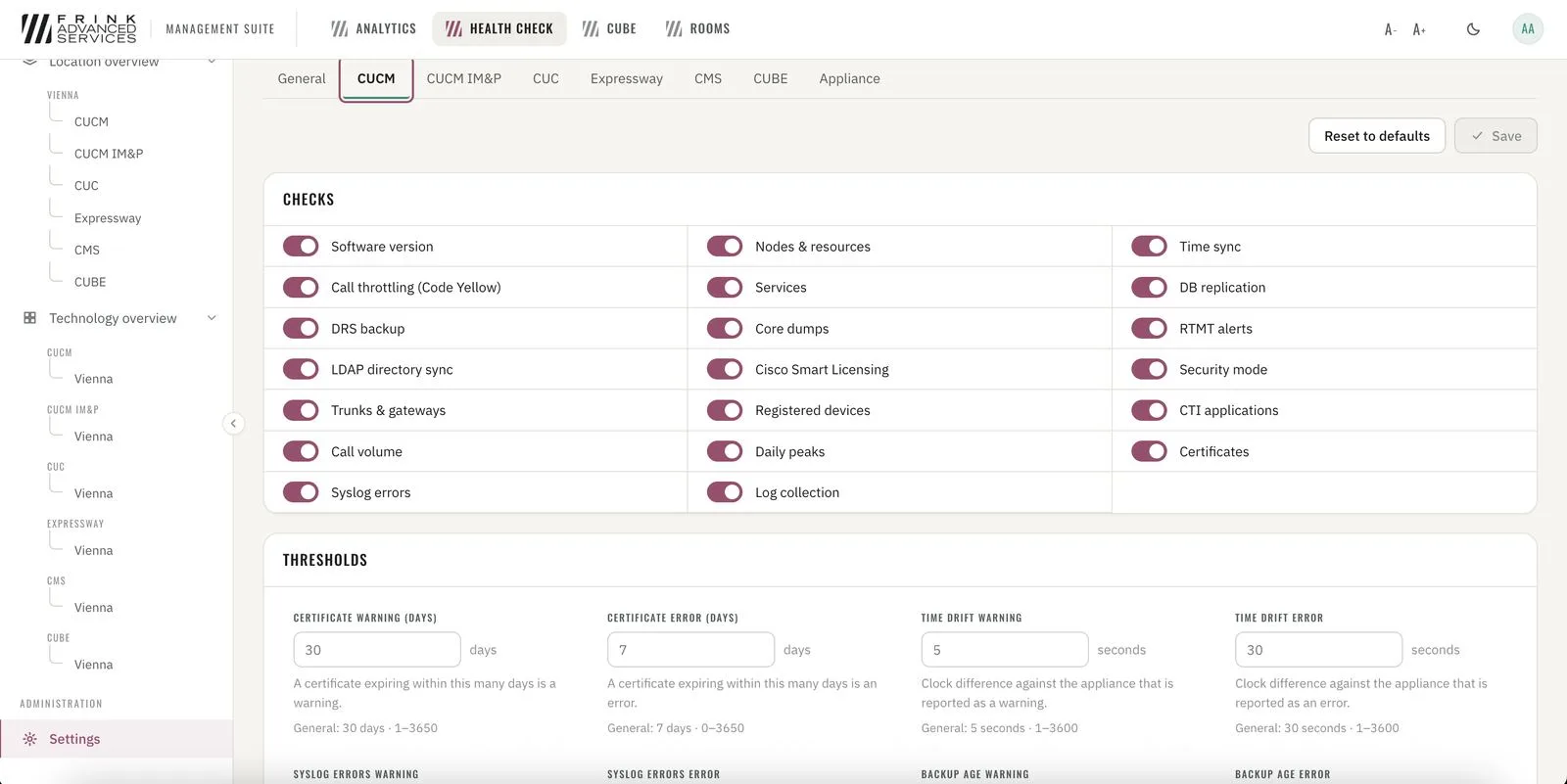
Health Check · checks and thresholds per technology - 22
Where Health Check looks Health Check
All UC components connected to FRINK Engine. Two ways in: by location or by technology (all CUCM clusters side by side). Every check opens into its detail, for example the DRS backup.
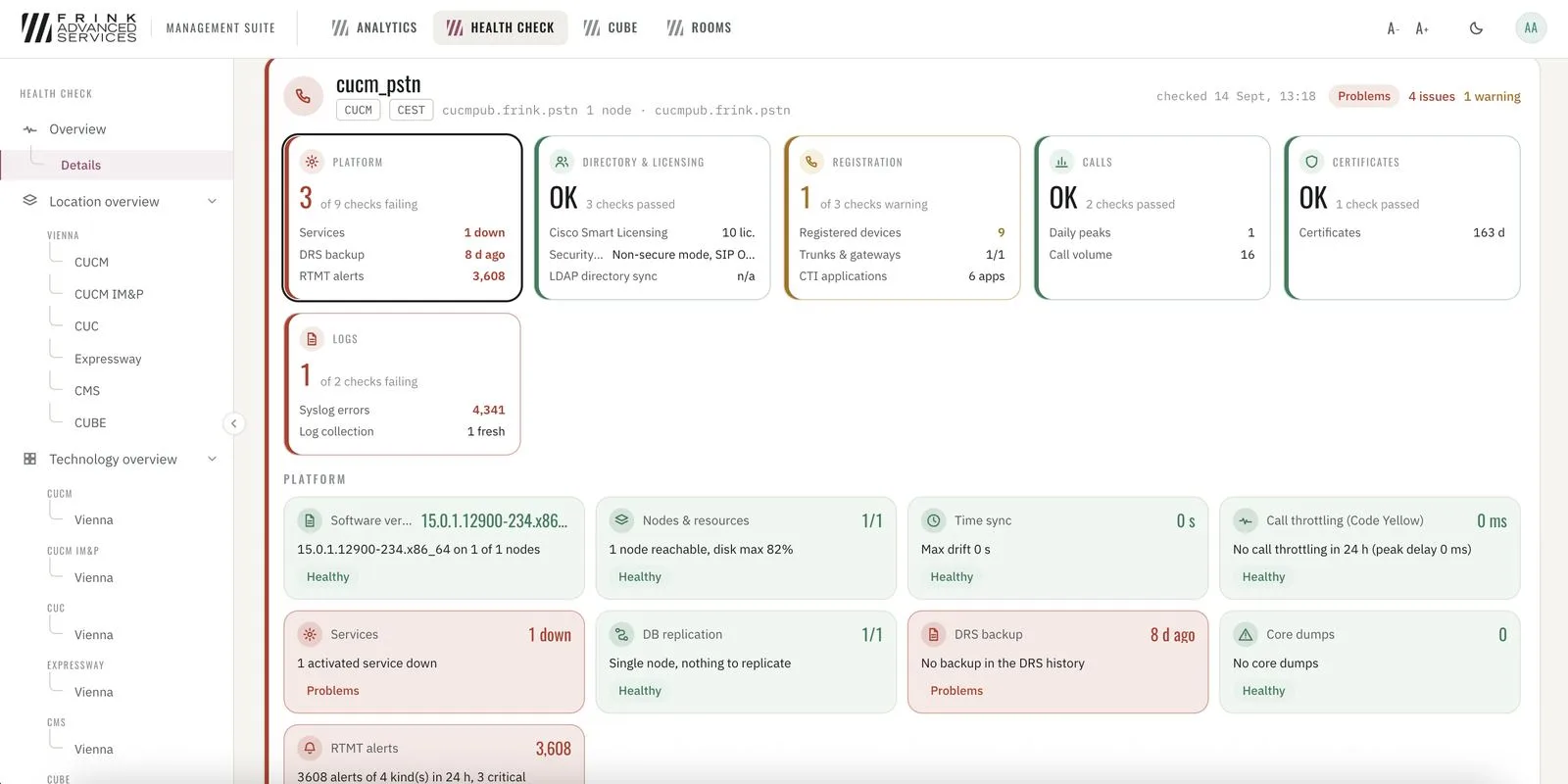
Health Check · cluster board, six areas with every check 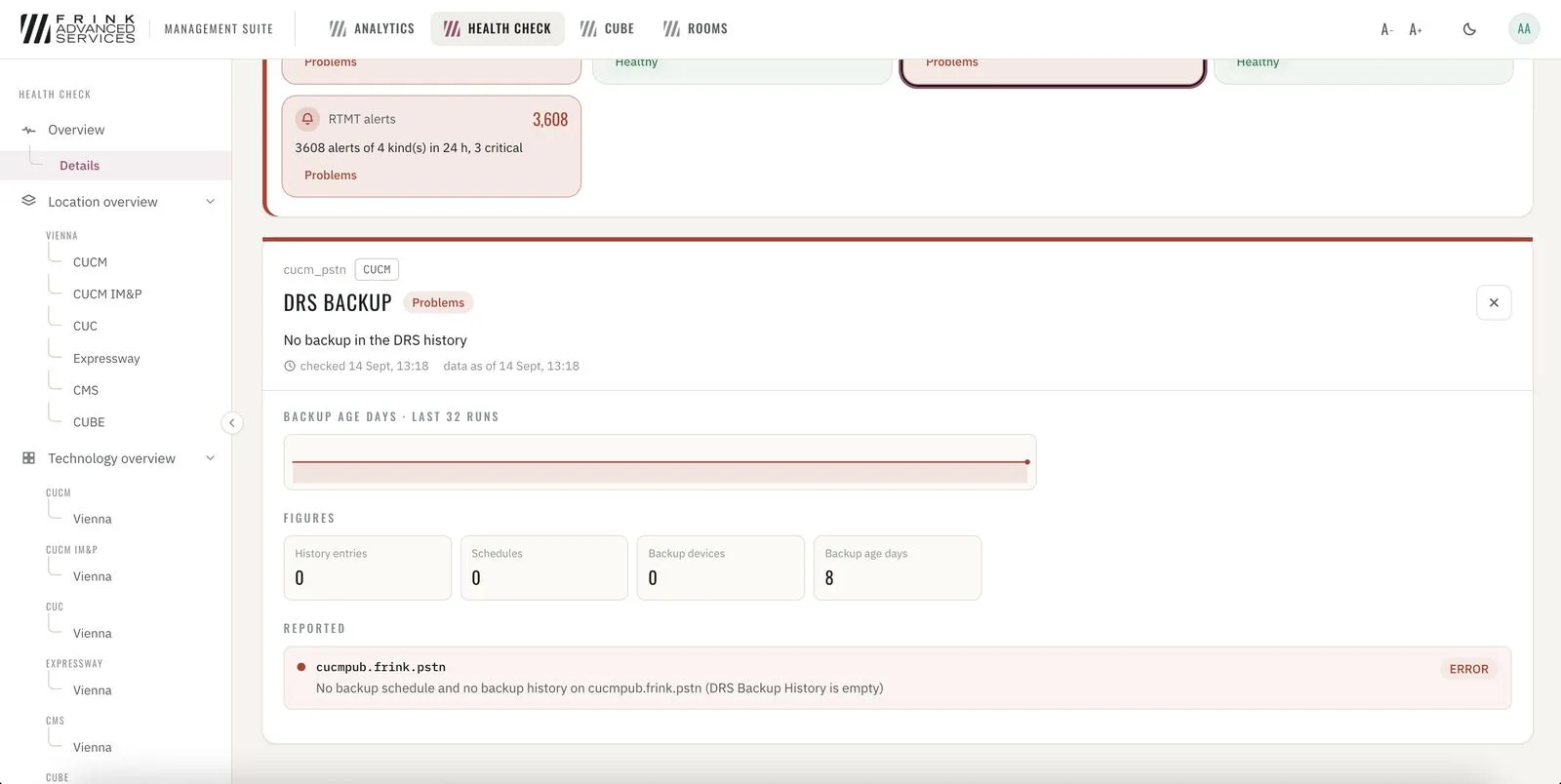
Health Check · one check in detail – DRS backup
FRINK Live Data
1 cards- 23
Live data Live Data
One board per technology with relevant KPIs – refreshed every minute, as often as Cisco's perfmon interface allows. Short history and today's peaks behind the key figures. Create watch lists for specific phones, trunks, gateways or hunt lists.
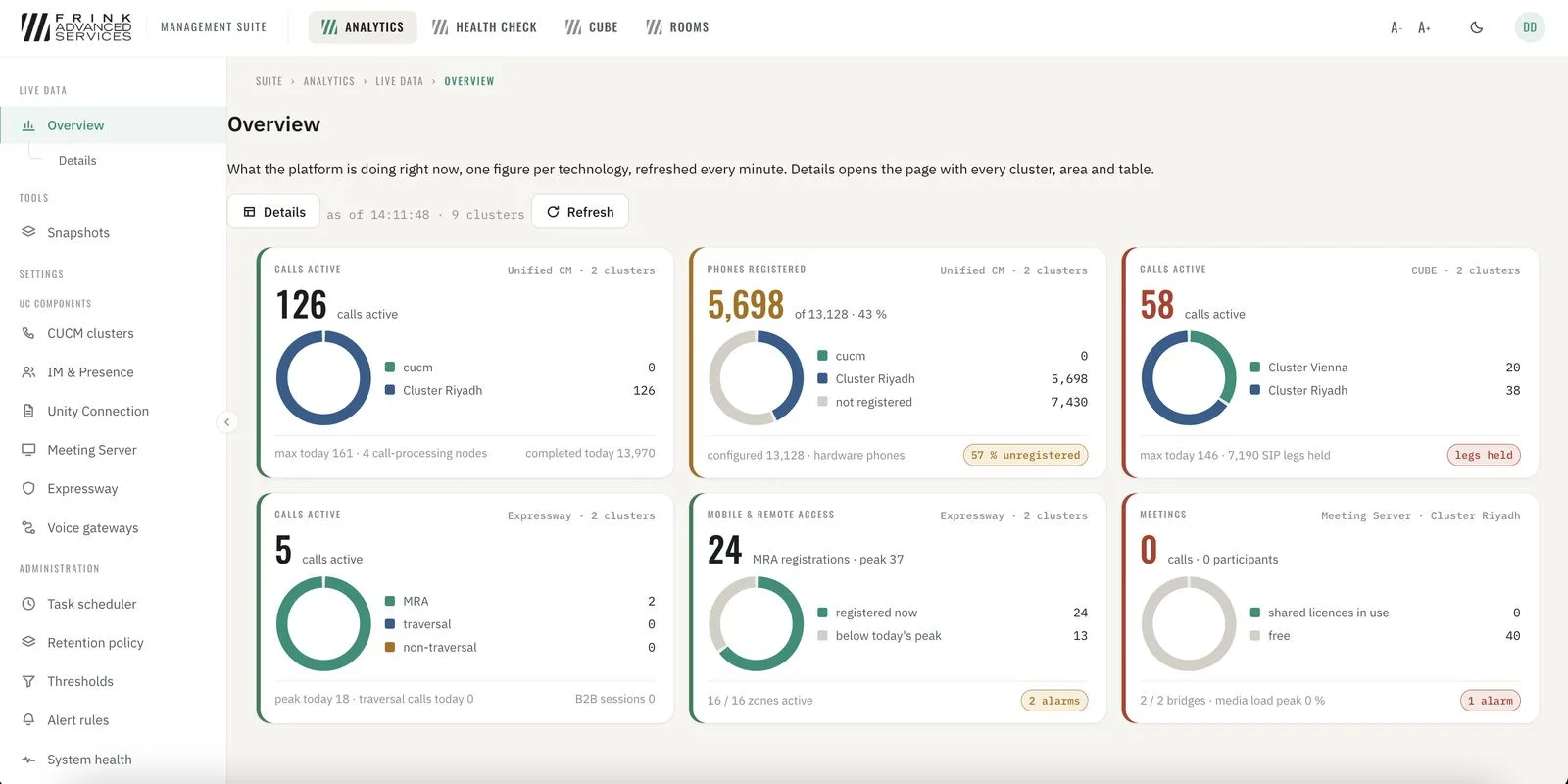
Live Data · overview, one figure per technology 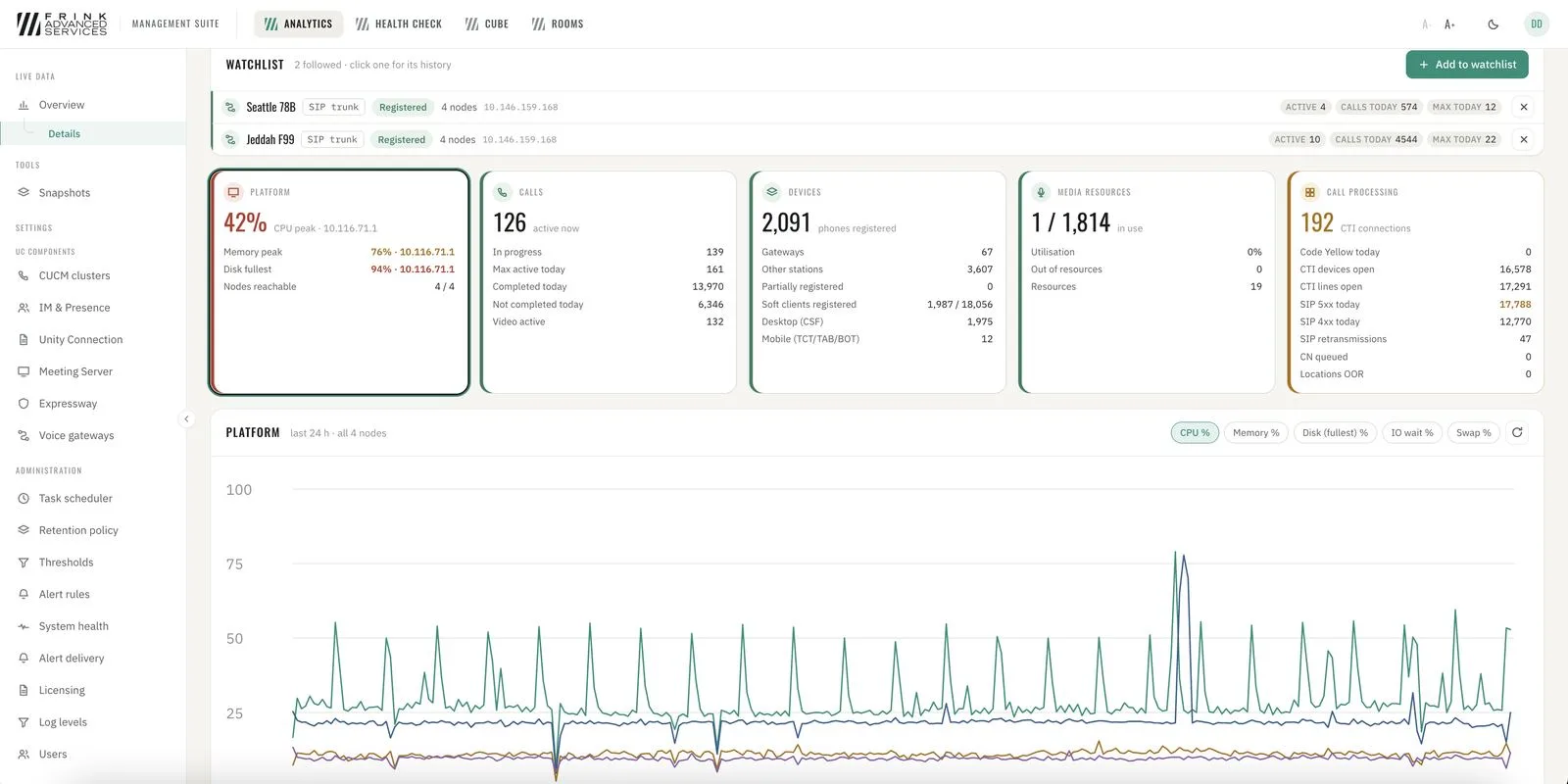
Live Data · cluster details with watchlist and history
FRINK CUBE Management
6 cards- 24
CUBE overview Overview
Every CUBE and IOS-XE voice gateway per site: platform, software, reachability, last read. The dashboard flags running configs that were never saved.
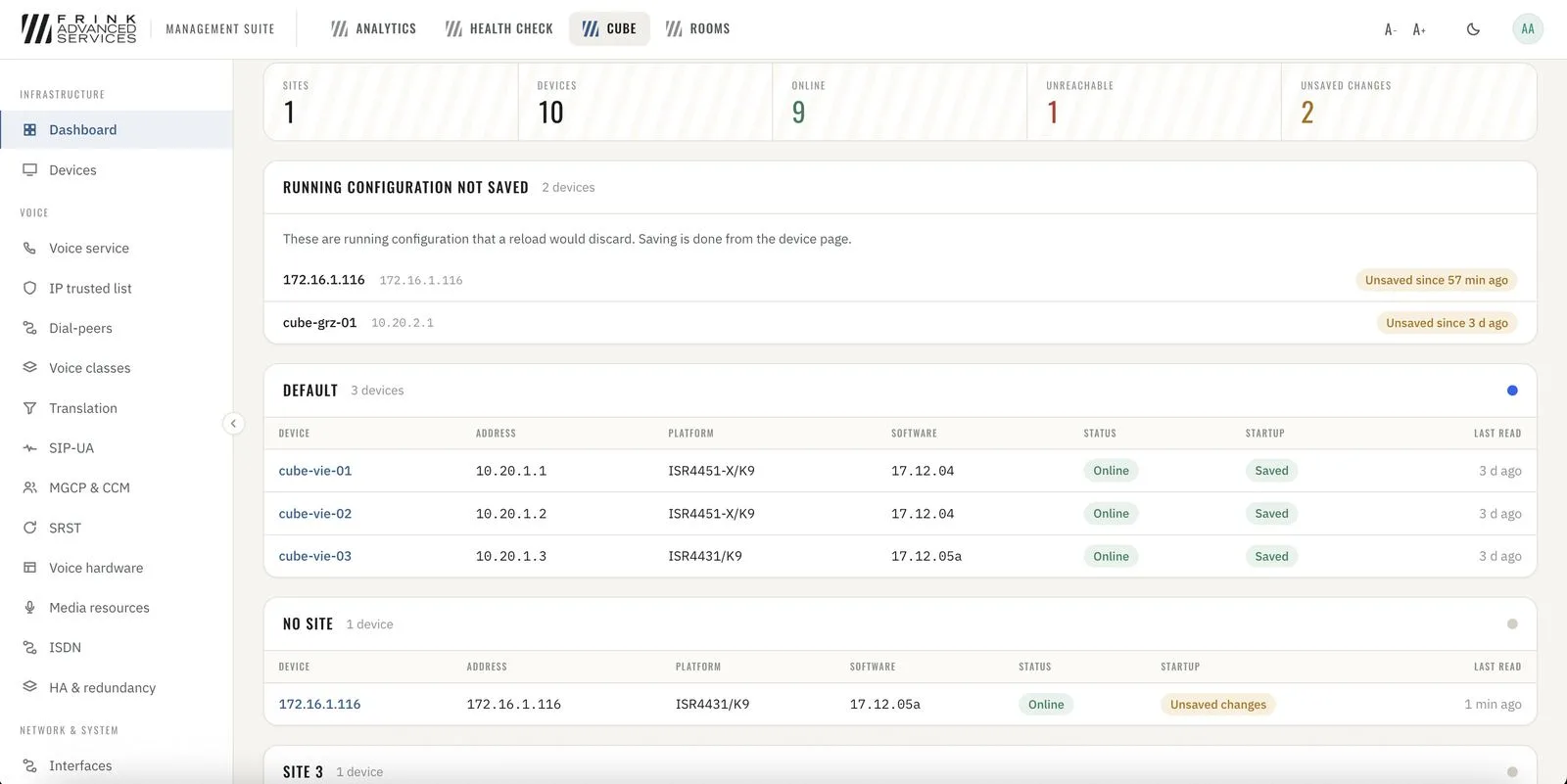
CUBE · dashboard per site with unsaved running configs 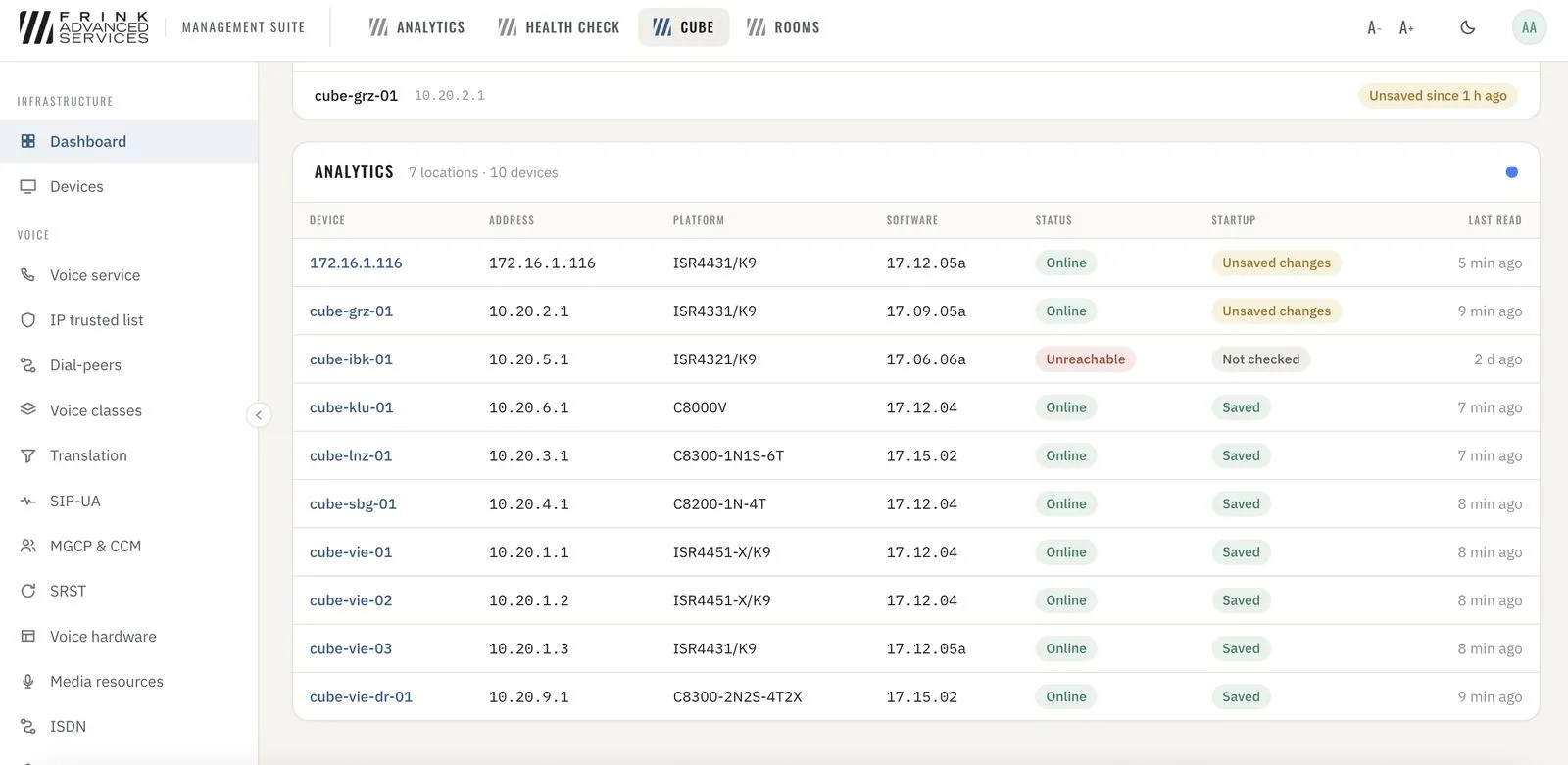
Device inventory · platform, software, reachability, saved state - 25
CUBE management Management
Validated forms for voice service, dial-peers, trunks, codecs, SIP profiles and interfaces – written back as verified CLI, always with an audit trail. Voice and the related interface configuration can be managed here.
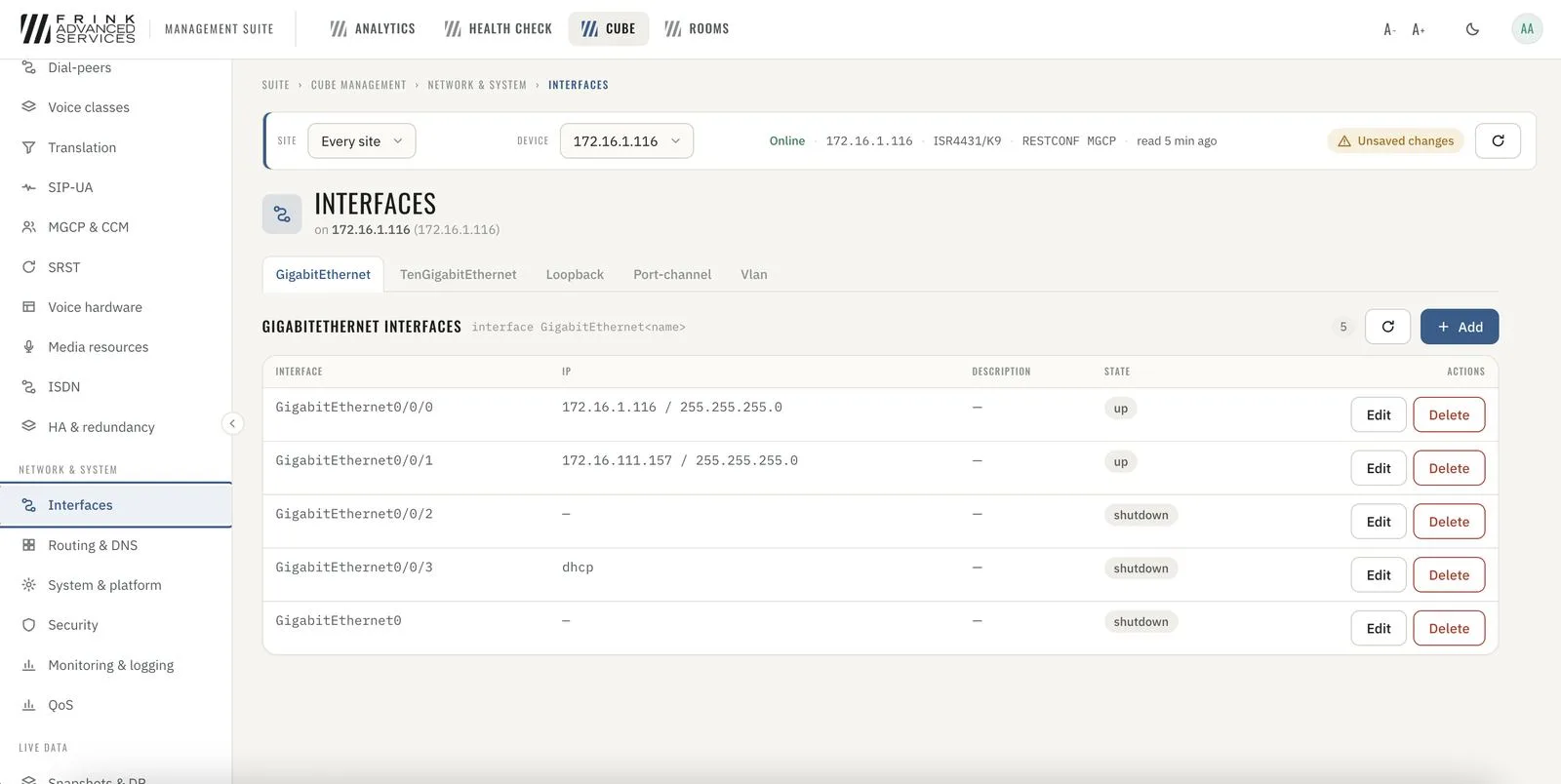
CUBE · interfaces, edited through validated forms 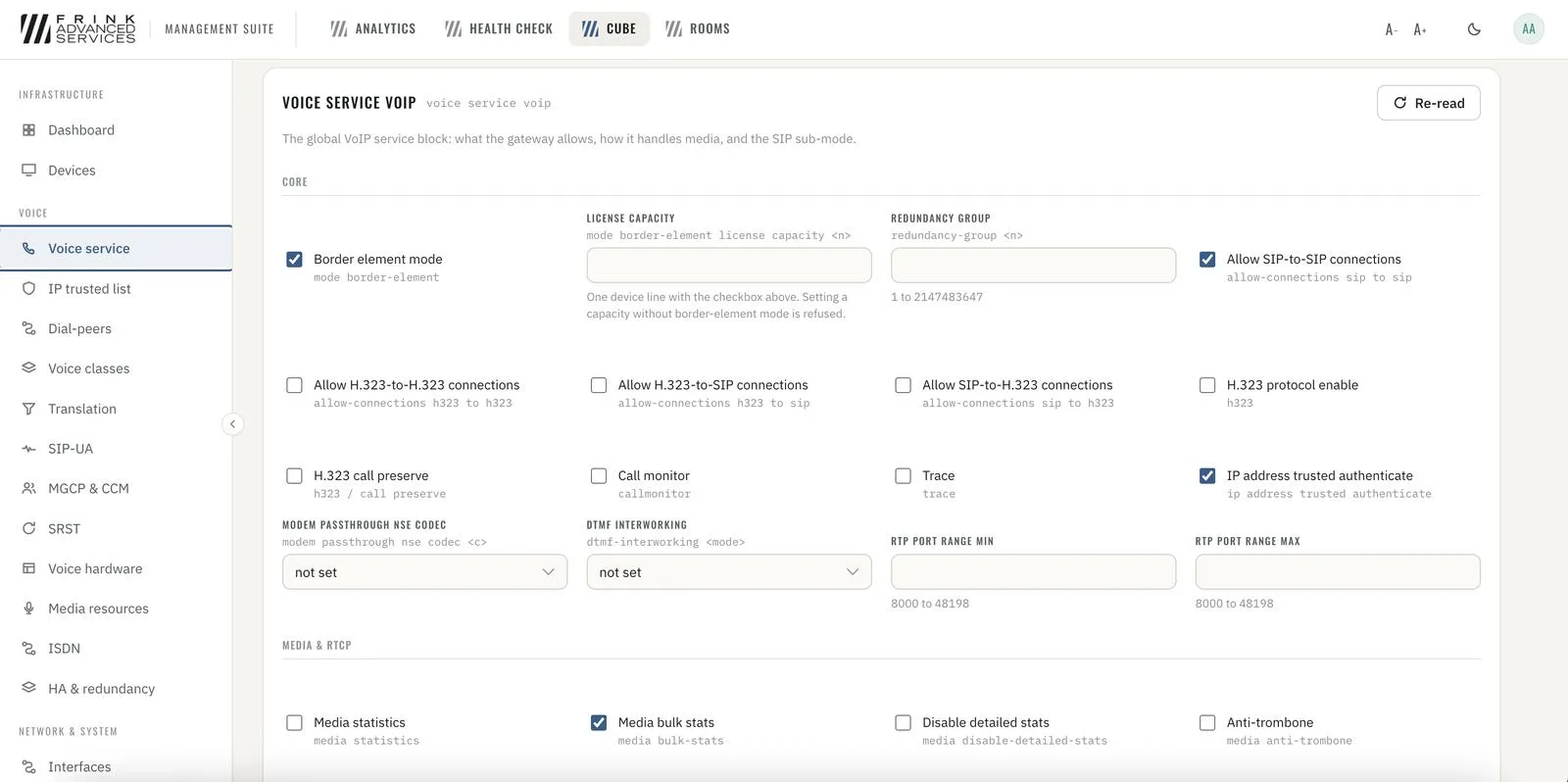
CUBE · voice service VoIP as a form instead of CLI - 26
SIP debug Troubleshooting
Start or import a SIP debug log and get call flows, a ladder and the dial-peer decisions – failures highlighted.
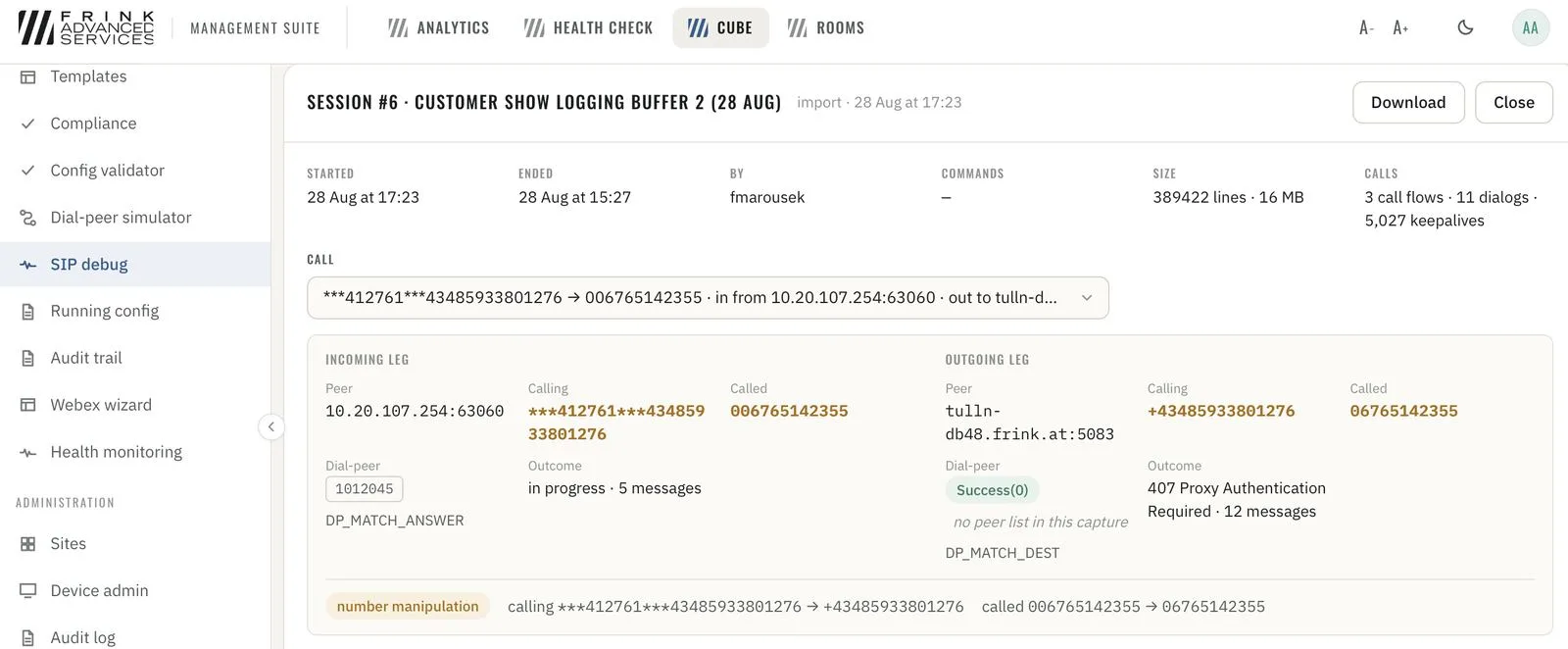
SIP debug · imported capture parsed into call flows and dial-peer decisions 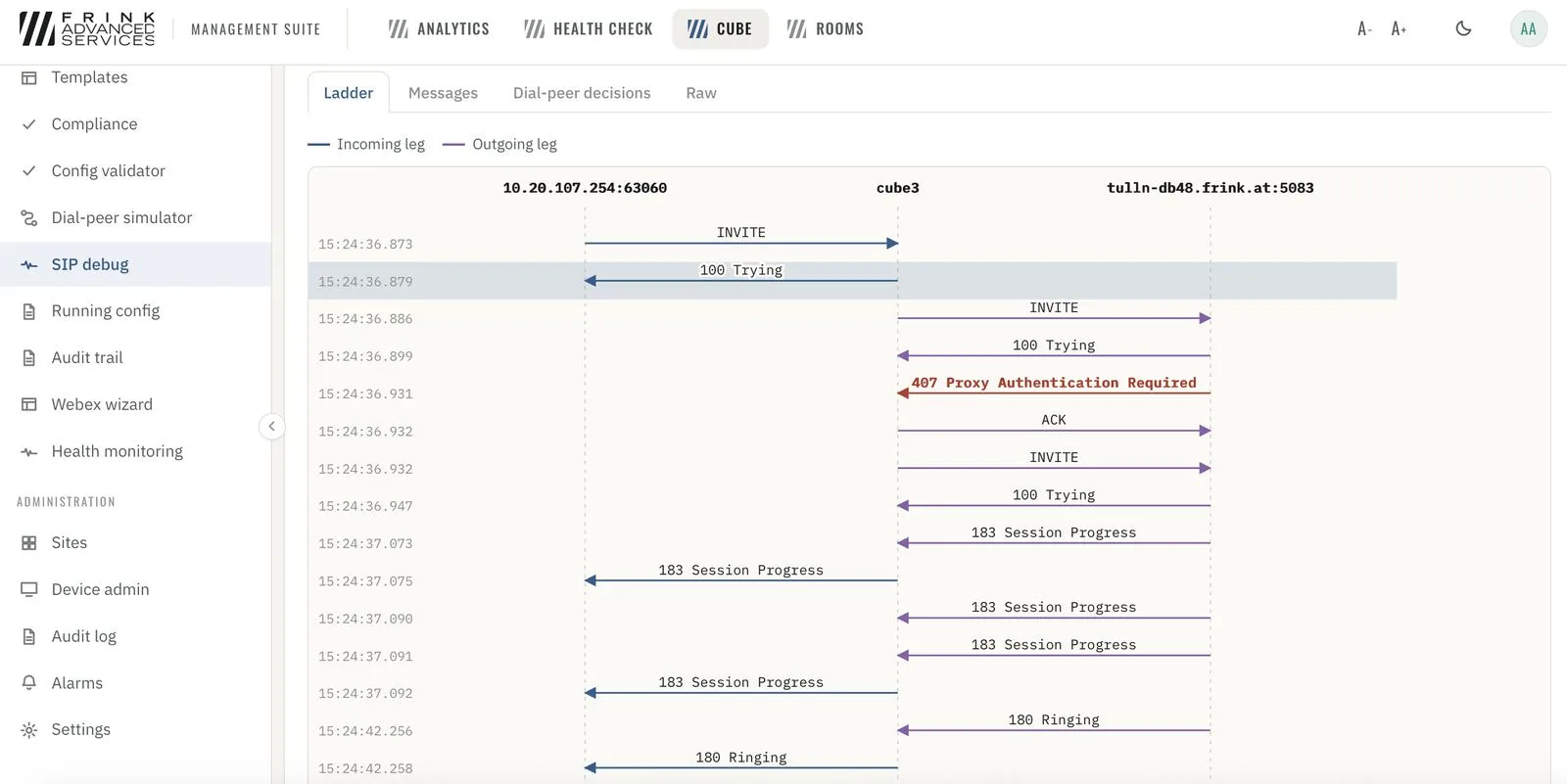
SIP debug · ladder with the 407 failure highlighted - 27
Dial-peer simulator Troubleshooting
Which dial-peer will this call hit – answered before you dial.
screenshot to add · Dial-peer simulator - 28
Snapshots & disaster recovery Toolkit
Automatic snapshot before template deployments and rollbacks, manual snapshots any time, drift and compliance checks, detection of changes made outside FRINK CUBE Management (per gateway, needs archive logging), rollback.
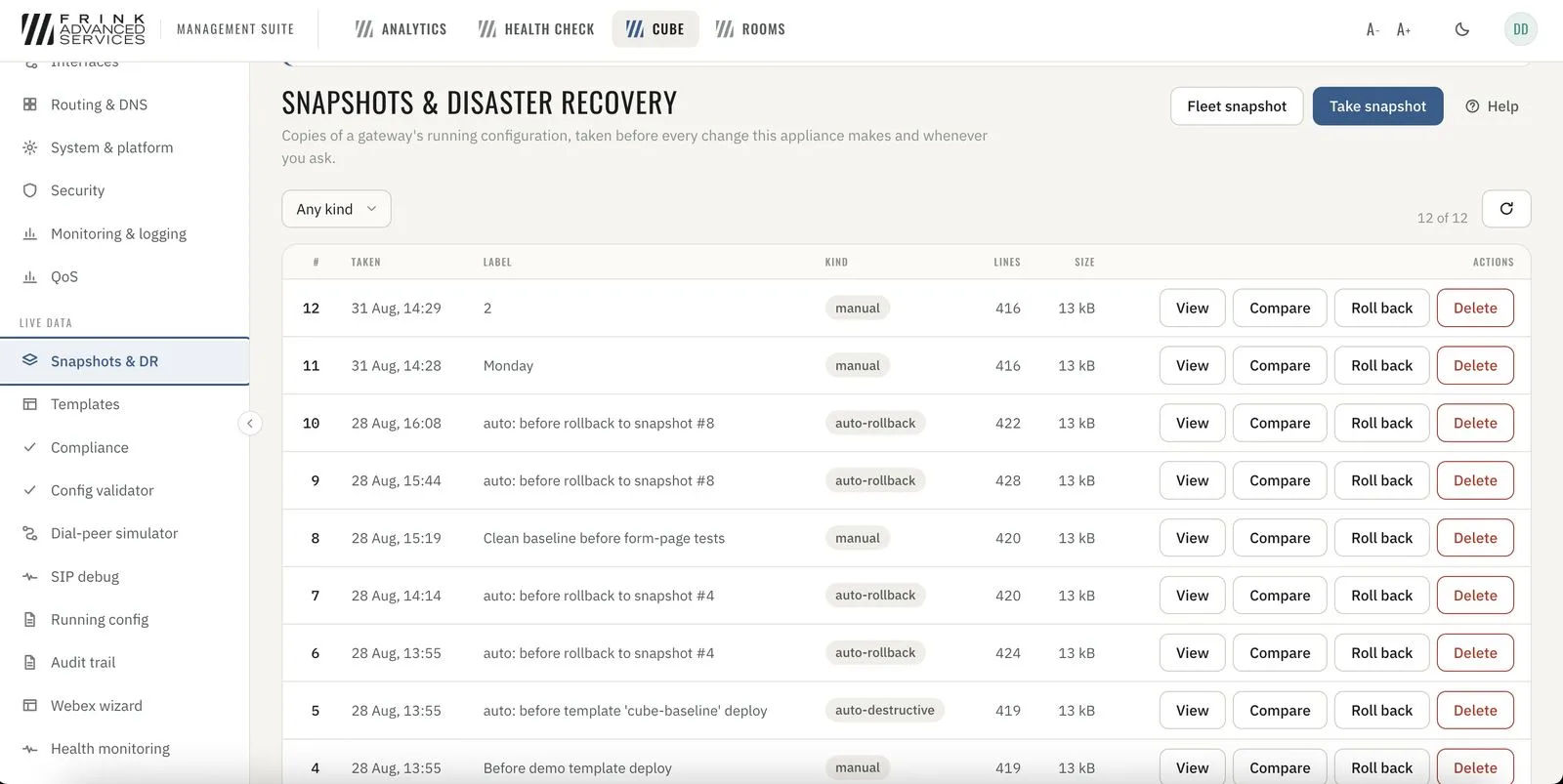
CUBE · snapshots & disaster recovery with rollback - 29
Templates Toolkit
Scalable CUBE changes with templates with variables; per-site values through the API.
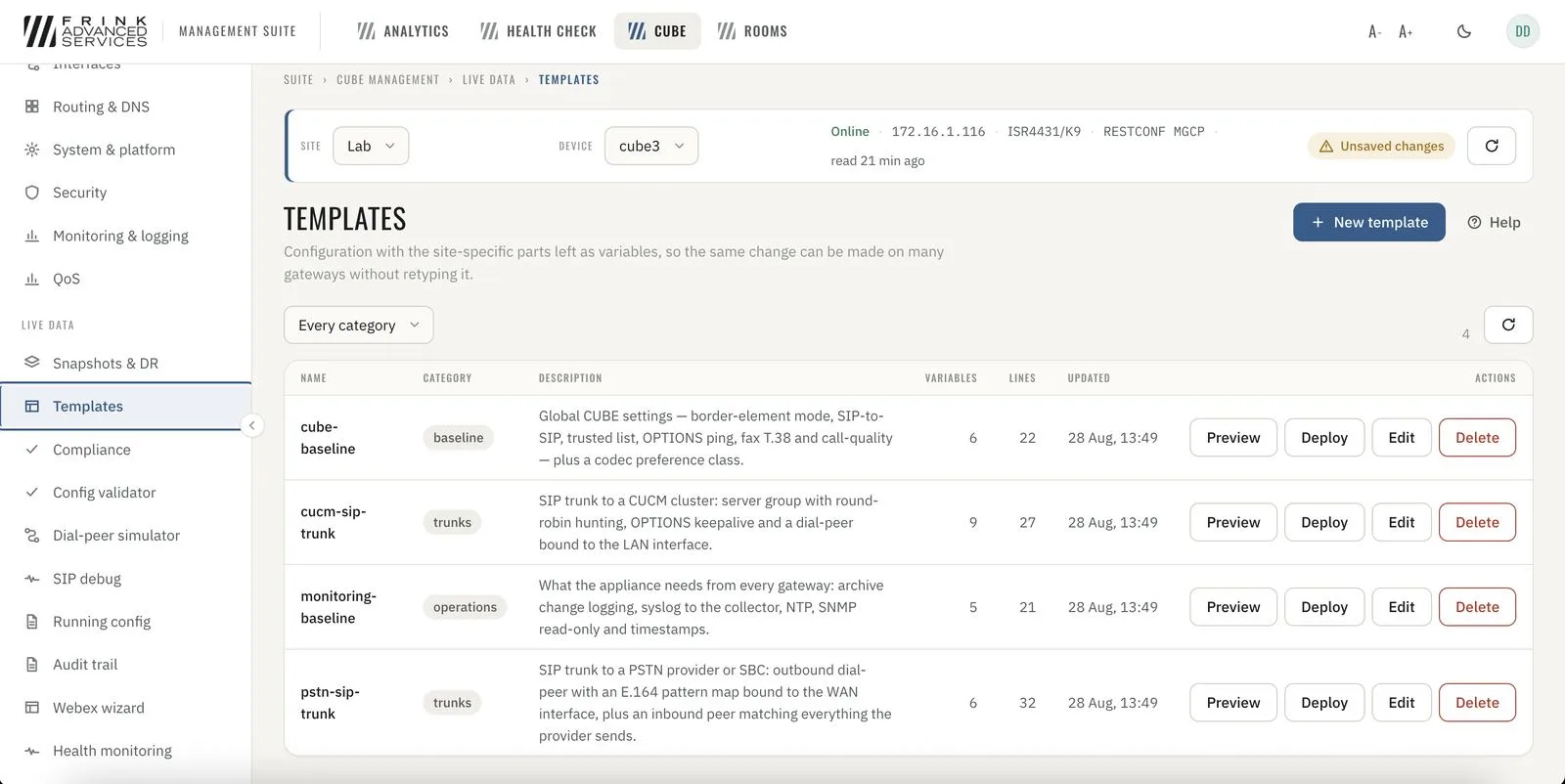
CUBE · templates with variables for many gateways
FRINK Video Room Management
7 cards- 30
Video rooms overview Overview & utilization
Rooms board with every room tinted by its worst finding, grouped per site.
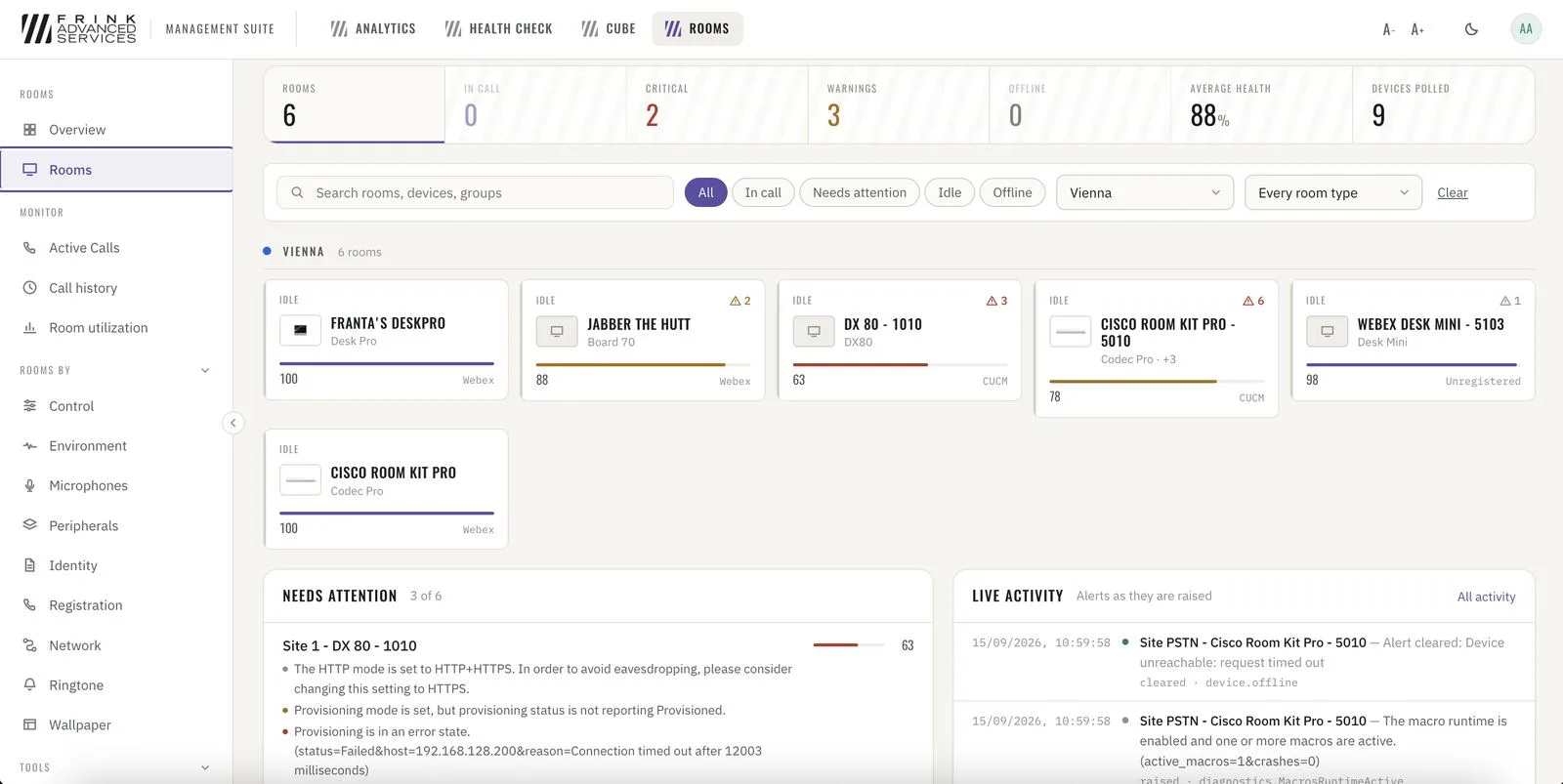
Rooms · every room per site, tinted by its worst finding - 31
Utilization Overview & utilization
Booked vs. actually used, booked-but-empty (no-shows), walk-in use, people counted – per room and per site.
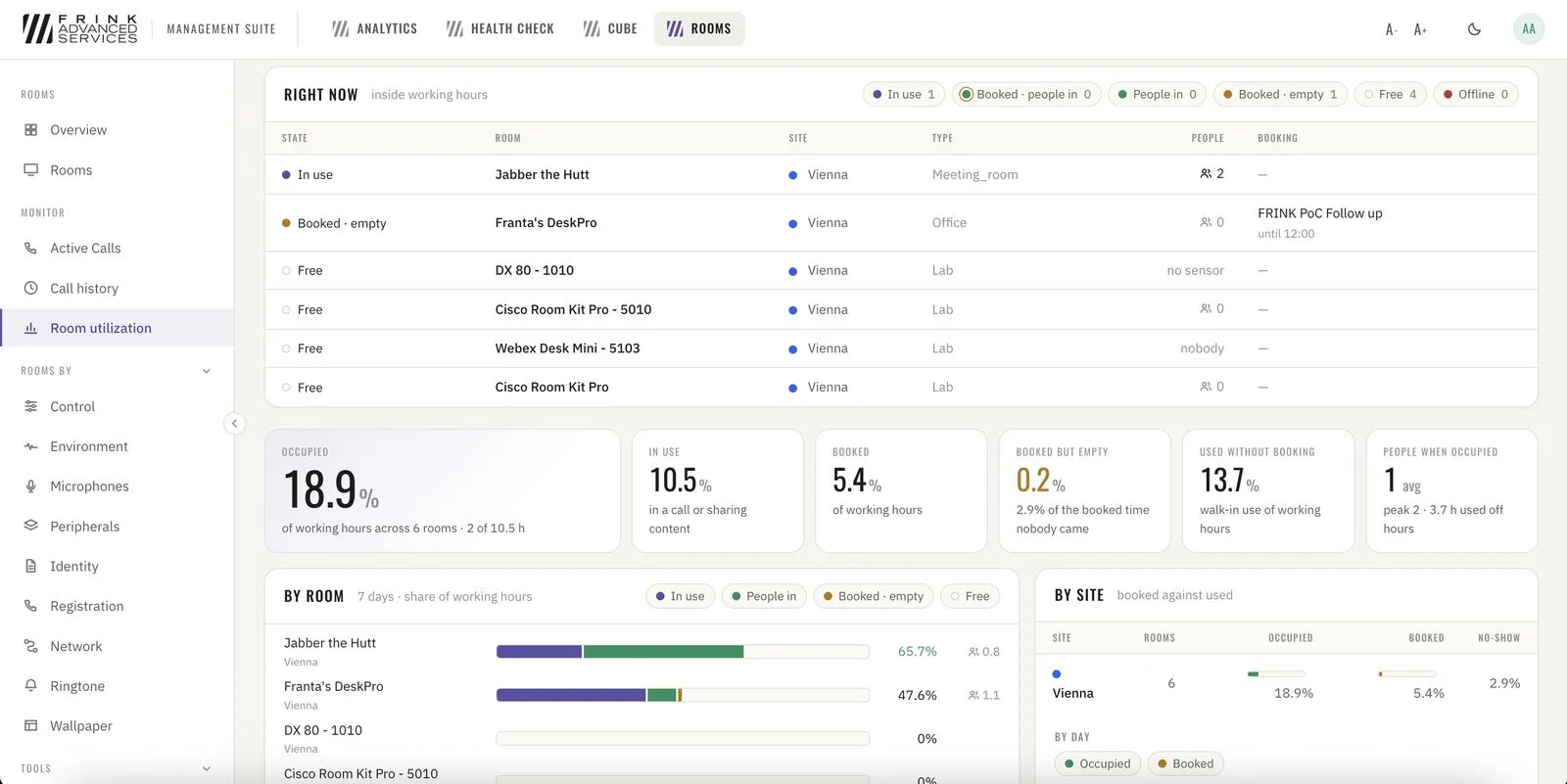
Room utilization · right now and over the last days - 32
Video rooms management Management
Wake, sleep, mute, restart – one room or all rooms, now or on a weekly schedule. Templates (boardroom, training room), configuration compare, commissioning compliance scan.
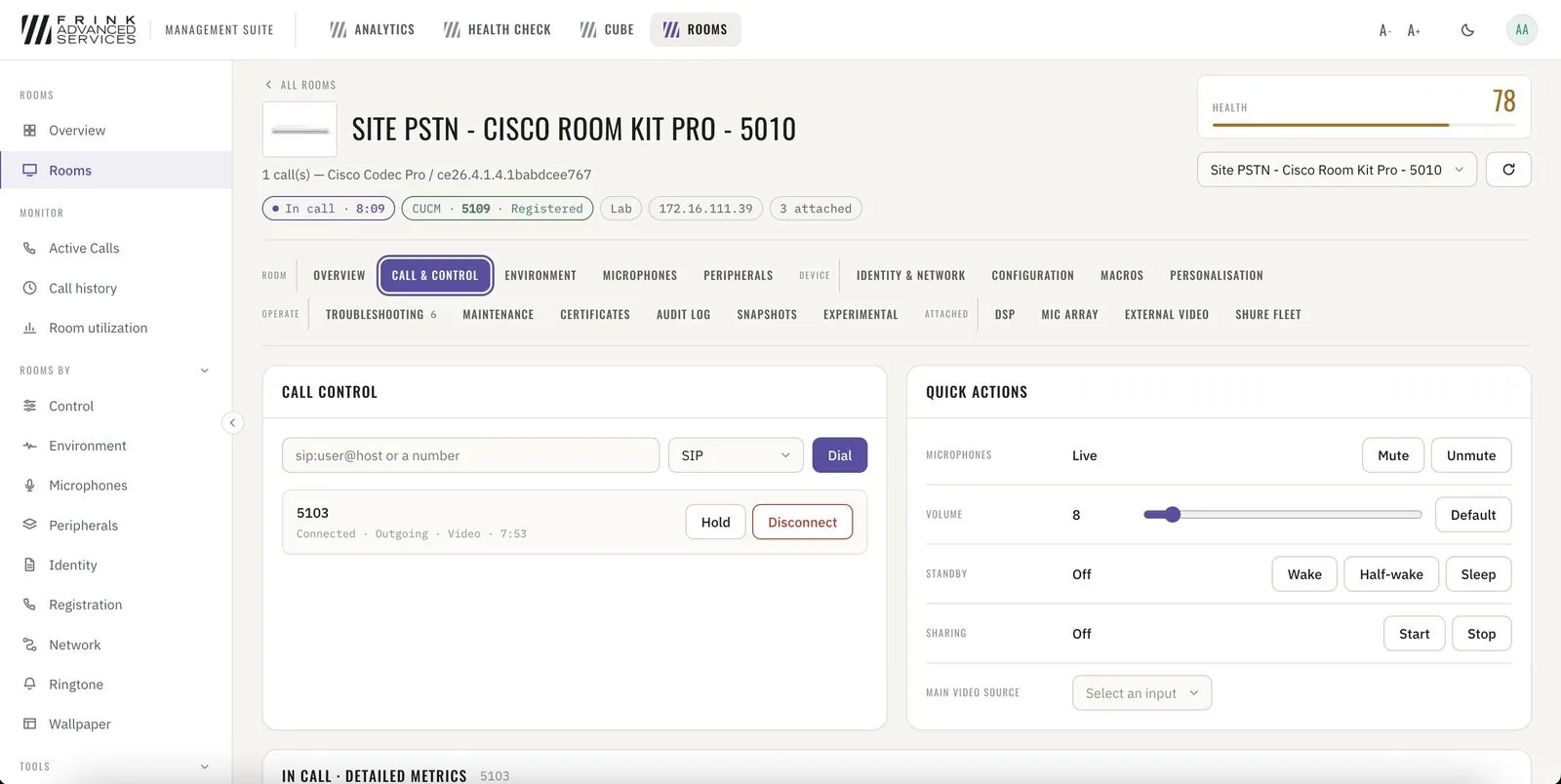
Room · call control and quick actions 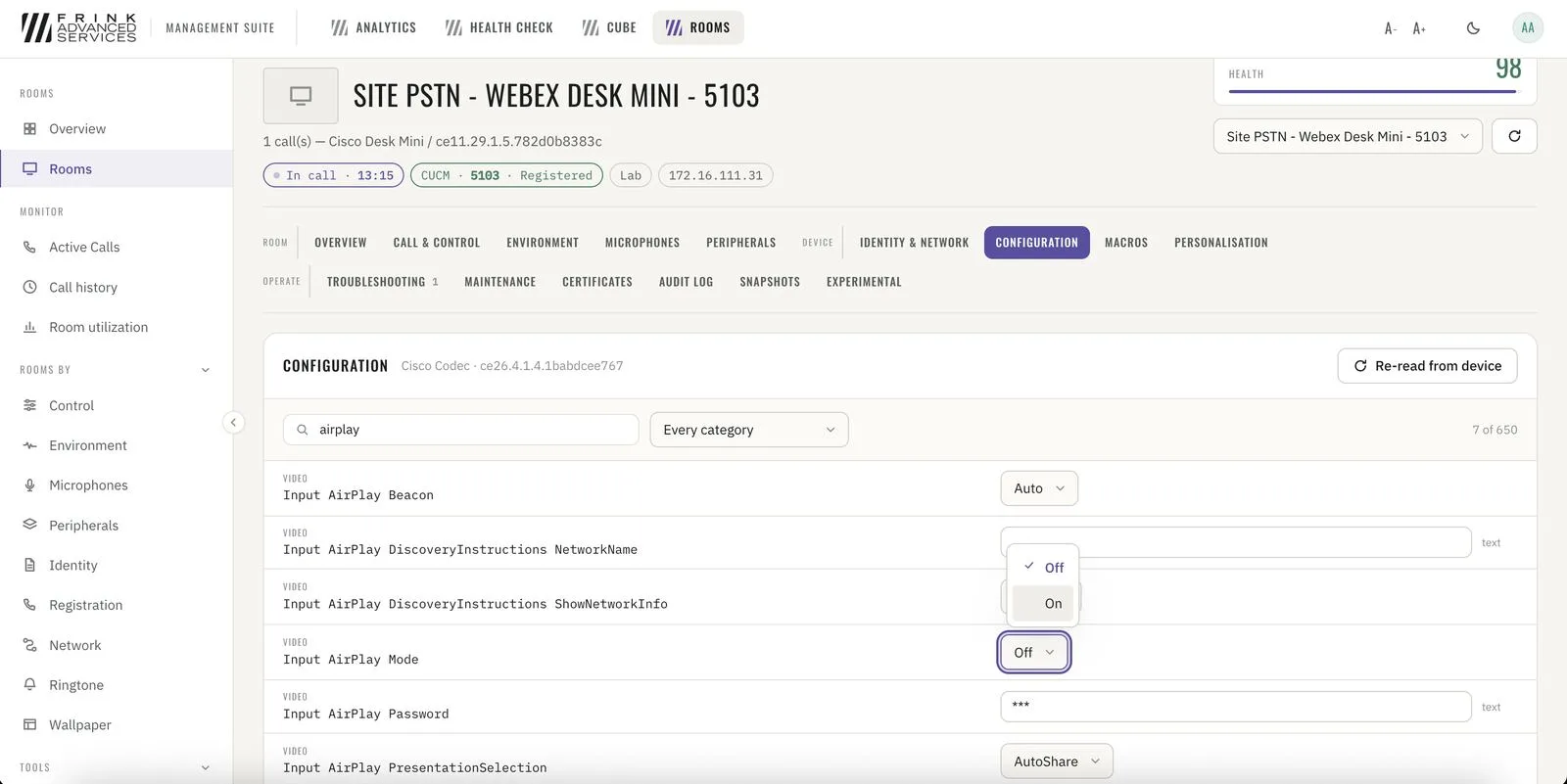
Room · full device configuration, searchable - 33
Video rooms troubleshooting Troubleshooting
Live audio/video quality per call, worst first – audio and video judged separately. Packet loss, jitter and quality score over the course of the call, per room. Diagnostics, extended logging and live xFeedback log.
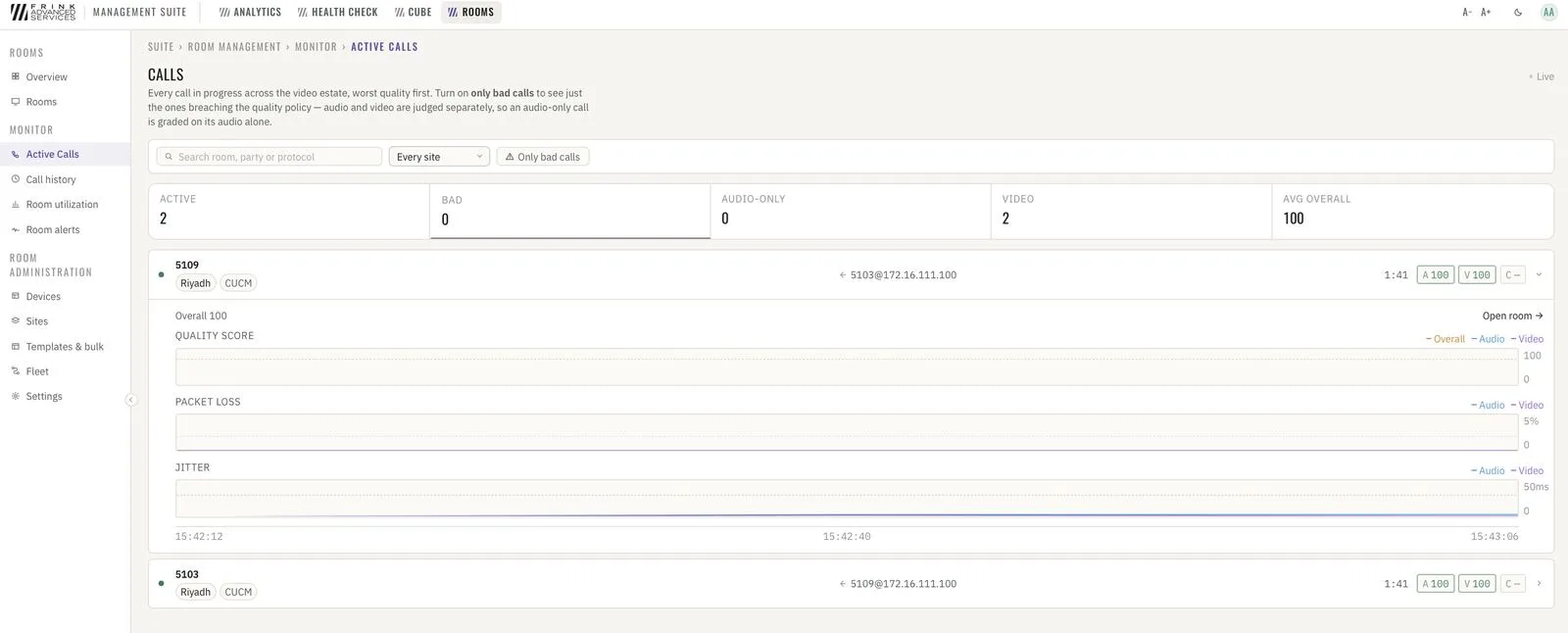
Active calls · live audio/video quality, worst first 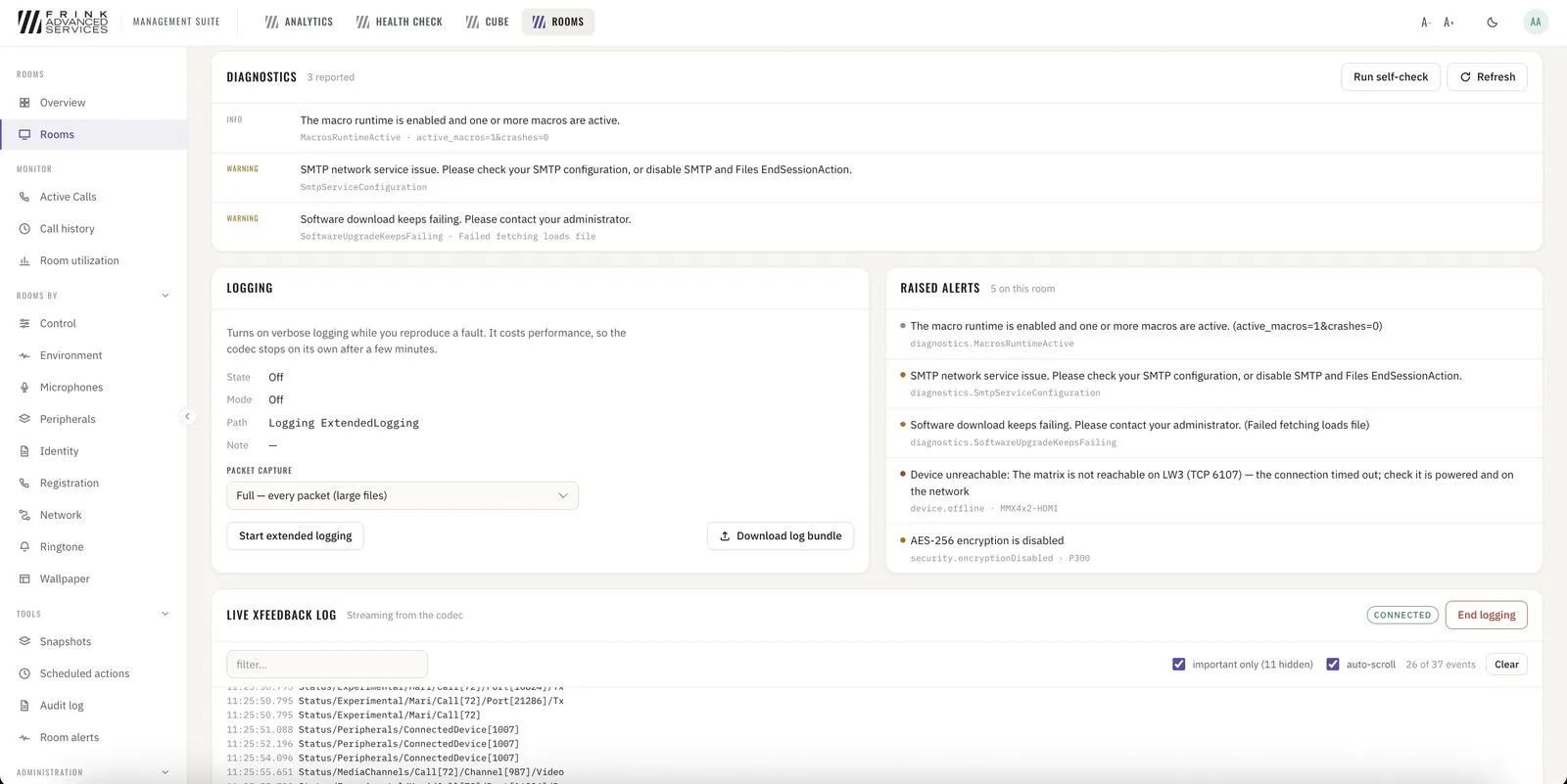
Room · diagnostics, extended logging and live xFeedback log - 34
Shure and Lightware 3rd party
Shure microphones and DSPs, Lightware switchers – monitored and controlled per device alongside the Cisco RoomOS devices they sit next to.
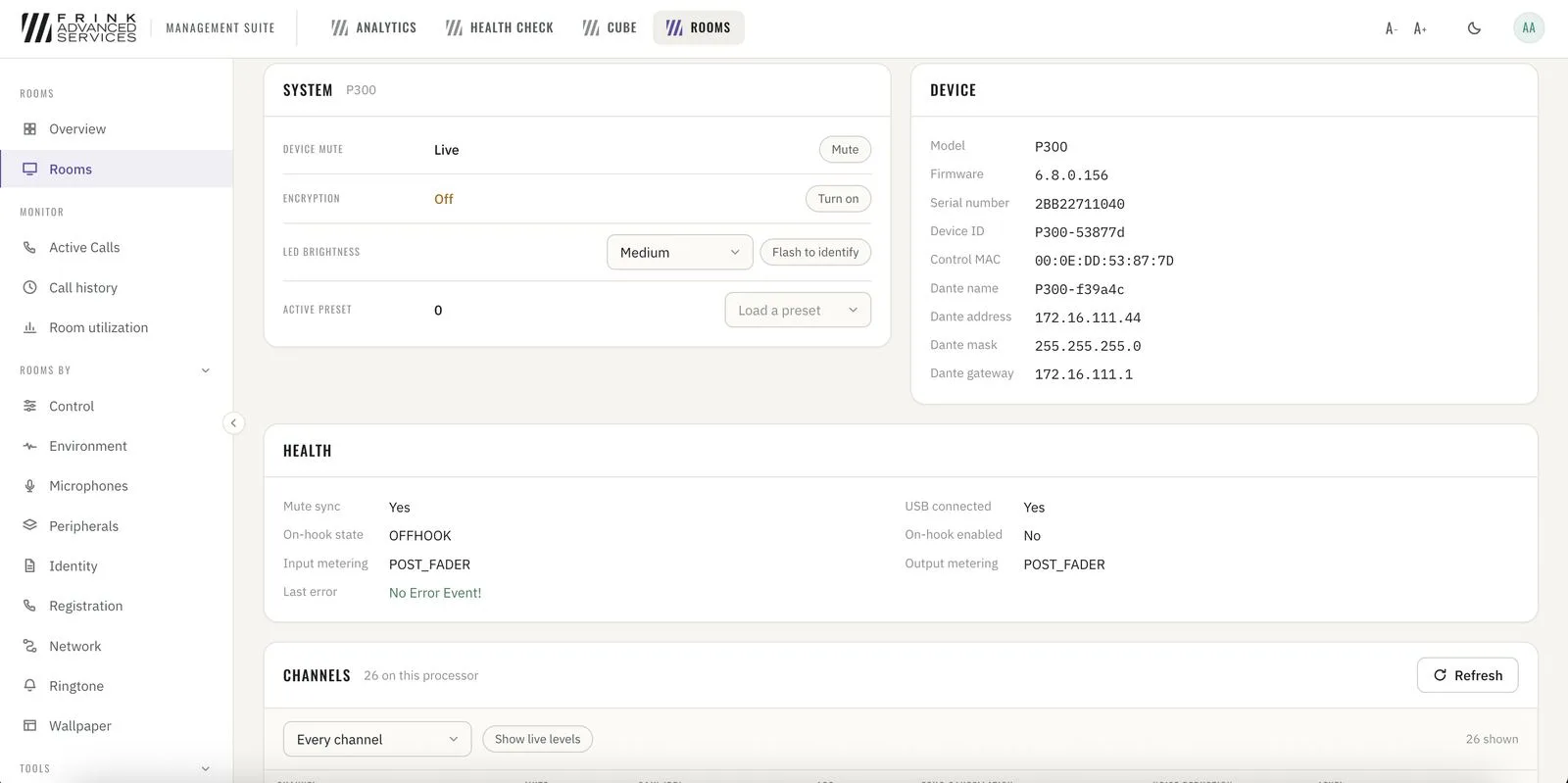
Shure P300 · system, device and health 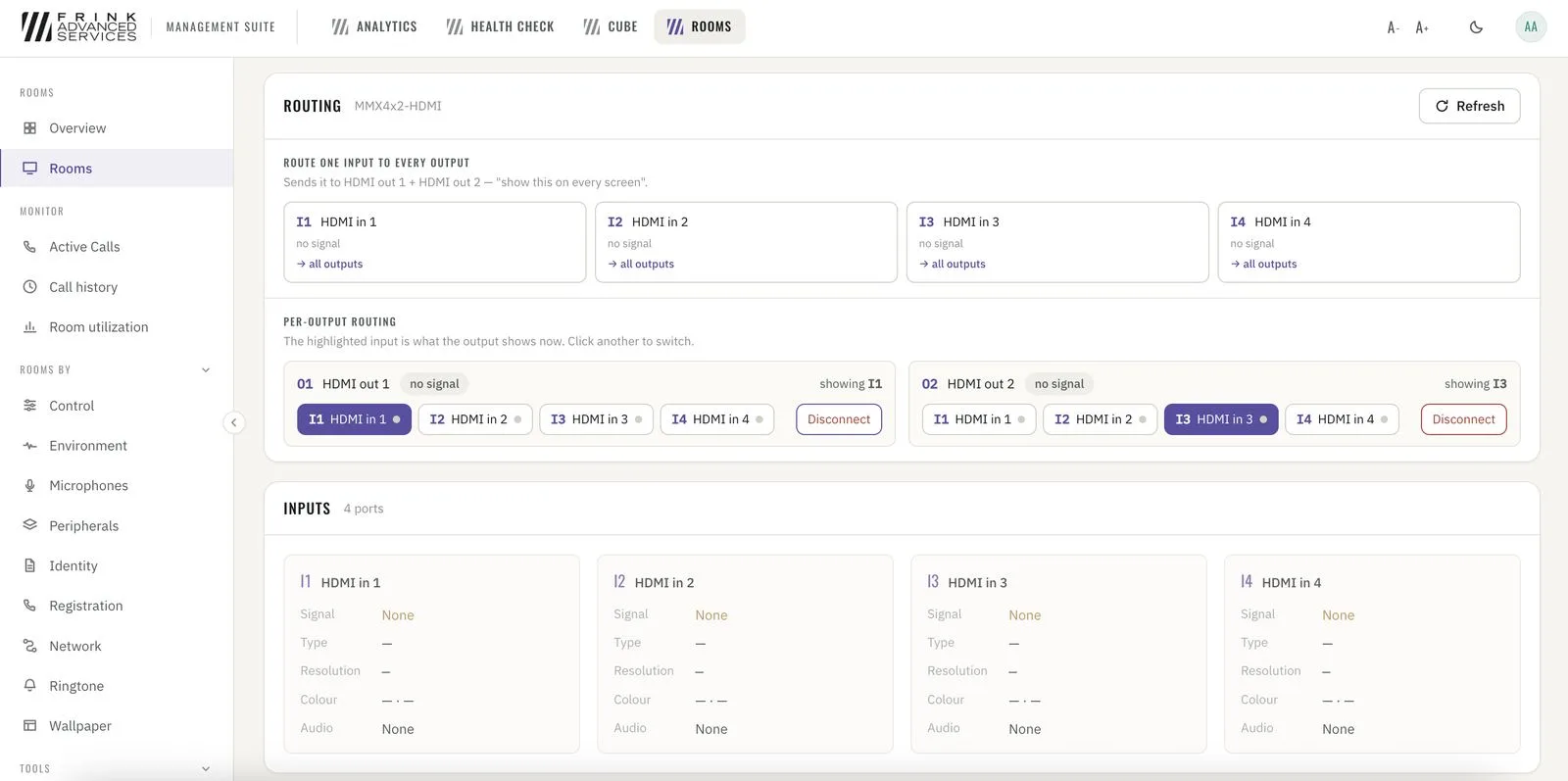
Lightware · HDMI routing per output - 35
Room snapshots Toolkit
Snapshots per room – capture before a change or a firmware upgrade, compare afterwards.
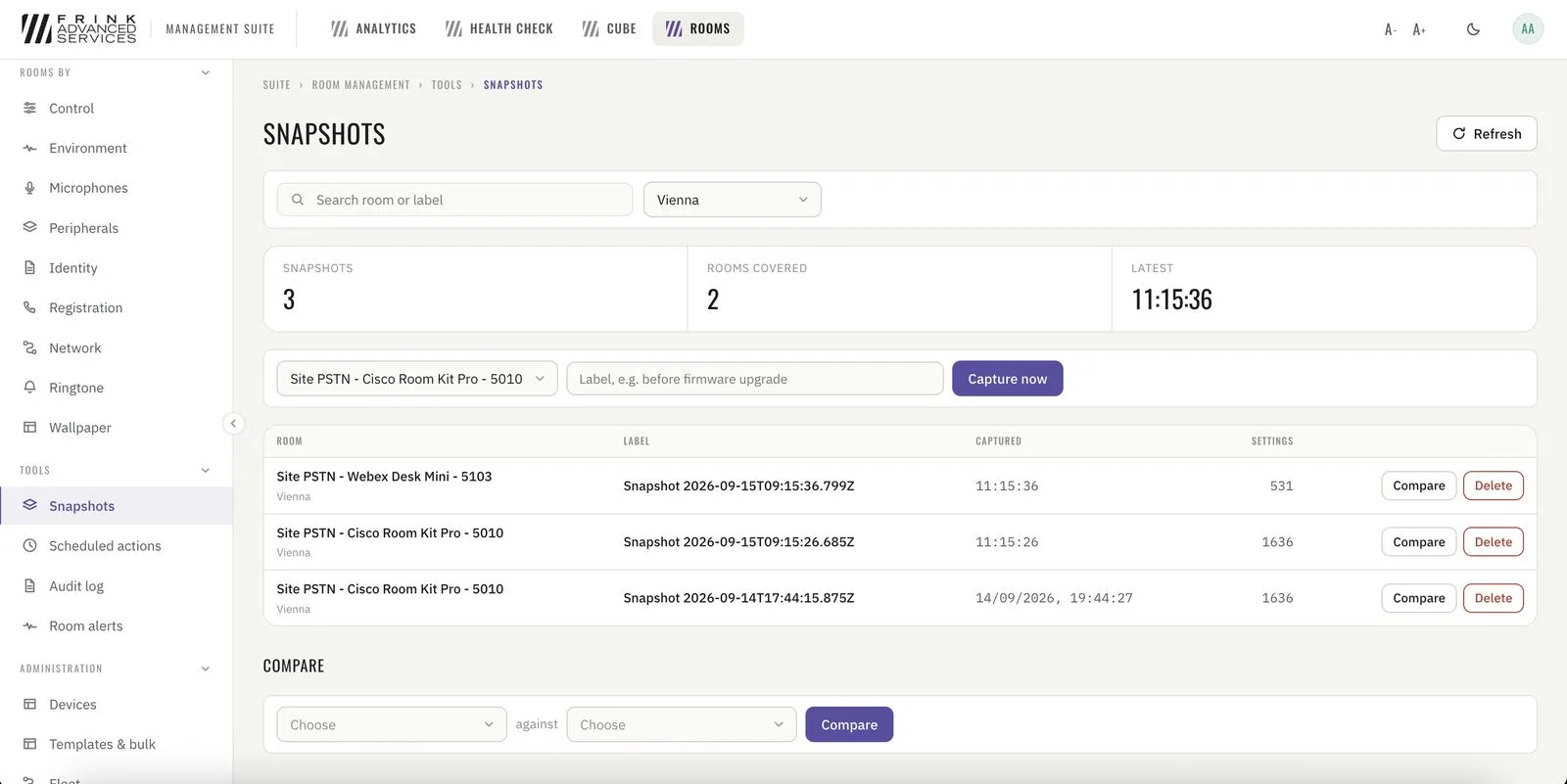
Room snapshots · capture, compare per room - 36
Room alerts Toolkit
Every alert raised or cleared across the infrastructure, as a live stream.
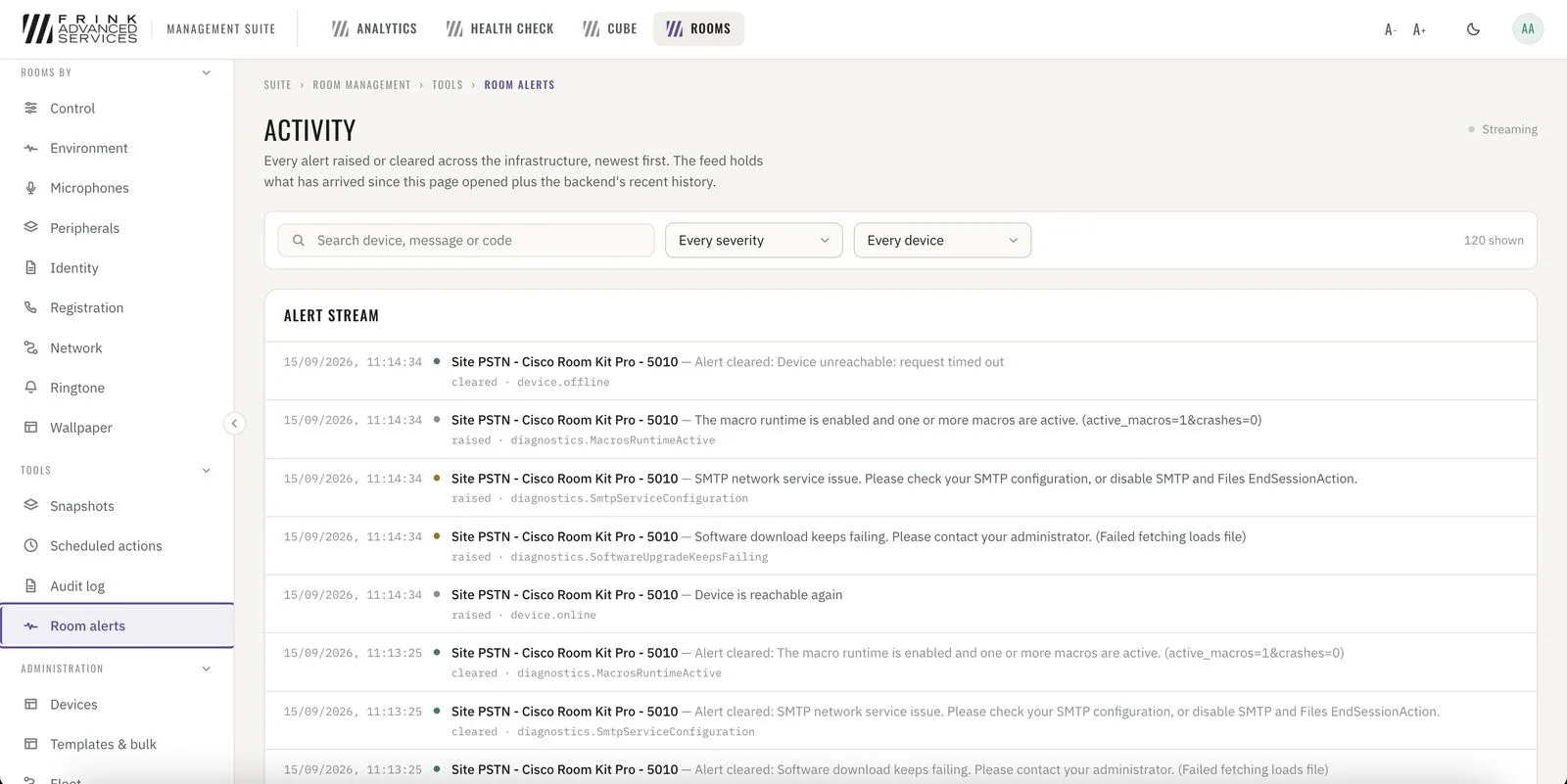
Room alerts · every alert raised or cleared, live