

FRINK Video Room Management
Configure, control and execute changes of Cisco video rooms – and see every room's state first.
Overview & utilization
- 1
Video rooms overview
Rooms board with every room tinted by its worst finding, grouped per site.
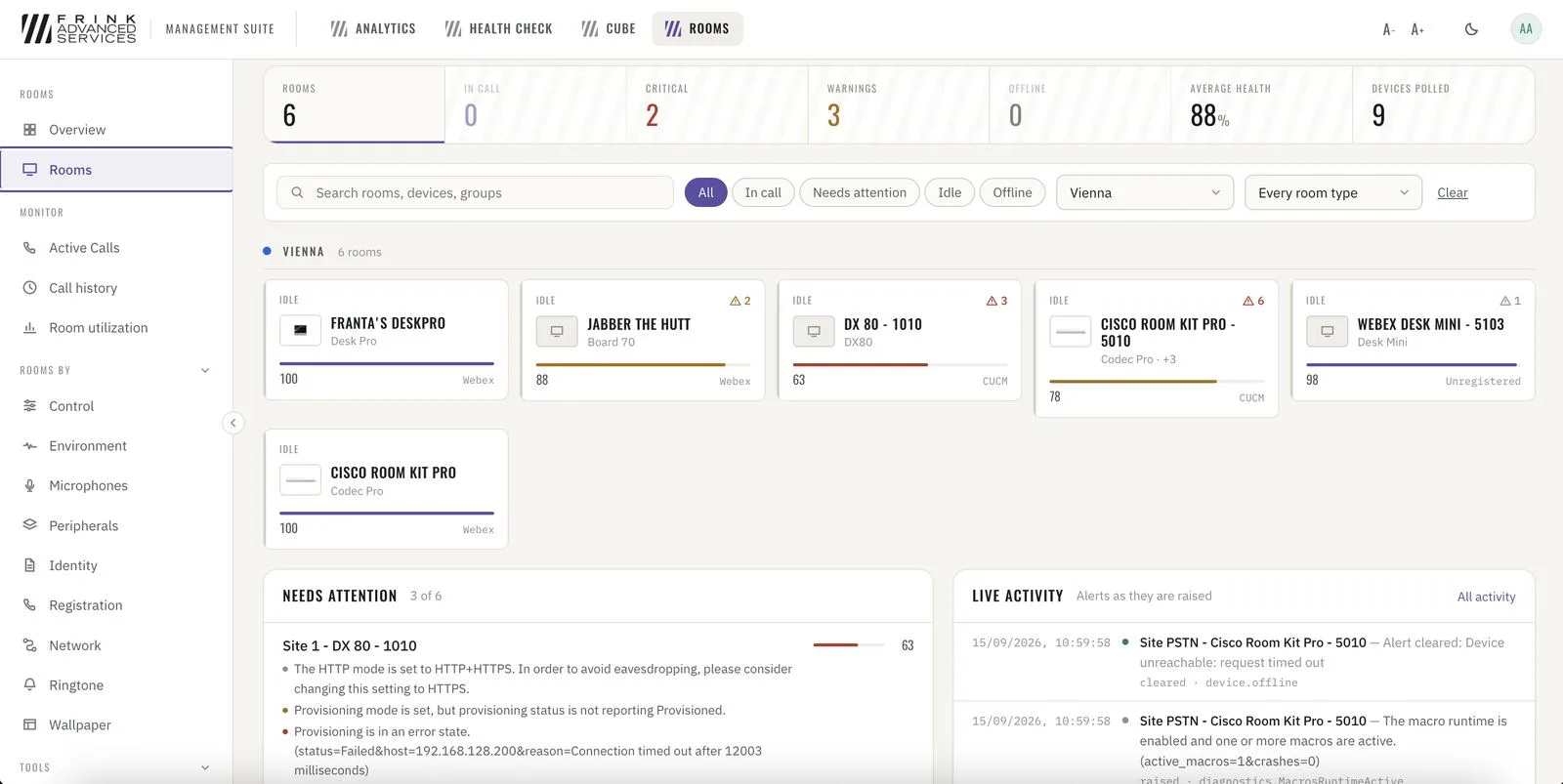
Rooms · every room per site, tinted by its worst finding - 2
Utilization
Booked vs. actually used, booked-but-empty (no-shows), walk-in use, people counted – per room and per site.
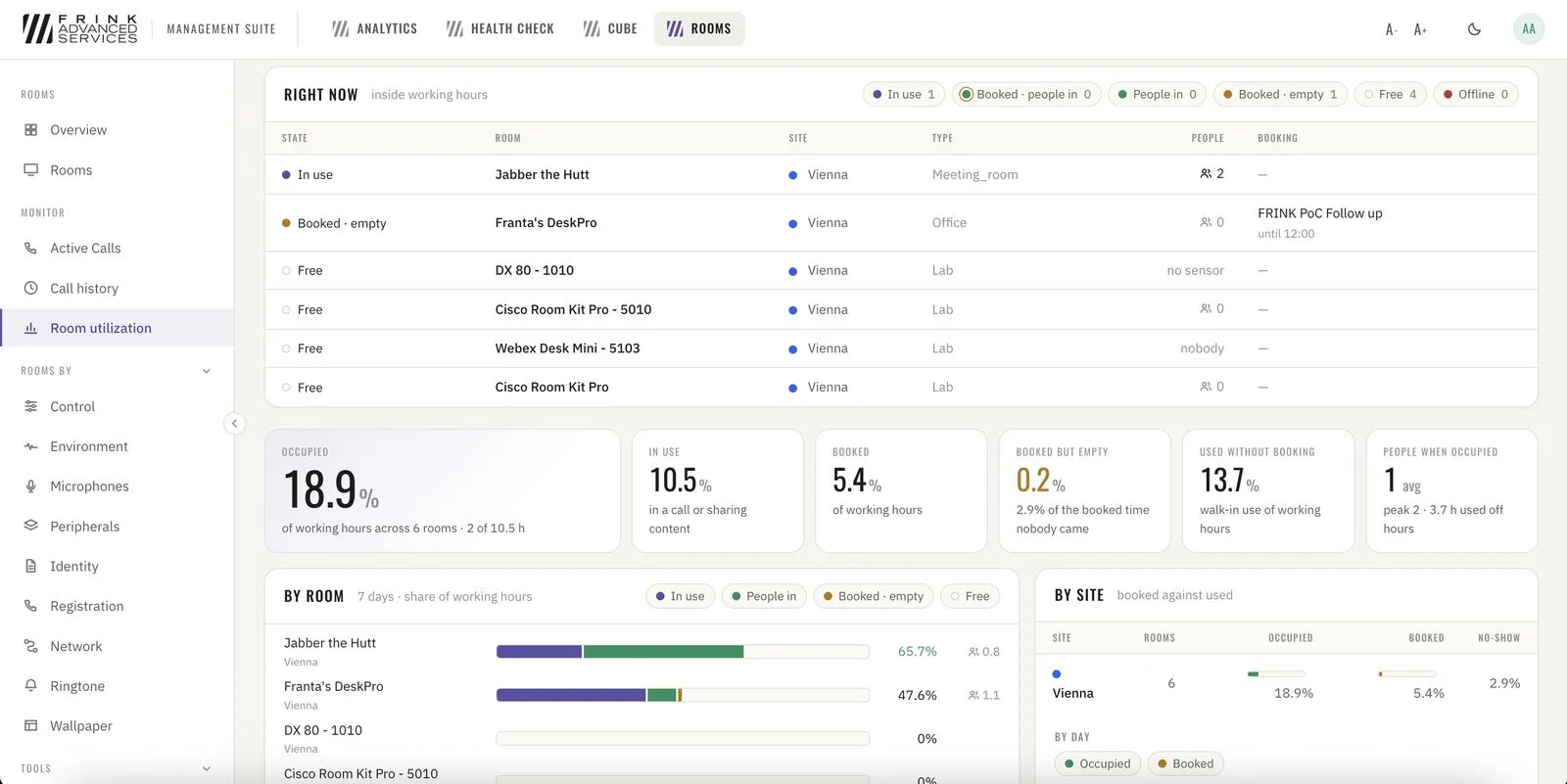
Room utilization · right now and over the last days
Management
- 3
Video rooms management
Wake, sleep, mute, restart – one room or all rooms, now or on a weekly schedule. Templates (boardroom, training room), configuration compare, commissioning compliance scan.
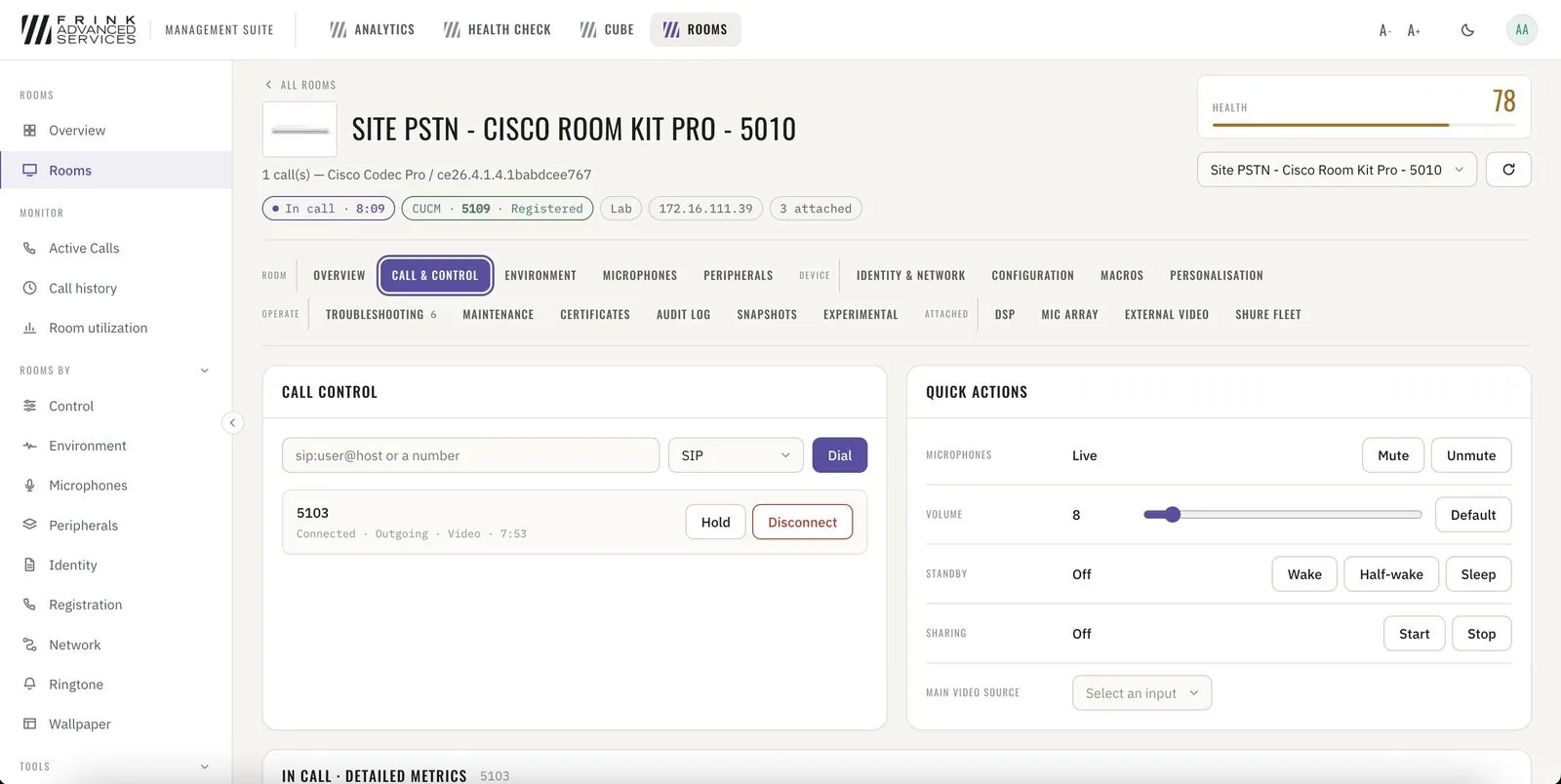
Room · call control and quick actions 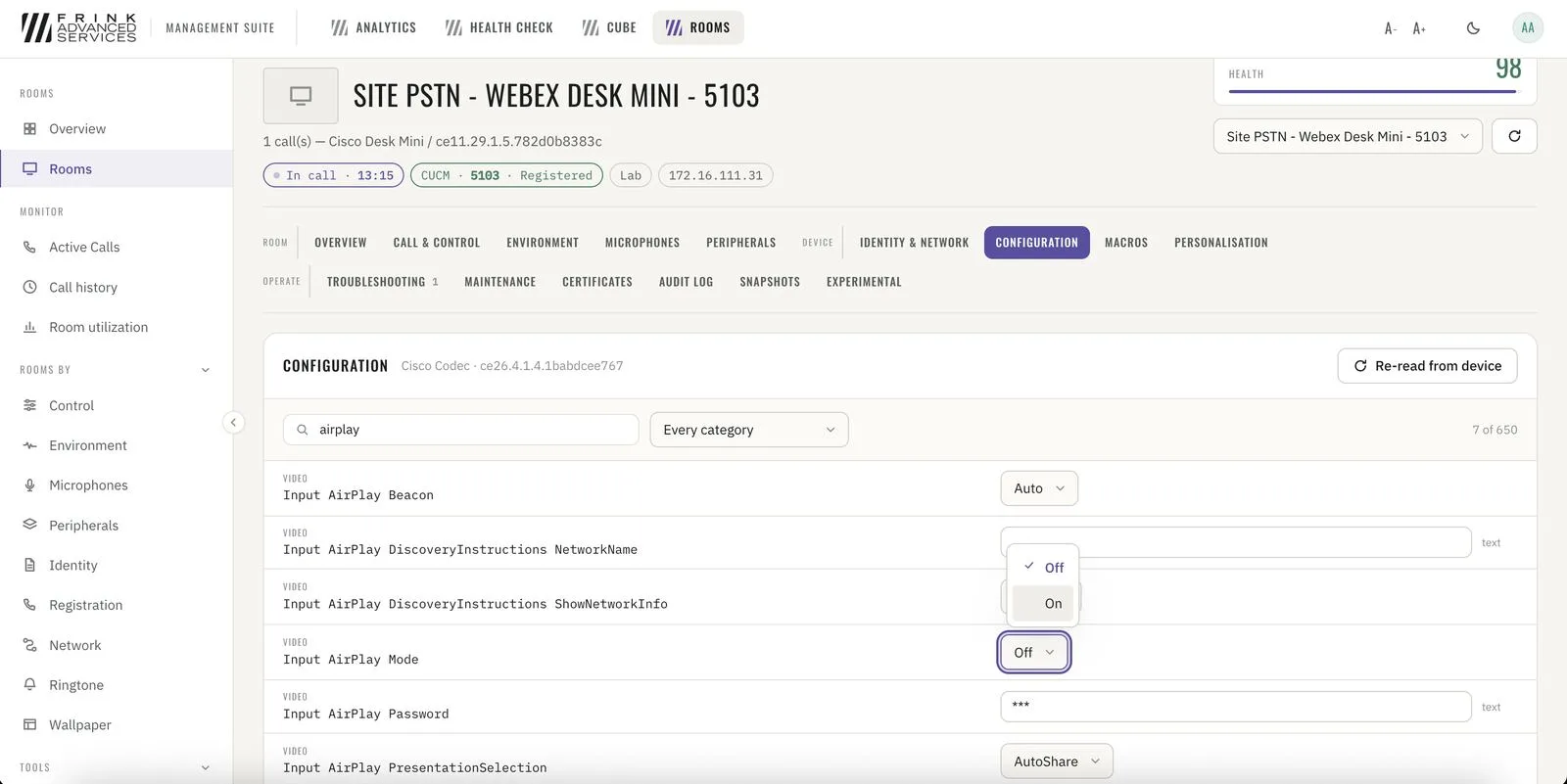
Room · full device configuration, searchable
Troubleshooting
- 4
Video rooms troubleshooting
Live audio/video quality per call, worst first – audio and video judged separately. Packet loss, jitter and quality score over the course of the call, per room. Diagnostics, extended logging and live xFeedback log.
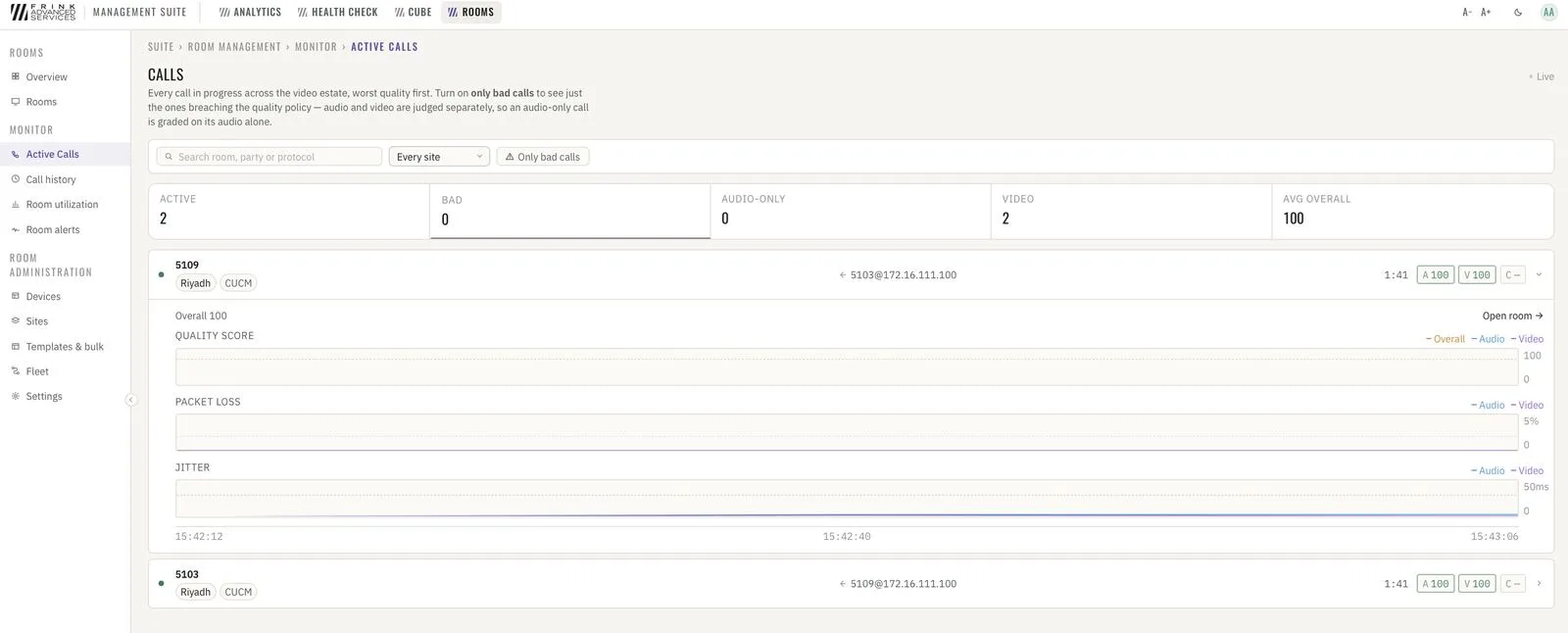
Active calls · live audio/video quality, worst first 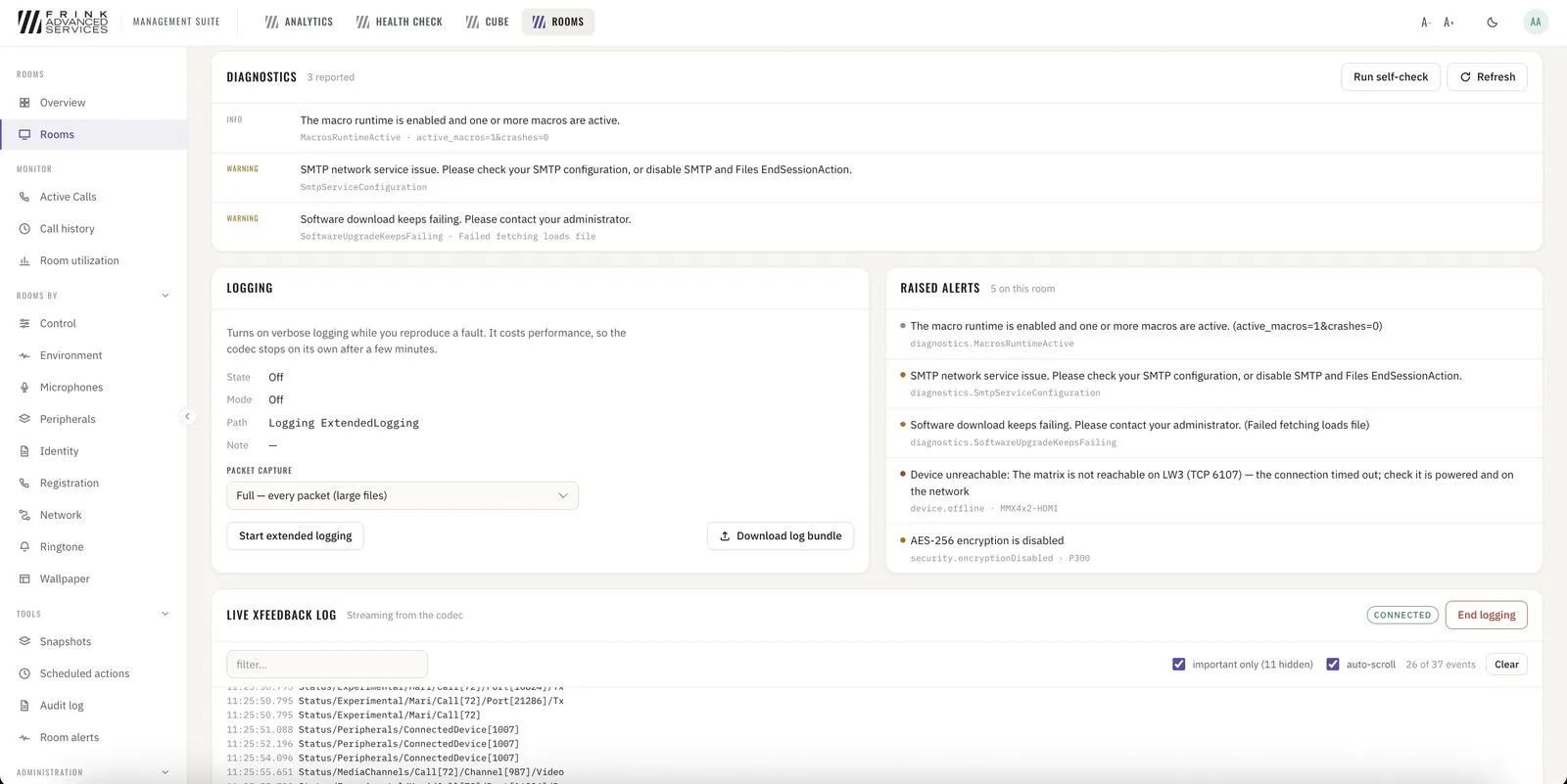
Room · diagnostics, extended logging and live xFeedback log
3rd party
- 5
Shure and Lightware
Shure microphones and DSPs, Lightware switchers – monitored and controlled per device alongside the Cisco RoomOS devices they sit next to.
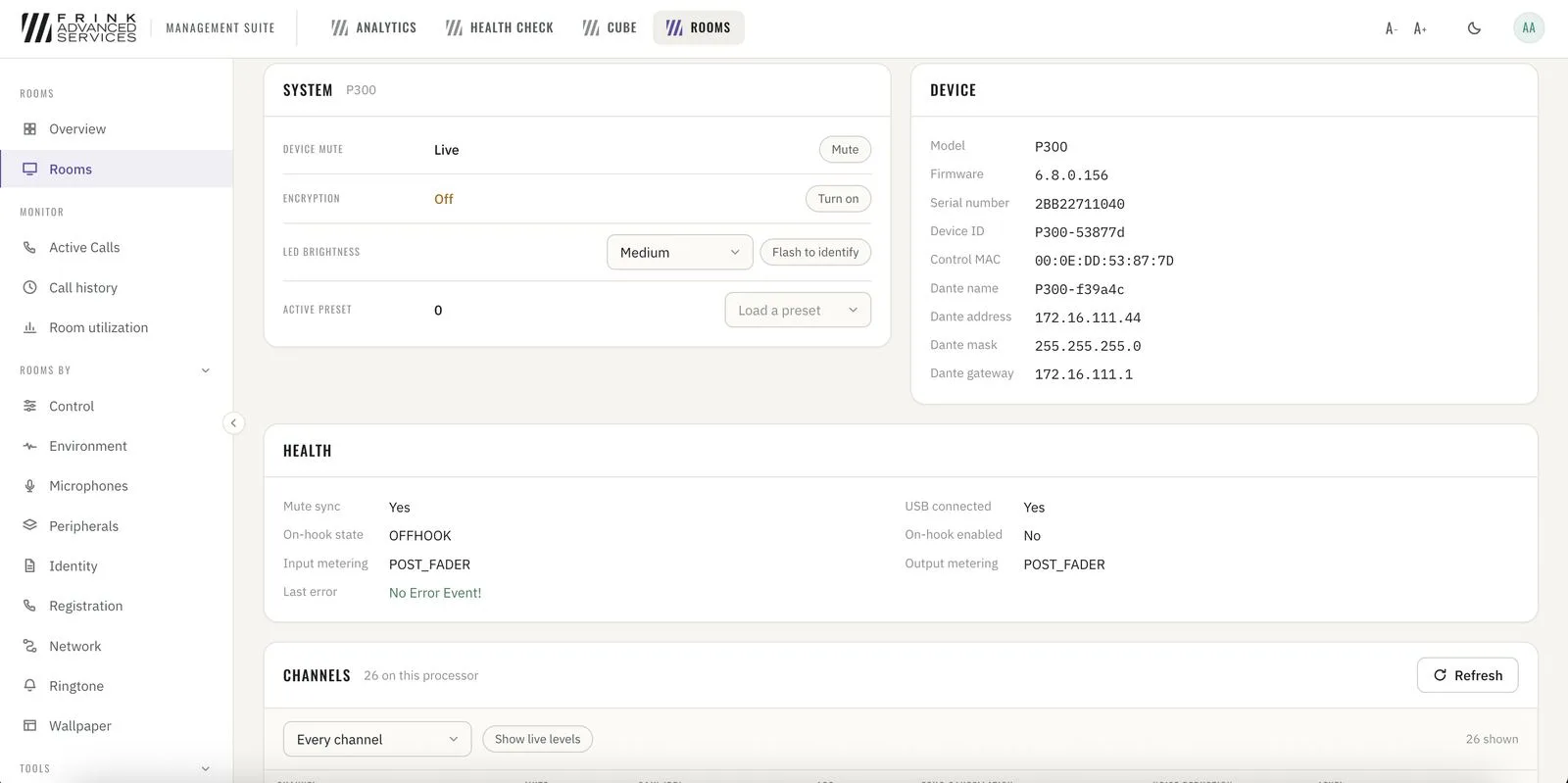
Shure P300 · system, device and health 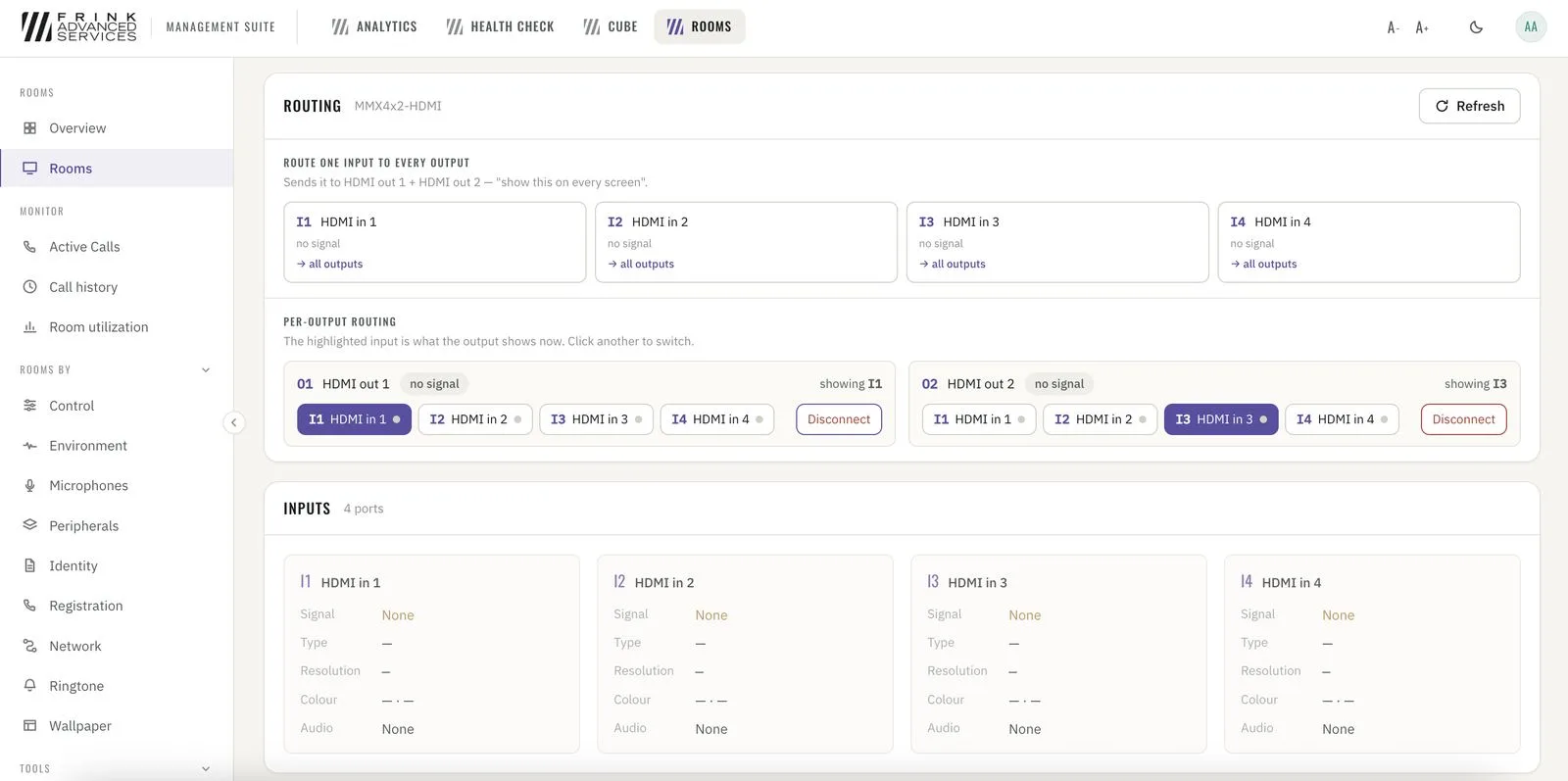
Lightware · HDMI routing per output
Toolkit
- 6
Room snapshots
Snapshots per room – capture before a change or a firmware upgrade, compare afterwards.
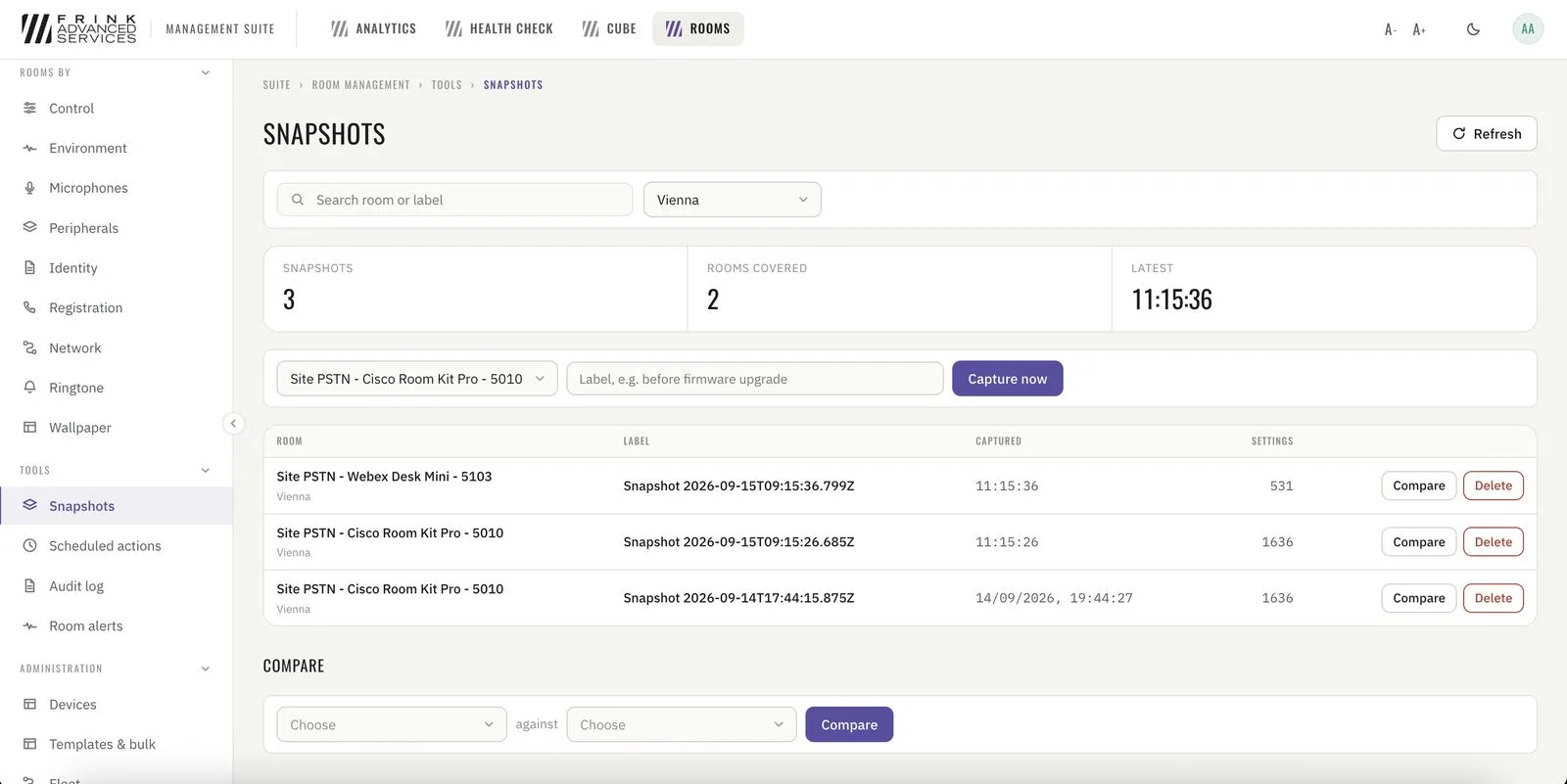
Room snapshots · capture, compare per room - 7
Room alerts
Every alert raised or cleared across the infrastructure, as a live stream.
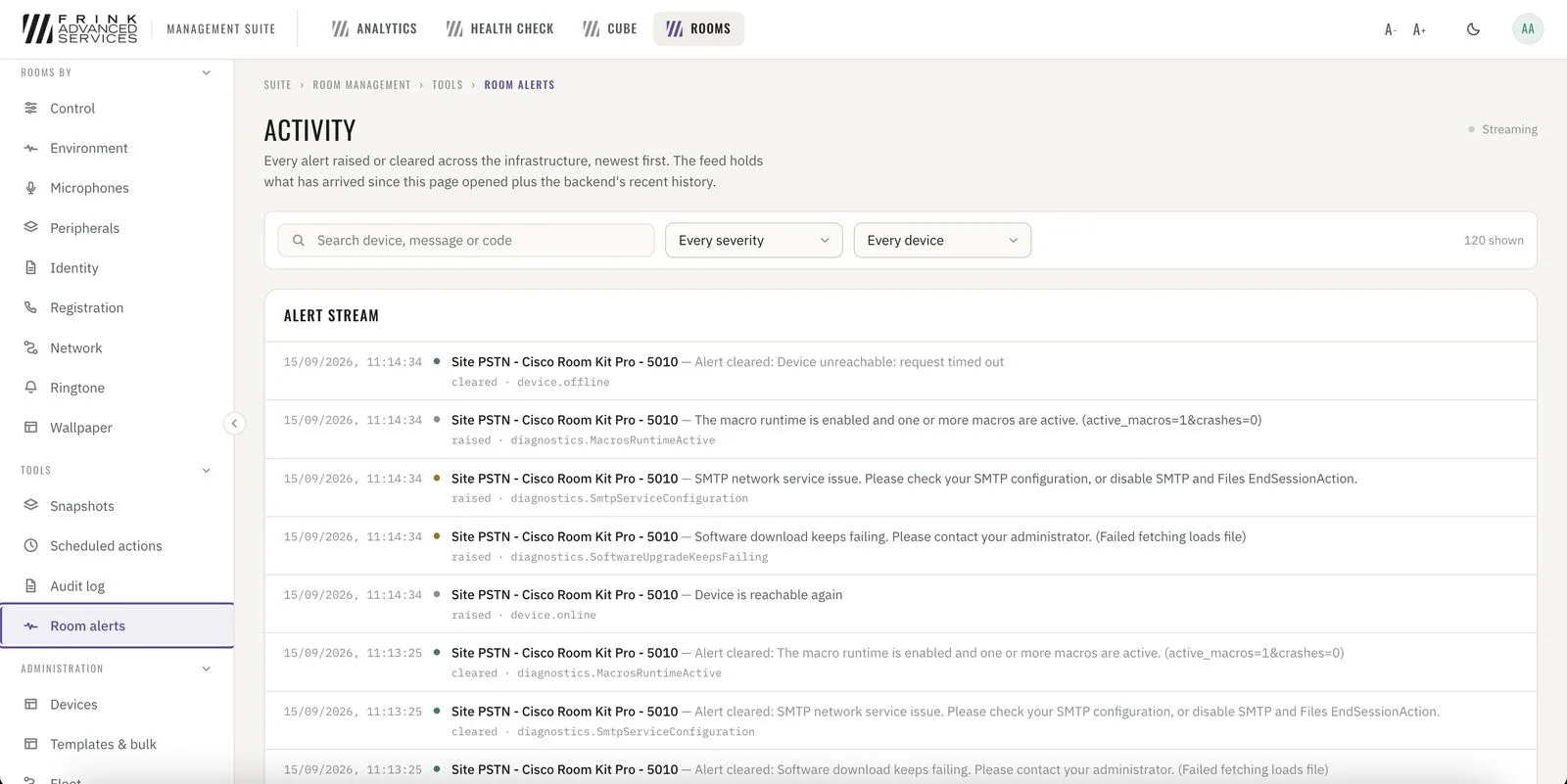
Room alerts · every alert raised or cleared, live