

FRINK Health Check
Monitor UC status and performance – every night, every cluster. Results, not just numbers.
- 1
Health Check for core UC components
Every night, or whenever you start it, about 60 checks run across all UC components: services, replication, backups, time sync, certificates, trunks, licensing, syslog errors, disks. Result: a red / amber / green board with history and trends.
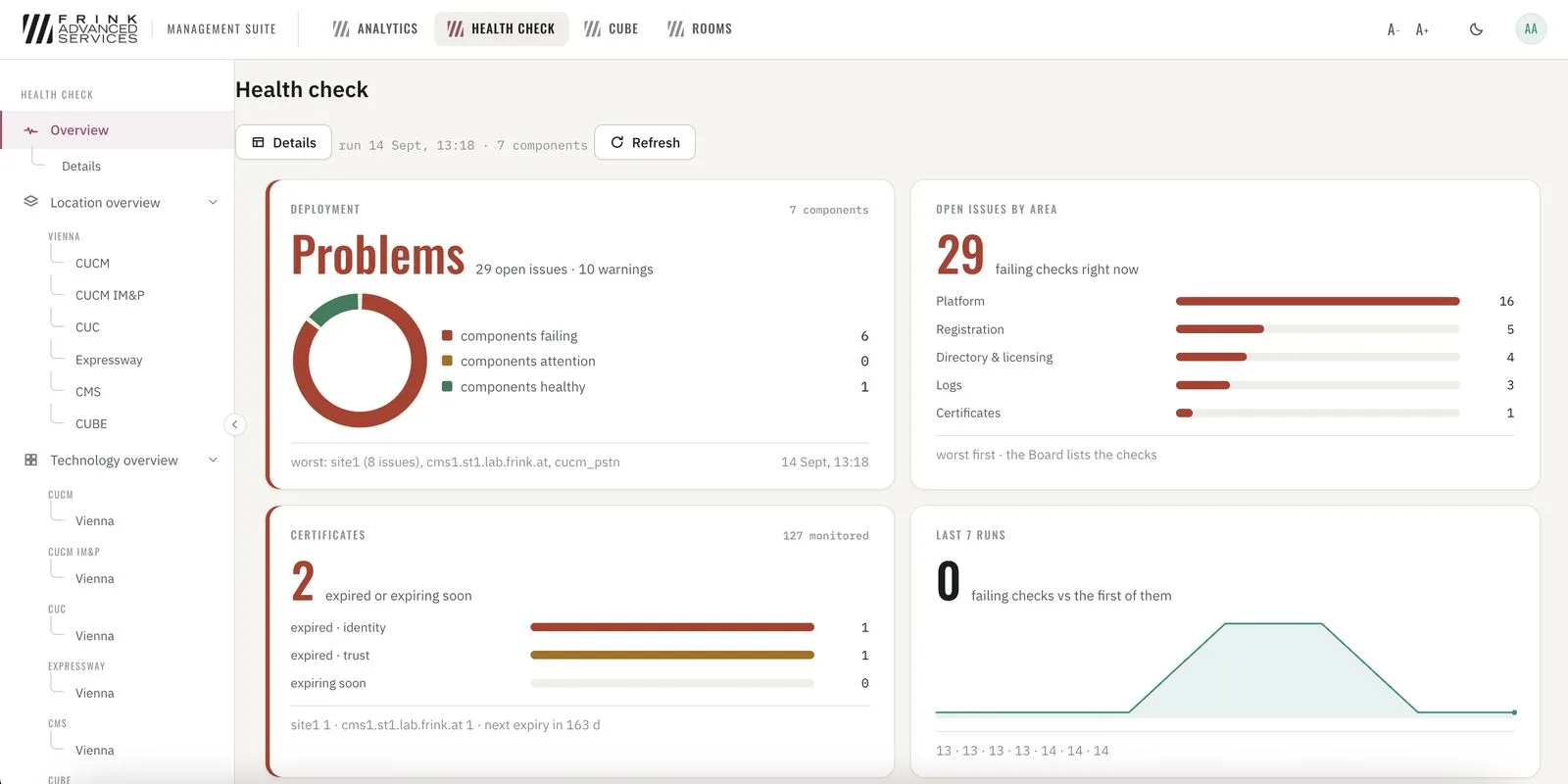
Health Check · overview of the deployment 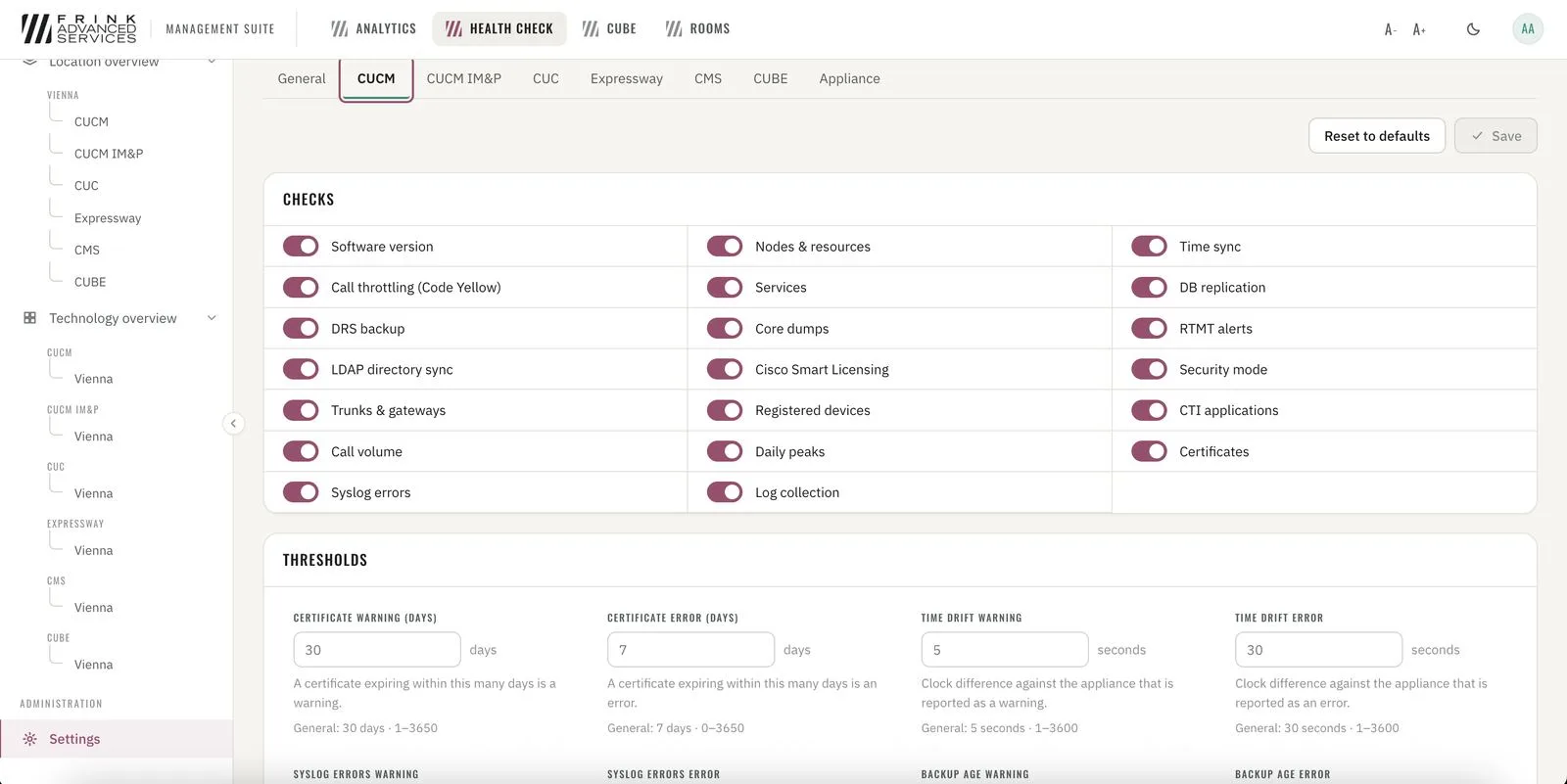
Health Check · checks and thresholds per technology - 2
Where Health Check looks
All UC components connected to FRINK Engine. Two ways in: by location or by technology (all CUCM clusters side by side). Every check opens into its detail, for example the DRS backup.
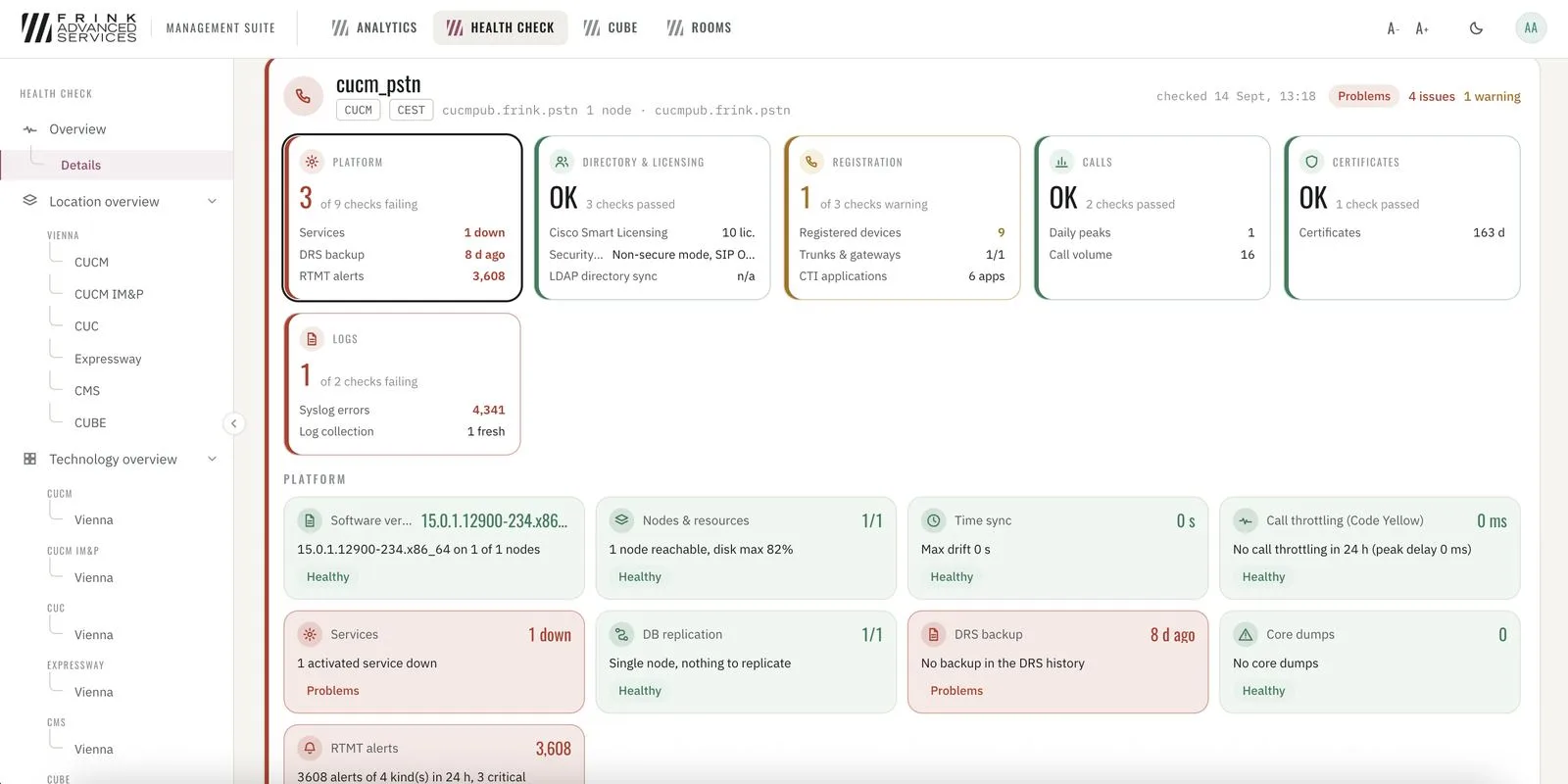
Health Check · cluster board, six areas with every check 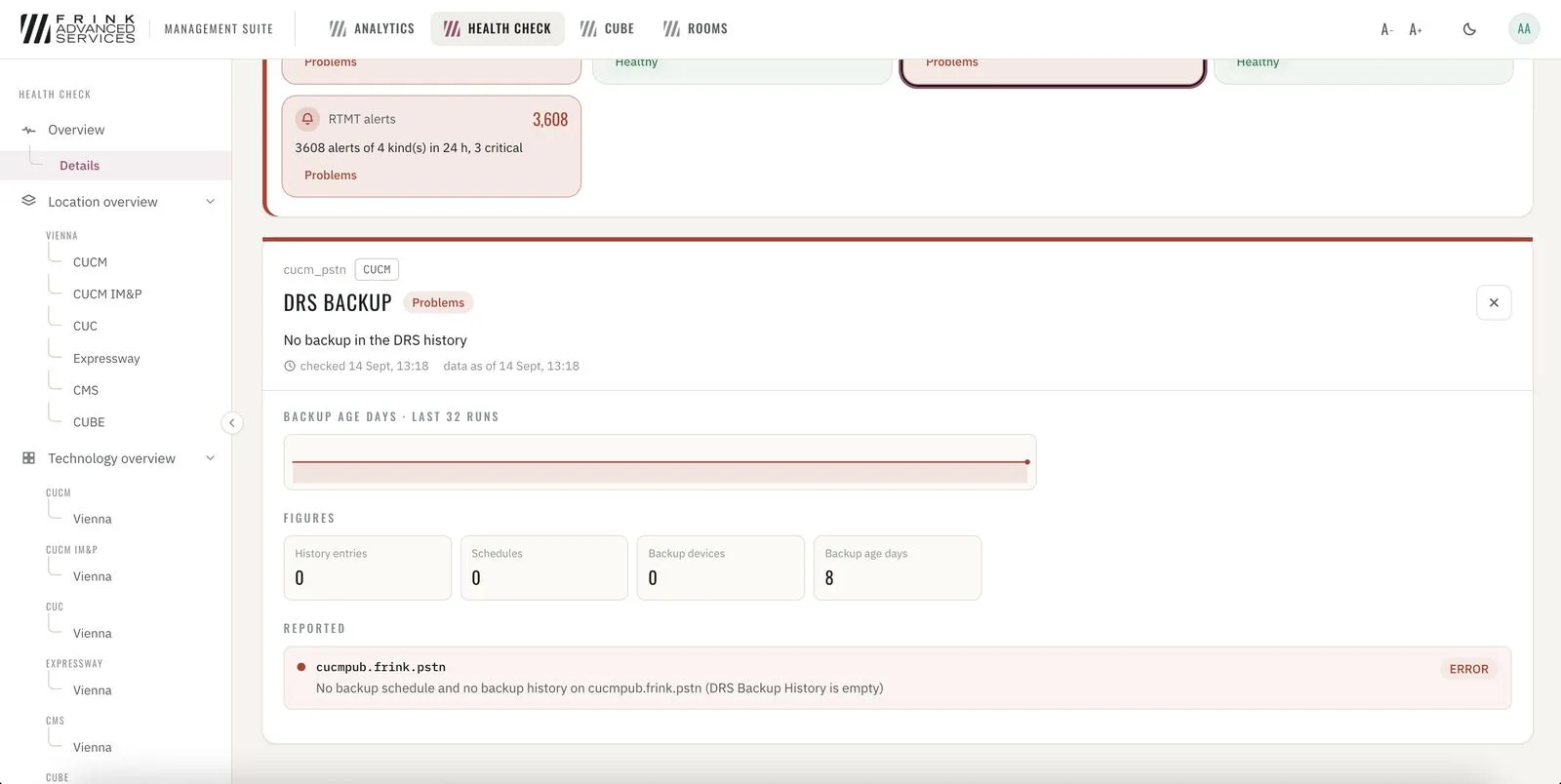
Health Check · one check in detail – DRS backup