

FRINK Engine
The foundation every product runs on: one air-gapped appliance that connects to your UC systems, collects and keeps the data, and gives every product one interface and one sign-in.
- 1
One appliance, fully offline
A virtual appliance for VMware and Nutanix; Azure on request. A short console wizard sets network, DNS, NTP and the admin user – fully offline. No cloud dependency, no agents, no internet connection required. Upgrades are signed packages delivered via virtual CD.
- 2
Connectors for every UC component
Call records, call quality, configuration, registrations and certificates from CUCM, IM&P, Unity Connection, Meeting Server, Expressway and CUBE / IOS-XE gateways – collected with read-only accounts wherever the component allows it. Every product reads from the same data.
- 3
Storage and retention you decide
All data stays on the appliance: up to 10 years, with a retention policy per record type (call records and logs: 180 days by default). Storage usage per node and service is always in view.
- 4
Alerts
One alerting service for every product. Device goes unregistered → alert. Certificate expires in 30 days → alert. Health Check turns red → alert. Rules built in one dialog, no scripting. Delivered by e-mail.
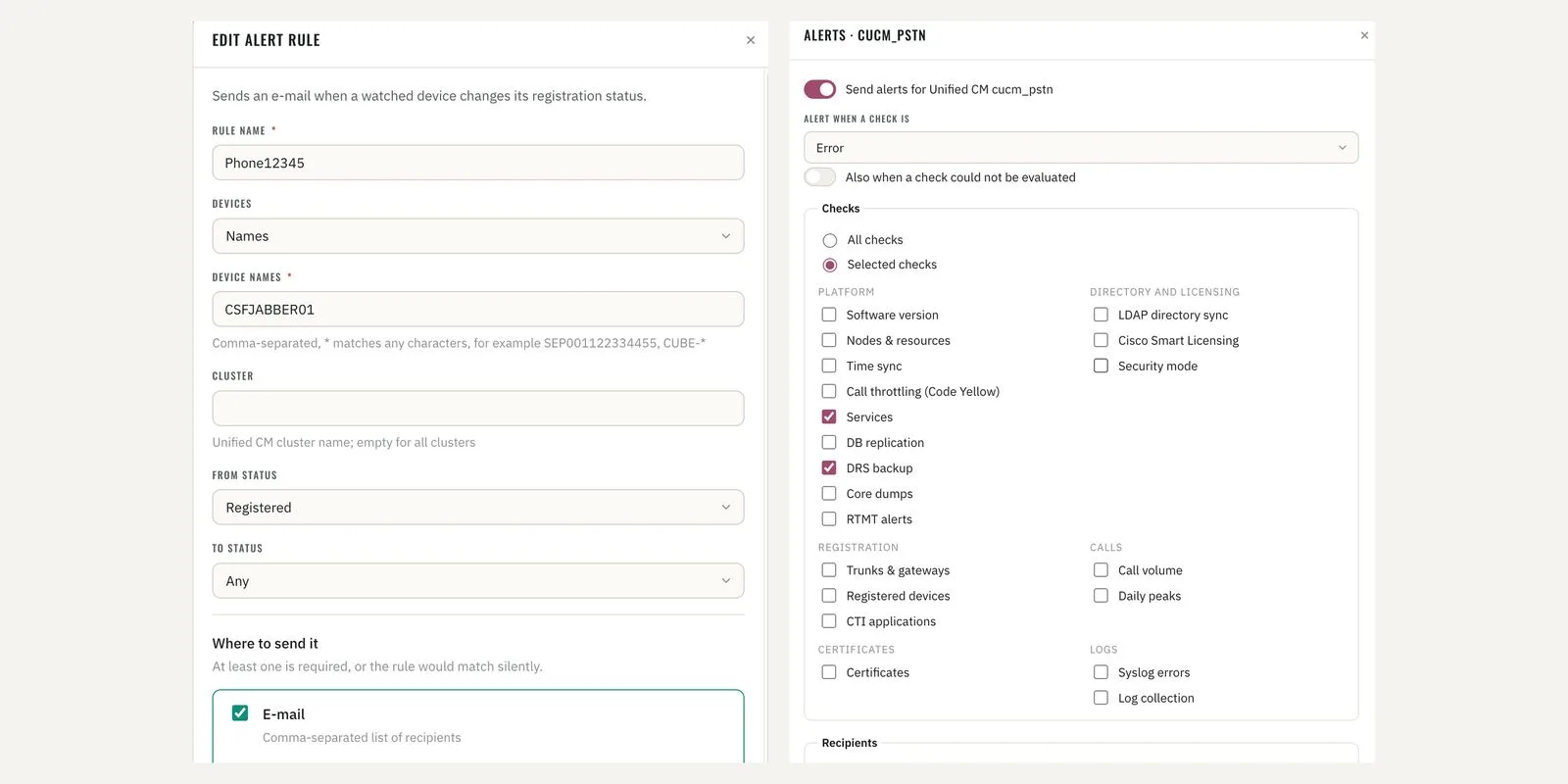
Alert rules · device registration rule and Health Check alert selection 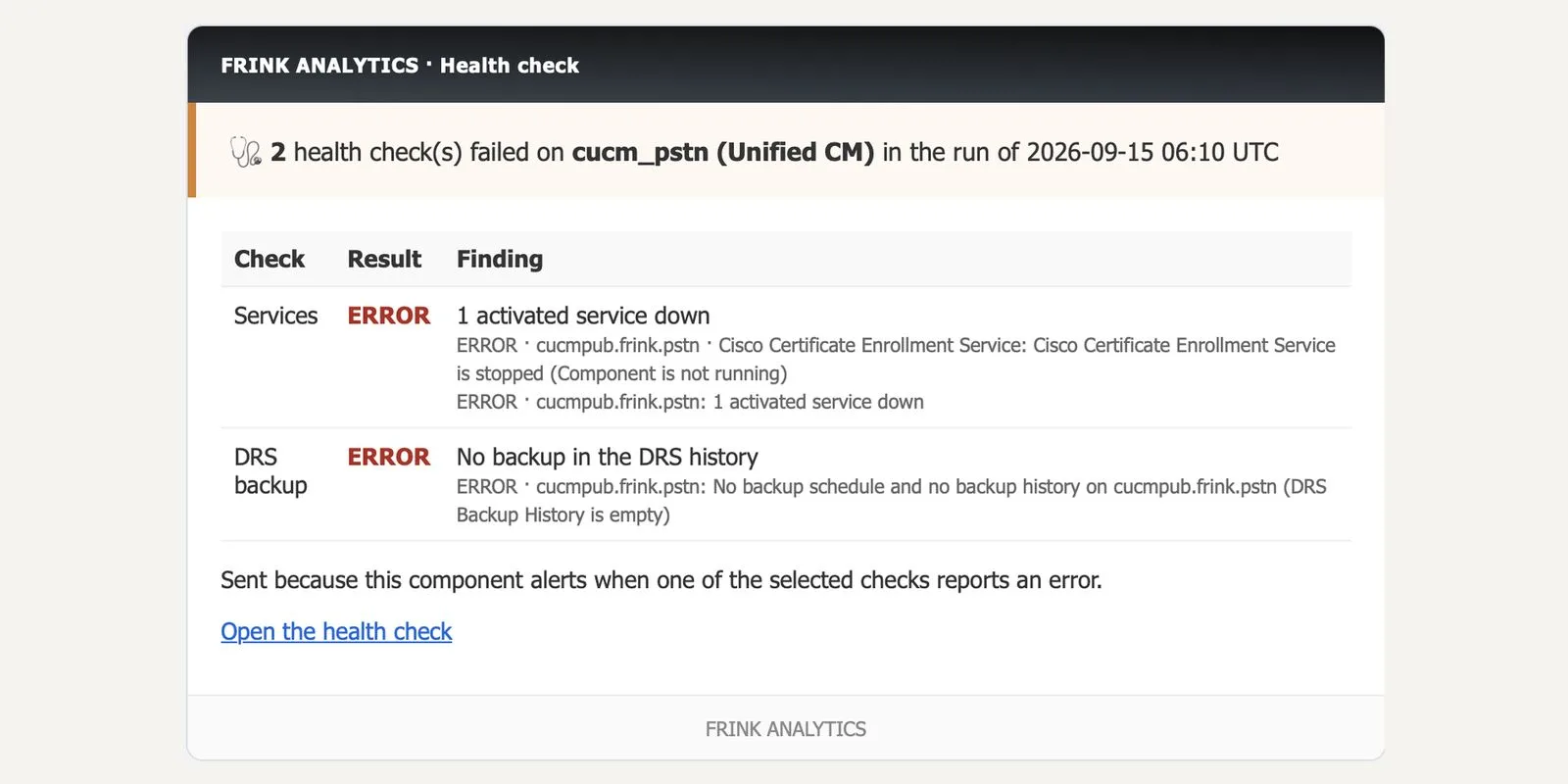
Alert e-mail · Health Check – failed checks on a cluster 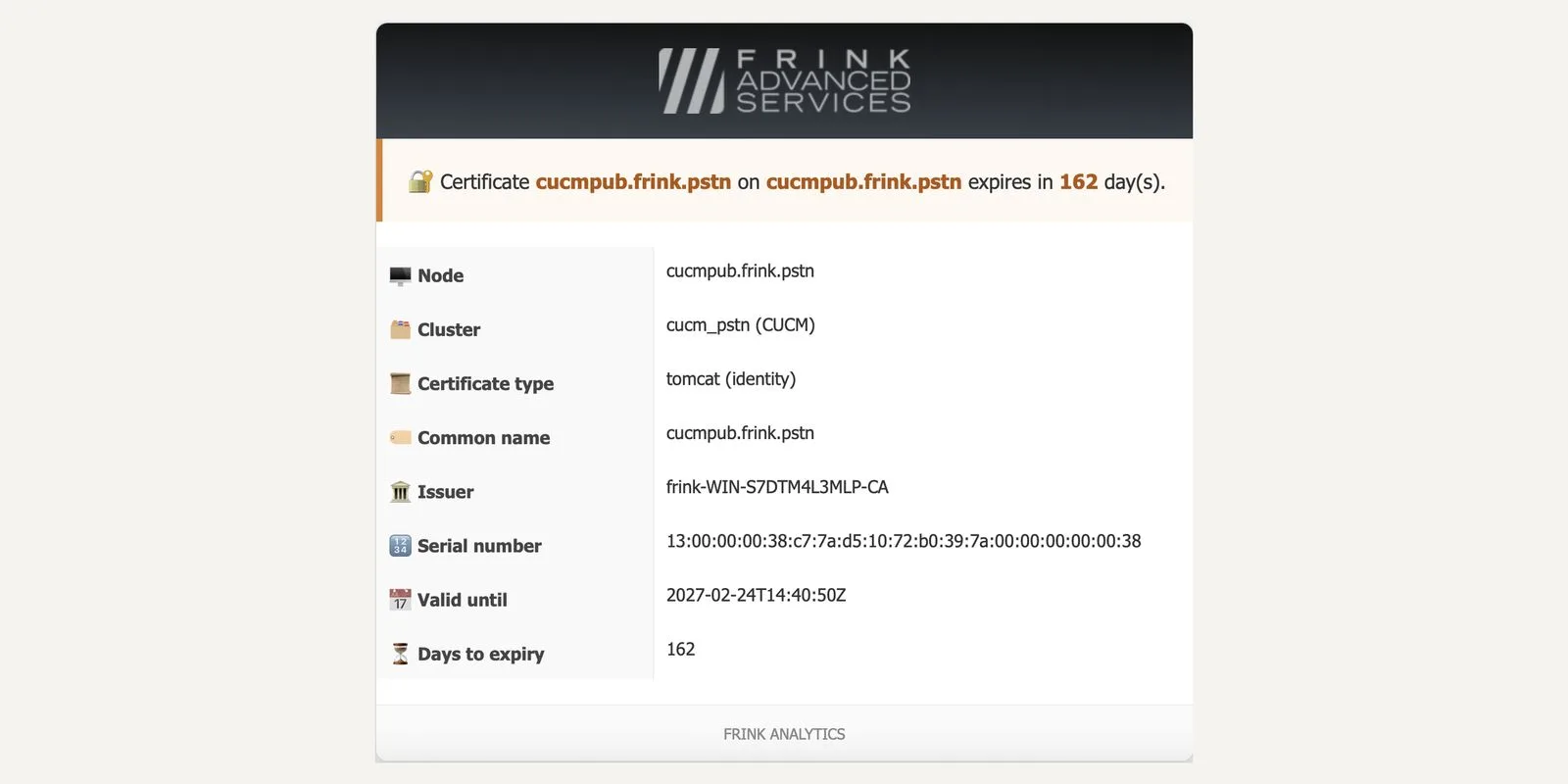
Alert e-mail · certificate expiry 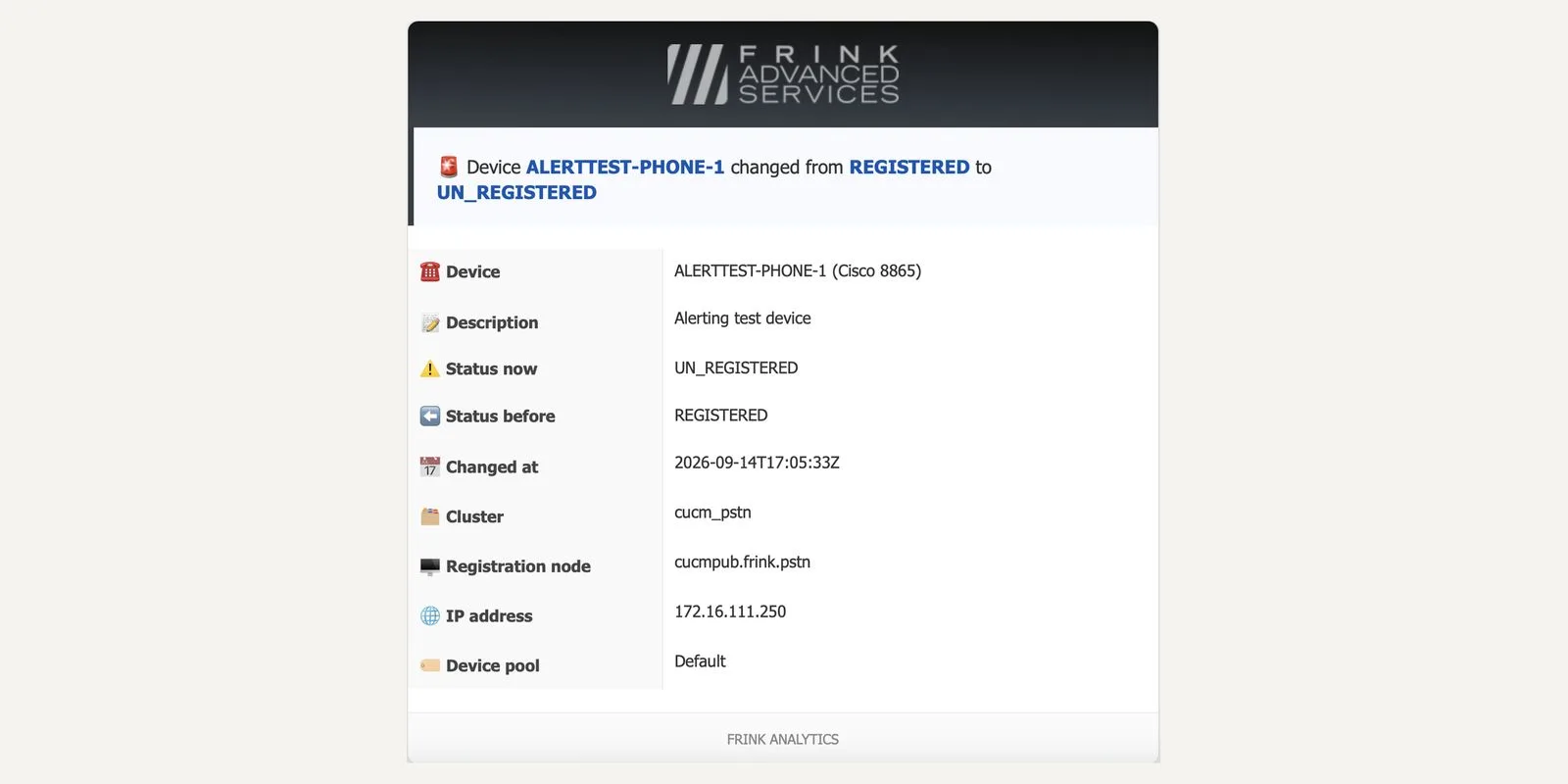
Alert e-mail · device registration change - 5
Log management
Collect CUCM, IM&P and Unity Connection service logs and keep them as long as you need; fetch them over the appliance's SFTP server. Retention policy per record type, storage usage per node and service.
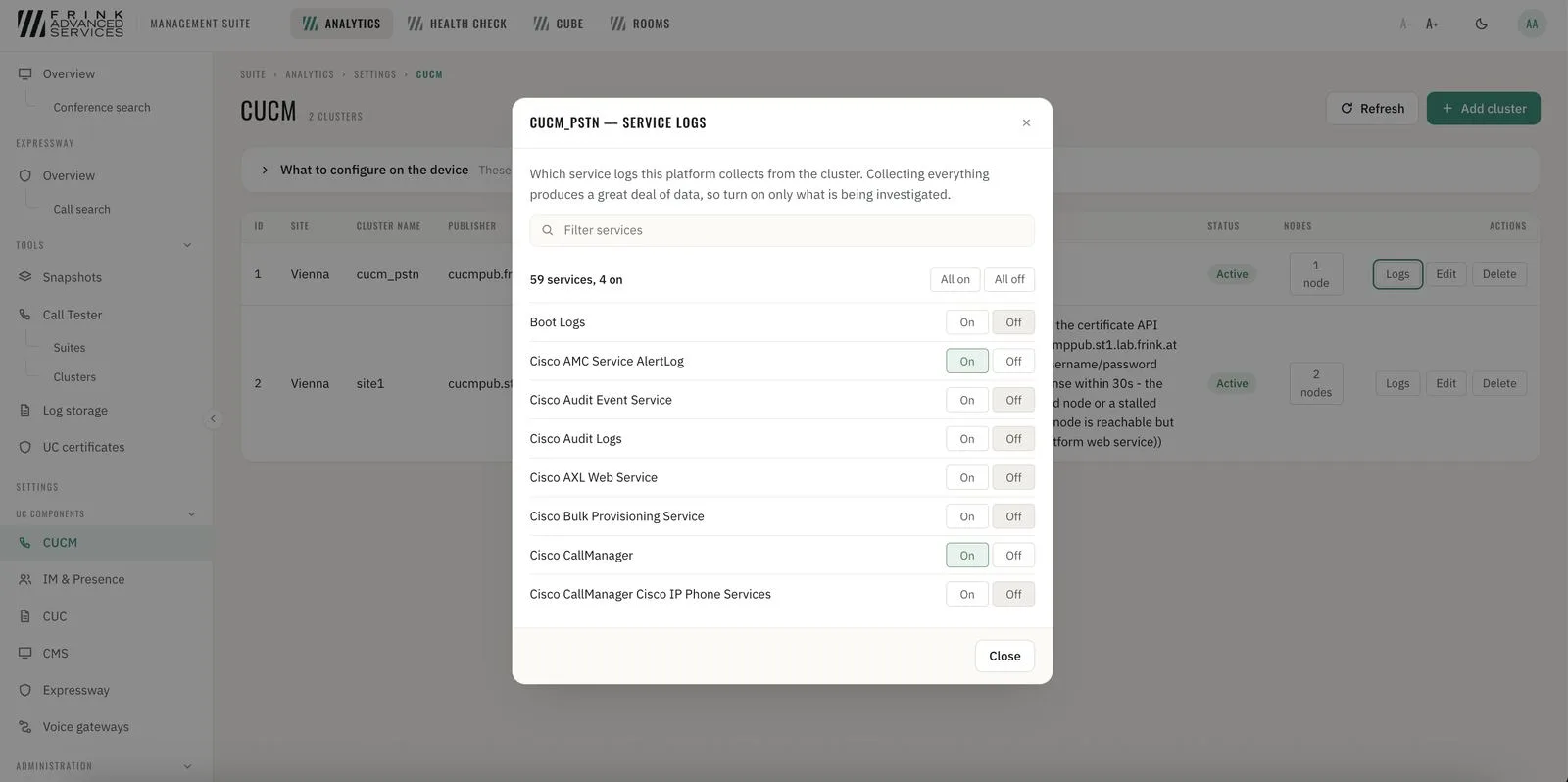
CUCM · service log selection per cluster 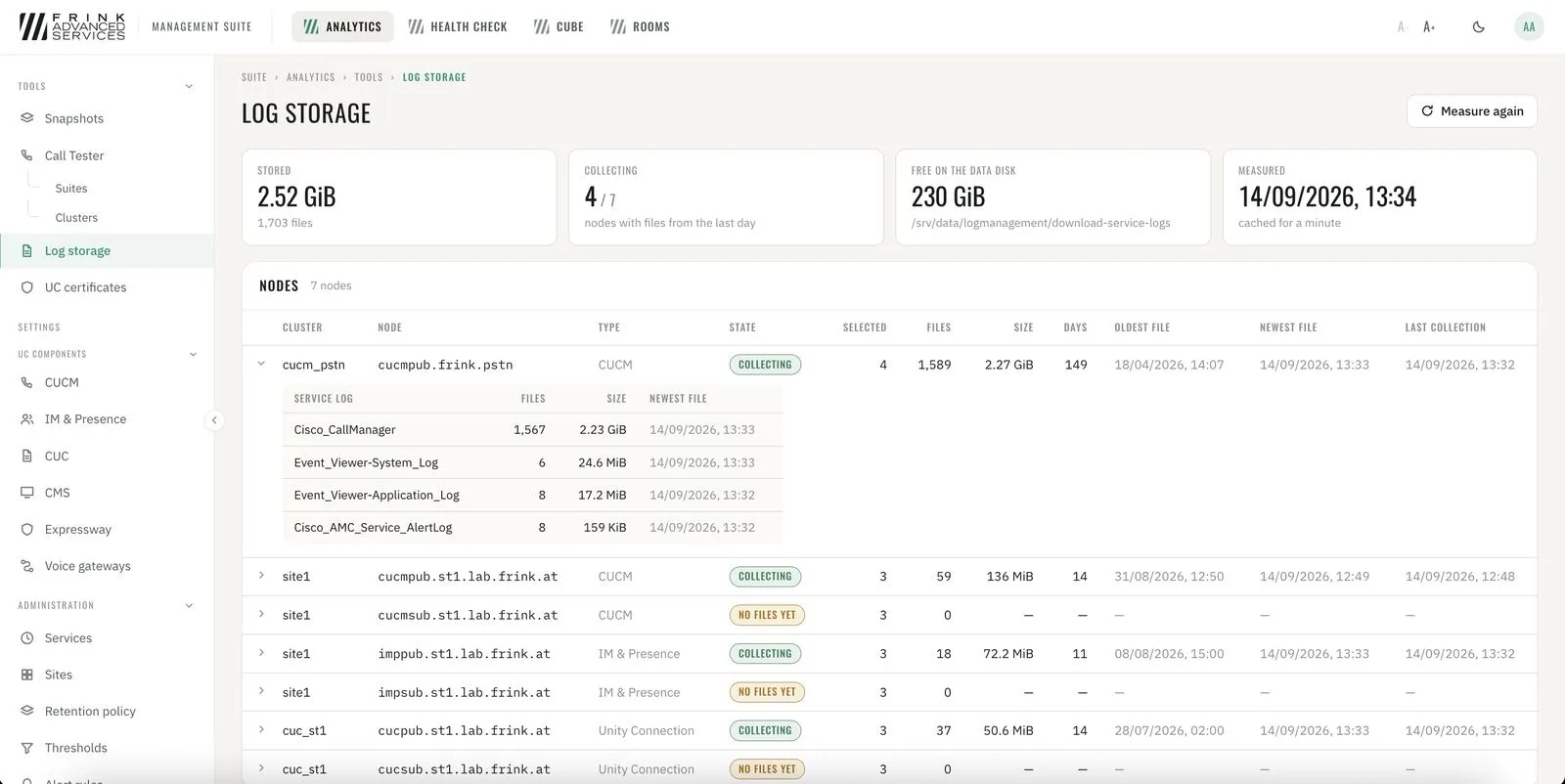
CUCM · log storage per node and service 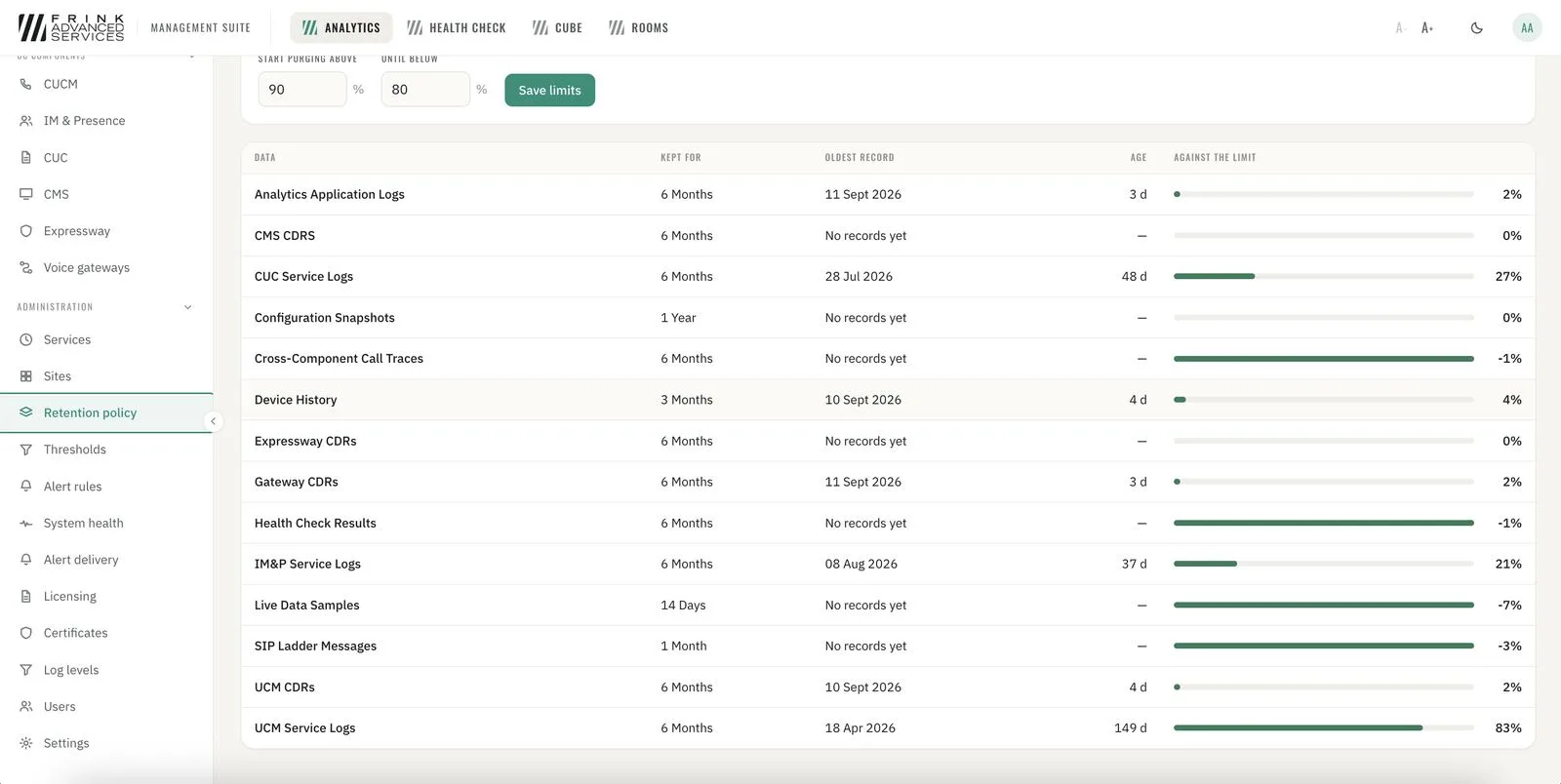
CUCM · retention policy per record type 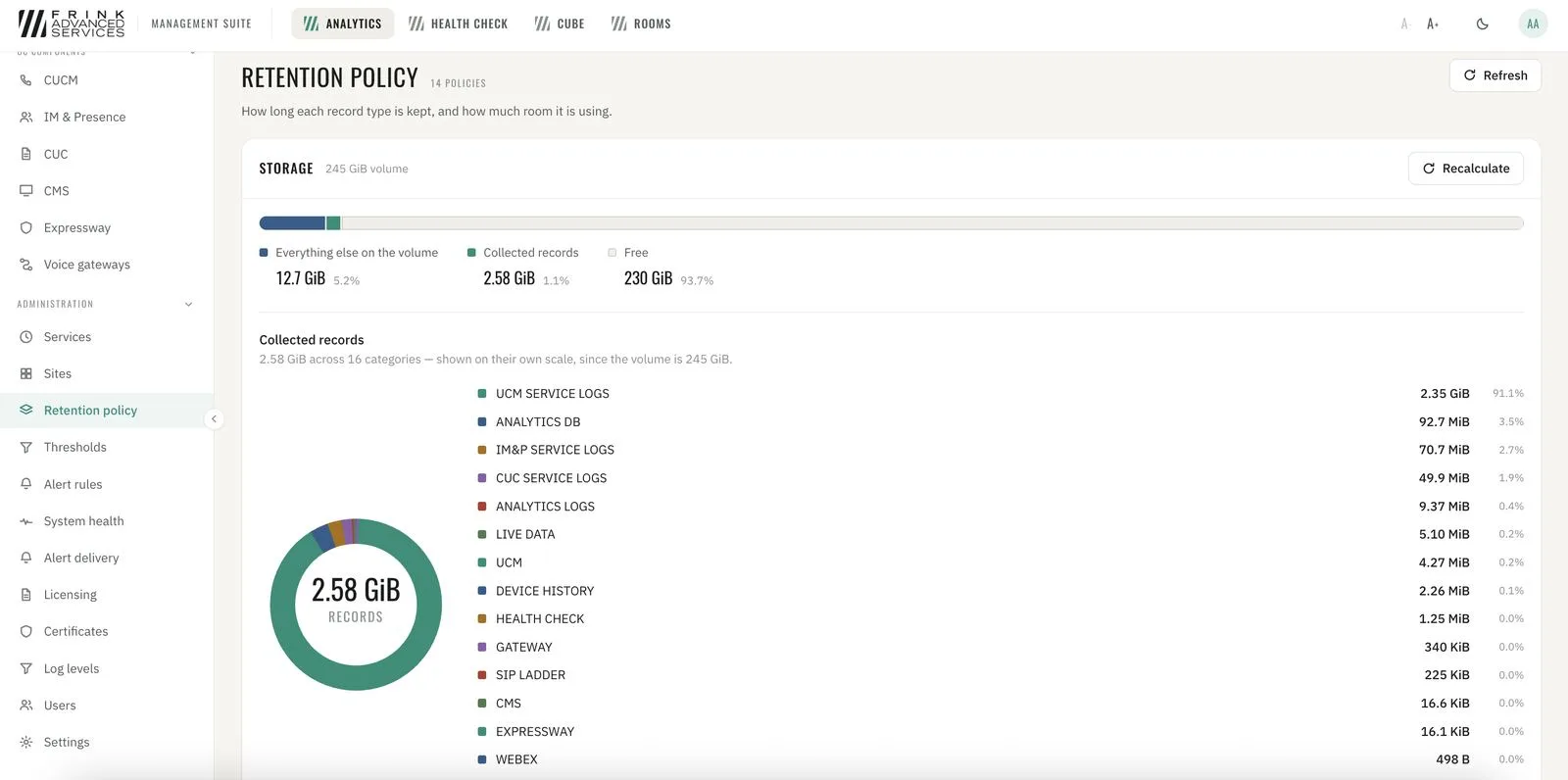
CUCM · storage usage of collected records - 6
Users, roles and audit trail
Access per user and role. Every change made in CUBE Management and Video Room Management is recorded: who changed what, and when.
- 7
One interface, one sign-in
Every product you license appears in the same interface, with one sign-in and one way of working. Add a product later and it appears next to the others.