

FRINK Analytics
Calls, quality, devices and certificates across every connected UC component – from one bad call to its root cause, and from daily operations to the monthly report.
Calls & quality
- 1
Call overview & statistics
Total, abnormally disconnected and encrypted calls (CUCM) and average duration – each with change vs. the previous period. Top disconnect reasons at a glance. The same views per CUBE / voice gateway.
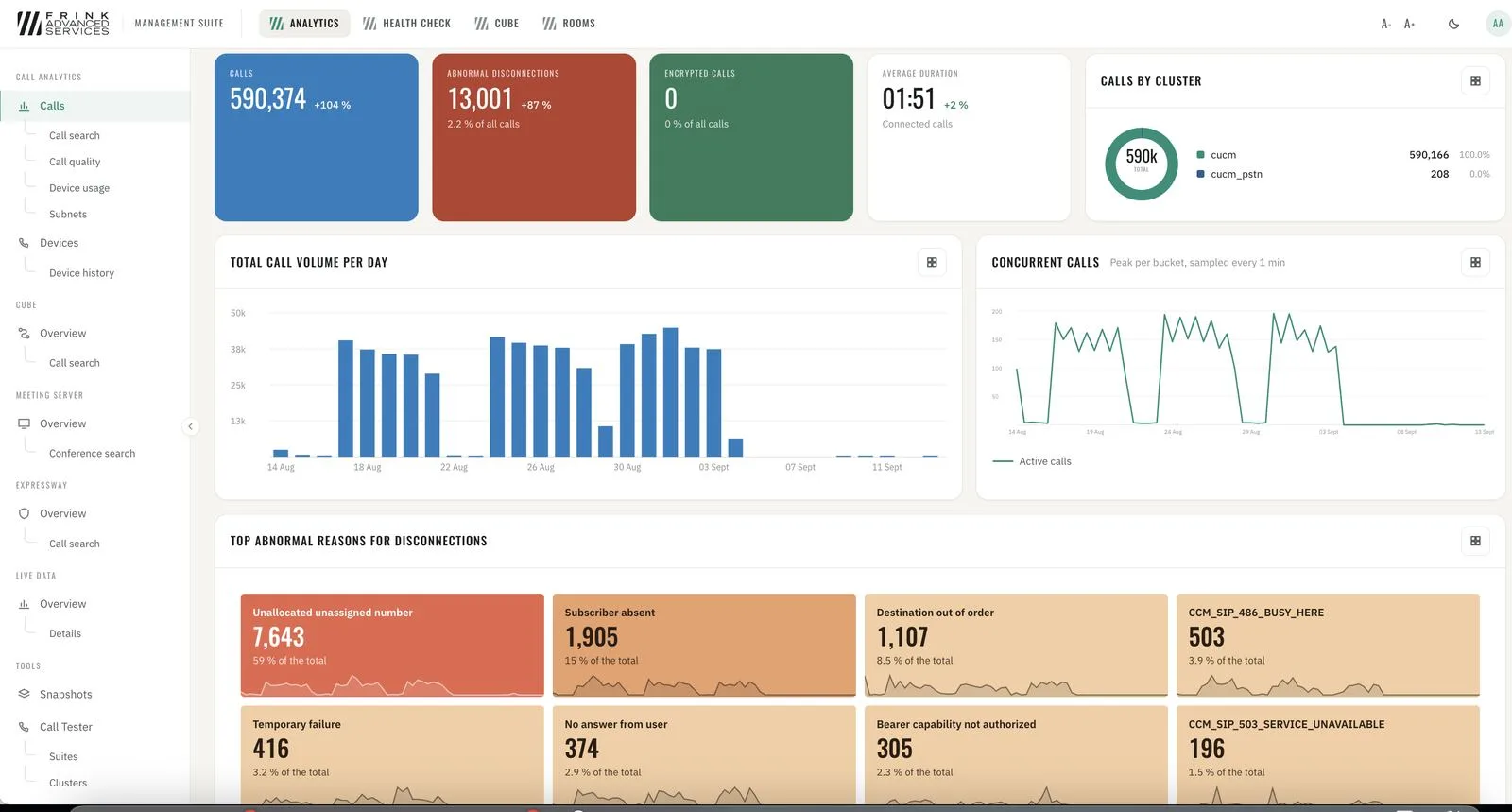
Analytics · CUCM calls overview 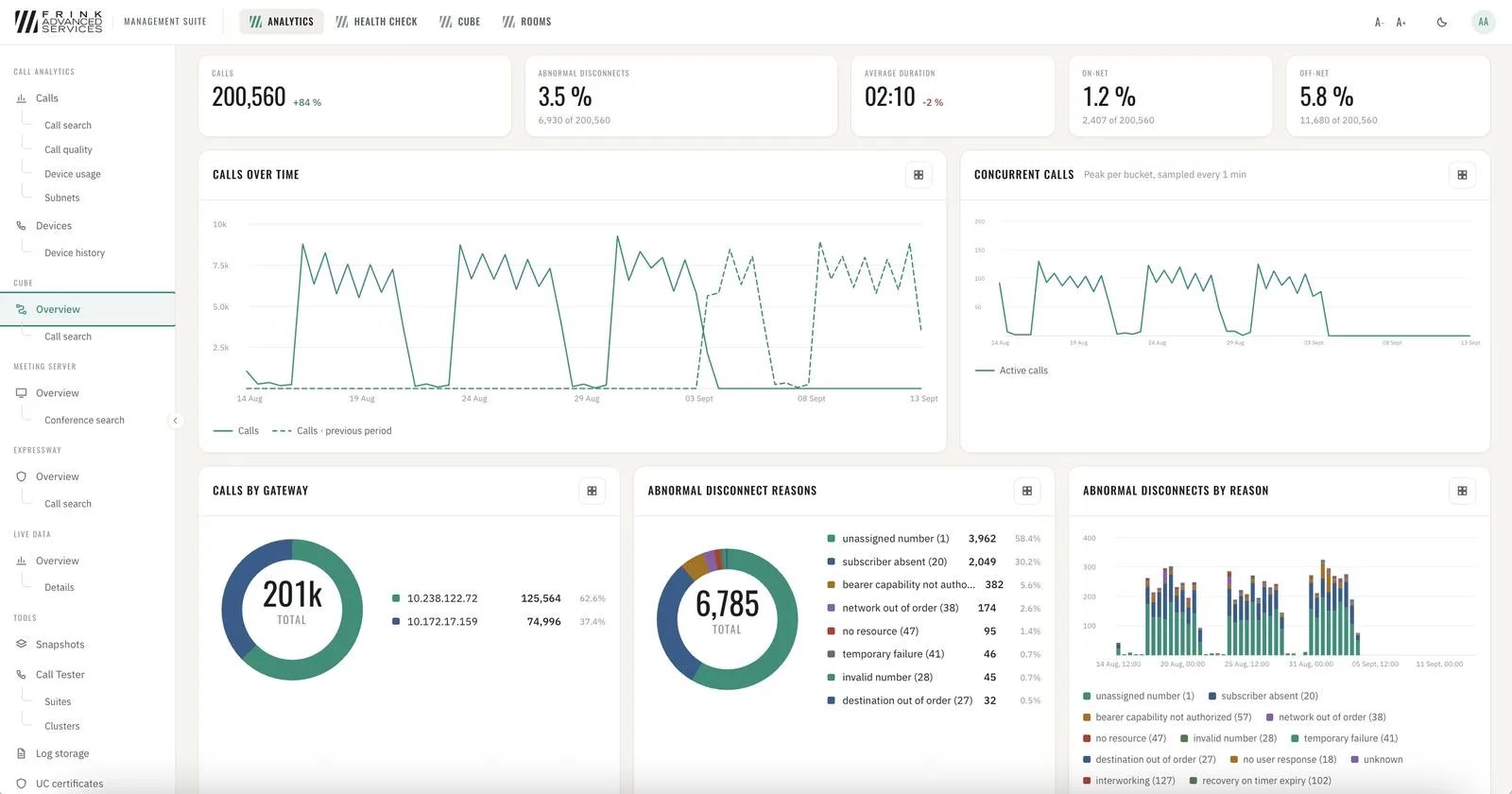
Analytics · CUBE overview - 2
Call quality
Every call with media metrics graded GOOD / ACCEPTABLE / POOR from Cisco's own media metrics. Trends against the previous week, quality by day and hour, by device group, worst devices.
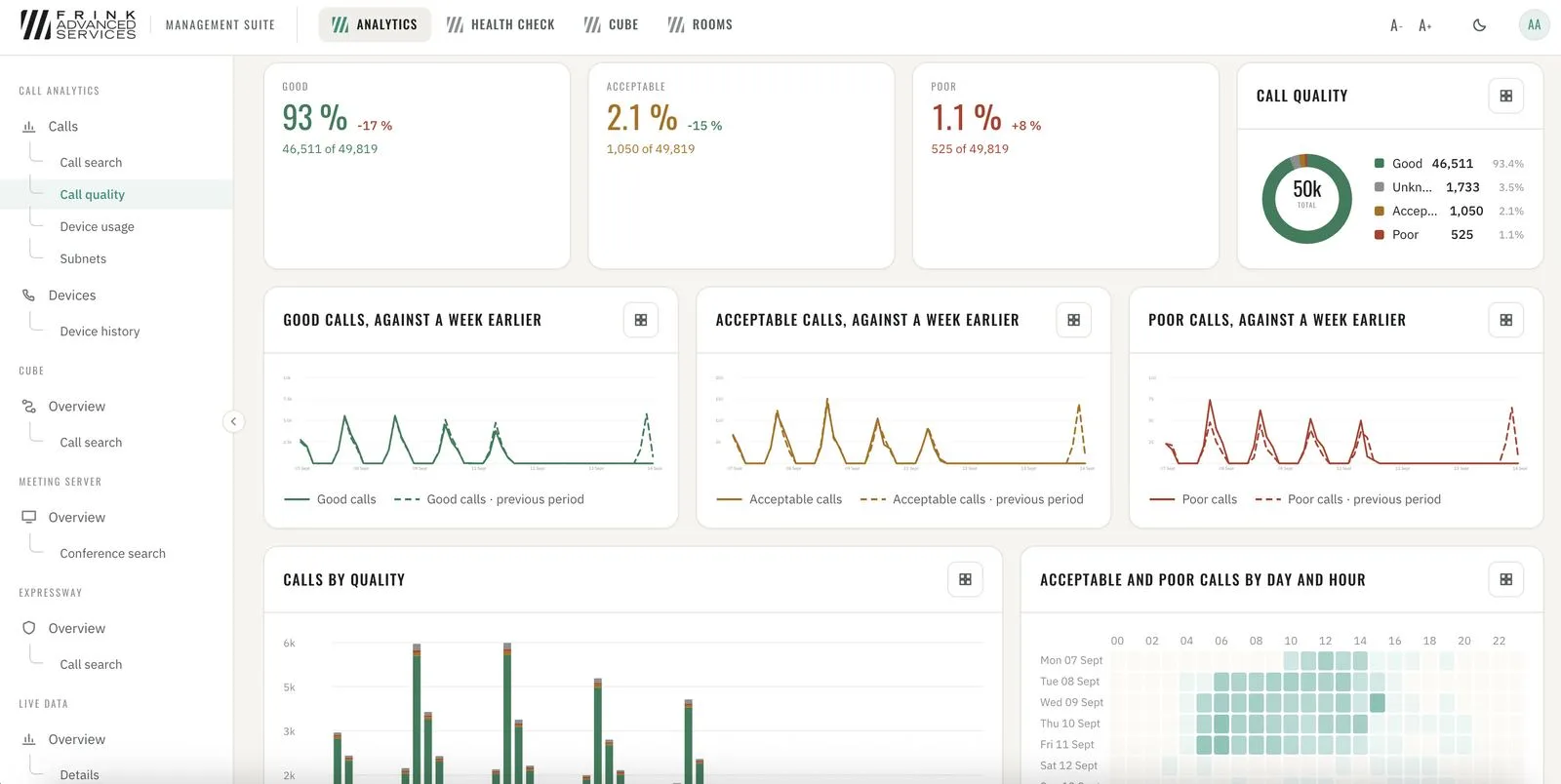
CUCM · call quality overview 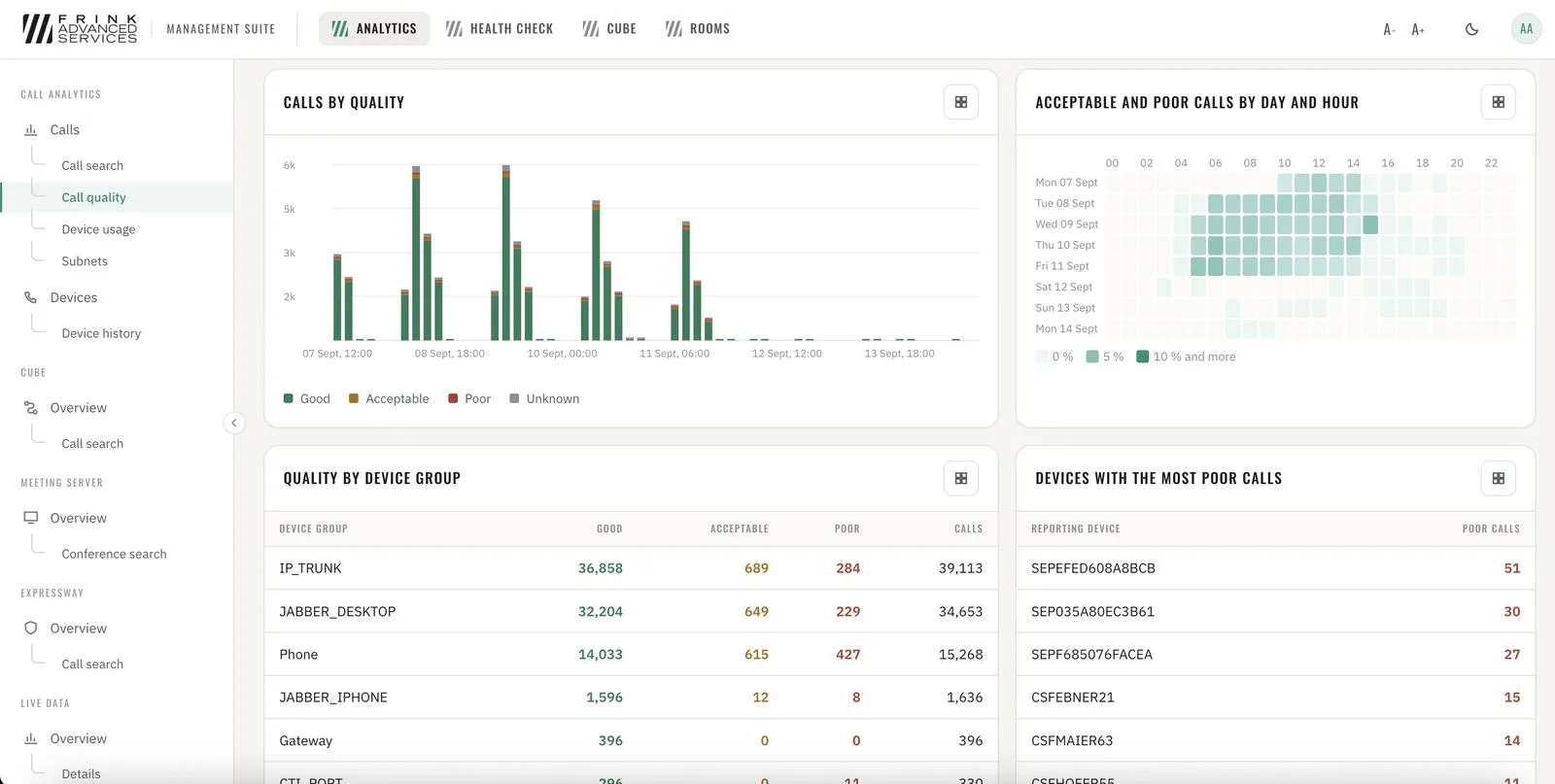
CUCM · quality by device group and worst devices - 3
From one bad call to the root cause
Search any call → device info → media statistics for both ends → SIP ladder with every message. Numbers, partitions, redirect reasons and cause codes for every call.
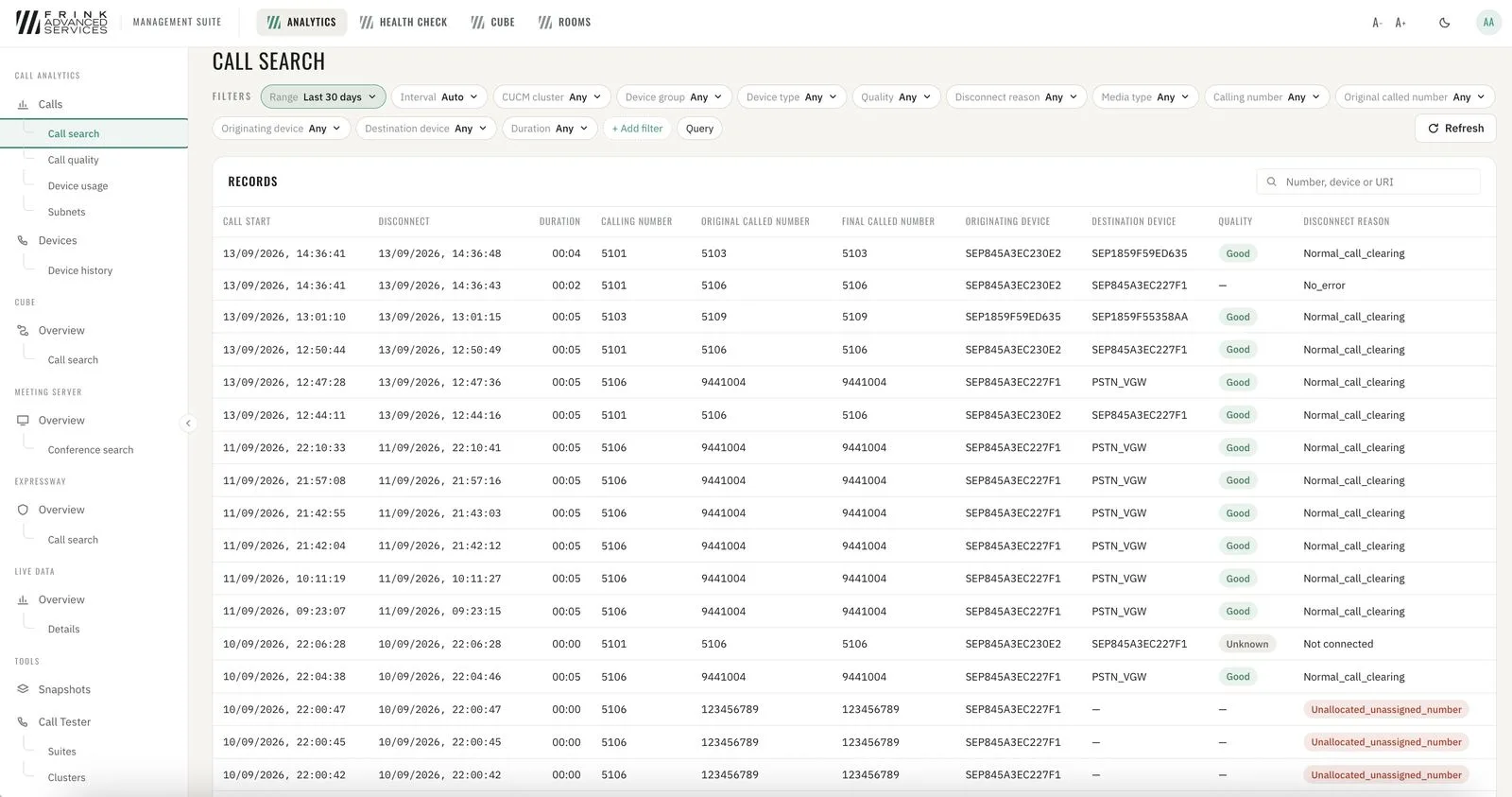
CUCM · list of calls & search 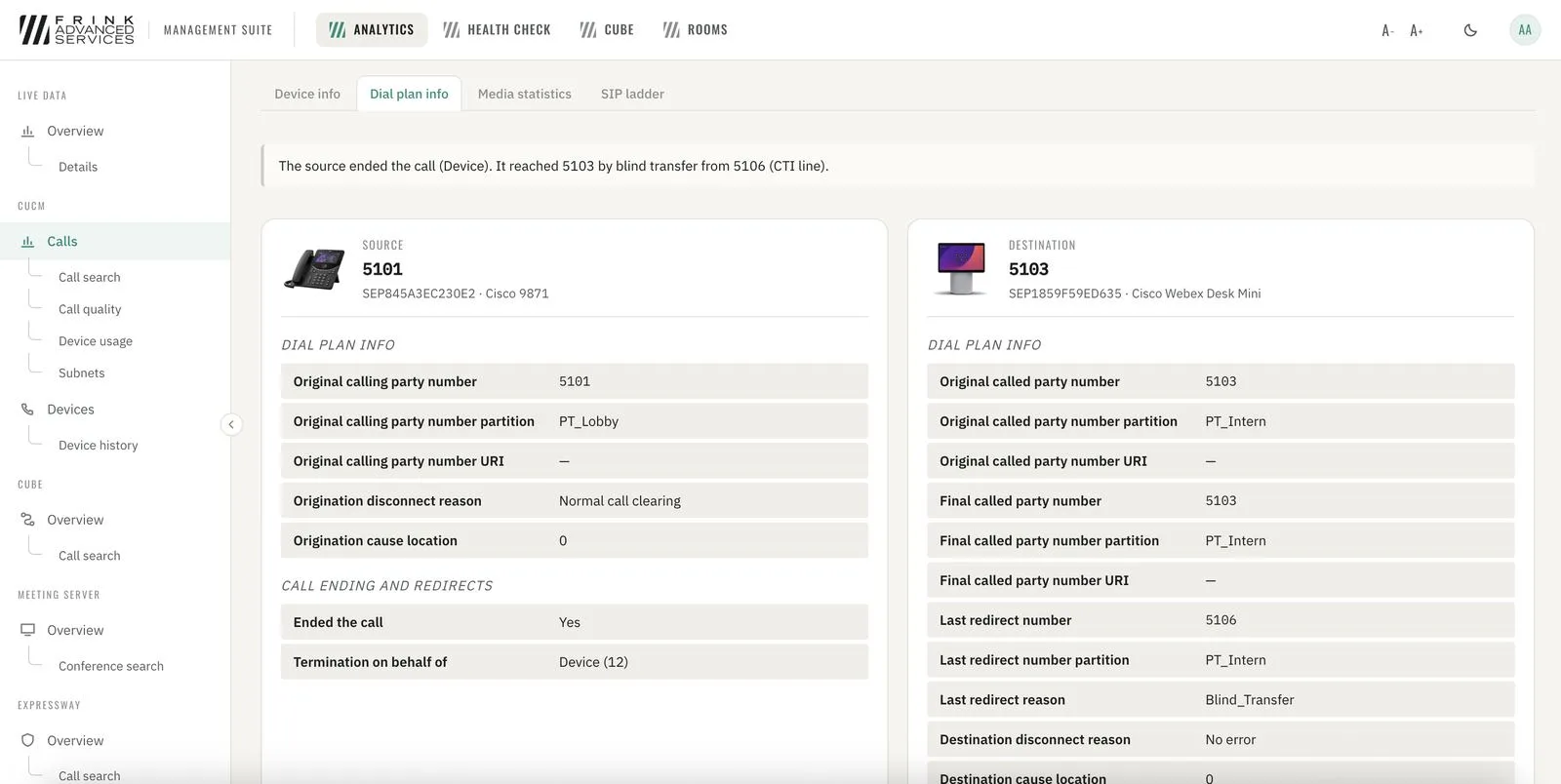
CUCM · dial plan info 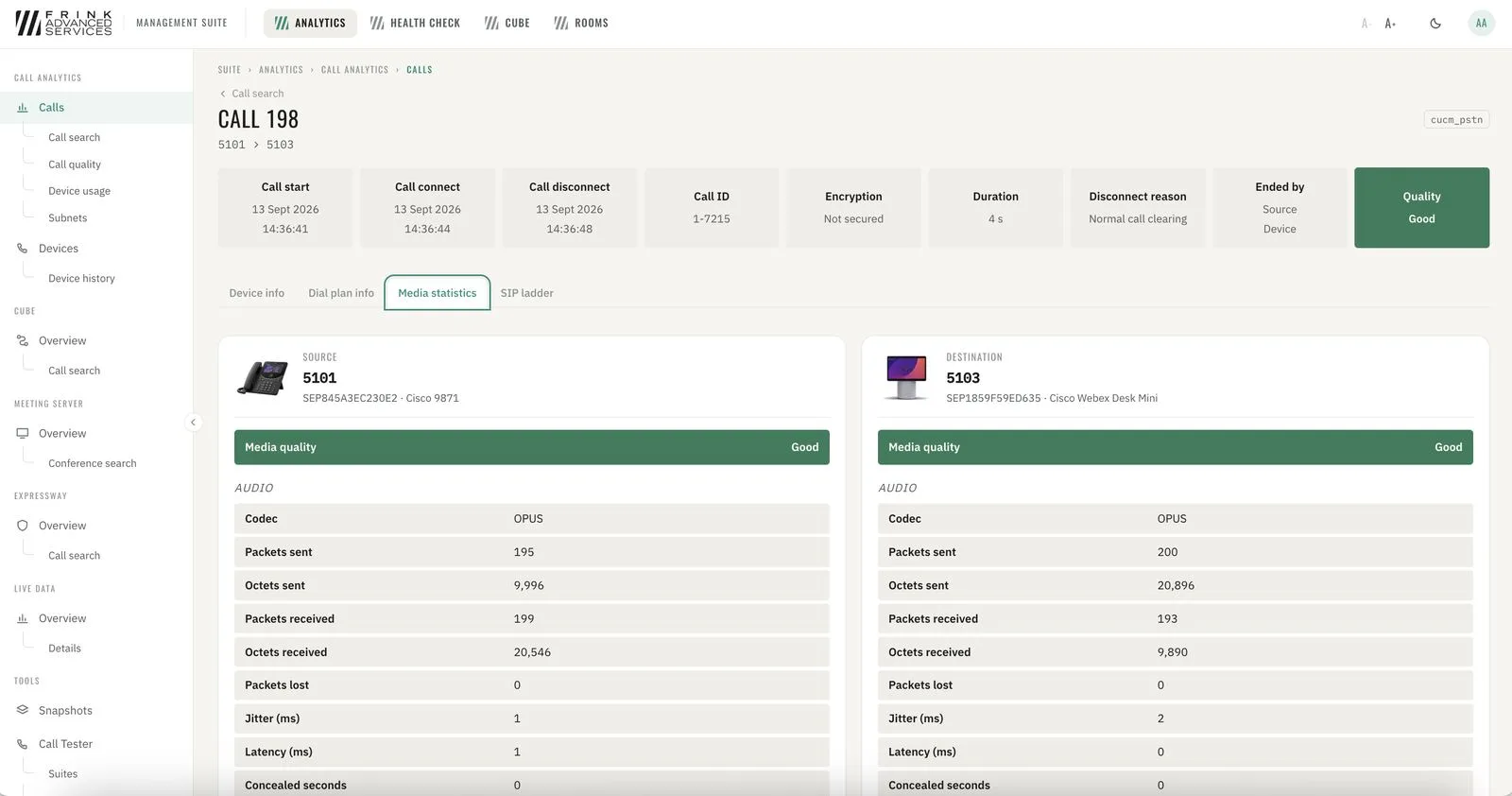
CUCM · media statistics per leg 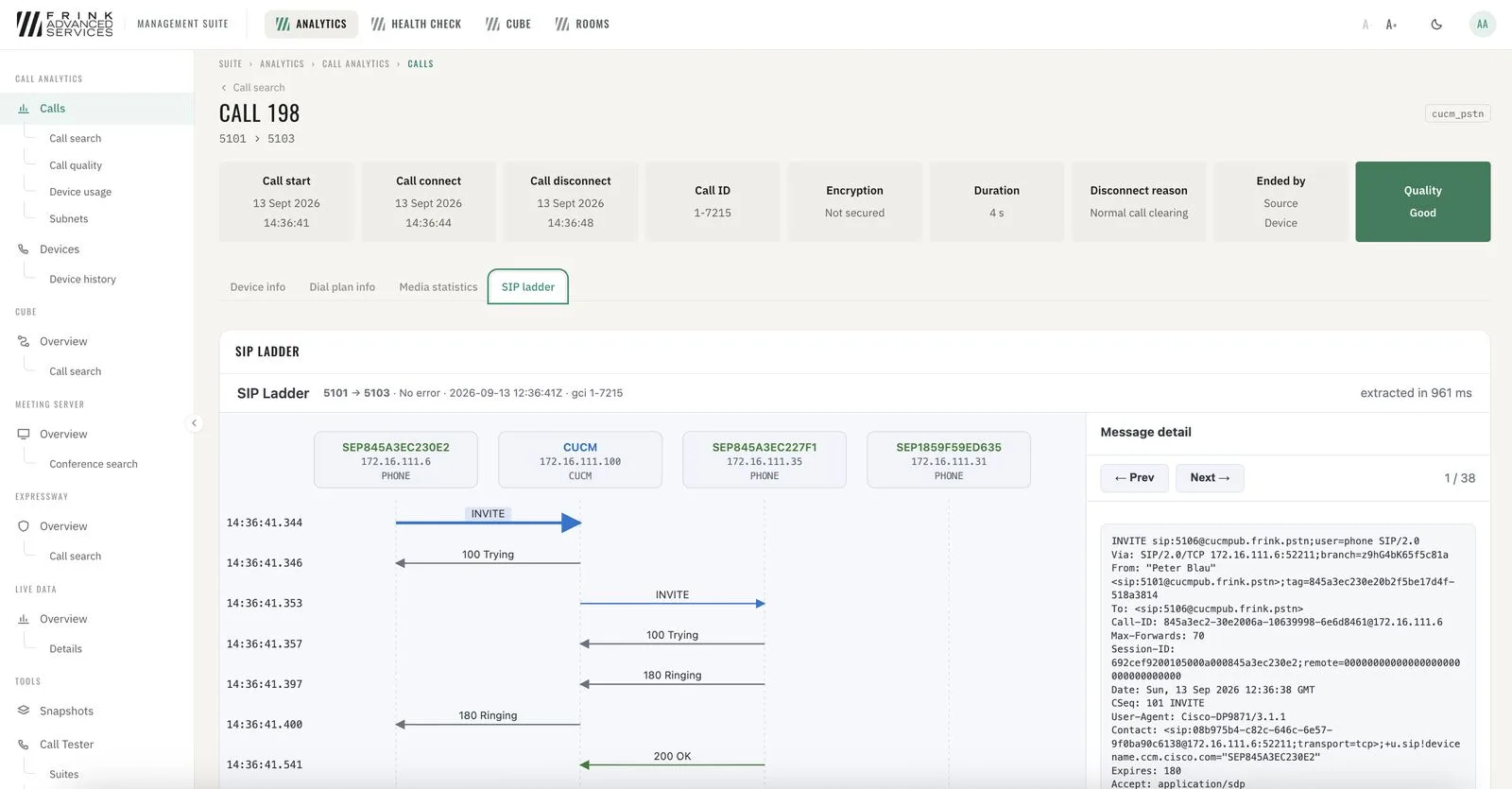
CUCM · SIP ladder with message content
Devices
- 4
CUCM devices
Every phone, trunk, gateway and media resource with registration status (synced regularly) and history. Per device: registration node, firmware, device pool, IP, calls per day, quality and disconnect reasons.
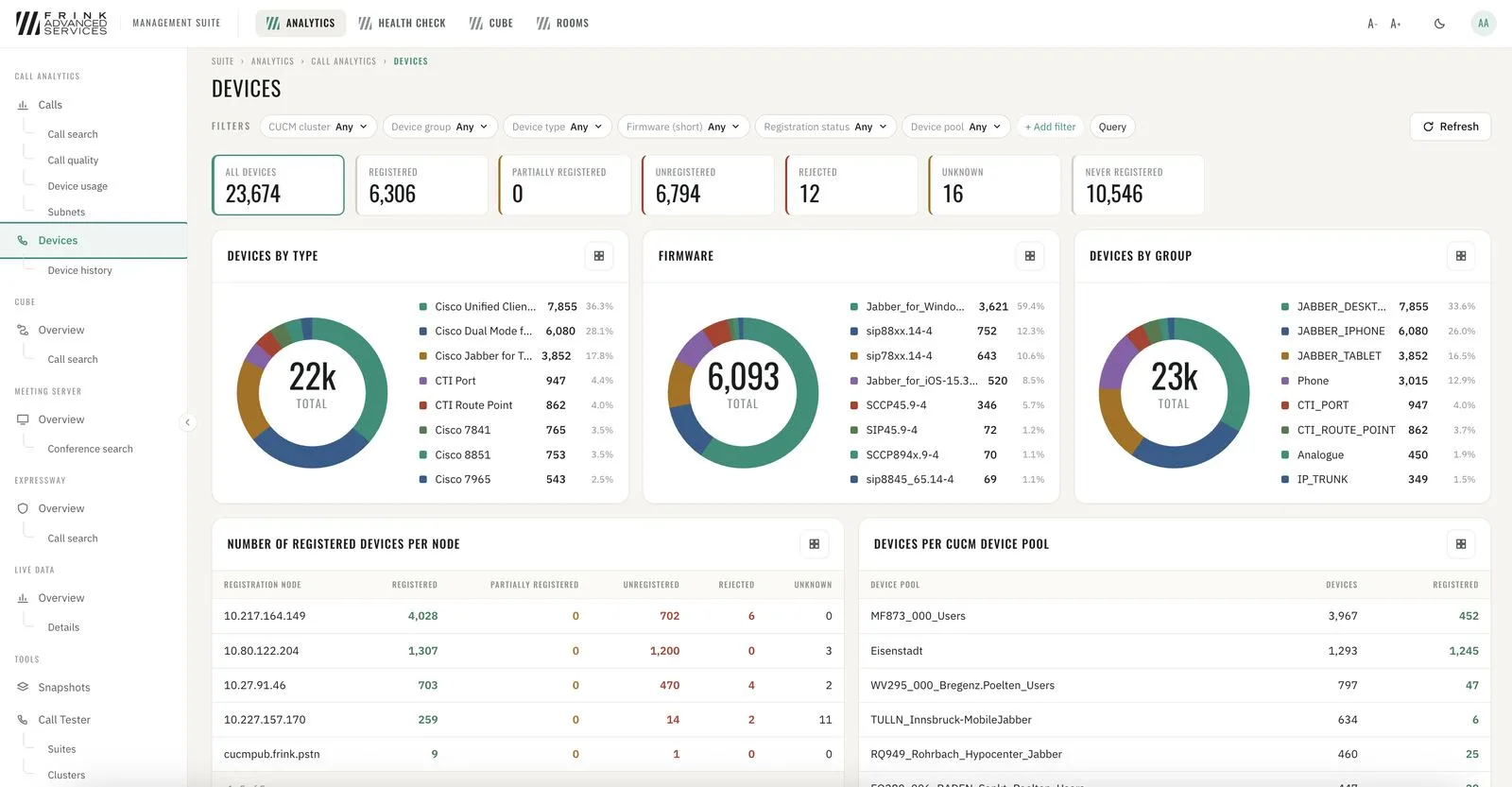
CUCM · devices with registration status 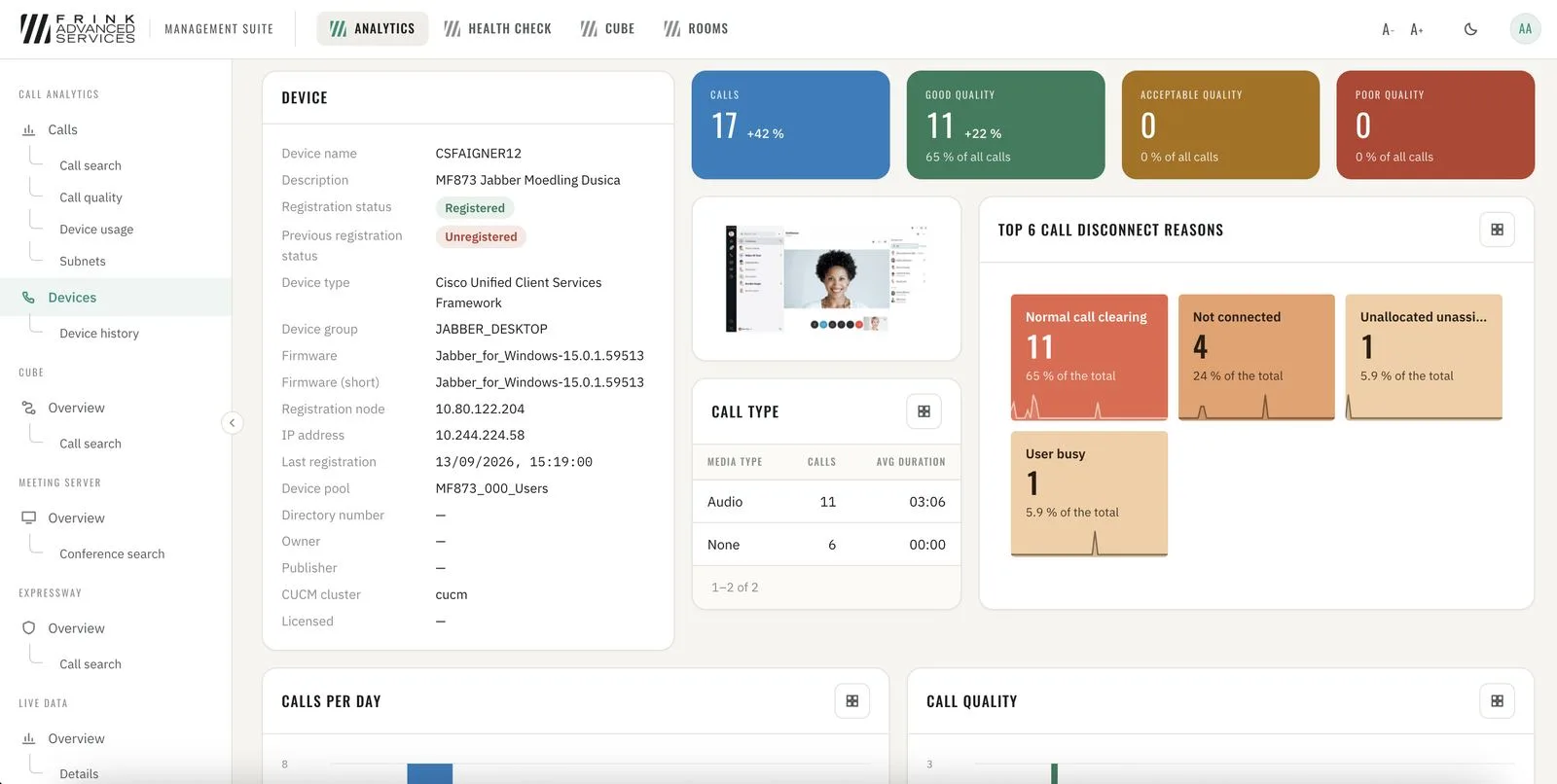
CUCM · device details
Toolkit
- 5
Configuration snapshots & comparison
Nightly copy of the CUCM / IM&P / CUC / Expressway / CMS configuration. Compare any two – or against what runs right now – and see exactly which field changed. Read-only: kept, compared and downloaded, never written back. No secrets inside.
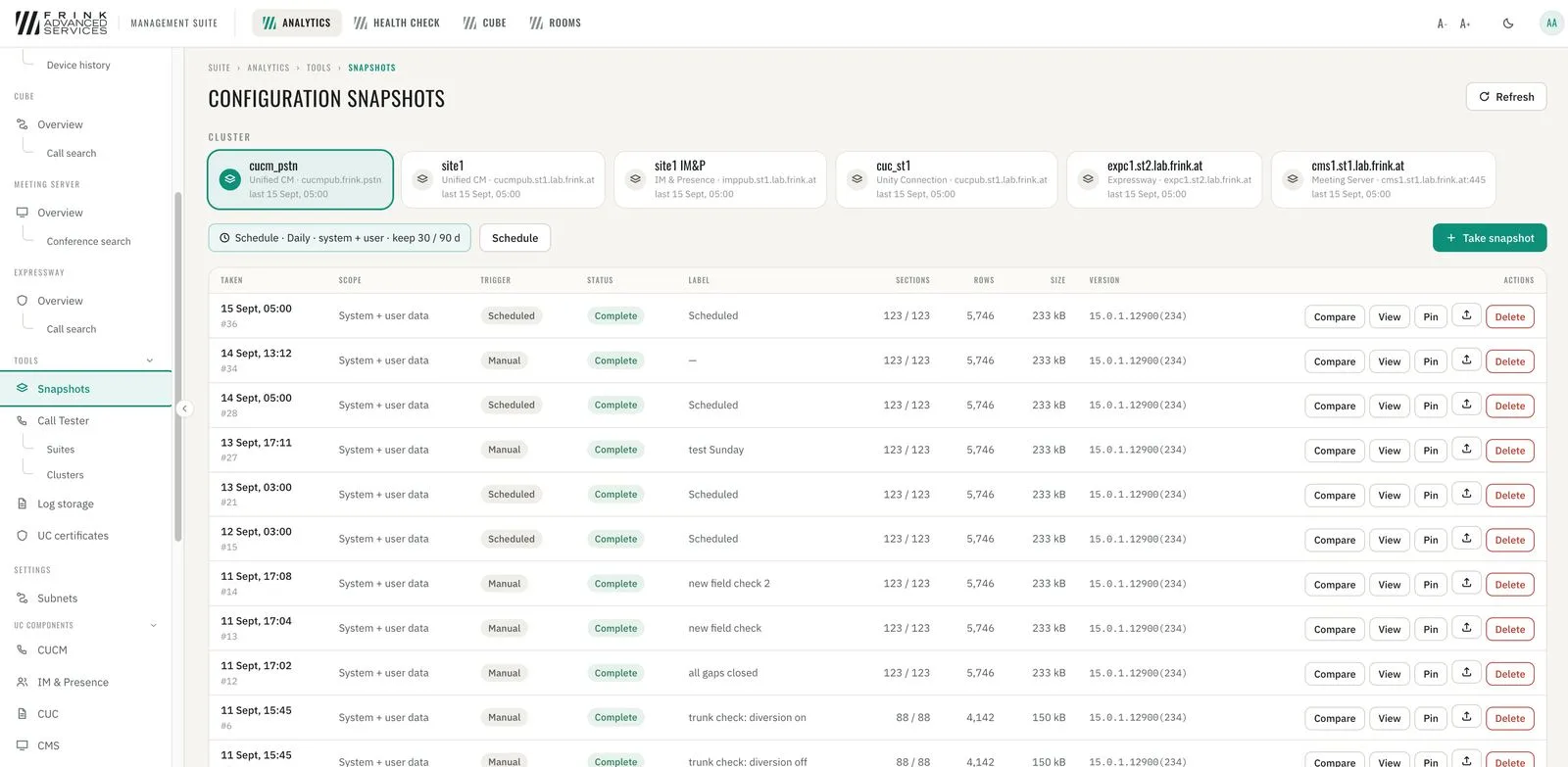
CUCM · configuration snapshots 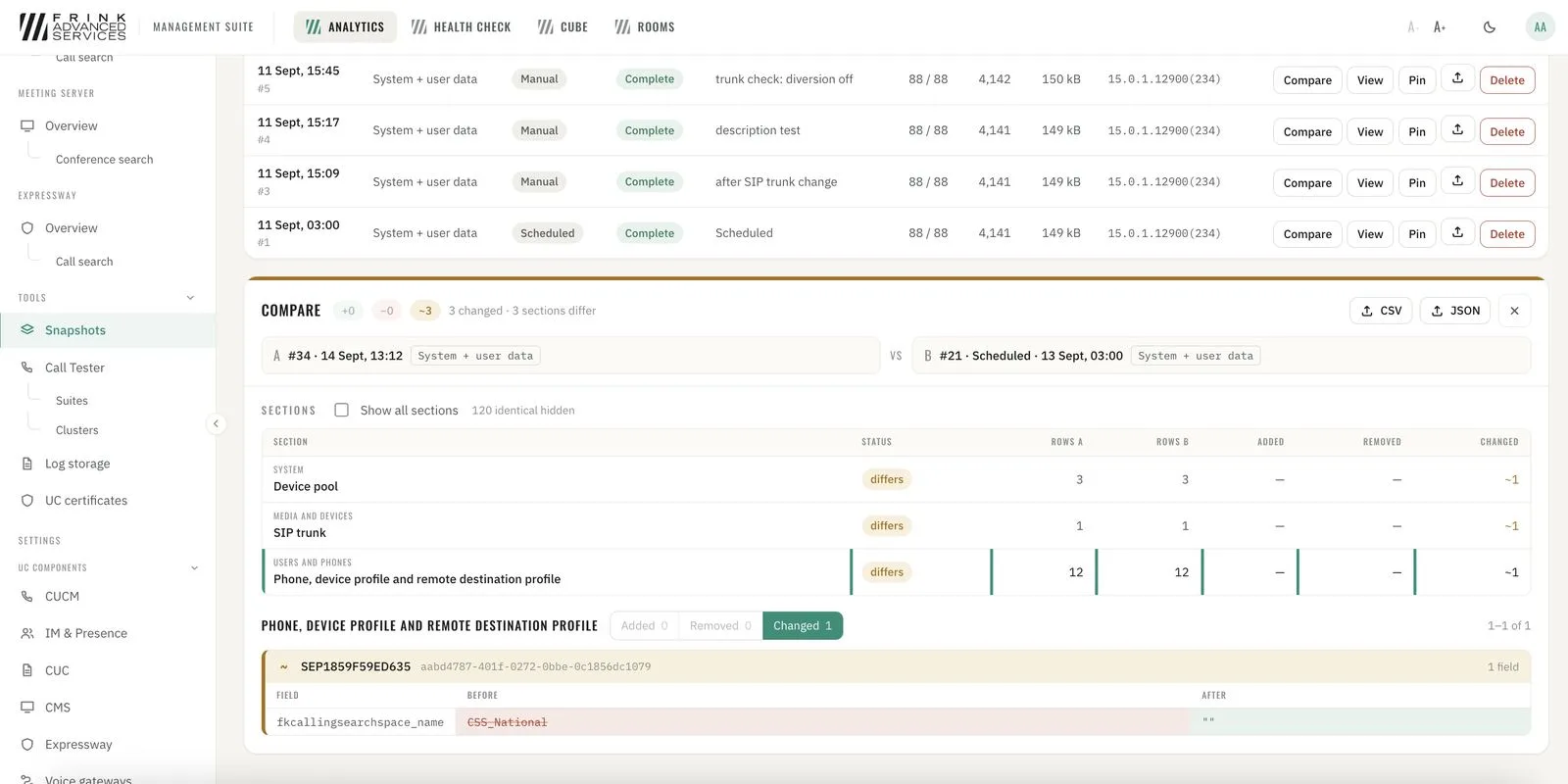
CUCM · comparison of snapshots & changes - 6
UC certificates
All certificates of every node with days-to-expiry in red / amber / green. Identity certificates and trust stores, self-signed and expired flagged, one search across all clusters.
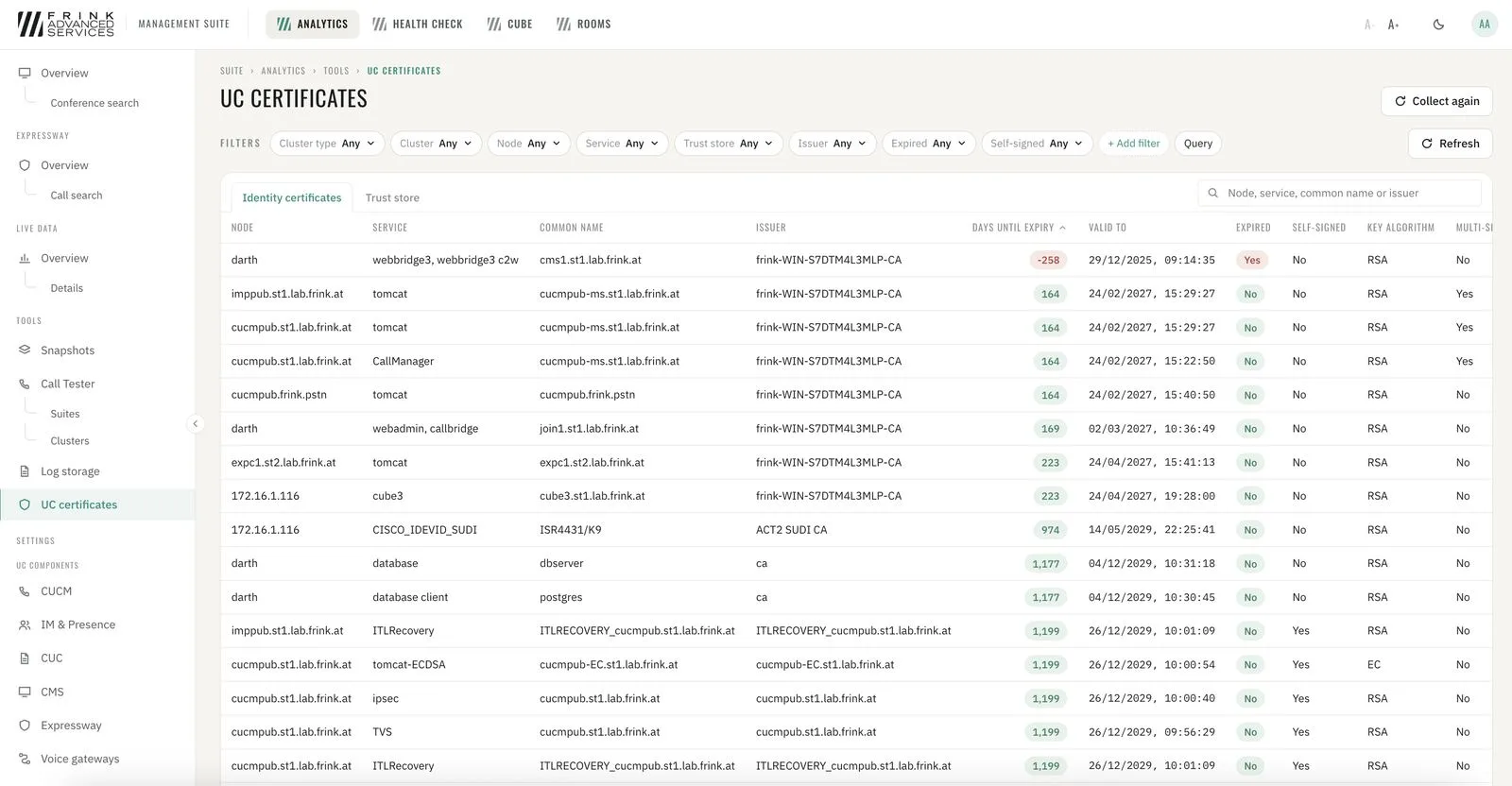
UC certificates with days to expiry 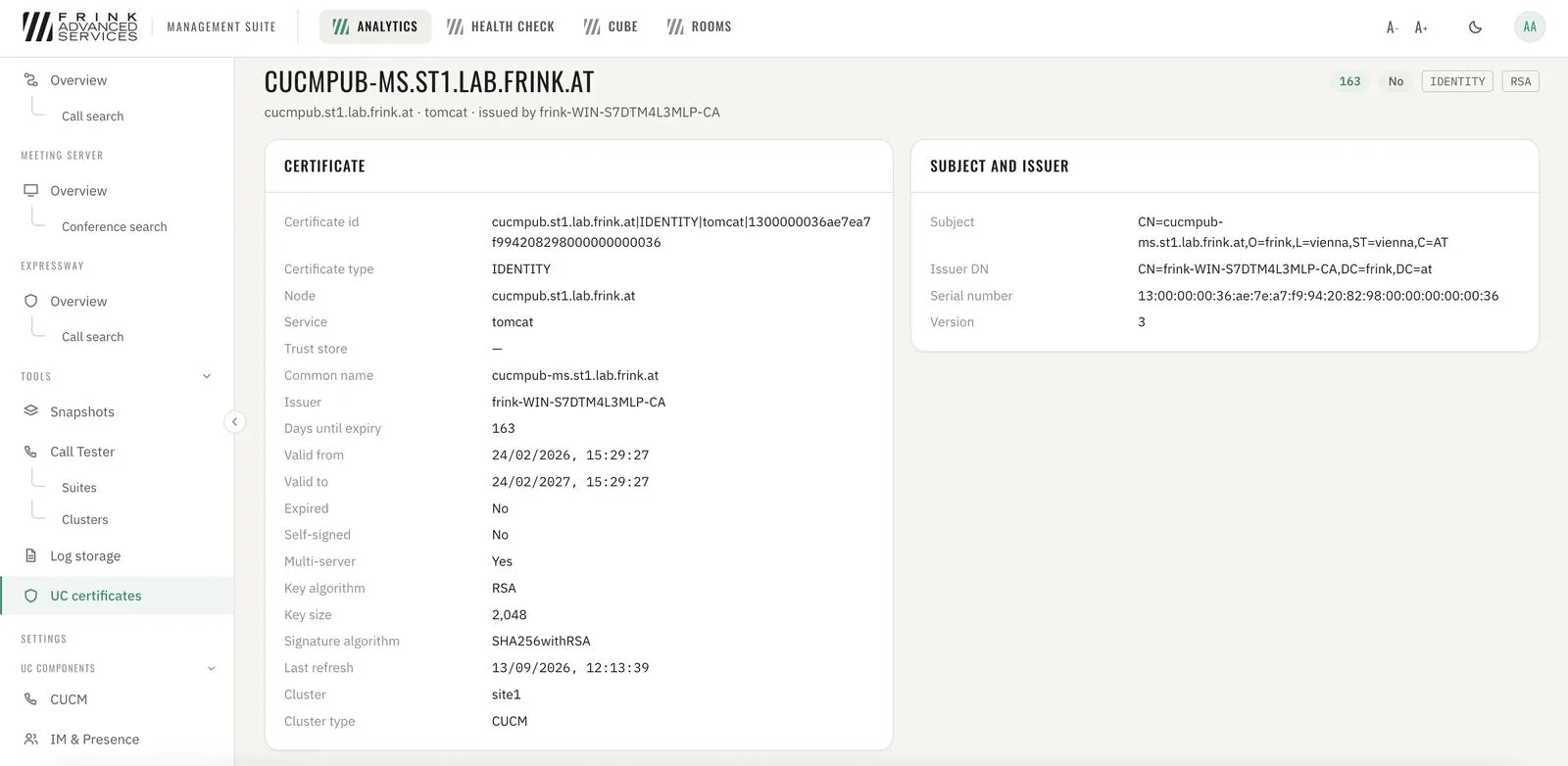
Certificate details - 7
Call Tester
Build your own call testing environment with any scenario possible; define repetitions and gaps. Test calls are visible live and as a call flow ladder; single scenarios combine into complex test suites.
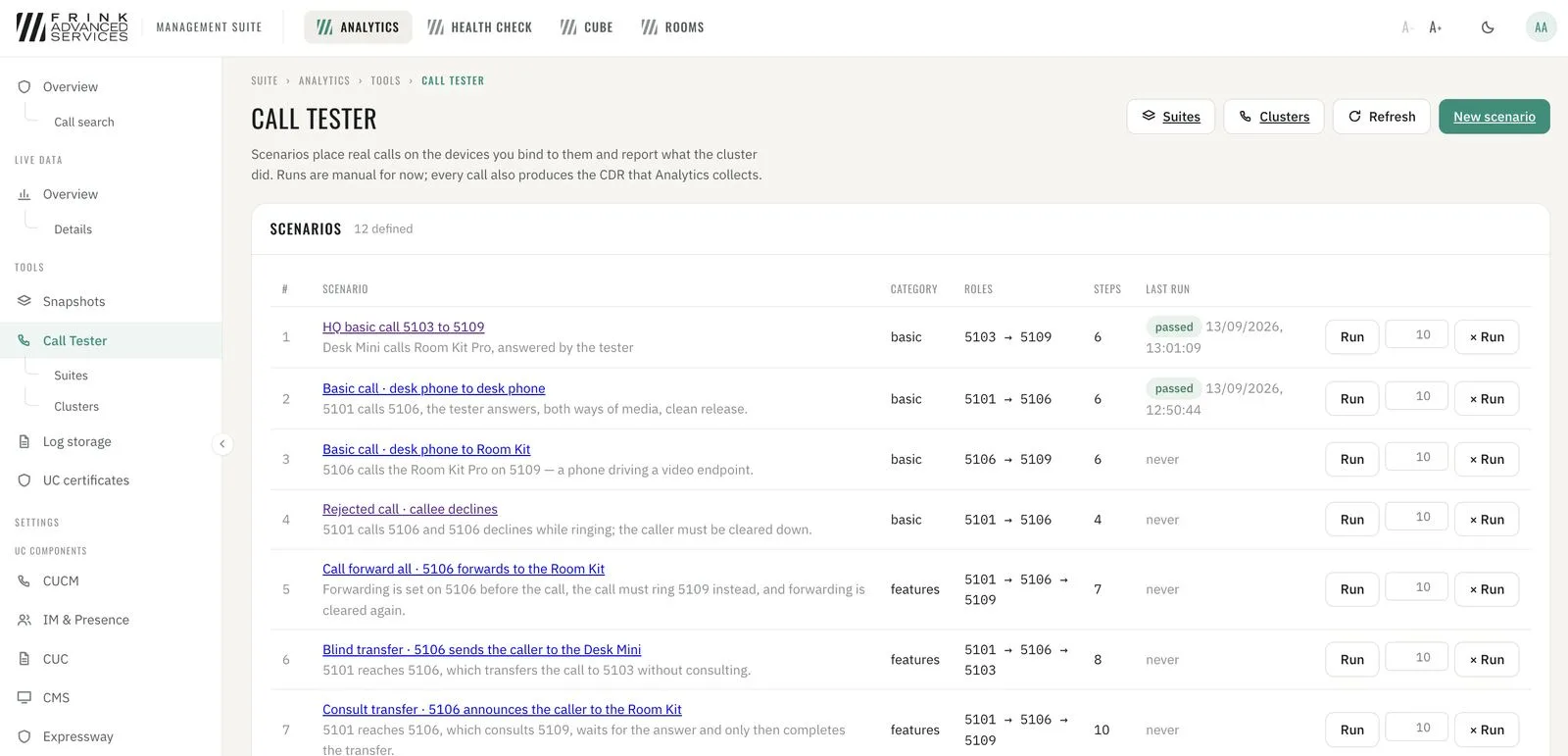
CUCM · scenario library with last run result 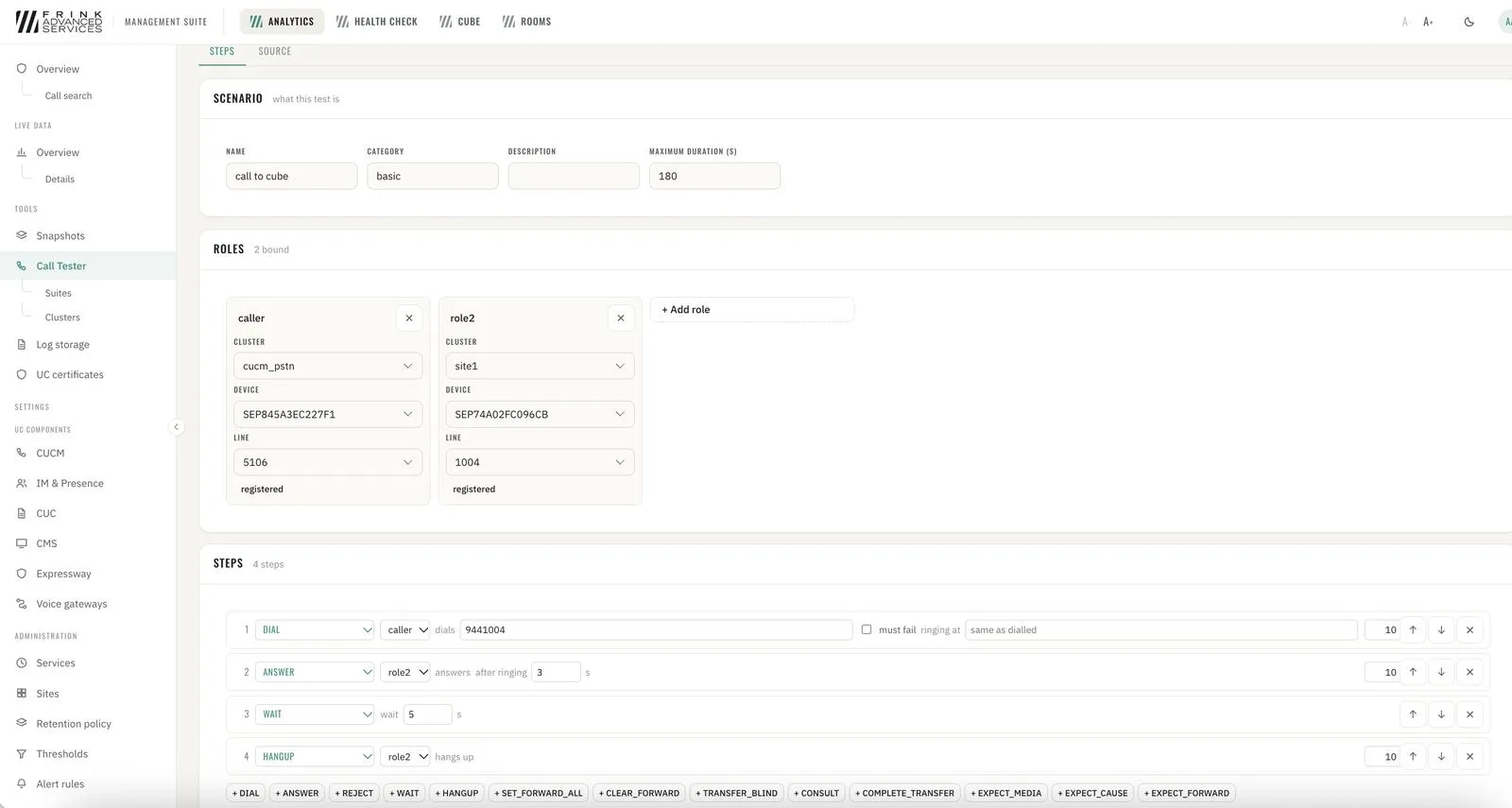
CUCM · scenario builder – roles, devices and steps 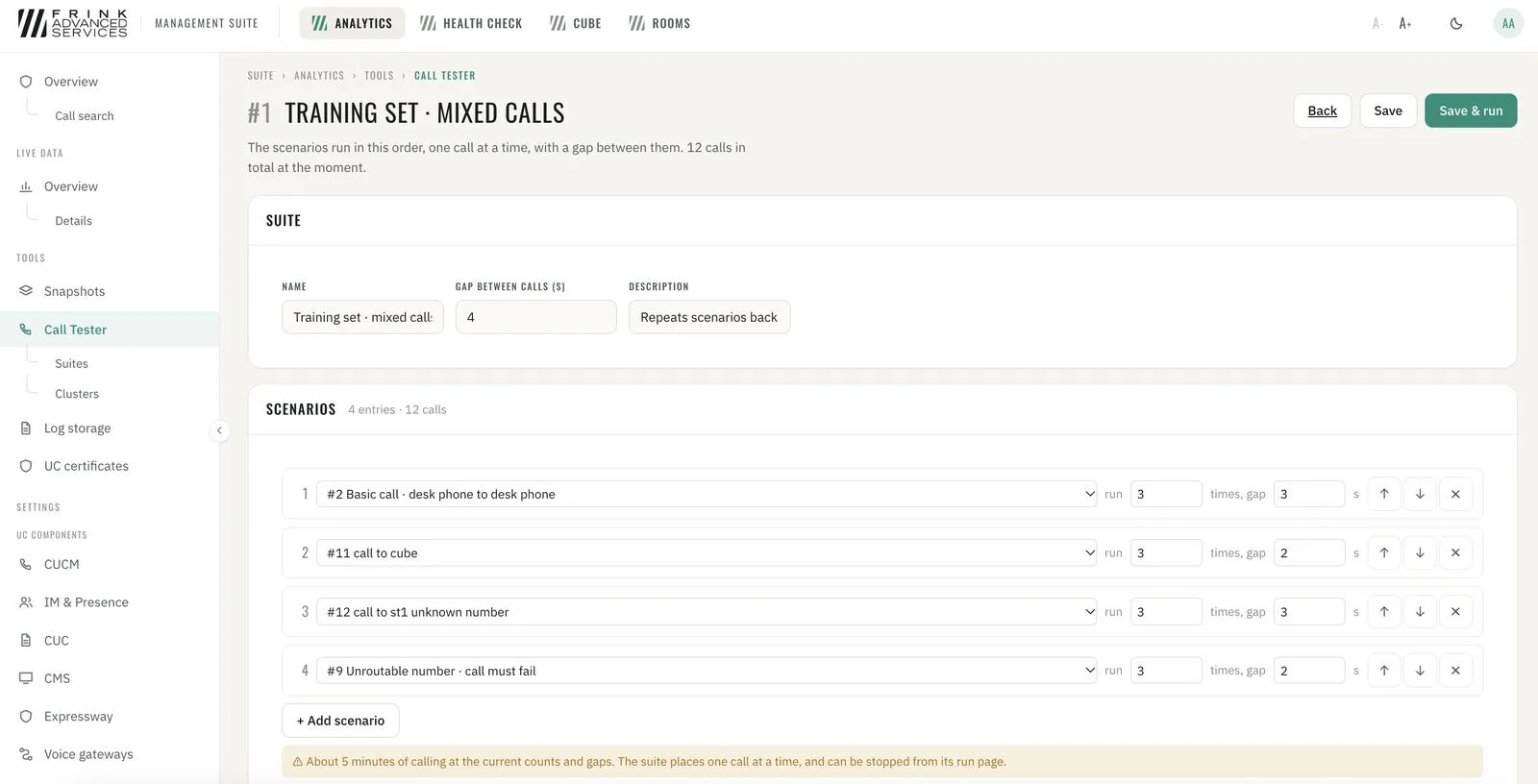
CUCM · test suite – scenarios, repetitions and gaps 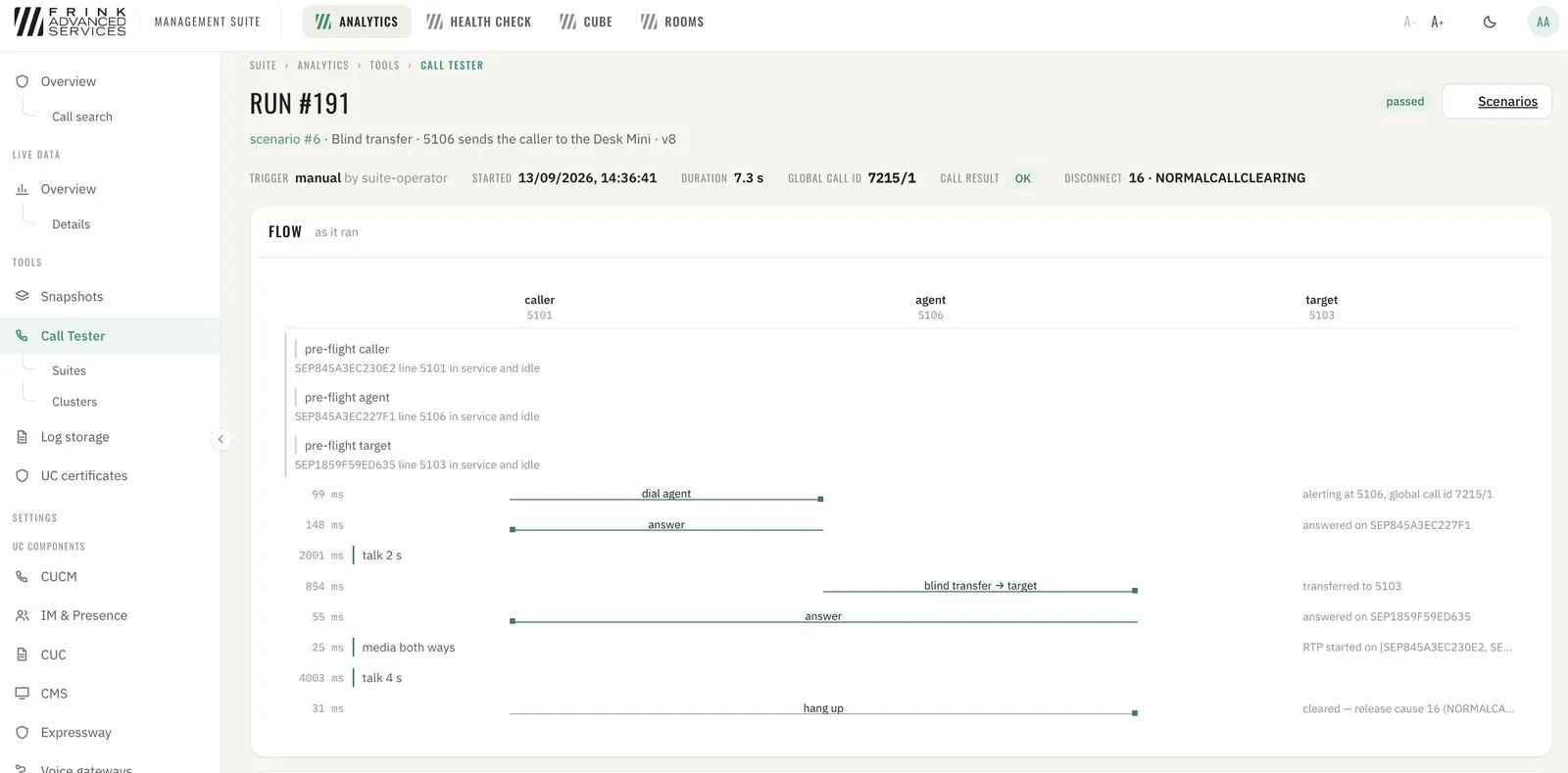
CUCM · test run – call flow ladder as it ran
Operations reporting
- 8
Operations reporting – day by day
Day-by-day operations view of the whole infrastructure: calls by quality, media type and duration, PSTN traffic in and out per trunk, conferences and participants (SIP vs. web app). Quality broken down by site, CUCM location, device pool, calling subnet, device type (desk phones, Jabber desktop, Jabber mobile) and VPN vs. office. Worst-first lists: devices, calling and called user IDs, locations and sites with the most poor calls – and calling IPs that belong to no site yet. Sites and network types are assigned per subnet by the administrator; every report follows that mapping.
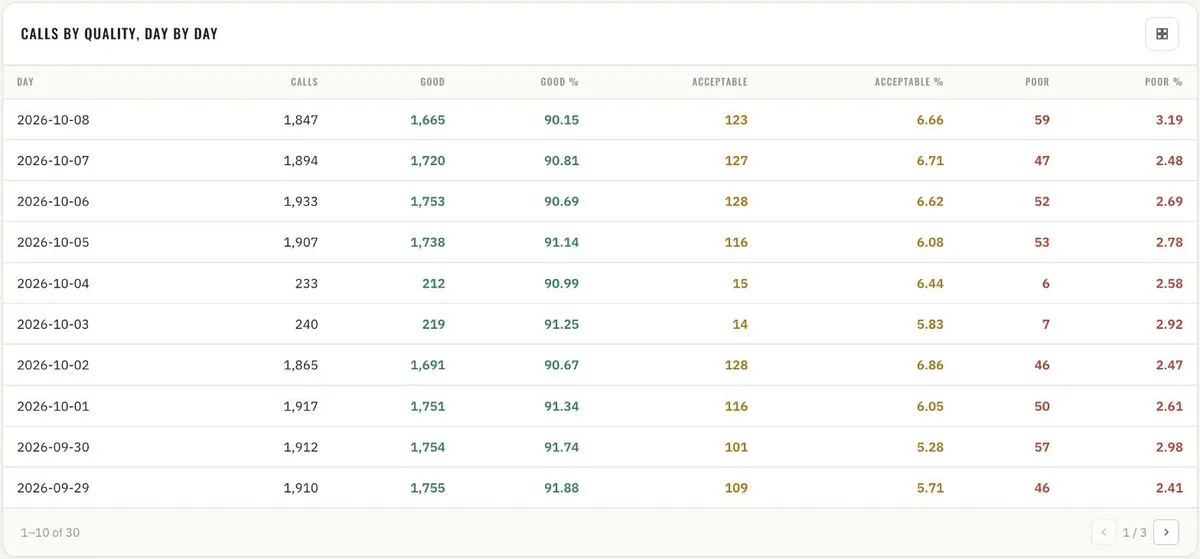
Overview · calls by quality, day by day 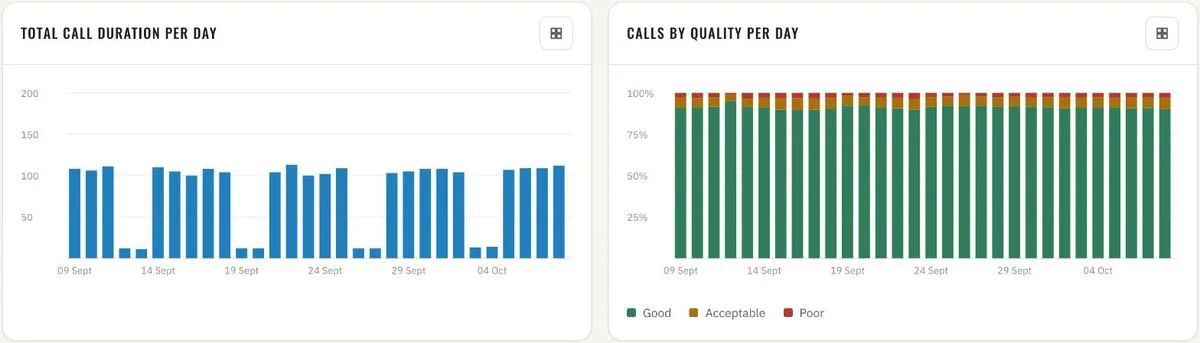
Overview · total call duration and quality per day 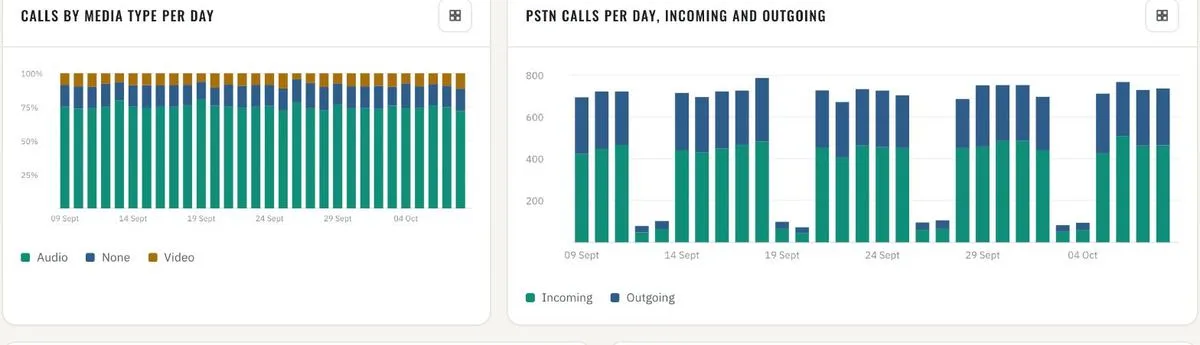
Overview · calls by media type · PSTN incoming and outgoing per day 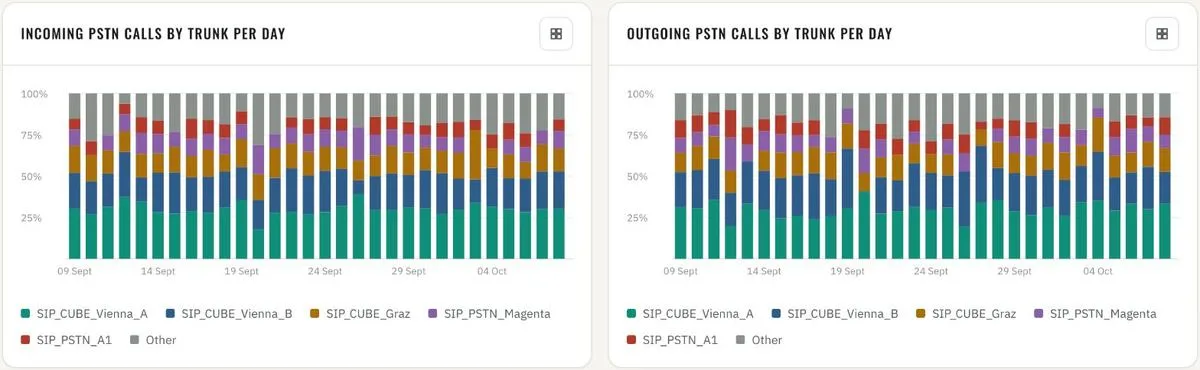
Overview · PSTN calls by trunk per day, incoming and outgoing 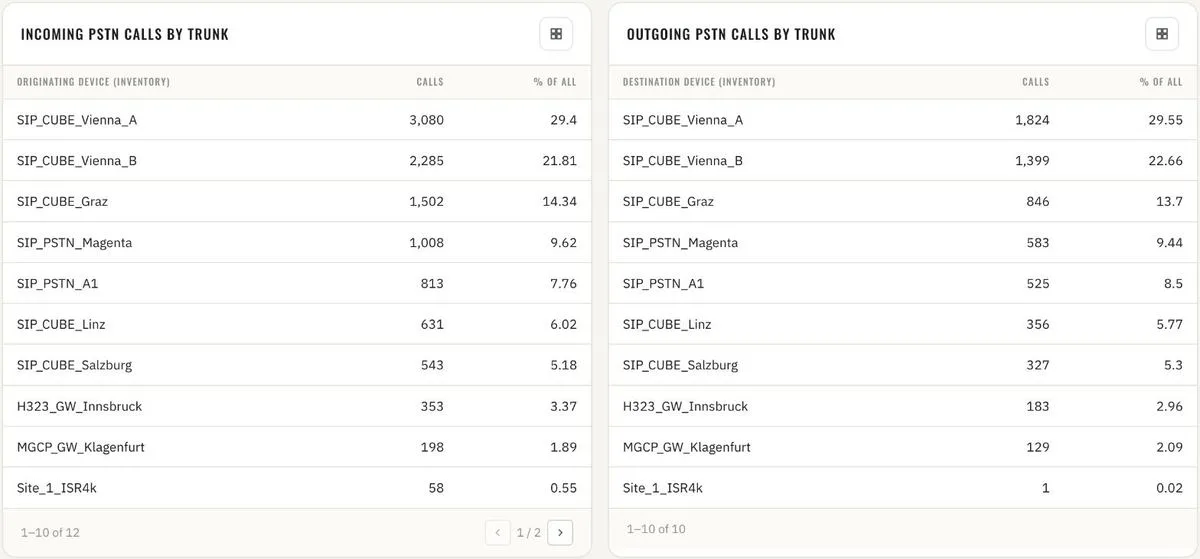
Overview · PSTN calls by trunk, totals 
Overview · VPN call share and VPN call quality 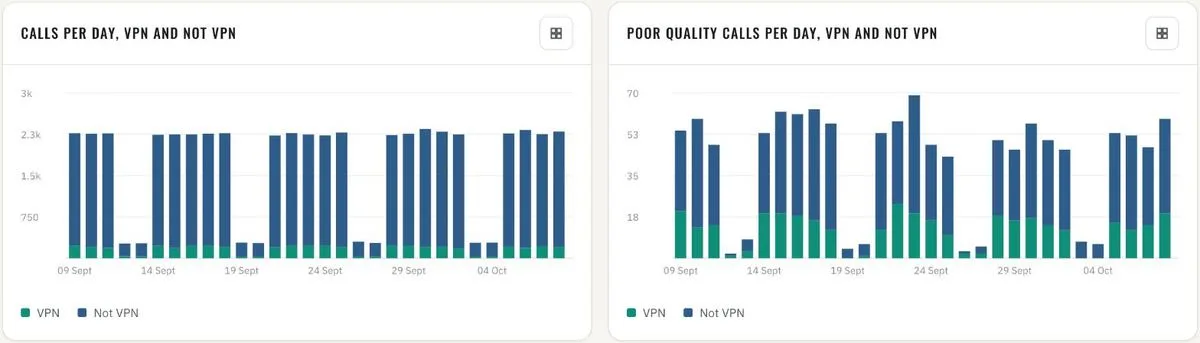
Overview · calls and poor calls per day, VPN vs. not VPN 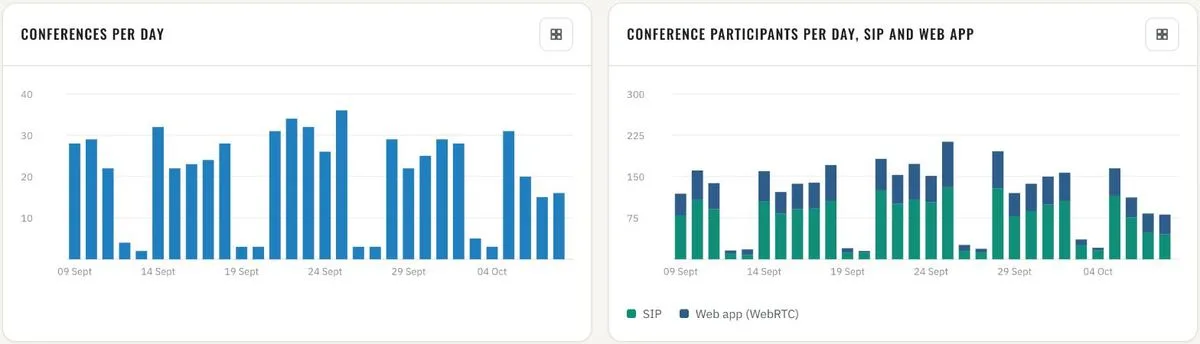
Overview · CMS conferences and participants per day, SIP vs. web app 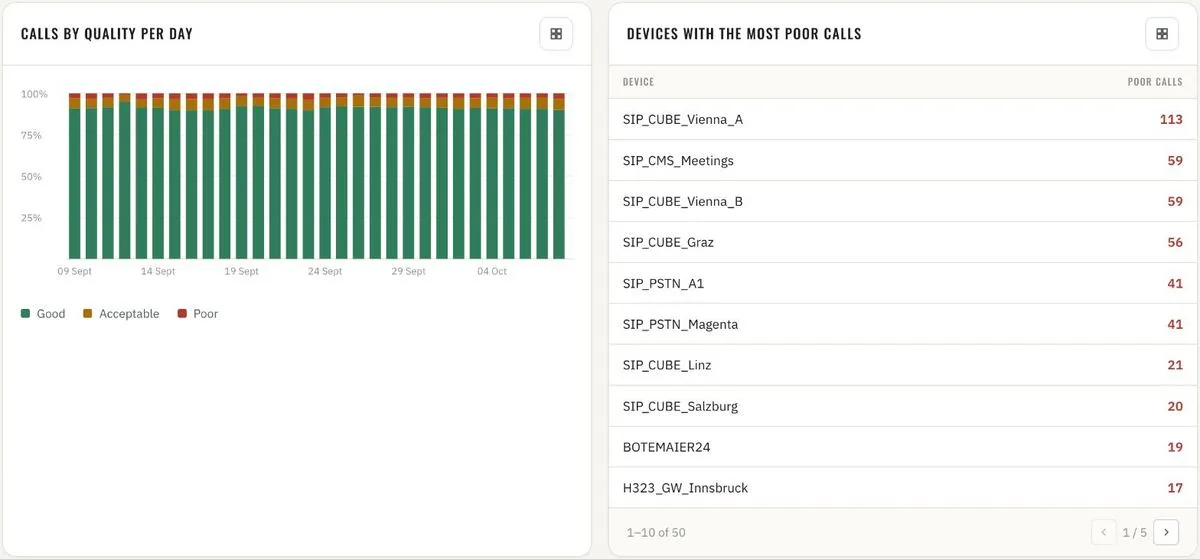
Call quality · calls by quality per day · devices with the most poor calls 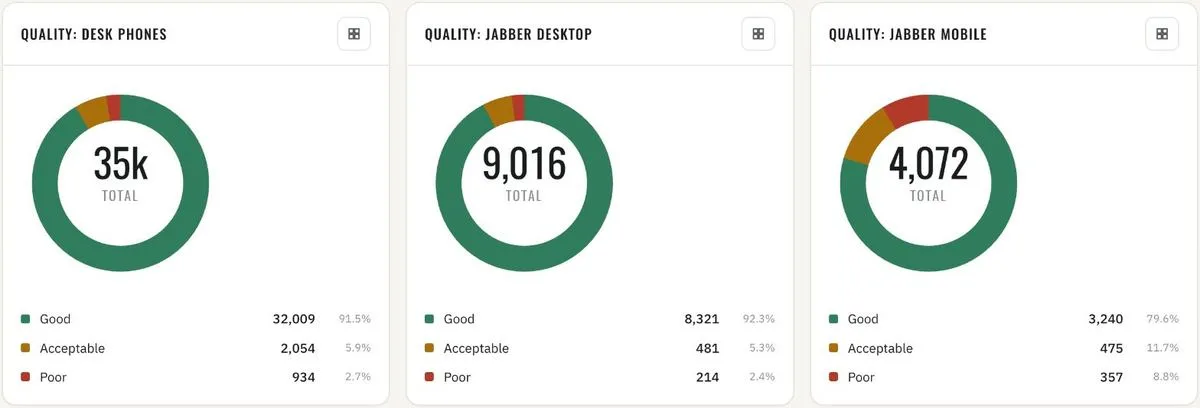
Call quality · desk phones, Jabber desktop, Jabber mobile 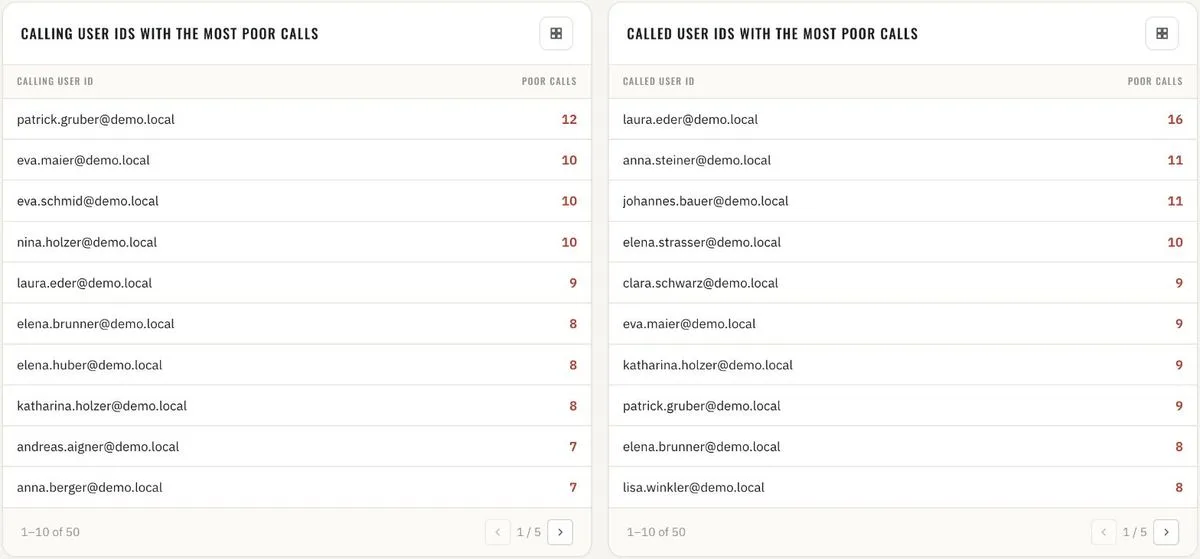
Call quality · calling and called user IDs with the most poor calls 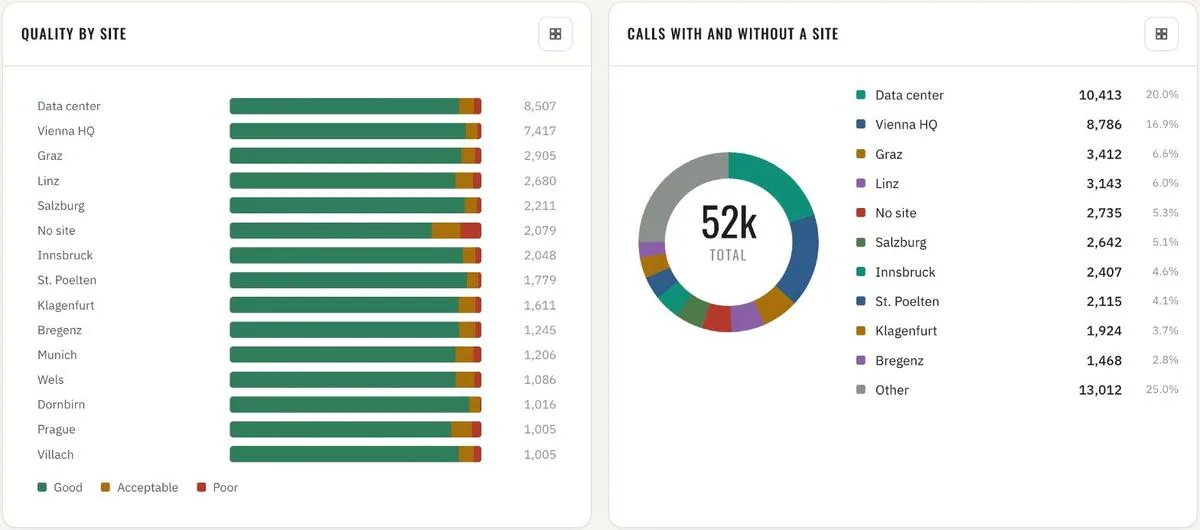
Location quality · by site · calls with and without a site 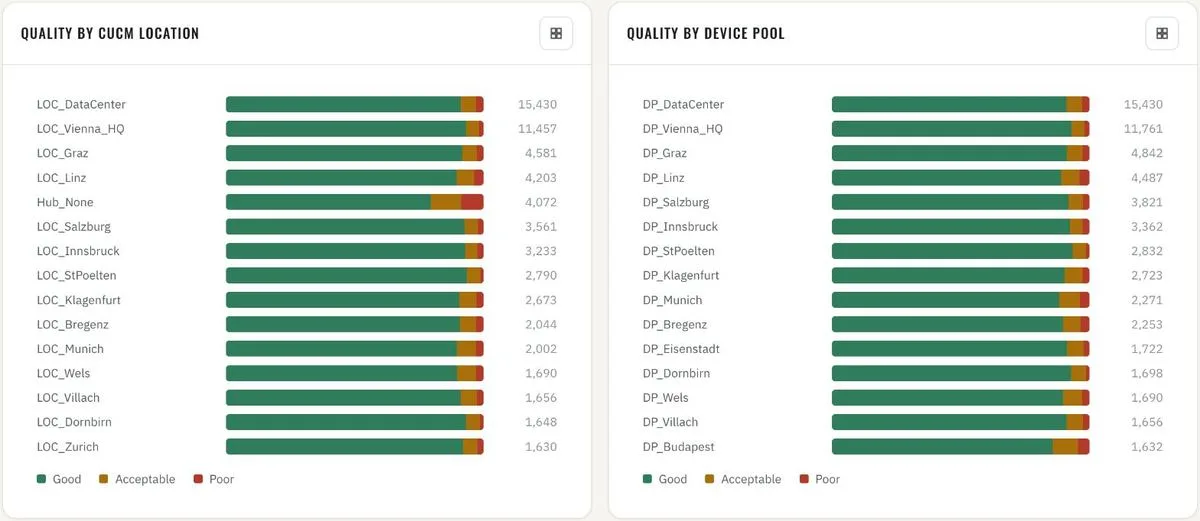
Location quality · by CUCM location and by device pool 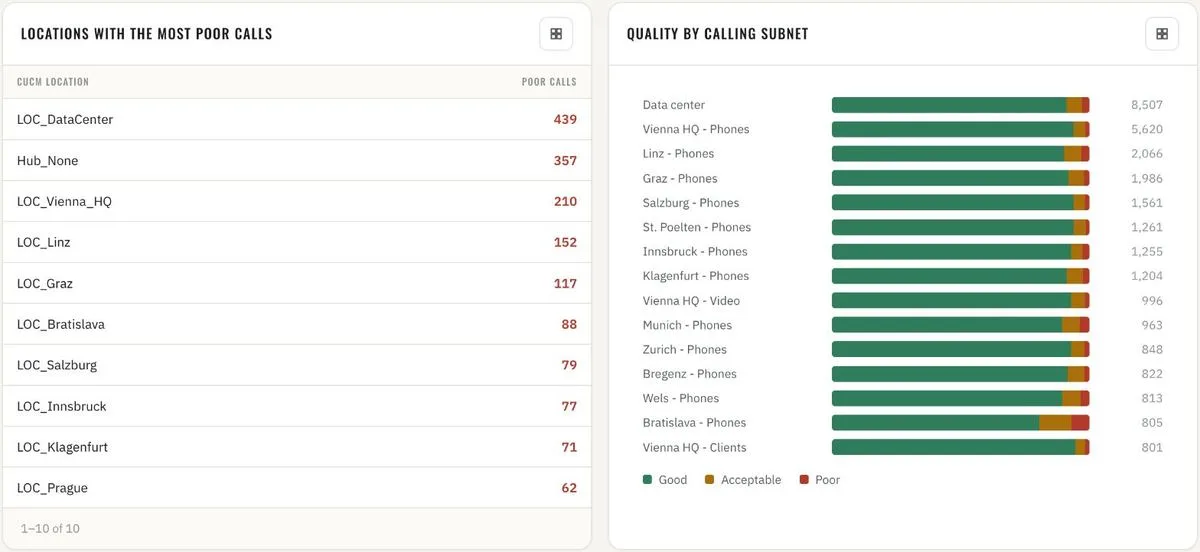
Location quality · worst locations · quality by calling subnet 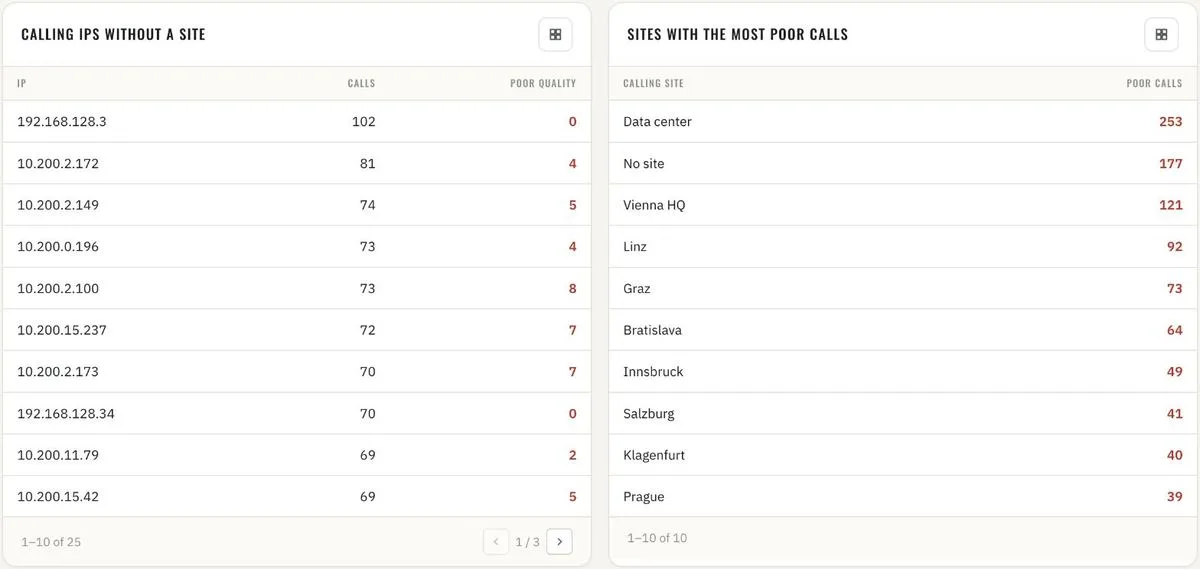
Location quality · calling IPs without a site · sites with the most poor calls 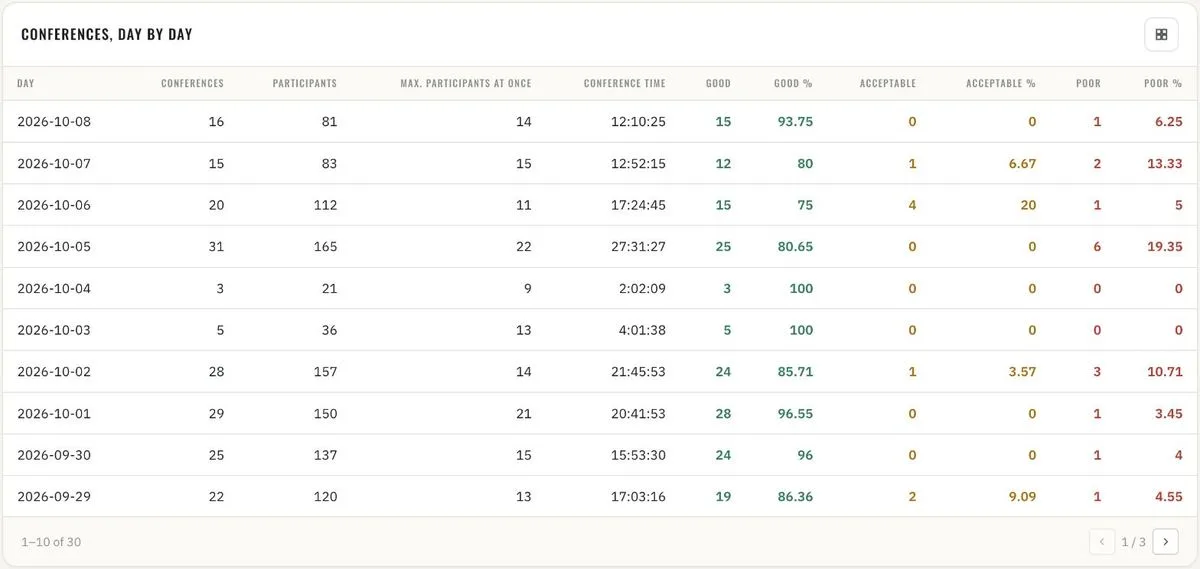
Conferences · day by day with peak participants and quality split 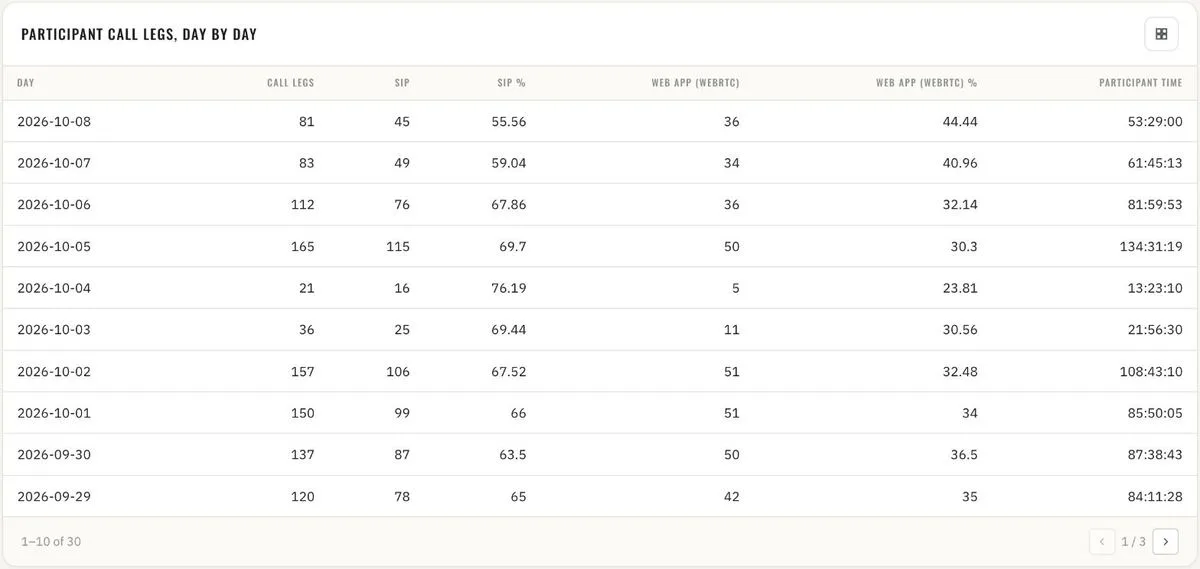
Conferences · participant call legs, SIP vs. web app, day by day 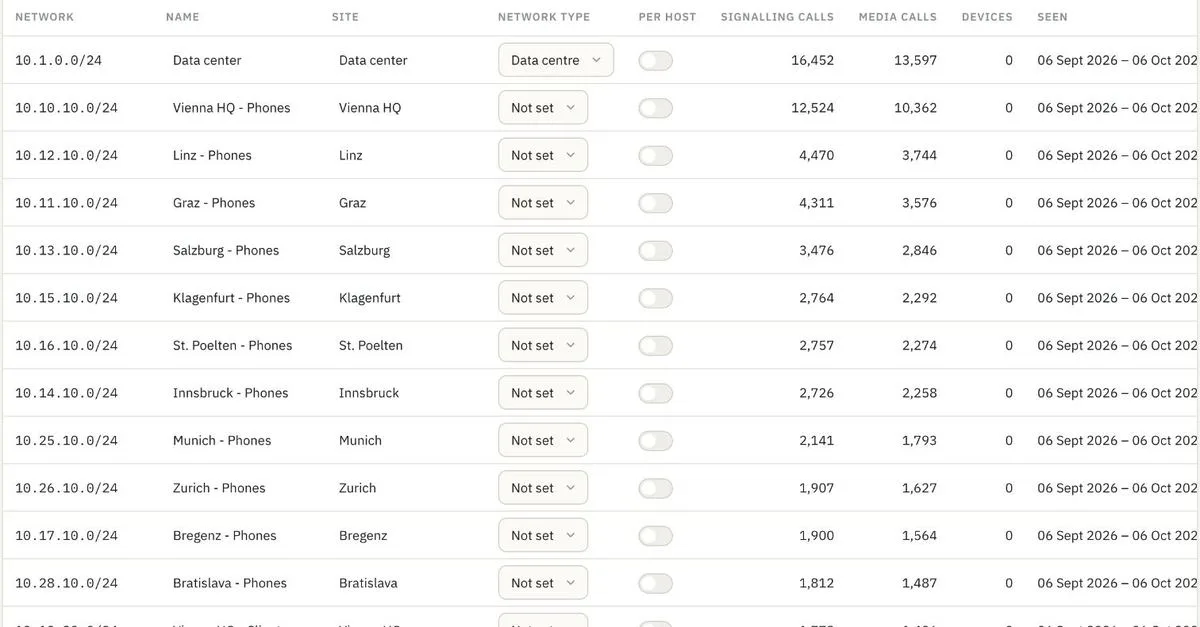
Admin · subnets with site and network type (VPN, data centre) - 9
Operations reporting – monthly and by device group
Monthly trend for management reports: calls, call hours, conferences, participants and participant hours – six months side by side. Device inventory by type and device group, and the same groups rated by call quality over the last hour, day, 30 and 90 days. One time axis for every question: quality in the last 60 minutes call by call, last 24 hours by hour, last 30 and 90 days by day.

Monthly · calls, call hours and conferences per month 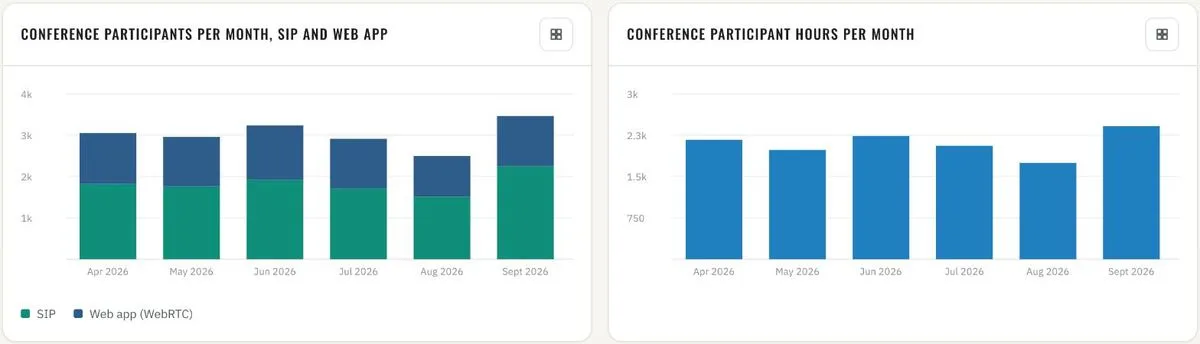
Monthly · conference participants (SIP vs. web app) and participant hours 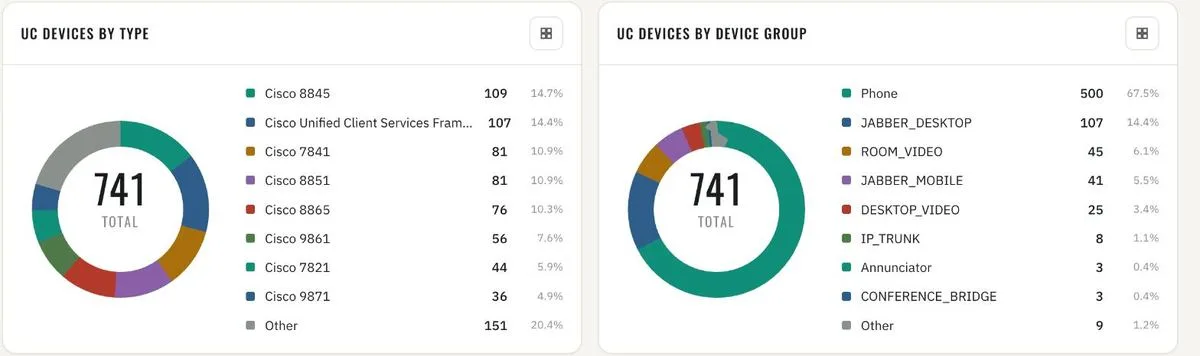
Inventory · UC devices by type and by device group 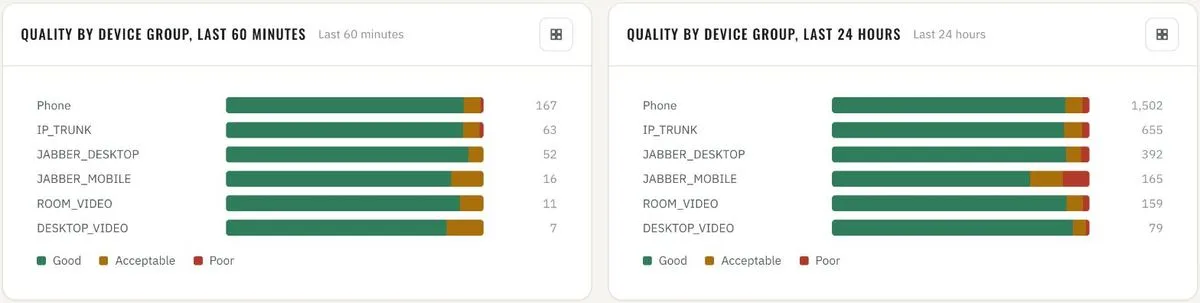
Quality by device group · last 60 minutes and last 24 hours 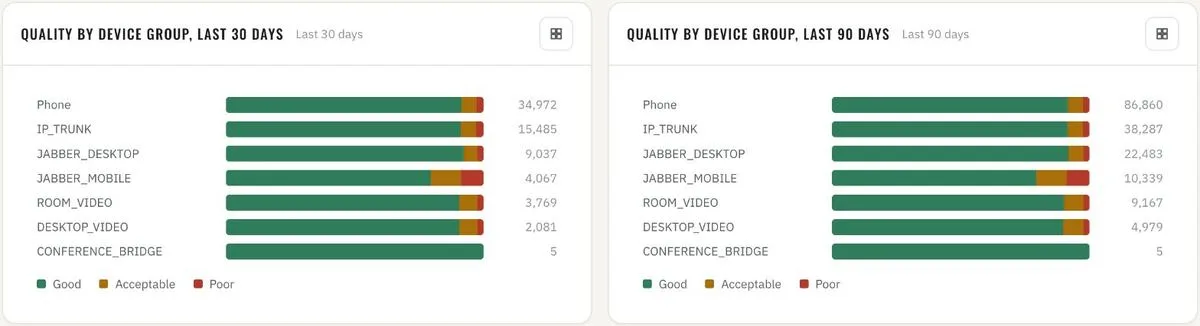
Quality by device group · last 30 and last 90 days 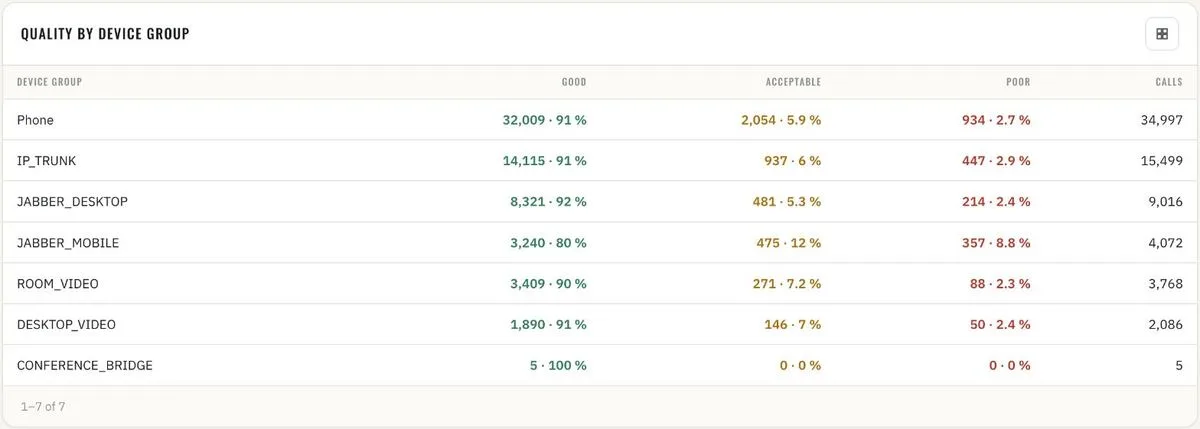
Quality by device group · table with good / acceptable / poor shares 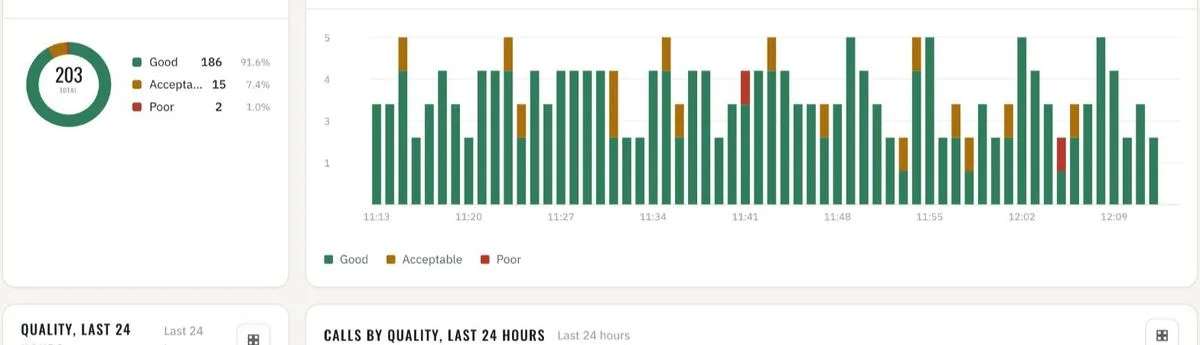
Quality · last 60 minutes, call by call 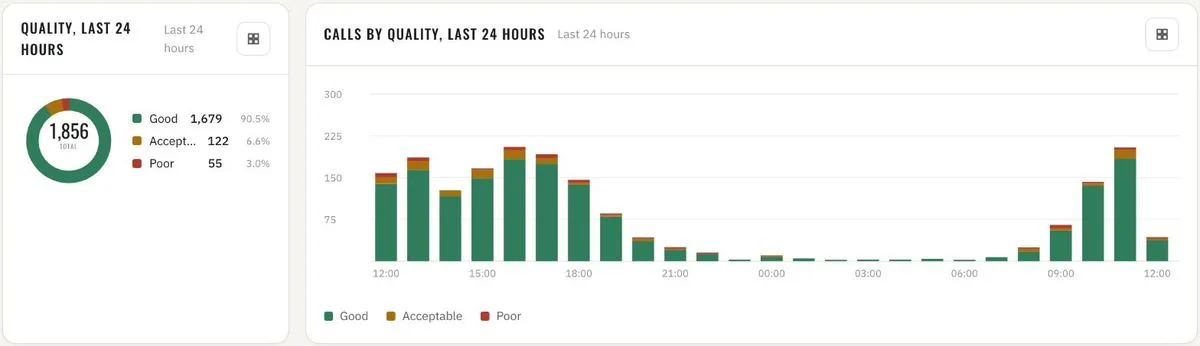
Quality · last 24 hours, by hour 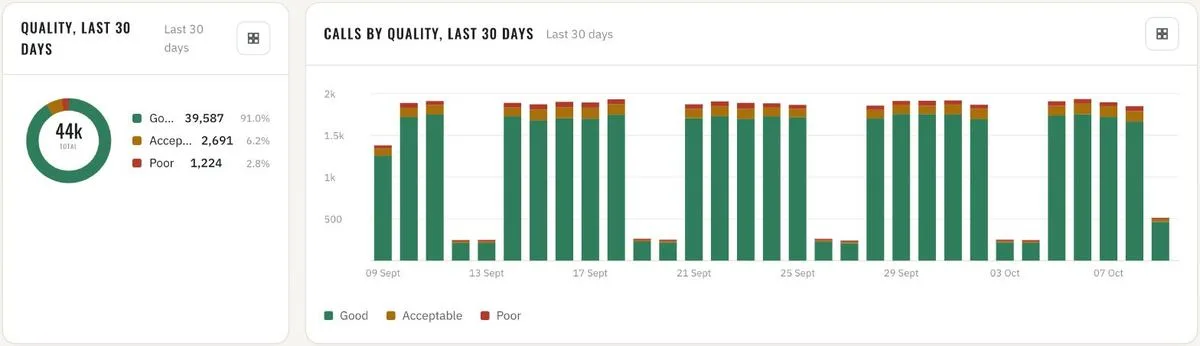
Quality · last 30 days, by day 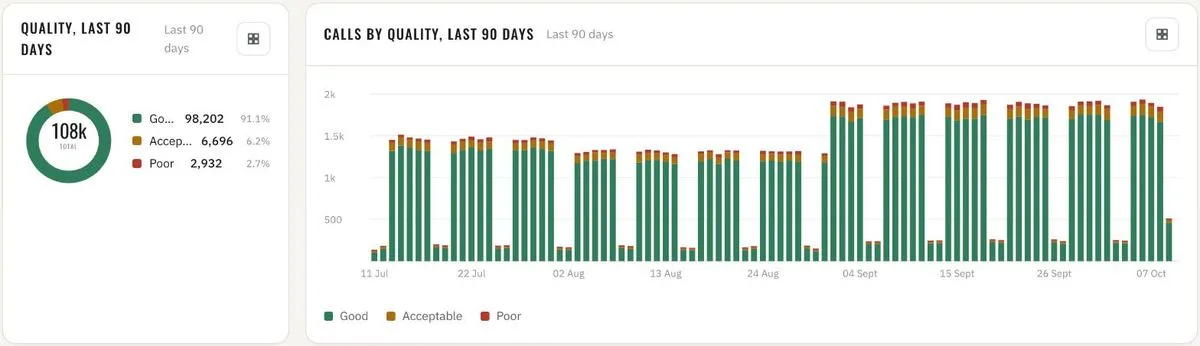
Quality · last 90 days, by day - 10
Calls by country
Every call that reaches the infrastructure over the internet via Expressway, mapped to the country and the network owner (ISP) it came from. Calls per country and per ISP – totals, share and call time, and the trend per day. Geolocation runs fully offline: the IP-to-country and IP-to-ISP databases ship with the platform and can be updated by file upload.
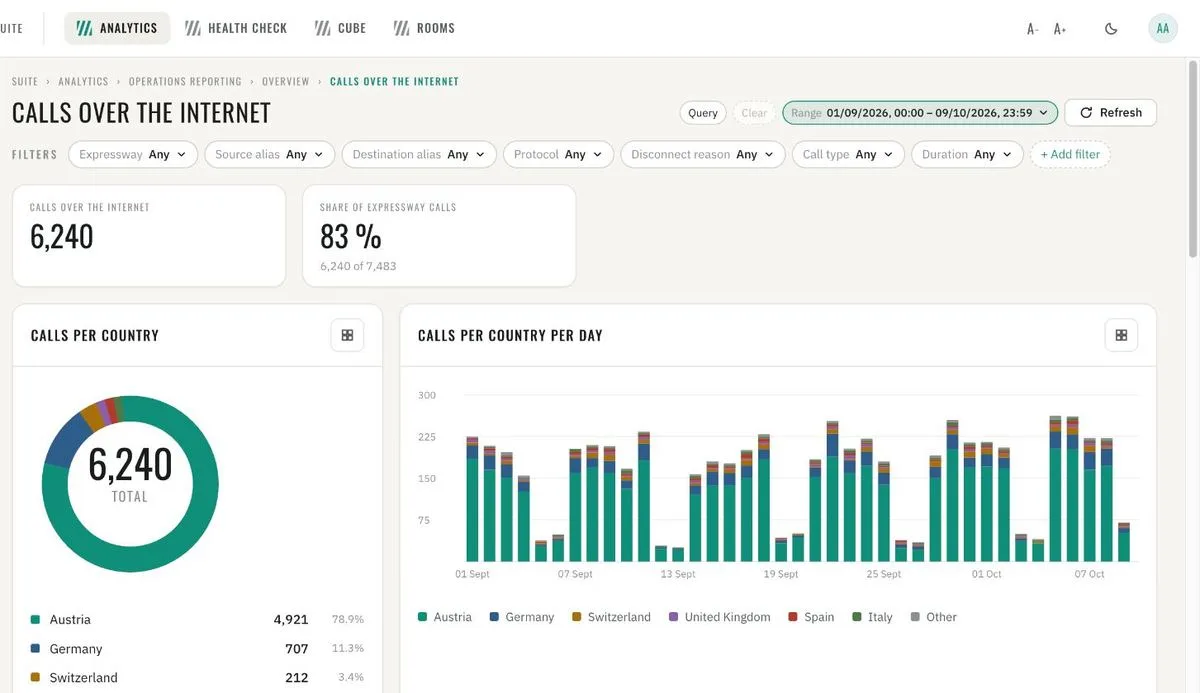
Calls over the internet · share of Expressway calls, calls per country and per day 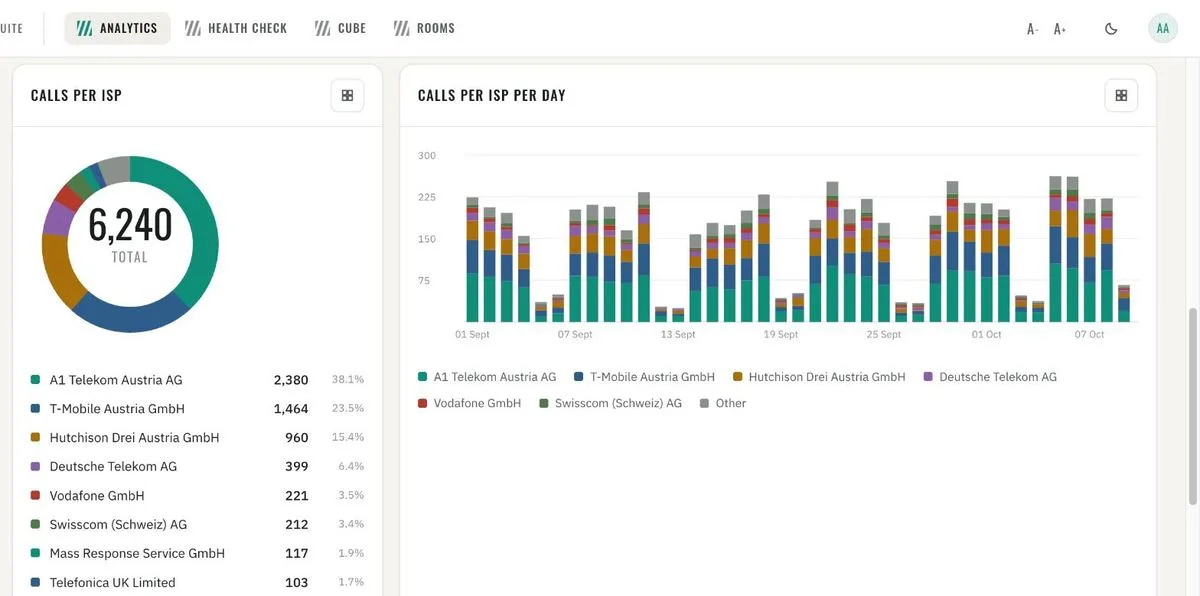
Calls per ISP and per ISP per day 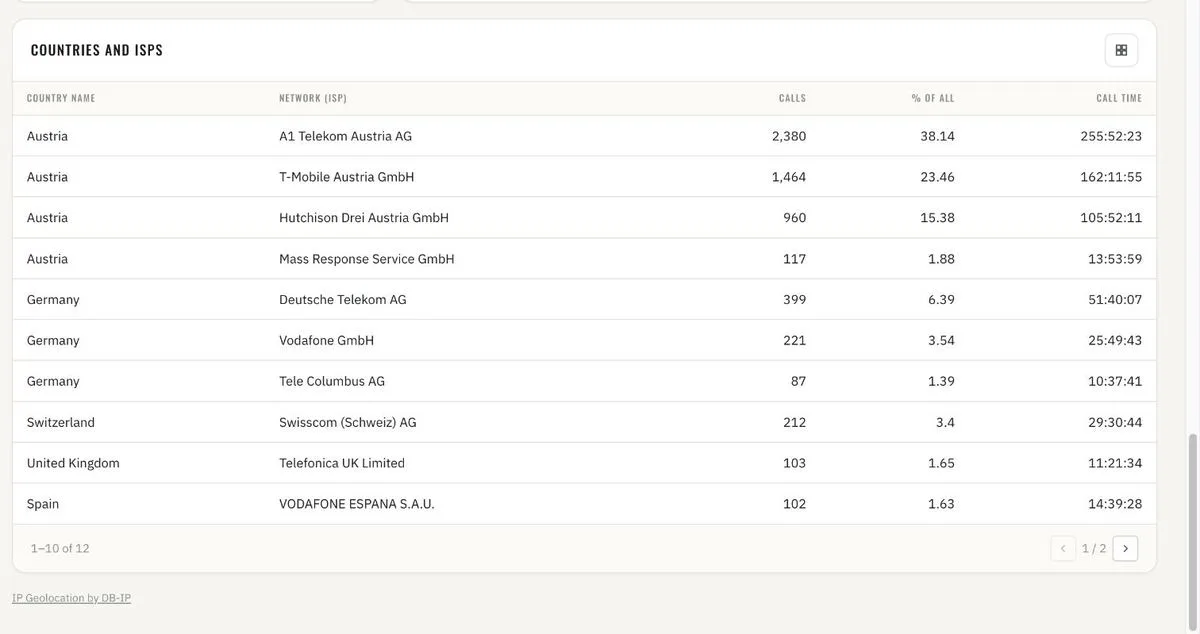
Countries and ISPs · calls, share and call time 
Admin · IP geolocation databases, shipped with the platform, updatable
Security dashboards
- 11
Call security
Encrypted vs. not-secured calls: share, trend and the per-day split – for the whole infrastructure or any cluster, device group or trunk. Every not-secured call listed with both devices and numbers; the connections and called devices where unsecured calls cluster. Anonymous callers on SIP trunks: count, share per day and the numbers they dial – the early sign of toll fraud or misrouted trunks.
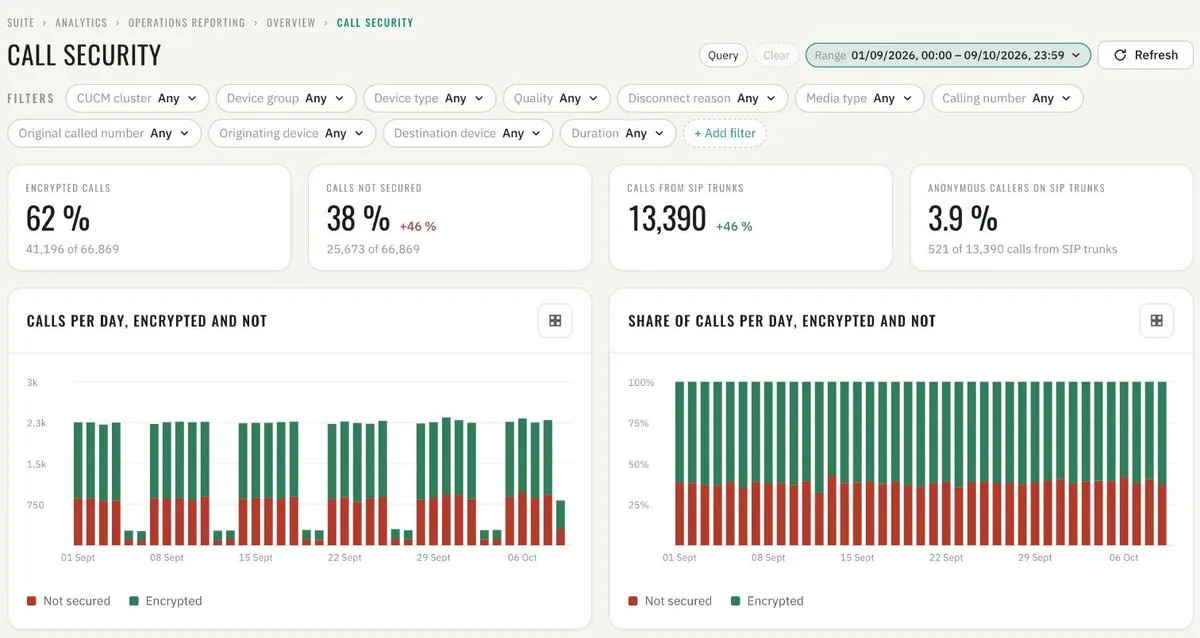
Call security · encrypted vs. not secured, per day 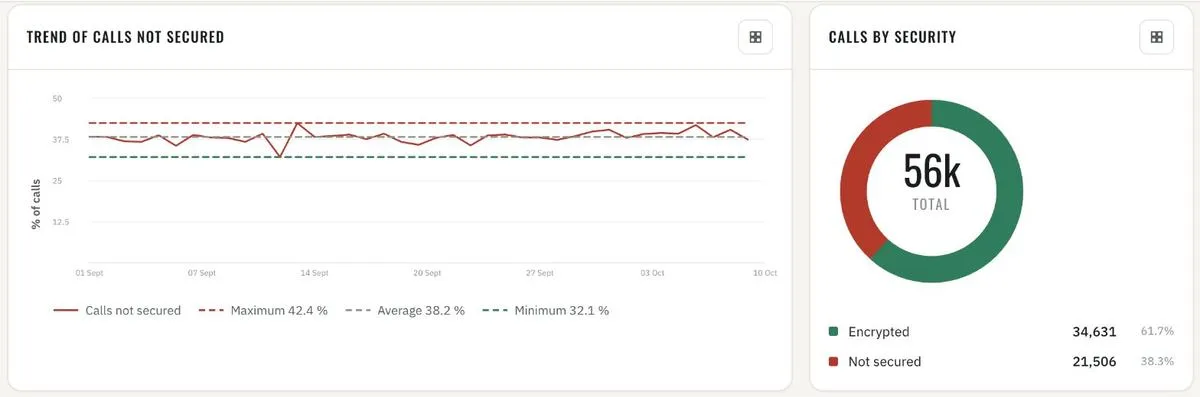
Trend of calls not secured · calls by security 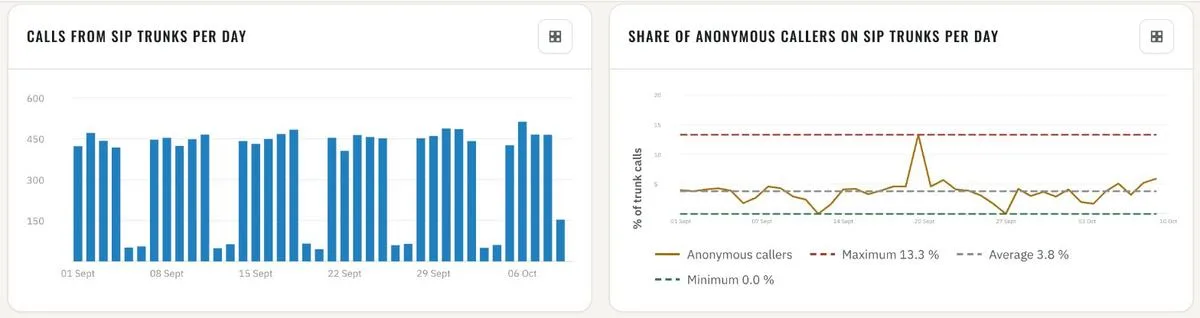
Calls from SIP trunks · share of anonymous callers per day 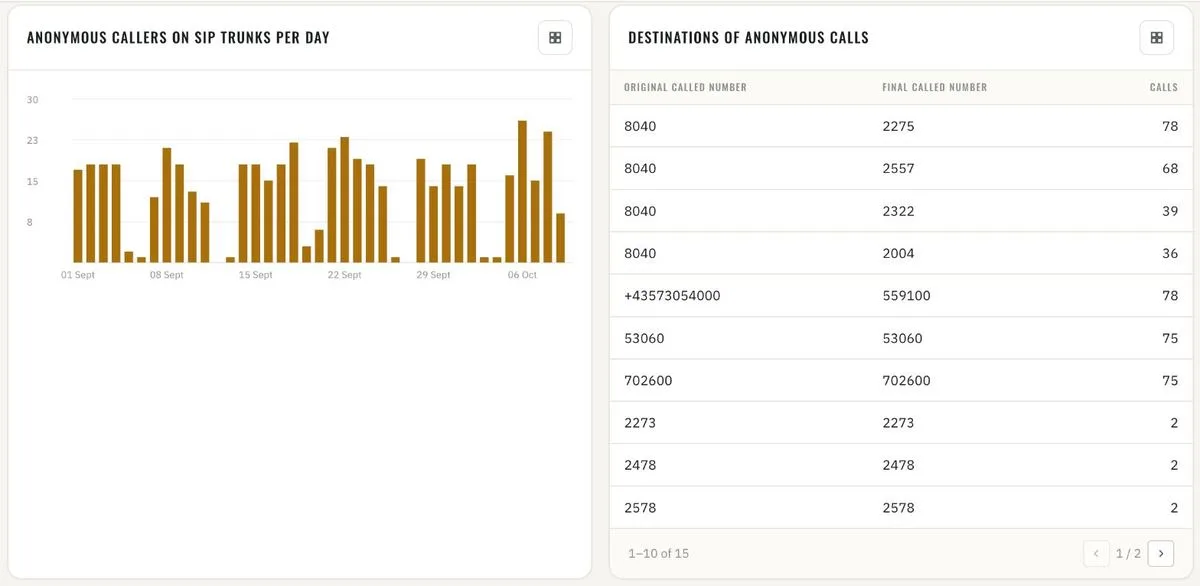
Anonymous callers on SIP trunks · destinations of anonymous calls 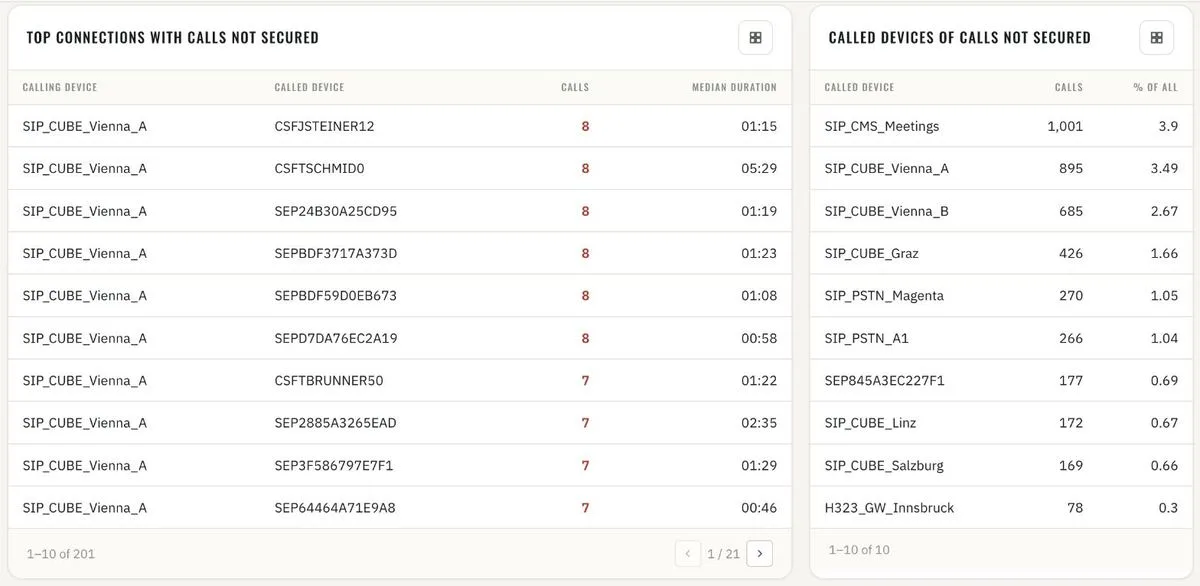
Top connections and called devices with calls not secured 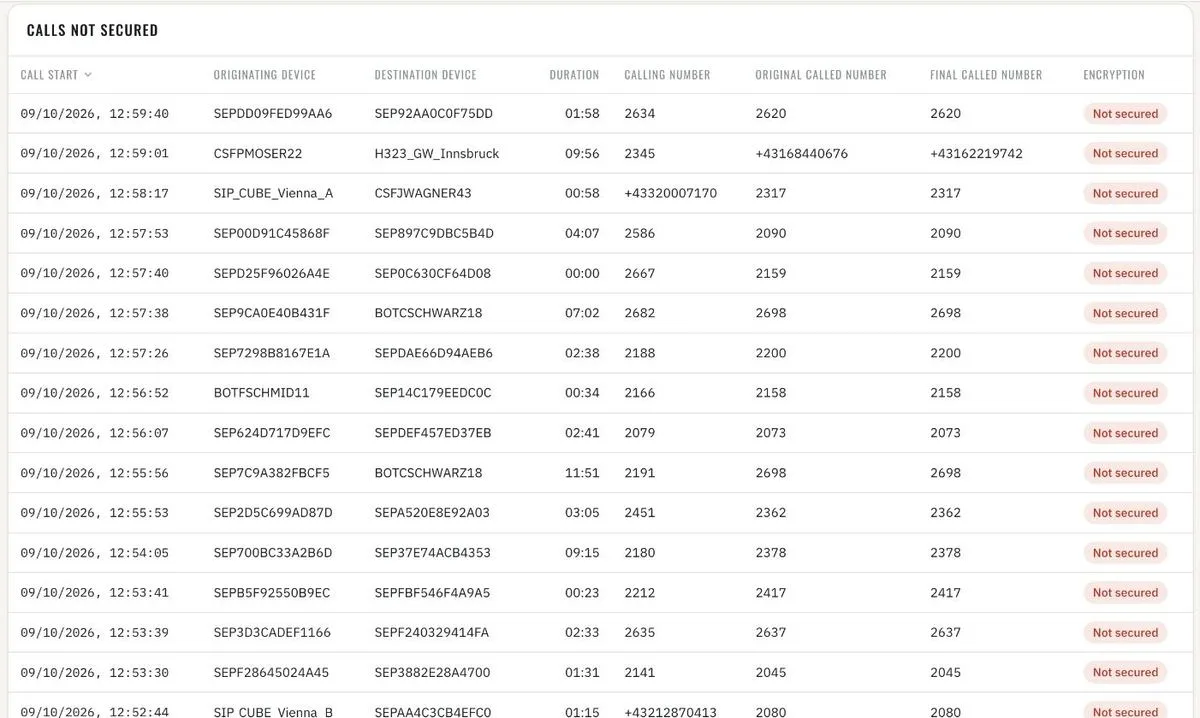
Calls not secured · call by call 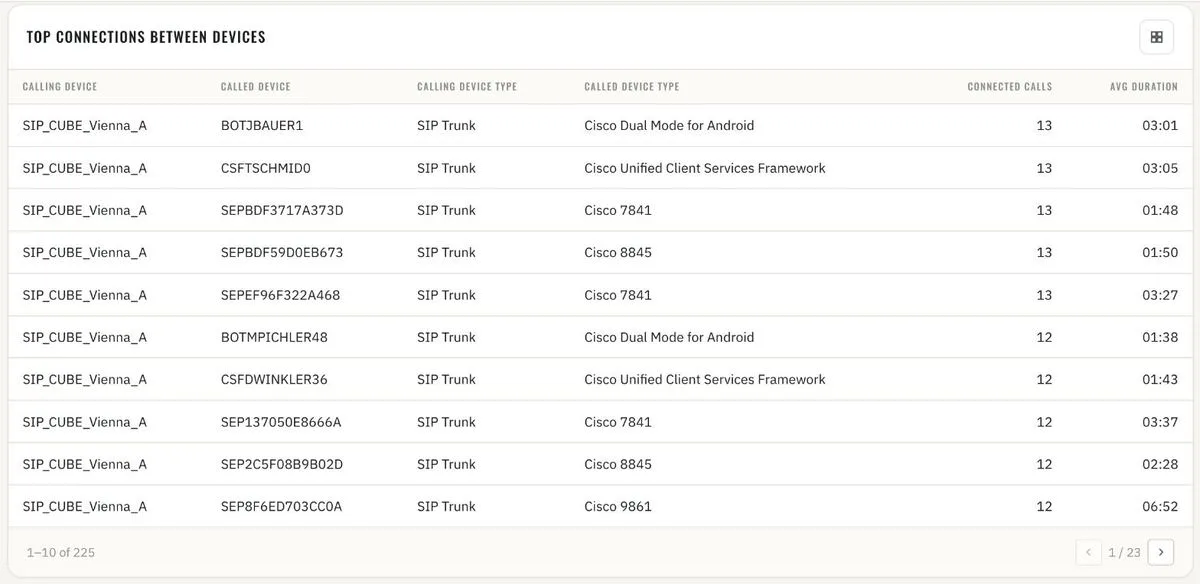
Top connections between devices - 12
CUCM security
Failed logins and refused accesses from the Cisco audit logs of every cluster – administration, OS administration, AXL, RTMT, serviceability, user options. Who, from where, against what: user IDs, client addresses and resources with the most failures, with the day-by-day trend. The report says when a cluster's audit logs are not collected, so a quiet chart is never mistaken for a safe one.
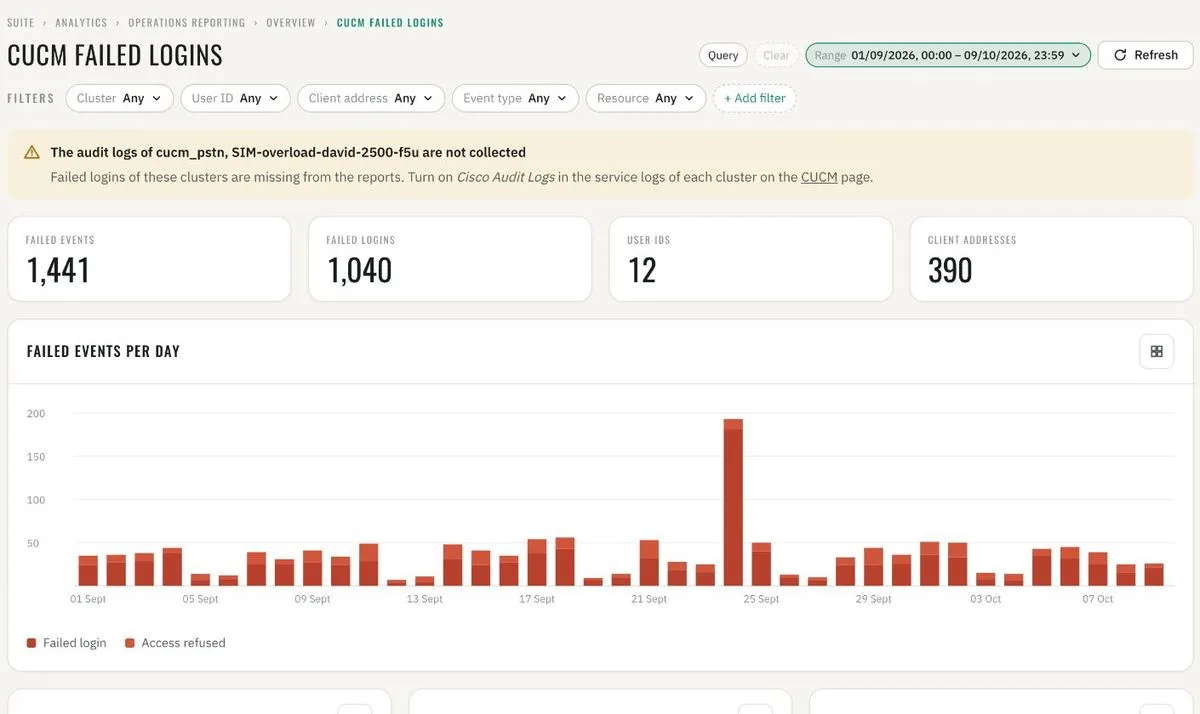
CUCM failed logins · failed events per day 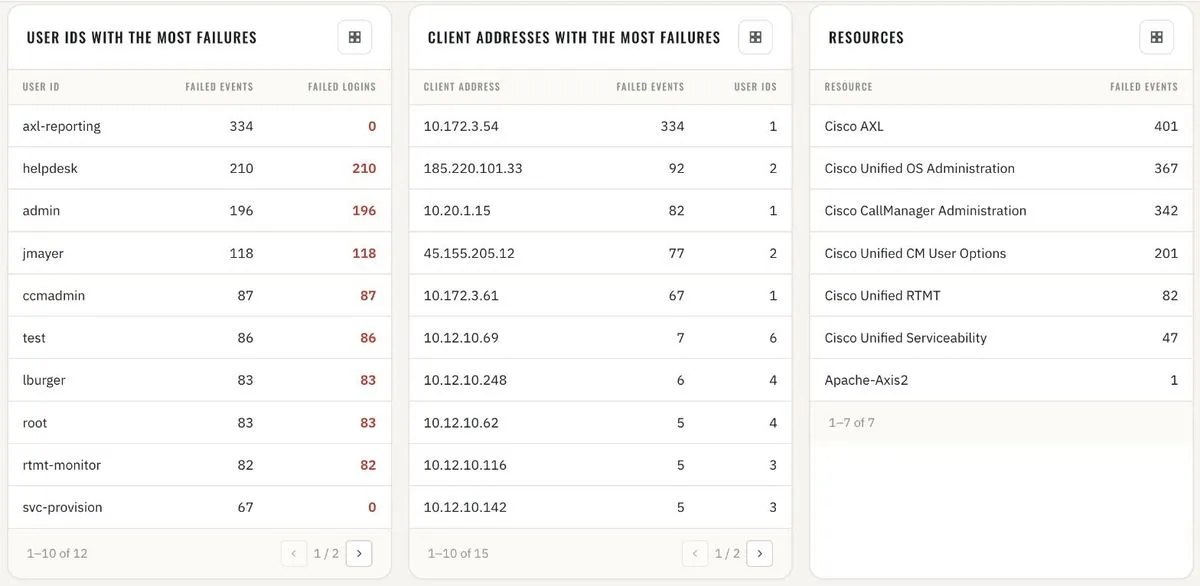
User IDs, client addresses and resources with the most failures 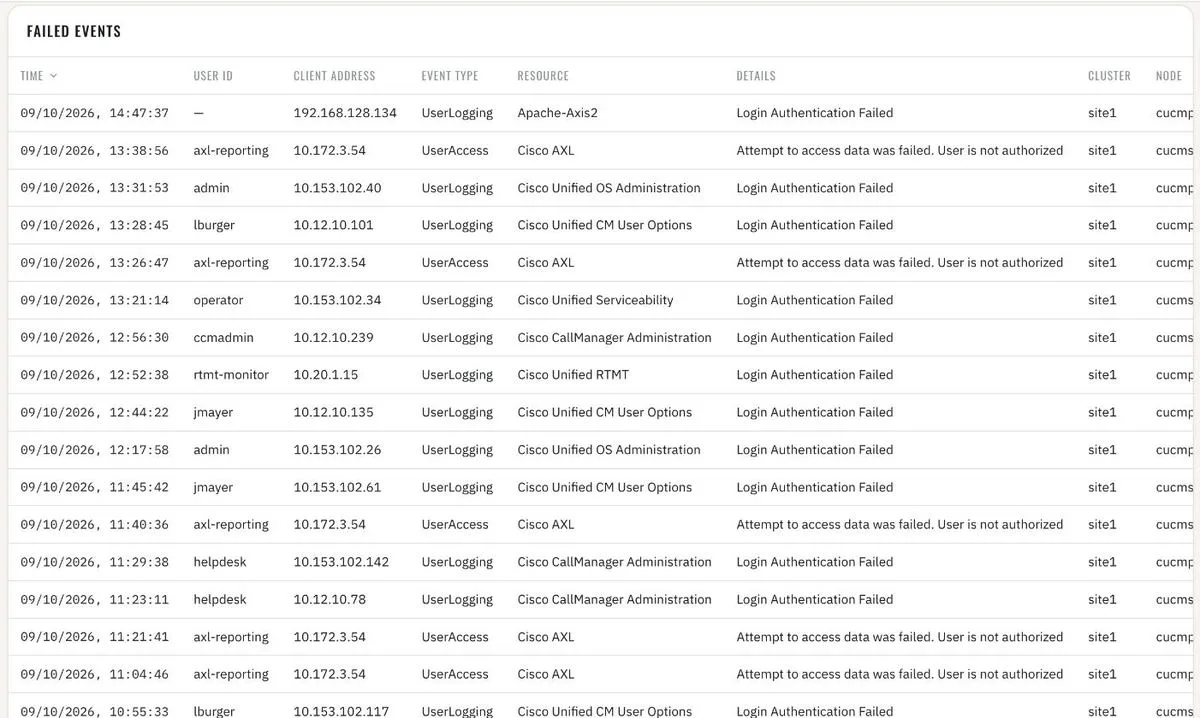
Failed events · event by event - 13
Expressway security
Every token message on the edge: accepted, expired and refused access and refresh tokens – 35 million of them in a month. Refused and expired tokens per day and the users behind them: expired tokens on one user usually mean a stale client, on many a certificate or clock problem. Requests refused with 403: the addresses and URLs probing the Expressway from the internet, per node and per day.
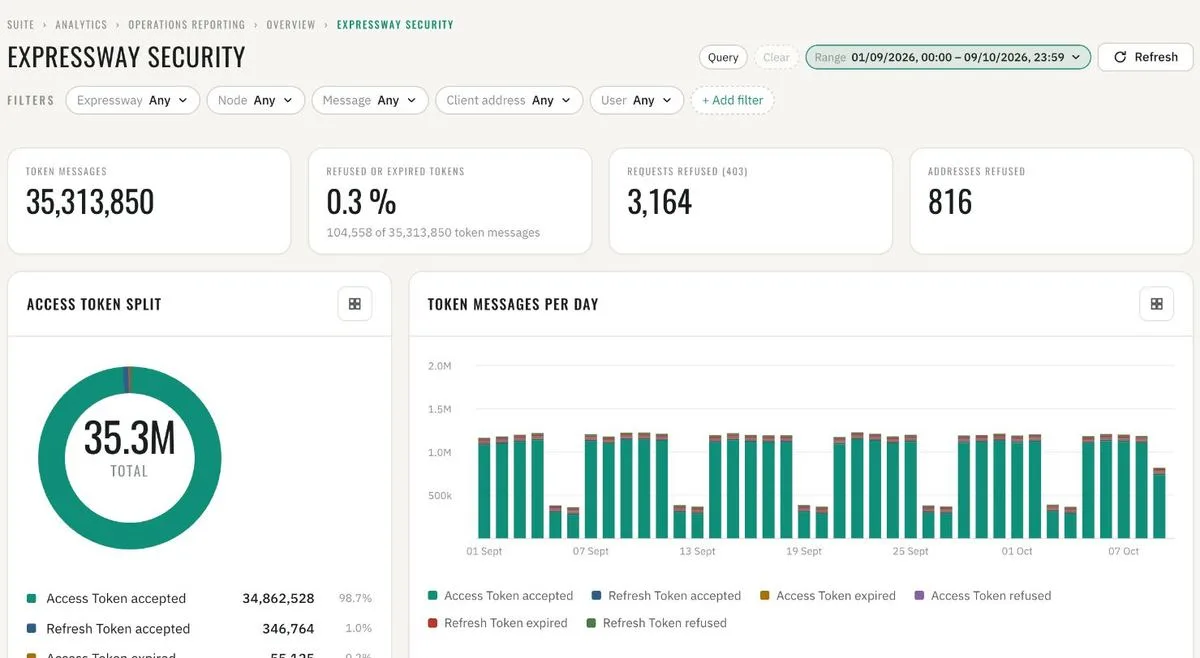
Expressway security · token messages and refused requests 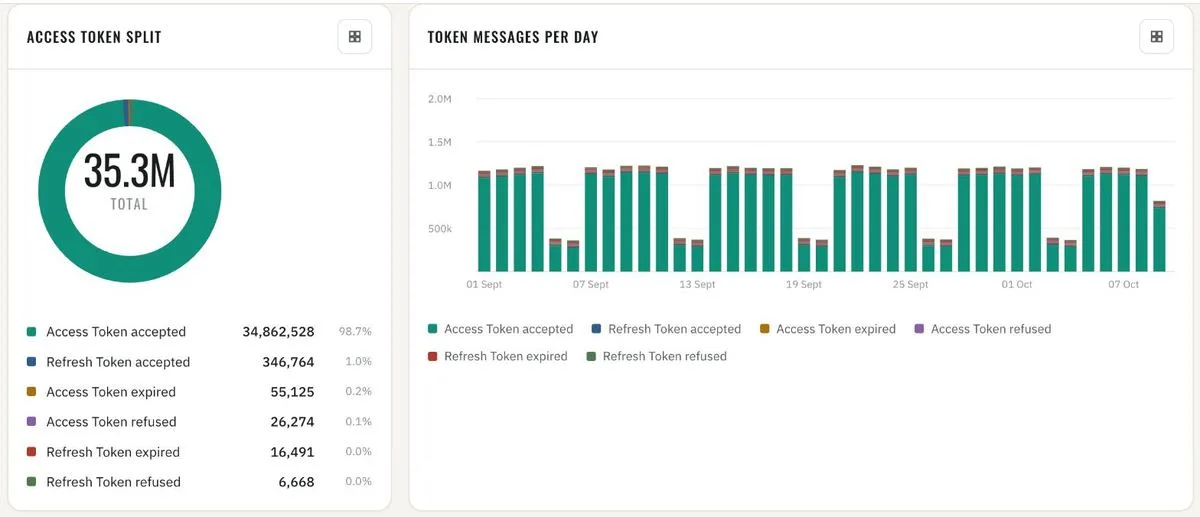
Access token split · token messages per day 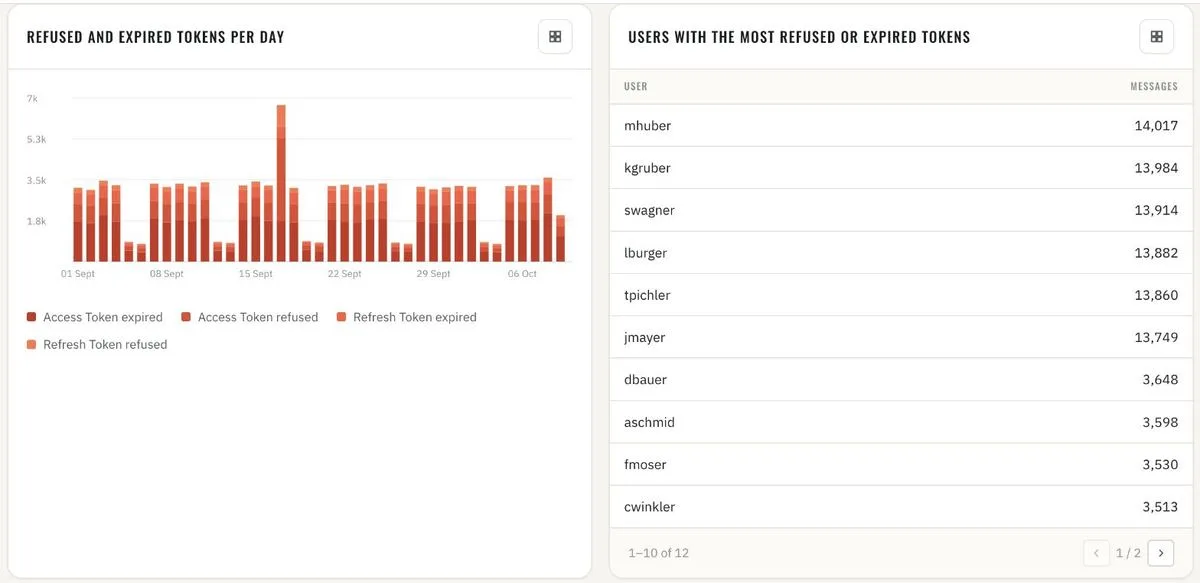
Refused and expired tokens per day · users with the most 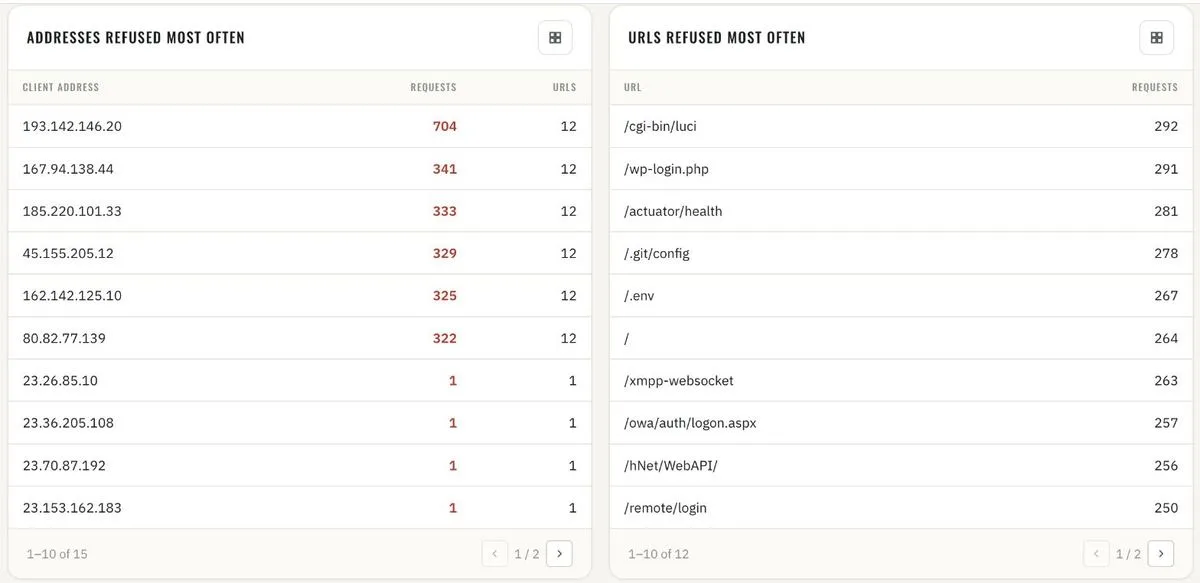
Addresses and URLs refused most often 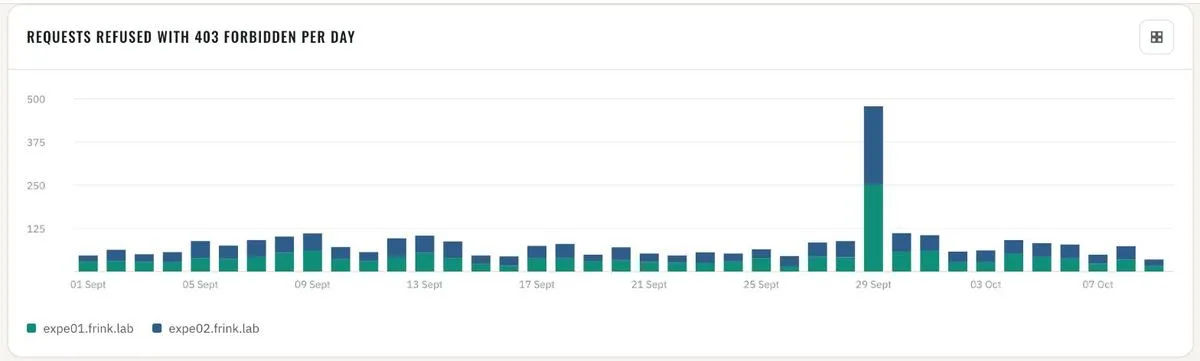
Requests refused with 403 per day, per node 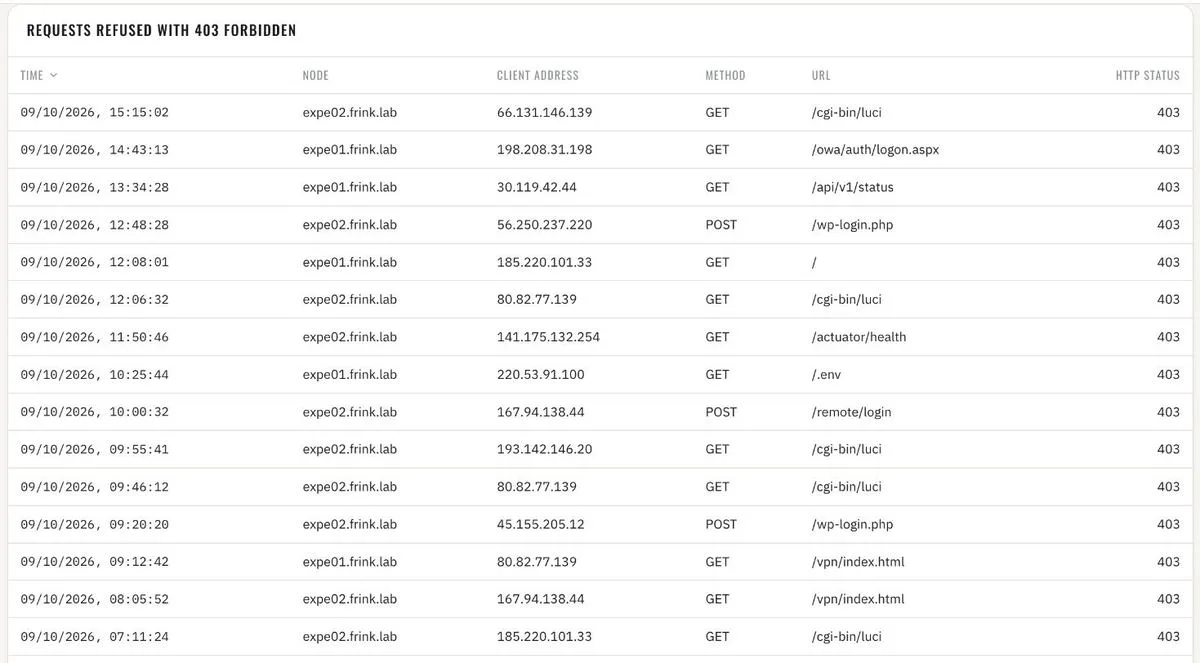
Requests refused with 403 · request by request